Cursor’s iPhone app brings coding agents mobile
Cursor’s new iOS app lets developers launch agents, review diffs, and inspect screenshots from an iPhone.

Cursor’s iOS app lets developers launch coding agents, review work, and ship fixes from an iPhone.
Cursor has landed on iPhone and iPad with a very specific promise: let developers start agents, watch them work, and approve changes without opening a laptop. The app currently shows 394 ratings, a 4.7 score, and a #4 chart position in Developer Tools, which says a lot about how much demand there is for mobile control over AI coding work.
| Metric | Value | Why it matters |
|---|---|---|
| App rating | 4.7/5 | Early users are responding well |
| Ratings | 394 | Enough signal to judge first impressions |
| App size | 91.7 MB | Light enough for a utility app |
| Version history | 1.0.0 to 1.6.1 | The app is moving fast |
| Developer Tools rank | #4 | Strong visibility in a crowded category |
Cursor is turning the phone into an agent console
Get the latest AI news in your inbox
Weekly picks of model releases, tools, and deep dives — no spam, unsubscribe anytime.
No spam. Unsubscribe at any time.
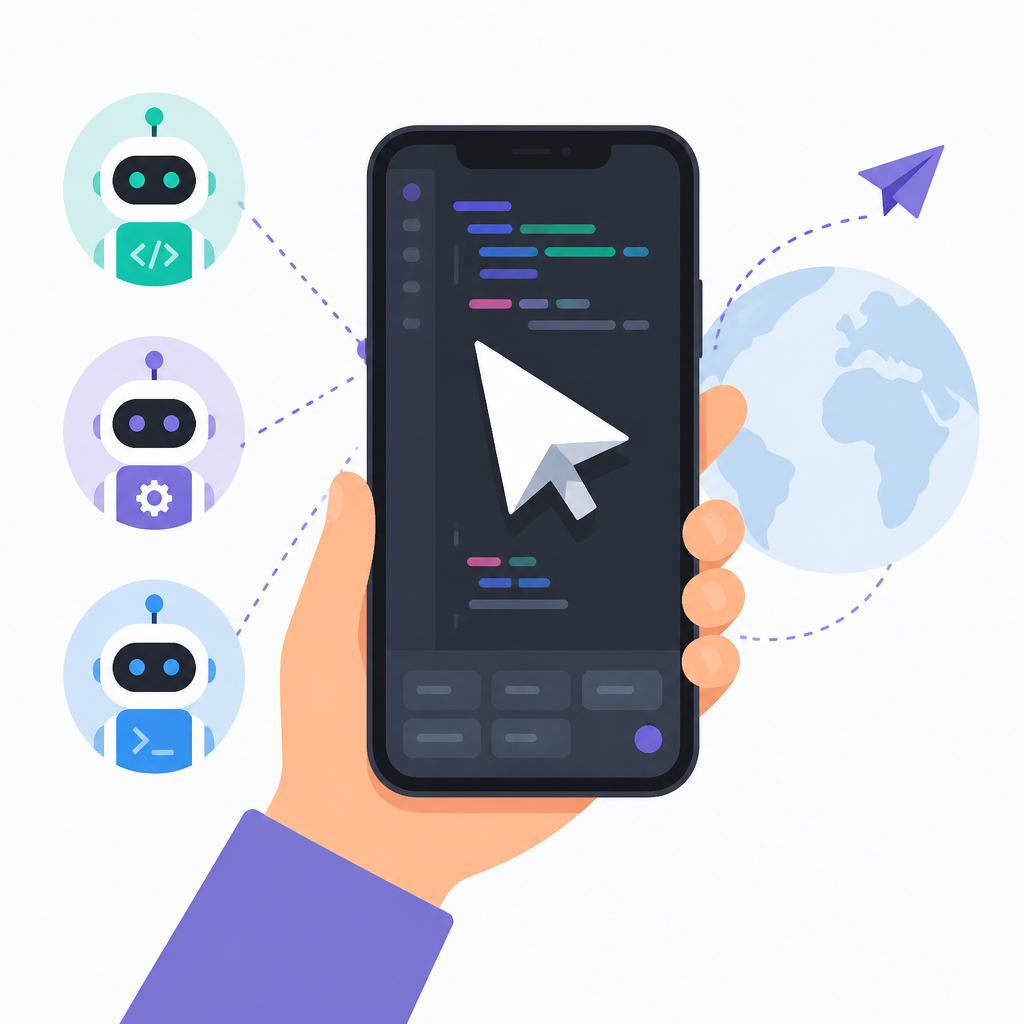
The core idea is simple: your phone becomes a control panel for coding agents. From the app, you can launch new work, track long-running tasks, inspect completed changes, and keep projects moving while you are away from your desk.

That matters because the bottleneck in a lot of AI-assisted development is no longer typing code. It is the handoff between idea, execution, review, and approval. Cursor is trying to shrink that gap by making the agent the unit of work, while the phone becomes the place where you supervise it.
According to the App Store listing, the app is free with in-app purchases, supports iPhone and iPad, and is rated 18+. It also lists English as the only language for now, which hints that this release is still early and focused on core users rather than broad localization.
- Free to download, with in-app purchases
- Supports iPhone and iPad
- Rated 18+ Years
- English-only at launch
- 91.7 MB download size
The mobile workflow is built around proof, not trust
Cursor’s mobile pitch gets more interesting when you look at how it verifies agent output. The app can generate artifacts such as videos, screenshots, and logs so you can inspect what happened before you decide whether to move on. That is a practical answer to one of the biggest problems with autonomous coding: agents can do a lot, but you still need a fast way to check whether the result is actually usable.
The company says agents run in their own virtual machines with full development environments. That setup gives the system enough isolation to work more independently and produce merge-ready pull requests, instead of leaving you with half-finished edits that still need a human to clean up.
“I’ve been using Cursor for quite a long time, and one of my favorite features is the cloud agents.” — Jenison212, App Store review
The review quotes in the App Store are useful because they show both the appeal and the rough edges. One user said the app feels close to perfect but still lacks some web features, including sub-agent visibility and better project skills support. Another said they use local remote control heavily but want more confirmation before the app opens a pull request.
That feedback points to the real tension in mobile agent tools: speed is great, but control matters just as much when the agent can touch production code.
Visual feedback is where the app gets practical
One of Cursor’s more interesting features is visual annotation. You can take a screenshot, circle a bug, and add comments directly on the image. Cursor then uses those annotations as context for updates, which makes the interaction feel closer to a design review than a plain chat with a coding bot.
That matters for UI work, where text descriptions often miss the point. A screenshot with a red circle around a broken button is much easier for an agent to interpret than a paragraph trying to explain spacing, alignment, or color issues.
Cursor also says it supports voice mode, so you can speak requests instead of typing them. That may sound like a small convenience, but it changes when and how people use the app. A developer can fire off an agent while walking, commuting, or sitting away from a keyboard and still keep the work moving.
- Screenshot annotations for visual bug reports
- Voice mode for hands-free requests
- Artifacts like screenshots, videos, and logs
- Review diffs and merge pull requests on mobile
Cursor is betting on model choice and Composer
Cursor is also making a bigger platform argument here. The app says users can access frontier models from OpenAI, Anthropic, Google DeepMind, and others, while its own agentic model, Composer, is tuned for speed and token efficiency.
That is a smart positioning move. Cursor is not asking developers to accept one model for every job. It is telling them to pick the best model for the task, then use the same mobile app to supervise the result. In practice, that means the app is less about chat and more about orchestration.
There is also a clear product strategy underneath the feature list. The app is designed for individual builders, but the listing keeps mentioning teams, pull requests, and active engineering work. That suggests Anysphere wants Cursor to sit in the middle of small startup workflows and larger engineering orgs that already live in code review.
- Model access from OpenAI, Anthropic, Google, and more
- Cursor’s Composer model focuses on speed and token efficiency
- Team workflows include PR review and active work tracking
- Version history shows frequent updates from 1.0.0 to 1.6.1
What the early reviews say about the tradeoffs
The App Store reviews paint a mixed but informative picture. Fans love the ability to start agents from anywhere, including “the beach,” and one reviewer said they can run five agents at once while checking screenshots and videos instead of pulling branches locally. That is the kind of workflow that makes mobile AI tools feel less like demos and more like real infrastructure.
At the same time, the complaints are telling. Users want more oversight before a pull request gets opened, better visibility into sub-agents, and closer parity with the web version. Those are not cosmetic requests. They are the kinds of features that separate a useful remote controller from a tool developers trust with real code.
If you compare Cursor’s iOS release with the app’s own update pace, the direction is clear. Version 1.0.0 arrived on June 29, and the listing now shows 1.6.1 just days later, along with additions like iPad support, improved reviews, inbox features, multi-team org support, Azure and Bitbucket connections, and remote control improvements. That is a fast iteration cycle for a mobile dev tool.
The bigger question is not whether the app works. It does. The question is how much autonomy teams will allow an agent when the approval flow starts on a phone screen. My bet is that Cursor will keep winning users who want fast execution, while the next round of updates will have to answer for permissions, PR review, and visibility into what the agent is actually doing.
For now, Cursor’s iOS app feels like a serious attempt to make coding agents portable rather than merely impressive. If Anysphere keeps closing the gap between mobile control and desktop depth, the app could become the default way many developers keep AI work moving outside office hours.
// Related Articles
- [TOOLS]
DeepSeek’s plugin harness turns agents into tools
- [TOOLS]
Claude Code lets sessions message each other
- [TOOLS]
10 AI GitHub repos that actually save time
- [TOOLS]
Anthropic's Fable leak turns CTF chaos into a warning
- [TOOLS]
VDBBench adds cost to vector DB comparisons
- [TOOLS]
Zilliz Adds Cost Metrics to VDBBench