Open-Notebook turns NotebookLM into open source
I break down Open-Notebook’s open-source NotebookLM clone and give you a copy-ready template to adapt it.

Open-Notebook is an open-source NotebookLM alternative you can adapt and self-host.
I've been using NotebookLM-style tools long enough to know the pattern: they look perfect in the demo, then they start getting weird the second you want to do anything nonstandard. Different source types? Half-supported. Model choice? Hidden. Retrieval knobs? Buried or nonexistent. And if you're the kind of developer who wants to inspect the pipeline, swap pieces, or run the whole thing inside your own stack, the glossy product starts feeling like a locked drawer with a nice label on it.
That’s why I paid attention when I saw AIToolly’s write-up on open-notebook, the GitHub project from lfnovo. It’s positioned as an open-source implementation of NotebookLM, and that matters more than the headline suggests. The point isn’t just “a clone exists.” The point is control: inspectable code, custom workflows, and a path to bending the tool around your own research process instead of the other way around.
NotebookLM works until you want to touch the plumbing
Get the latest AI news in your inbox
Weekly picks of model releases, tools, and deep dives — no spam, unsubscribe anytime.
No spam. Unsubscribe at any time.
“The open-notebook project seeks to break these barriers by offering an open-source implementation.”
What this actually means is simple: the project is trying to recreate the NotebookLM experience without the vendor lock-in. That sounds obvious, but I’ve seen enough AI note tools to know the real pain is never the UI. It’s the invisible stuff underneath. Which model is answering? How are documents chunked? What gets retrieved first? What happens when the source material is messy, scanned, or just plain boring corporate sludge?

NotebookLM is useful because it grounds answers in your own material. But when I hit a limitation, I can’t open the hood and fix it. I can only work around it. Open source changes that relationship. If the retrieval is off, I can tune it. If I want another model, I can wire it in. If I need the system to respect a weird internal document format, I can make that happen instead of filing a feature request into the void.
How to apply it: stop judging these tools by their polished demo flow. Judge them by whether they let you change the boring parts. If a notebook product won’t let me inspect ingestion, retrieval, storage, and prompt assembly, I treat it like a toy no matter how good the marketing is.
- Can I see where the answers come from?
- Can I swap models without rewriting the app?
- Can I host it where my data already lives?
Flexibility is the whole point, not a bonus feature
The AIToolly article says flexibility is a core value proposition, and that’s the right framing. In this space, “flexible” usually means “you can change the model, the retrieval settings, and the data sources.” That’s not a nice-to-have. That’s the difference between a product I can actually use and one I admire from afar.
I’ve run into this when building internal research assistants. The team wants one tool for product docs, incident notes, meeting transcripts, and vendor PDFs. A closed notebook app usually handles one or two of those cleanly and then starts making assumptions that are fine for consumer use and awful for operational work. Open systems don’t magically solve that, but they at least let me adapt the pipeline to the job.
There’s also a bigger point here: flexibility is what keeps a tool alive after the hype cycle ends. If the core is open, contributors can keep extending it when the original roadmap slows down. If the core is closed, you’re waiting on someone else’s priorities. I’ve been burned by that enough times to have zero patience for it.
How to apply it: make a list of the knobs you actually need before you adopt any AI notebook.
- Model selection
- Chunk size and retrieval behavior
- Document source types
- Export format
- Self-hosting or local deployment
If the tool doesn’t expose those controls, it’s going to fight you later.
Open source matters because trust is not a vibe
“This move is significant because it allows for a level of transparency that is currently missing in the market.”
That line from the article is doing real work. Transparency is not some abstract open-source virtue signal. For AI tools handling private research, legal docs, internal plans, or customer data, transparency is the feature. I want to know what gets stored, what gets sent out, and what gets retained. I want to know whether the system is quietly making copies of my material or sending prompts to a third-party API I didn’t intend to use.
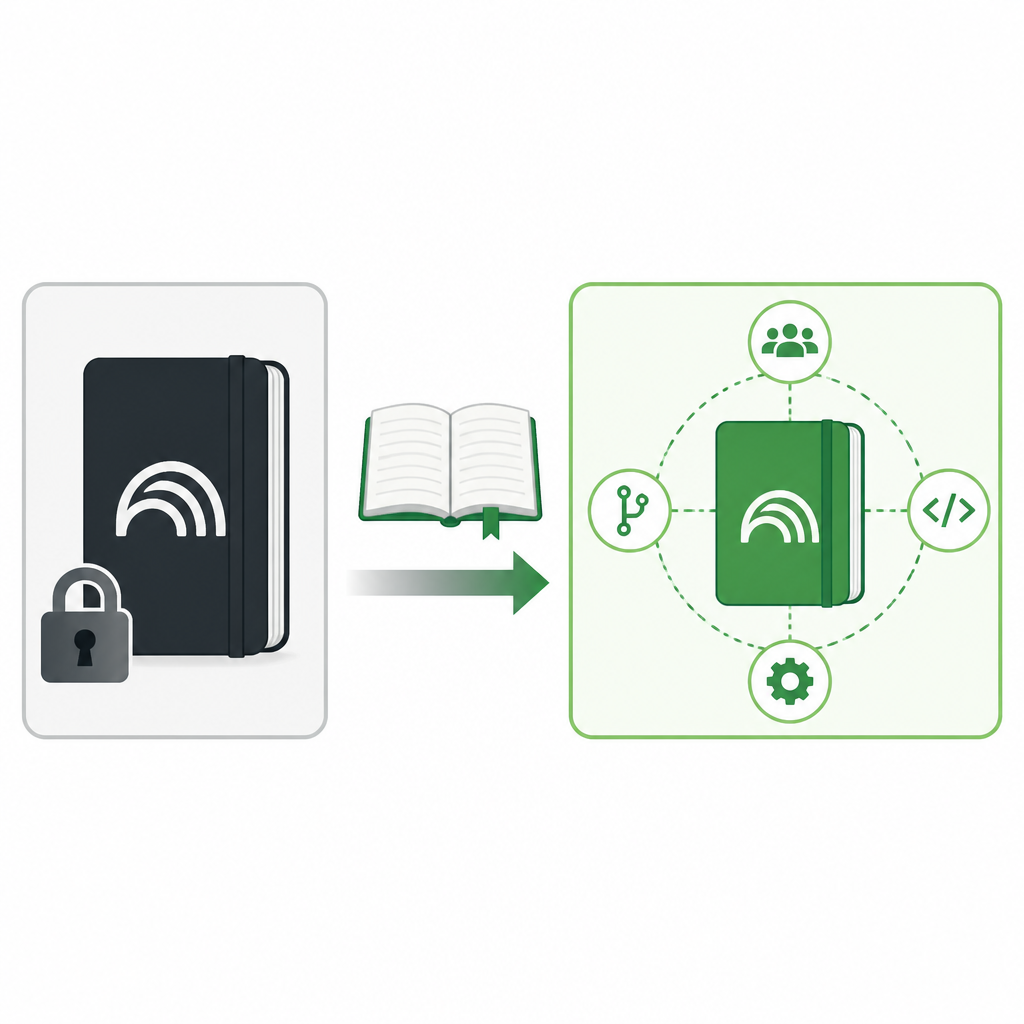
When I evaluate a notebook app, I’m not just asking “does it answer questions well?” I’m asking “can I explain this system to security, compliance, or my own future self?” Closed products make that harder because the behavior lives behind a wall. Open source at least gives me a fighting chance to audit the flow.
And yes, I know open source doesn’t automatically mean safe. Bad code can be open too. But it does mean I can review it, patch it, or have someone on my team review it. That’s a huge difference when the tool is sitting on top of sensitive material.
How to apply it: if you’re considering open-notebook or anything like it, check three things first.
- Where are documents stored?
- Where are prompts and embeddings processed?
- What can be self-hosted versus what must call out?
If you can’t answer those in one meeting, the tool is not ready for serious use.
“More functions” usually means the roadmap is still open
The article says the developer aims to include “more functions,” which is vague in the way early open-source projects often are. I don’t mind that. I actually prefer it to fake certainty. It tells me the project is still being shaped by usage, not frozen by a product manager’s slide deck.
What counts as “more functions” in a NotebookLM-style app? In practice, I’d expect things like better document parsing, richer note organization, multi-modal input, source comparison, citation handling, and maybe workflow integrations. That’s the stuff users discover they need after the first week of real use. The demo never shows it because demos are allergic to edge cases.
I’ve watched a lot of AI tools stall because they shipped a narrow first pass and never recovered. Open projects at least have a path to evolve in public. If the architecture is sane, contributors can add the features that matter to their own workflows, and those improvements can compound.
How to apply it: don’t ask whether the project already has every feature you want. Ask whether the structure looks like it can absorb new ones without turning into spaghetti. That means looking for clear modules, readable docs, and a repo that doesn’t feel like one giant script with dreams.
Why developers care more than casual users do
For a casual user, a NotebookLM alternative is about convenience. For a developer, it’s about fit. I care whether I can fold the tool into an existing stack, whether I can automate ingestion, and whether the output can flow into my actual systems instead of living in a separate little island of productivity theater.
That’s why projects like open-notebook are interesting beyond the headline. They’re not just competing with a product; they’re competing with the assumption that research assistants have to be closed, centralized, and one-size-fits-all. They don’t. They can be composable. They can be self-hosted. They can be boring in the best possible way: predictable, inspectable, and easy to modify.
I also think this is part of a broader shift toward local AI and self-hosted workflows. The more teams care about data sovereignty, the less patience they have for black-box assistants. Open-notebook fits that trend cleanly, even if the project is still early.
How to apply it: if you’re building around this kind of tool, think in terms of integration points.
- Document ingestion from your existing storage
- Authentication that matches your org
- Export to markdown, JSON, or your knowledge base
- Hooks for background jobs and automation
If those hooks aren’t there yet, they should be on your shortlist for contribution.
The real test is whether it survives contact with messy work
Every AI notebook looks good when you feed it clean PDFs and ask obvious questions. Real work is uglier. It’s half-finished docs, contradictory notes, stale meeting transcripts, and sources that don’t agree with each other. That’s where I start caring about whether a tool is actually flexible or just wearing the word like a costume.
Open-notebook is interesting because it invites the community to make those messy cases better. That’s the payoff of open source in this category. Not just “free as in cost,” but “adaptable when the problem changes.” And the problem always changes.
If I were adopting this today, I’d start small: one corpus, one use case, one team. I’d test retrieval quality, source traceability, and whether the codebase is understandable enough that I’d actually want to maintain it. If it passes that, then I’d expand. If not, I’d move on without pretending the logo was enough.
How to apply it: use a pilot checklist, not enthusiasm.
- Does it answer from the right sources?
- Can I explain failures?
- Can I modify the behavior without a rewrite?
- Would I trust this with sensitive notes?
The template you can copy
# Open-Notebook adoption checklist for a developer team

## Goal
Build an open-source, NotebookLM-style workspace that we can inspect, self-host, and adapt.

## Non-negotiables
- Source code must be readable and auditable.
- Document ingestion must be configurable.
- Model choice must be swappable.
- Retrieval settings must be visible and tunable.
- We must be able to self-host or run locally.

## Evaluation questions
1. Where do documents go after upload?
2. Which model handles retrieval and generation?
3. Can we change chunking, ranking, and citation behavior?
4. What file types are supported today?
5. What parts can be extended without forking the whole app?
6. Can we export notes and answers in a usable format?
7. Does the repo have clear modules, tests, and contribution docs?

## Pilot plan
- Pick one document set: product docs, research notes, or internal wiki pages.
- Load 20 to 50 representative files.
- Ask 10 real questions your team would ask.
- Record:
  - answer quality
  - citation quality
  - retrieval misses
  - latency
  - setup pain
- Decide whether to keep, modify, or drop the tool.

## What to customize first
- Model provider
- Embedding model
- Chunk size
- Retrieval depth
- Source ranking logic
- Export format
- Authentication and access control

## Contribution backlog
- Better PDF parsing
- Better handling for messy scans
- Multi-source comparison
- Markdown export
- Background ingestion jobs
- Team workspaces
- Audit logging

## My rule
If I cannot explain how the tool works, I do not trust it with important notes.

## Copy-ready adoption prompt
You are helping me evaluate an open-source AI notebook tool for a developer team. I need a practical checklist, not marketing copy. Focus on: transparency, self-hosting, model choice, retrieval tuning, exportability, and maintainability. Ask me for the document types, team size, privacy constraints, and integration targets, then produce a pilot plan and a customization backlog.
That block is intentionally boring. Good. Boring is what you want when the tool is going to sit between your documents and your decisions.
The original source for this breakdown is AIToolly’s article on open-notebook at https://aitoolly.com/ai-news/article/2026-06-09-open-notebook-a-flexible-open-source-implementation-of-notebooklm-emerges-on-github. The underlying project is the open-notebook repository by lfnovo; everything above is my own practical read on why that matters for developers.
// Related Articles
- [TOOLS]
Vibe Island’s changelog shows the right product bets
- [TOOLS]
OpenAI Newsroom turns announcements into a digest
- [TOOLS]
Trendshift monthly repos let you spot real momentum
- [TOOLS]
Rust vs Go in 2026: pick the right fit
- [TOOLS]
12 Cursor alternatives that cost less in 2026
- [TOOLS]
Docker Engine on Ubuntu belongs on the official repo path