Power BI MCP servers bring AI to model work
Microsoft’s preview Power BI MCP servers let AI agents query semantic models remotely or edit models locally.

Microsoft’s Power BI MCP servers let AI agents query semantic models or edit them locally.
Microsoft has put Power BI MCP servers into preview, and the split is simple: one server queries data, the other edits models. The remote server is hosted, while the local server runs on your machine and can work with TMDL and Power BI Project files.
| Area | Remote MCP server | Local MCP server |
|---|---|---|
| Status | Public preview | Public preview |
| Transport | Streamable HTTP | stdio |
| Auth | Microsoft Entra ID | Entra ID or service principal |
| Hosting | Fabric-hosted service | Runs locally |
| Main focus | Query and insights | Model editing and validation |
Two servers, two very different jobs
Get the latest AI news in your inbox
Weekly picks of model releases, tools, and deep dives — no spam, unsubscribe anytime.
No spam. Unsubscribe at any time.
The headline here is not that Microsoft added another connector. It is that the company split AI work into two paths that match how Power BI teams actually operate.

The remote Power BI MCP server is for asking questions of existing semantic models. The local server is for building and changing those models with AI help.
That separation matters because data analysis and model authoring have different risk profiles. A read-only query flow can be useful inside a chat tool, while model edits need source control, review, and tighter permissions.
- Remote: query semantic models and generate DAX
- Local: edit tables, columns, measures, and relationships
- Both are in public preview
- Both use the Model Context Protocol
Microsoft also ties both servers to the same protocol idea: an AI assistant should not guess how to talk to a tool. It should use a defined interface with known capabilities, authentication, and access rules.
That is a sensible choice for Power BI, where a bad query can waste time and a bad write can break a model.
The remote server is built for questions, not edits
The remote server is a hosted endpoint that lets AI agents query Power BI semantic models and generate DAX queries. Microsoft says it uses the same query generation engine used in Copilot for Power BI.
In practice, that means an assistant in Visual Studio Code or another MCP client can ask questions like sales trends, ad-hoc comparisons, or relationship checks without the user writing the DAX by hand.
“The Power BI MCP server enables AI agents to interact with Power BI through natural language.”
Microsoft’s own positioning is clear: the remote server is for analysis and insights. It is also permission-aware, because it executes queries using the authenticated user’s access rights through Microsoft Entra ID.
That security detail is easy to miss, but it matters. If a user cannot see a dataset in Power BI, the agent should not be able to see it either.
- Hosted endpoint, no installation required
- Auth uses Entra ID with OAuth
- Designed for conversational querying
- Works with any LLM provider supported by the MCP client
For teams already using GitHub Copilot in VS Code, this is the cleaner entry point. The agent can answer questions from a semantic model without needing direct write access to the model itself.
The local server is where model work gets automated
The local Power BI MCP server is the more interesting piece for builders. It runs on your machine and can act on models in Power BI Desktop, Fabric workspaces, and Power BI Project files.
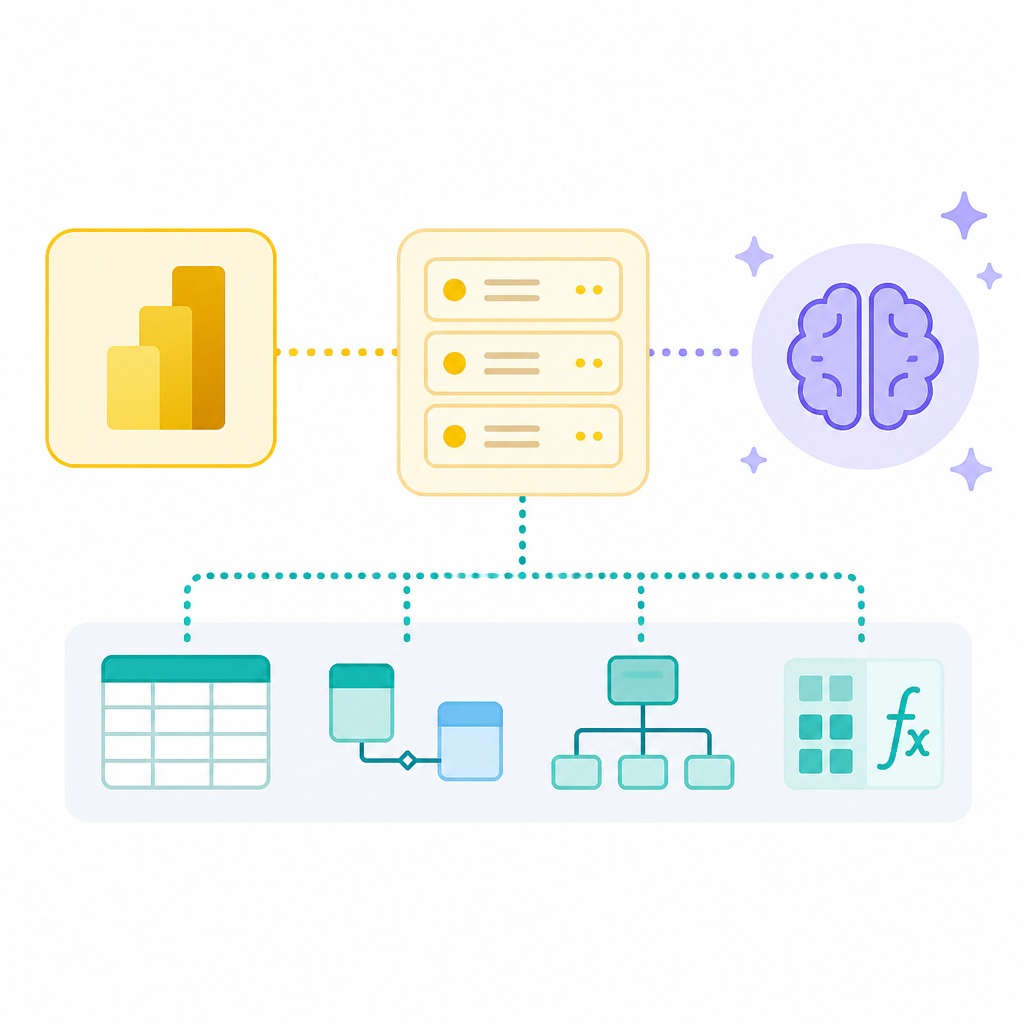
That makes it useful for authors who want AI help with the repetitive parts of semantic modeling, while still keeping the work inside their existing source control and review process.
Microsoft lists a fairly broad set of capabilities here: natural language model editing, bulk operations, best-practice checks, agentic development workflows, and DAX query validation. In other words, this is not just about changing one measure name.
- Create or update tables, columns, measures, and relationships
- Run batch operations across hundreds of objects
- Validate DAX measures while building models
- Refactor TMDL and Power BI Project files
The local server also supports service principal authentication, which makes it more practical for automation and enterprise setups than a purely user-bound workflow.
Microsoft says it works with transaction support and error handling for bulk operations, which is the kind of detail model authors care about when they are touching large semantic models.
For anyone who has spent hours cleaning up measure logic or applying the same modeling rule across dozens of tables, this is the part that will feel immediately useful.
Why the MCP split matters for Power BI teams
The remote and local servers solve different problems, and the split lines up nicely with how BI work is already organized.
If you are an analyst, you want quick answers from a governed semantic model. If you are a model author, you want faster edits, safer refactors, and a way to let an agent handle repetitive changes.
Here is the practical comparison Microsoft is making:
- Remote server: query-first, hosted, low setup friction
- Local server: write-capable, developer-focused, source-control friendly
- Remote transport: streamable HTTP
- Local transport: stdio with environment-specific setup
That difference also changes how you should think about risk. Query tools can still expose sensitive data if permissions are too broad, but write tools can change the model itself, which raises the stakes.
Microsoft’s guidance on security is direct: use Entra ID, manage tokens carefully, isolate networks where needed, and apply least-privilege Fabric RBAC roles. The company also warns that destructive actions may not be blocked by every MCP client.
That last point matters because MCP is still young. If you connect a capable agent to a write-enabled server without guardrails, you are trusting the client and the permissions model to do a lot of heavy lifting.
For teams that already treat Power BI models like code, the local server fits naturally into the workflow. For everyone else, the remote server is the safer place to start.
What to do next if you use Power BI
If your team works mostly in reporting and ad-hoc analysis, the remote server is the obvious first test. It gives you natural-language querying without asking you to redesign your model workflow.
If you spend your time in semantic model development, the local server is the one to watch. It brings AI into the same space as TMDL, Power BI Project files, and DAX validation, which is where a lot of tedious work lives.
The bigger signal is that Microsoft is treating MCP as a serious integration layer for Power BI rather than a side experiment. That could make AI-assisted BI work feel less like chat glued onto dashboards and more like a real development toolchain.
My read: the remote server will get adopted first because it is easier to trust, but the local server is the one that could change day-to-day modeling habits. If Microsoft keeps expanding the write-side tools, the next question will be how much of a Power BI model can be safely delegated to an agent before a human has to approve the change.
// Related Articles
- [TOOLS]
Baidu Wenxin turns search into a free agent
- [TOOLS]
OpenCode now supports DeepSeek, GLM, Qwen, GPT
- [TOOLS]
DeepSeek in Codex Will Cut AI Coding Costs Hard
- [TOOLS]
Token vs. word: why Chinese tokenization still matters
- [TOOLS]
OpenAI API Pricing Hits $0.05 to $180/M Tokens
- [TOOLS]
Usage limits belong in ChatGPT Enterprise and Edu controls