Update Rust packages for Ubuntu releases
Create a new versioned rustc package for an upstream Rust release in Ubuntu.

Create a new versioned rustc package for an upstream Rust release in Ubuntu.
This guide is for Ubuntu toolchain maintainers who need to add a new Rust release to the Ubuntu archive, not for updating a local Rust install. When you finish, you will have a new versioned rustc source package prepared from upstream, patched, pruned, and ready for upload.
It follows the Ubuntu project documentation for Rust maintenance and points to the official references on the first mention: the Ubuntu Rust update guide and the Foundations rustc Git repository.
Before you start
Get the latest AI news in your inbox
Weekly picks of model releases, tools, and deep dives — no spam, unsubscribe anytime.
No spam. Unsubscribe at any time.
- An Ubuntu development machine with Git installed
- Launchpad account with SSH access
- Access to the Foundations rustc Git repository
- Rust upstream release tarball for the target version, for example 1.85.1
- Existing rustc packaging branch for the current Ubuntu release
- Build tools required by Debian packaging, including dpkg-dev and debhelper
- Enough disk space for the source tree and two orig tarballs
- Target Ubuntu series name, for example noble
- Bug number for the upload, if your workflow requires one
Step 1: Clone the packaging tree
Goal: create a local workspace that keeps the packaging branch and generated tarballs in the same parent directory, which matches Ubuntu's layout for rustc maintenance.

mkdir -p ~/work/rustc
cd ~/work/rustc
git clone git+ssh://git.launchpad.net/~canonical-foundations/ubuntu/+source/rustc
cd rustc
git remote add personal git+ssh://git.launchpad.net/~YOUR_LAUNCHPAD_USERNAME/ubuntu/+source/rustc
Verification: you should see a rustc source directory inside a parent rustc folder, and git remote -v should list both the Foundations remote and your personal remote.
Step 2: Fetch the new upstream release
Goal: replace the old upstream source with the new Rust release so the package starts from the correct versioned code base.
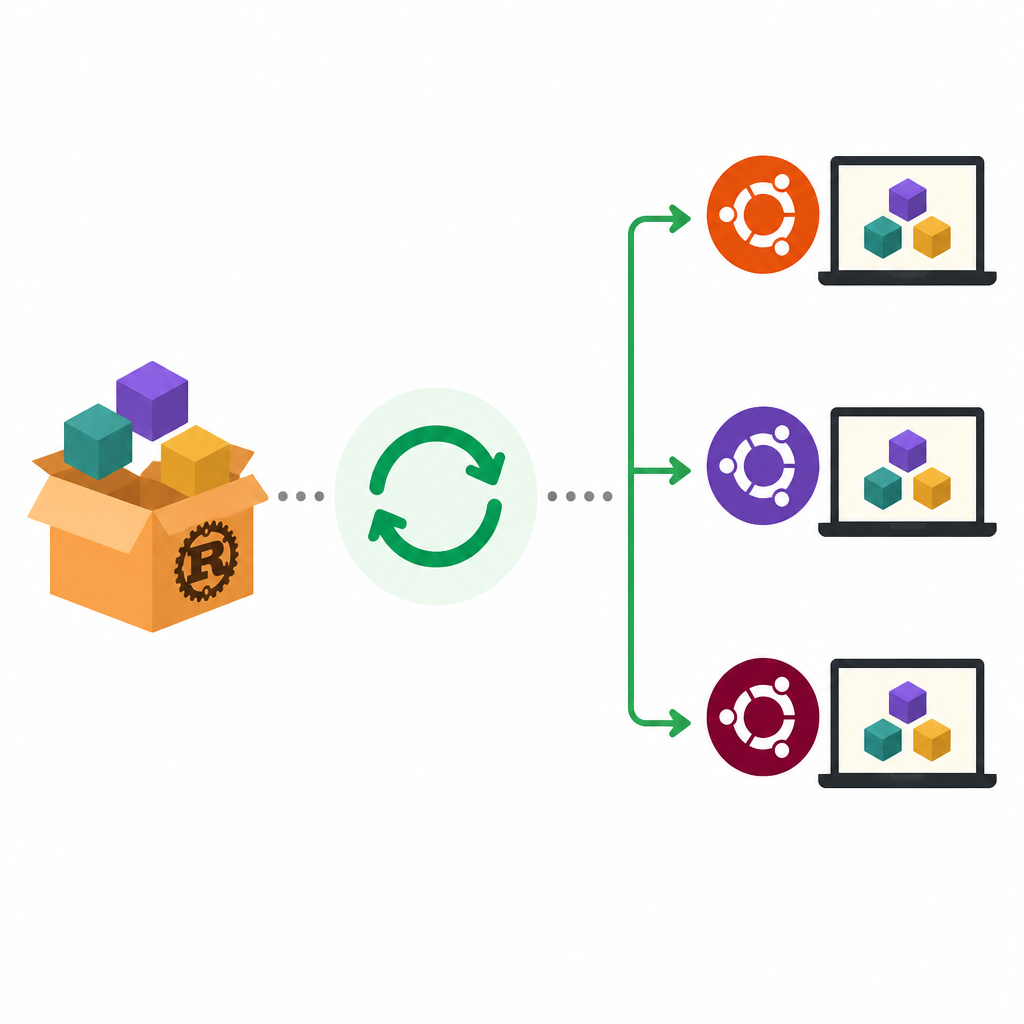
Download the new upstream tarball and update the versioned source files in the packaging tree, keeping the old package metadata intact for the moment. In Ubuntu's flow, this means overwriting the old upstream source with the new release content before patch refresh and pruning.
Verification: you should see the new Rust version in the source tree, and the top-level version files should match the target release, such as 1.85.1 instead of 1.84.0.
Step 3: Refresh Ubuntu patches
Goal: make the existing Debian and Ubuntu patches apply cleanly to the new Rust sources without changing package intent.
Rebase or refresh the patch series, then review each patch for conflicts introduced by upstream changes. Fix offsets, update context lines, and drop patches that are no longer needed if the upstream release already includes the change.
Verification: you should be able to apply the full patch stack without fuzz or rejected hunks, and the patched tree should build from the refreshed source.
Step 4: Prune vendored dependencies
Goal: remove vendored files that Ubuntu does not need in the final source package, which keeps the archive source smaller and cleaner.
Run the packaging pruning step to remove unnecessary vendored dependencies from the source tree. The Ubuntu guide calls for a second source download after pruning so the final orig tarball reflects the reduced file list.
Verification: you should see the unwanted vendored crates removed, and the resulting source tree should contain only the files needed for the package build.
Step 5: Regenerate the orig tarballs
Goal: create the final source artifacts for upload, including the main orig tarball and the vendor tarball that matches the pruned file list.
debian/rules get-orig-sourceAfter pruning, regenerate the upstream source and vendor tarballs so the package records the exact upstream content you intend to ship. This is the point where the package transitions from a working tree into upload-ready source artifacts.
Verification: you should see fresh .orig.tar.xz and .orig-vendor.tar.xz files in the parent directory, and their contents should match the target Rust release and pruned vendor set.
Step 6: Build and test the package
Goal: confirm that the new versioned package compiles and the packaging metadata is consistent before you file the upload.
Build the source package locally or in a clean PPA, then run the package tests that apply to rustc in your release. Check the changelog, version string, and dependency metadata for the new versioned package name, such as rustc-1.85.
Verification: you should see a successful build, a clean package test result, and a source package whose versioned name and changelog reflect the new upstream release.
Common mistakes
- Using the guide to update a local Rust toolchain. Fix: use rustup for developer machines; this workflow is only for Ubuntu archive packaging.
- Forgetting the second source regeneration after pruning. Fix: rerun the orig source generation step so the final tarballs match the pruned vendor list.
- Leaving patch conflicts unresolved after the upstream bump. Fix: refresh each patch against the new release and remove patches that upstream already absorbed.
What's next
After the package builds cleanly, prepare the changelog entry, upload to the appropriate Ubuntu archive, and follow the related Ubuntu docs for backporting Rust or patching Rust when your change is not a full version bump.
// Related Articles
- [TOOLS]
Baidu Wenxin turns search into a free agent
- [TOOLS]
OpenCode now supports DeepSeek, GLM, Qwen, GPT
- [TOOLS]
DeepSeek in Codex Will Cut AI Coding Costs Hard
- [TOOLS]
Token vs. word: why Chinese tokenization still matters
- [TOOLS]
OpenAI API Pricing Hits $0.05 to $180/M Tokens
- [TOOLS]
Usage limits belong in ChatGPT Enterprise and Edu controls