Databricks model serving maps models to regions
I break down Databricks’ supported foundation models into a practical region-and-endpoint cheat sheet you can copy.

I turn Databricks’ model-serving matrix into a copyable region-and-endpoint cheat sheet.
I’ve been working with model serving setups long enough to know when a docs page is quietly telling you, “good luck.” This one does that. You open Databricks’ Supported foundation models on Model Serving, and on paper it looks simple: pick a foundation model, pick an endpoint type, ship it. Then you hit the real part. Region restrictions. Global endpoints. Cross-geography routing. Retired models. Preview labels that look harmless until they bite you in production. I’ve seen teams build around a model name, only to discover the model family is available in one region but not another, or that the same model behaves differently depending on whether you’re using pay-per-token, AI Functions, or provisioned throughput. That’s the annoying part: the docs aren’t wrong, they’re just not organized like an engineer actually thinks. I want the “what can I run where?” answer first, then the why, then the migration traps. So I pulled the page apart and rebuilt it into something I’d actually use during planning.
The source is Databricks’ AWS docs page, last updated June 17, 2026. It lays out the supported foundation models for Model Serving, plus the endpoint modes: pay-per-token, AI Functions batch inference, provisioned throughput, and external models. It also calls out model retirement notices and cross-geography routing requirements for certain Gemini and OpenAI Codex models. That’s the stuff that matters when you’re choosing a serving strategy, not just browsing model names. I’m using the doc itself as the anchor here, and I’m also linking a few related references so you can sanity-check the surrounding platform pieces: Model Serving, Foundation model overview, AI Functions, and Unity Catalog.
Stop treating model names like the whole decision
Get the latest AI news in your inbox
Weekly picks of model releases, tools, and deep dives — no spam, unsubscribe anytime.
No spam. Unsubscribe at any time.
Model Serving offers flexible options for hosting and querying foundation models based on your needs: Pay-per-token, AI Functions (batch inference), Provisioned throughput, External models.
What this actually means is that Databricks is not giving you one serving product. It’s giving you four different ways to consume models, and each one fits a different kind of workload. If you skip that distinction, you end up picking a model first and a serving mode second, which is backwards. I’ve done that. It usually ends with a team asking why their “simple inference” setup has weird latency, or why a batch job is trying to behave like a low-latency API.
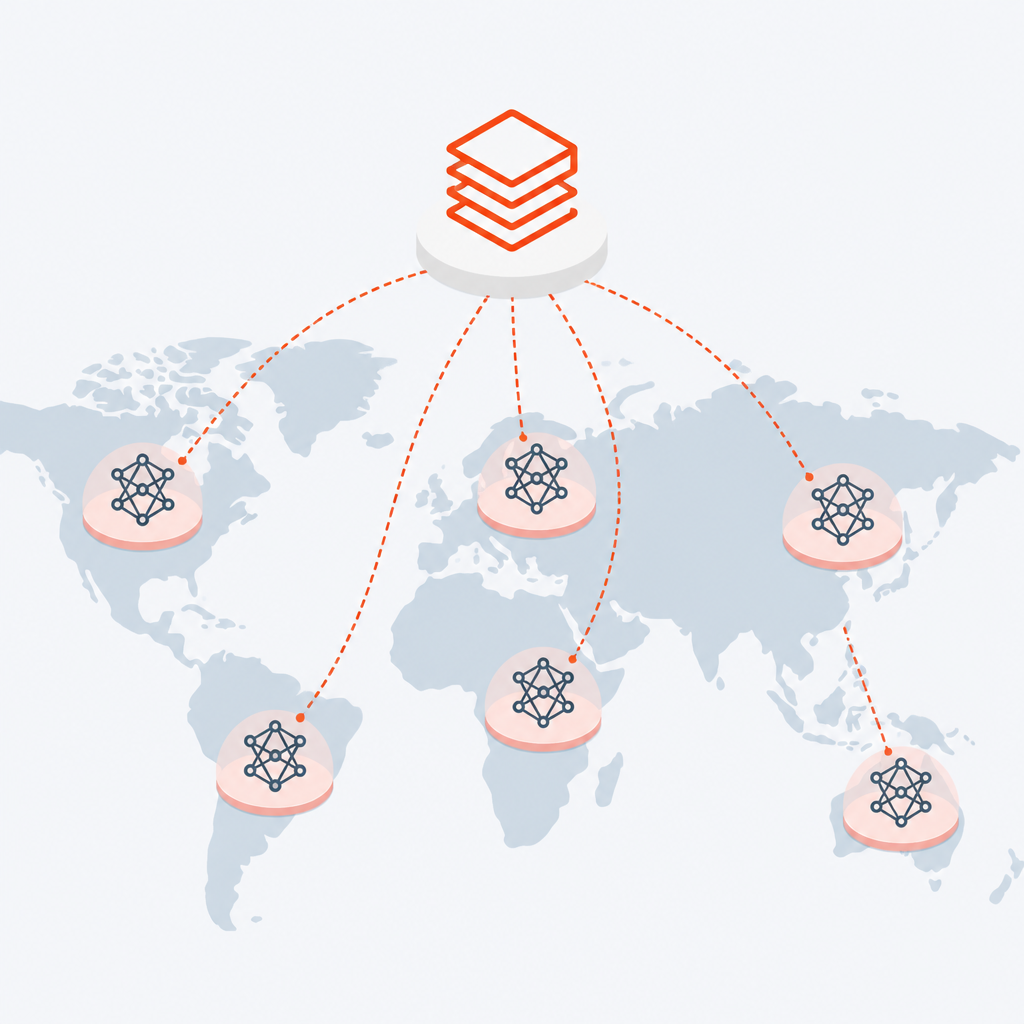
Pay-per-token is the “I want to try this now” path. It’s the least committal option, and honestly, that’s why it’s useful. You get a pre-configured endpoint inside your workspace without standing up your own infrastructure circus. That makes it good for demos, experiments, and quick validation. The tradeoff is obvious: you’re not buying certainty, you’re buying convenience.
AI Functions is different. Databricks is basically saying, “if your use case is batch inference over data, use the thing built for batch inference.” That matters because a lot of teams try to force a chat-style endpoint into a data pipeline. It works until volume grows, then it gets ugly. I’ve seen people run row-by-row transformations through the wrong serving path and act surprised when cost and throughput look bad. Batch inference belongs in batch inference tooling.
Provisioned throughput is the grown-up option when you need performance guarantees. The docs call it recommended for production use cases requiring performance guarantees, and that’s the part I’d underline. If you’re serving customer-facing traffic or you have an internal SLA, “best effort” is not a plan. Provisioned throughput is also the path Databricks points at for fine-tuned foundation models, which tells me the platform expects serious workloads there.
- Use pay-per-token when you need speed of setup more than control.
- Use AI Functions when the model call is part of a data workflow.
- Use provisioned throughput when latency and predictability matter.
- Use external models when governance matters more than where the weights live.
How to apply it: before you even look at model families, write down the workload shape. Interactive? Batch? SLA-bound? External vendor? Then map that to one serving mode. If your team can’t answer that in one sentence, you’re not ready to choose a model yet. You’re still choosing the plumbing.
Databricks-hosted models are the easy part, until region rules show up
Databricks hosts state-of-the-art open foundation models. These models are made available using Foundation Model APIs.
What this actually means is that Databricks is curating hosted models for you, but availability is not uniform. The page is basically a giant region matrix, and that’s where most planning mistakes happen. The model list is long, but the real question is whether your target region supports the one you want in the serving mode you want. That answer changes by region.
I’ve watched teams assume “hosted by Databricks” means “available everywhere Databricks runs.” Nope. The page breaks support down by AWS region, and that support varies across pay-per-token, AI Functions, and provisioned throughput. You can have a model family available for one mode and not another, or available in one region and missing in another. If you’re building a multi-region deployment strategy, this is not a footnote. It’s the first gate.
The docs also point to Foundation model Unity Catalog permissions if you want to restrict which Databricks-hosted models your organization can use. That’s the governance hook I’d expect in a real org. You don’t just want availability; you want controlled availability. Otherwise every team starts “testing” different models and nobody remembers who approved what.
How to apply it: make a short matrix for your own use. Columns should be region, serving mode, model family, and whether it’s preview or GA. Don’t rely on the docs page at runtime. Copy the exact subset you care about into an internal runbook, because the official page is broad and operational planning needs to be narrow.
- Pick your target AWS region first.
- Check the serving mode second.
- Then check the model family and its status.
- Finally, confirm governance and permissions.
Cross-geography routing is the hidden tax nobody wants
Google Gemini 3.5 Flash requires cross geography routing to be enabled for regions outside the US and EU geos. Google Gemini 3 Flash and Google Gemini 3 Pro are hosted on global endpoints and require cross geography routing to be enabled for every region.
What this actually means is that some models are not just region-aware, they are routing-aware. That’s a very different problem. If cross-geography routing is not enabled, the model may be unavailable even if the model family appears in the docs. This is the kind of thing that turns a “we’ll just switch models” plan into a half-day of head scratching.
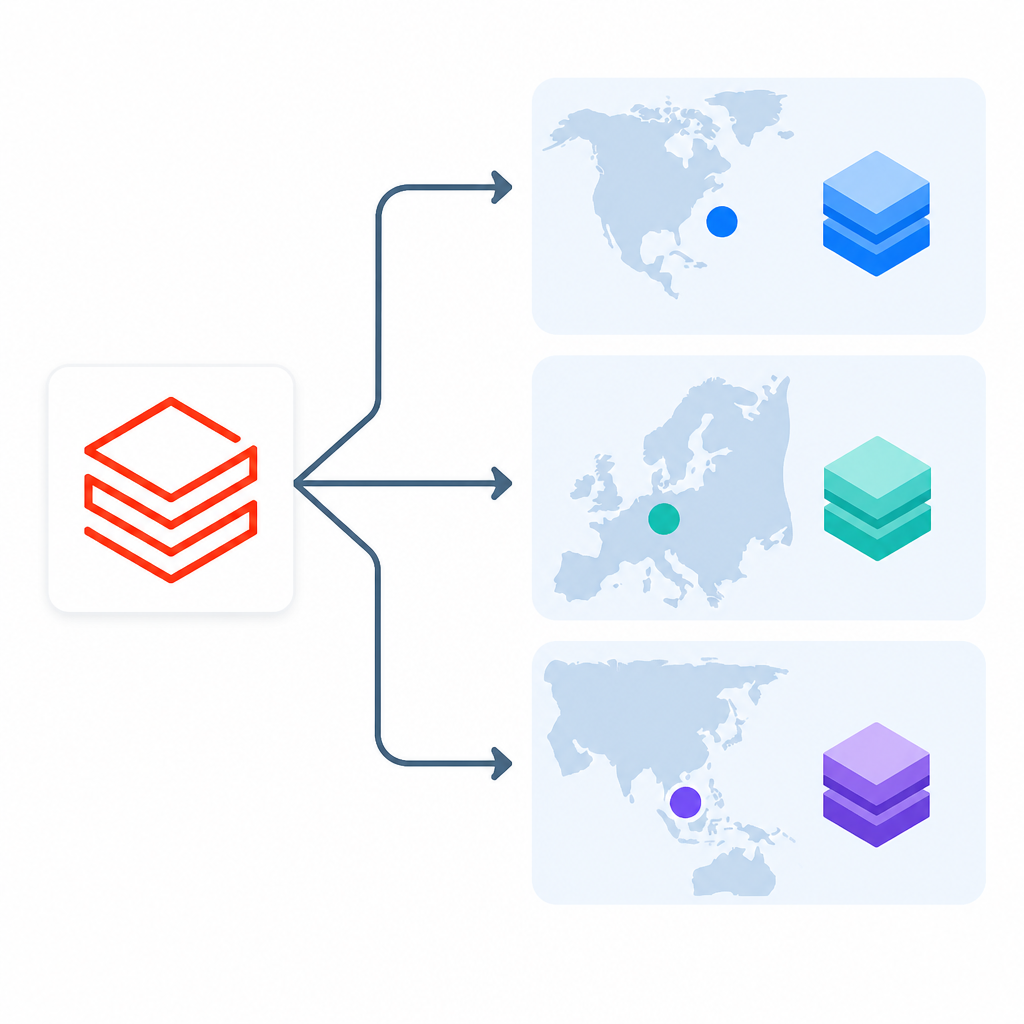
I’m not thrilled by this, but it’s normal for globally hosted models. The annoying part is that the doc makes it clear only if you read the fine print. Gemini 3.5 Flash needs cross geography routing outside US and EU geos. Gemini 3 Flash and Gemini 3 Pro need it everywhere. That means your deployment decision is tied to your account-level networking or routing posture, not just your code. Same story for some OpenAI Codex models in the page, which are also hosted on global endpoints and require cross geography routing to be enabled.
This matters because platform teams often think in terms of “model access,” while infrastructure teams think in terms of “routing policy.” The model can be technically supported and still be blocked by an org-level setting. I’ve seen that mismatch waste a lot of time. The engineer checks the model list. The platform admin checks the region. The networking person checks routing. Everybody is right, and the app still doesn’t work.
How to apply it: add a routing check to your deployment checklist whenever you use a globally hosted model. If your organization has strict data residency requirements, write down which models are off limits before anyone builds against them. Do not let “we’ll figure out routing later” become the architecture.
Retired models are not history, they’re migration work
Google Gemini 3 Pro will be retired on March 26, 2026. OpenAI GPT-5.1 Codex Max, OpenAI GPT-5.1 Codex Mini, and OpenAI GPT-5.2 Codex will be retired on July 16, 2026. Anthropic Claude 3.7 Sonnet is no longer available.
What this actually means is that model selection is a lifecycle problem, not a one-time choice. If you build a dependency on a model family, you need a replacement path before the retirement date arrives. Databricks is explicit about temporary redirection for Gemini 3 Pro between March 26, 2026 and June 7, 2026, and it points you to retired model guidance for replacements. That’s not optional reading. That’s your migration plan.
I’ve learned the hard way that teams treat model retirement like a vendor announcement they can ignore until the last week. Then the app starts failing or quietly switching behavior, and everyone acts shocked. The better move is to treat the deprecation notice like an API version sunset. You don’t wait for the shutdown to start testing the replacement. You run both in parallel, compare outputs, and update prompts or downstream logic before the deadline.
The page also notes that Meta Llama 3.1-405B-Instruct is no longer available for pay-per-token workloads and will be retired for provisioned throughput workloads starting May 15, 2026. That’s another reminder that “availability” can be mode-specific. A model can disappear from one serving path before it disappears from another. If your architecture assumes one model is universal across modes, that assumption is already broken.
How to apply it: keep a small internal deprecation tracker. For each model you depend on, track current endpoint mode, retirement date, replacement model, and test status. If the docs mention a temporary redirect, test it immediately instead of assuming it will behave exactly like the original.
Preview labels are not harmless decoration
Meta Llama 4 Maverick is available for Foundation Model APIs provisioned throughput workloads in Public Preview.
What this actually means is that preview models are usable, but they come with a different trust level. I’m fine with preview in experiments. I’m much less fine with preview in anything that a customer can touch without a fallback. The docs are telling you where the edges are, and the edges are where bugs like to live.
Preview status matters because it changes how I plan rollout. If a model is in preview, I assume the surface can change, support can be narrower, and migration could be more annoying than the team expects. That doesn’t mean “don’t use it.” It means “don’t pretend it’s stable just because it’s listed.” In the page, some models are explicitly marked preview for real-time inference, which is a reminder that not every supported model is equally mature across every path.
I’ve had teams fall in love with the newest model and forget to ask what happens when the provider changes the contract. Then one month later, they’re scrambling to re-test prompts, token limits, or output format assumptions. Preview is fine. Blindness is the problem.
How to apply it: if you use a preview model, wrap it in a feature flag or a fallback strategy. Put it behind a canary path. Keep a stable alternate model ready. And if you’re building docs or internal tooling, label preview models in a way nobody can miss.
Real-time inference is a narrower list than you think
The following model families are supported for real-time inference: OpenAI GPT OSS 120B, OpenAI GPT OSS 20B, Google Gemma 3 12B, Alibaba Cloud Qwen3.5 122B A10B (preview), Meta Llama 4 Maverick (preview), Meta Llama 3.3, Meta Llama 3.2 3B, Meta Llama 3.2 1B, Meta Llama 3.1, GTE v1.5 (English), BGE v1.5 (English).
What this actually means is that the real-time inference surface is intentionally smaller than the full hosted model catalog. That’s good. It keeps the low-latency path focused. But it also means you can’t assume every hosted model family can be used in a chat or API-style experience. Some are batch-oriented, some are throughput-oriented, and some are just not in the real-time list.
I like this distinction because it forces a little honesty into architecture planning. A lot of teams say “we need the best model,” when what they really mean is “we need an endpoint that responds quickly enough.” Those are not the same request. If the model family isn’t in the real-time inference list, then it’s not your interactive option, no matter how attractive the benchmark looks.
How to apply it: when you’re designing an app, start with latency budget and interaction pattern. If you need immediate responses, filter to the real-time list first. If you’re processing records or embeddings at scale, look at batch and provisioned paths. This sounds obvious until someone tries to use a batch-friendly model for a live user flow because “it was already in the workspace.”
The template you can copy
# Databricks foundation model selection template

## 1) Decide the serving mode
- [ ] Pay-per-token for exploration or demos
- [ ] AI Functions for batch inference
- [ ] Provisioned throughput for production SLAs
- [ ] External model for vendor-hosted models under Databricks governance

## 2) Lock the deployment region
- Primary AWS region: ______________
- Secondary region, if any: __________
- Data residency constraint: __________

## 3) Check model availability in this order
1. Serving mode support
2. Region support
3. Cross-geography routing requirement
4. Preview vs GA status
5. Retirement notice

## 4) Fill in the model record
- Model family: ______________________
- Databricks model name: _____________
- Endpoint type: _____________________
- Status: GA / Preview / Retired soon
- Replacement model: ________________
- Routing required: Yes / No
- Owner: _____________________________
- Test date: _________________________

## 5) Add the operational guardrails
- [ ] Feature flag for preview models
- [ ] Fallback model configured
- [ ] Internal deprecation tracker updated
- [ ] Unity Catalog permissions reviewed
- [ ] Cross-geography routing validated
- [ ] Load test completed in target region

## 6) Copyable decision note
We will use [MODEL] on [SERVING MODE] in [REGION] because [LATENCY / COST / GOVERNANCE REASON].
If [MODEL] is retired or unavailable, we will switch to [REPLACEMENT MODEL] and re-test prompts, output format, and latency before rollout.

## 7) Example internal checklist row
| Region | Mode | Model | Preview? | Routing? | Retirement? | Owner |
|--------|------|-------|----------|----------|-------------|-------|
| us-east-1 | Provisioned throughput | databricks-llama-4-maverick | Yes | No | Check release notes | ml-platform |

## 8) Minimal runbook entry
- What this model is for:
- What it is not for:
- What breaks if it disappears:
- What we migrate to next:
- Who approves the switch:
That’s the version I’d keep in a team wiki. Not pretty, but useful. The whole point is to stop people from reading the Databricks page like a catalog and start reading it like an operations checklist.
One more thing: the official docs are the source of truth for support status, retirement dates, and routing requirements. My template is derivative. Use it to organize your decision, then verify every model name and availability detail against the live Databricks page before you ship.
Source: https://docs.databricks.com/aws/en/machine-learning/model-serving/foundation-model-overview. I’ve reorganized the material into an engineer-friendly checklist and commentary, but the model support data, retirement notes, and routing requirements come from Databricks’ documentation, not from me.
// Related Articles
- [TOOLS]
Baidu Wenxin turns search into a free agent
- [TOOLS]
OpenCode now supports DeepSeek, GLM, Qwen, GPT
- [TOOLS]
DeepSeek in Codex Will Cut AI Coding Costs Hard
- [TOOLS]
Token vs. word: why Chinese tokenization still matters
- [TOOLS]
OpenAI API Pricing Hits $0.05 to $180/M Tokens
- [TOOLS]
Usage limits belong in ChatGPT Enterprise and Edu controls