dbt Semantic Layer centralizes metric definitions
dbt Semantic Layer moves metric definitions into dbt so teams query one source of truth across tools and apps.

dbt Semantic Layer centralizes metric definitions in dbt and keeps them consistent across tools.
dbt Labs is pushing metric logic out of BI dashboards and into the model layer, and the pitch is simple: define a metric once, use it everywhere. The dbt Semantic Layer uses MetricFlow to handle joins and metric definitions, so a change in dbt can flow into every downstream query that depends on it.
That matters because metric drift is one of the quietest ways analytics teams lose trust. If revenue, active users, or retention are defined slightly differently in each dashboard, then every meeting turns into a debate about numbers instead of decisions.
| Fact | What the docs say |
|---|---|
| Account tiers | Starter or Enterprise |
| Tenant support | Multi-tenant and Single-tenant |
| Last updated | Jun 25, 2026 |
| Core engine | MetricFlow |
What dbt Semantic Layer actually does
Get the latest AI news in your inbox
Weekly picks of model releases, tools, and deep dives — no spam, unsubscribe anytime.
No spam. Unsubscribe at any time.
The Semantic Layer moves metric definitions into the dbt project itself. Instead of re-creating the same calculation in Looker, Tableau, or a custom app, teams define the metric on top of existing models and let dbt handle the joins and query logic.
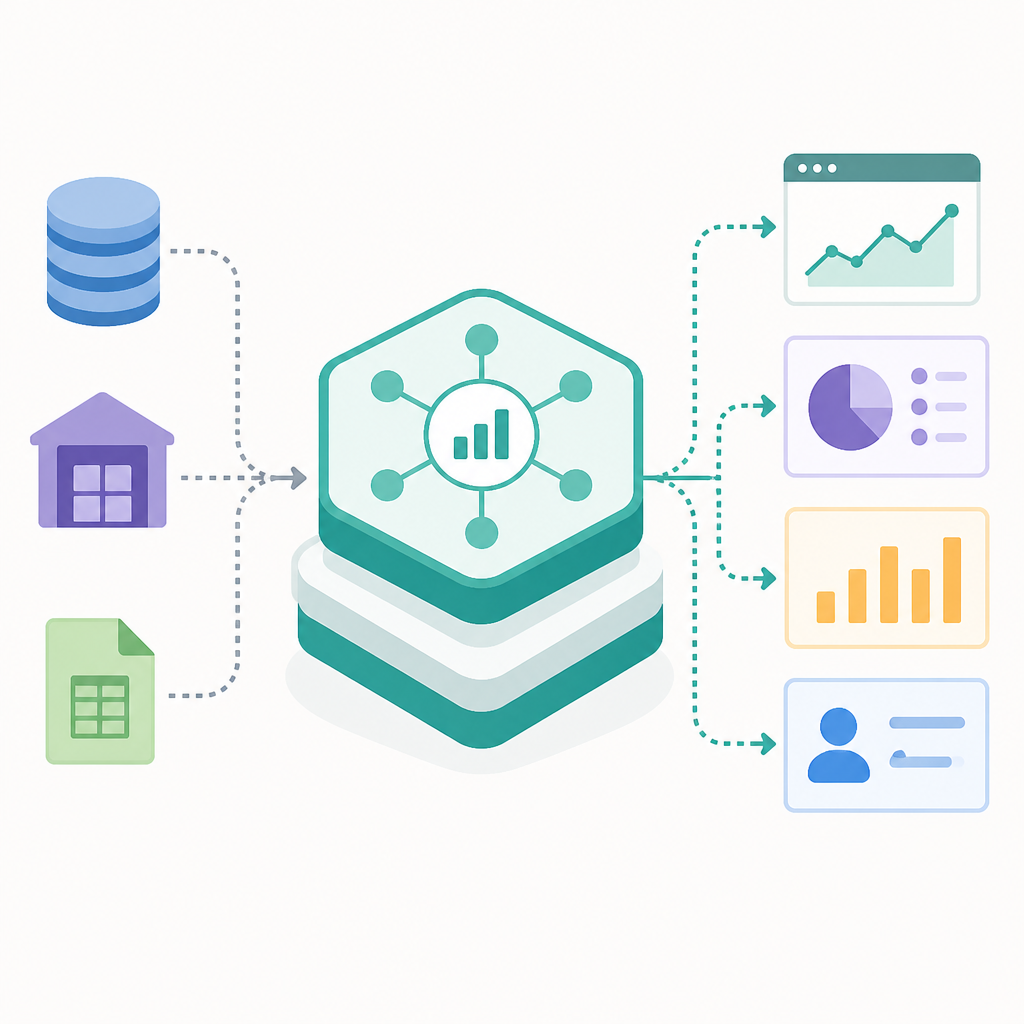
That design cuts out a familiar source of duplication. The docs describe it as a way to eliminate duplicate coding while giving downstream tools a consistent way to query business metrics.
In practice, that means a metric such as revenue can be defined once in dbt and then consumed by multiple applications without each one inventing its own version of the truth.
- Metric definitions live in the modeling layer, not in BI-specific logic.
- Downstream tools query the same metric definition.
- Updates in dbt refresh wherever the metric is used.
- MetricFlow handles the joins needed to answer metric queries.
Why teams care about one metric definition
Most analytics stacks do not fail because the warehouse is slow. They fail because five teams use five slightly different definitions for the same business number. Finance wants one version of revenue, growth wants another, and product analytics quietly ships a third.
The dbt approach tries to collapse that mess into a single definition owned by the data team. If the definition changes, the new version propagates across every application that invokes it, which is exactly the kind of consistency most organizations want but rarely get.
“A semantic layer is the missing piece of the modern data stack.” — Tristan Handy, co-founder and CEO of dbt Labs
That quote from dbt Labs co-founder and CEO Tristan Handy captures the product strategy pretty well. dbt is betting that the model layer should own business logic, while BI tools should focus on presentation and exploration.
The docs also call out secure access control, which matters if a semantic layer is going to feed multiple teams and multiple apps. Centralization only helps if the right people can query the right metrics without exposing more data than they should see.
How dbt packages setup, deployment, and access
The docs break the workflow into four practical chunks: getting started, configuring access, deploying metrics, and consuming them through integrations. That structure is useful because it matches how teams actually adopt the feature, from first setup to production use.
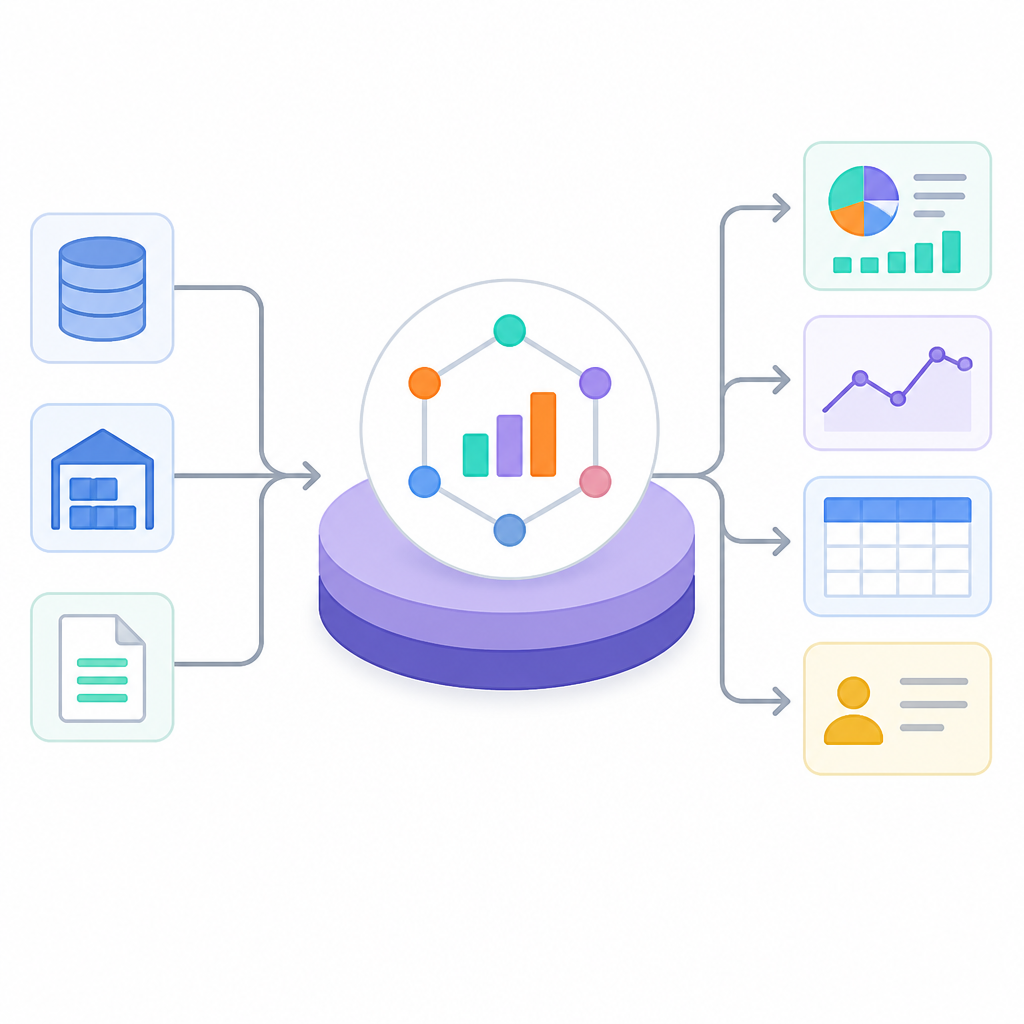
To use the Semantic Layer, you need a dbt Starter or Enterprise account. The docs also support both multi-tenant and single-tenant setups, although single-tenant customers need to contact a representative for enablement.
- Quickstart with the Semantic Layer covers setup and querying.
- Build your metrics explains central metric definitions in dbt.
- Administer the Semantic Layer covers credentials and tokens.
- Deploy your Semantic Layer explains how to materialize metrics.
There is also a clear split between query-time use and precomputed use. dbt mentions exports, scheduled queries, result caching, and declarative caching, which gives teams a few ways to trade freshness for speed when a metric gets hit repeatedly.
That is a practical detail, because semantic layers often fail in the real world when every dashboard query becomes a slow, expensive join fest. dbt is trying to keep the abstraction useful without making the warehouse miserable.
How it compares with the old BI-first model
Traditional BI setups often let each tool define its own metrics. That can work for a while, until the company grows and everyone starts asking why the same KPI differs between dashboards.
dbt’s approach moves the source of truth closer to the data models. Here is the real tradeoff in plain numbers and operational terms:
- One metric definition in dbt instead of separate logic in multiple BI tools.
- One refresh path for changes, instead of manual updates in each downstream app.
- One permission model for the Semantic Layer, instead of scattered access rules.
- One query interface through APIs and integrations for many consumers.
The docs also point to integrations and Semantic Layer APIs, which matters because the value only shows up when teams can actually use the metrics in the tools they already have. A semantic layer that nobody queries is just extra architecture.
If you want the broader product context, OraCore’s coverage of dbt Fusion Engine helps explain where dbt is heading with local development and platform workflows.
The real test is adoption, not architecture
dbt Semantic Layer makes a strong case for treating metrics like code: versioned, centralized, and shared. That is a cleaner model than letting every BI tool improvise its own definitions, especially for teams that need consistent numbers across finance, product, and operations.
The question now is whether teams will adopt it deeply enough to replace the old habit of rebuilding metrics in dashboards. If they do, the next practical win is faster trust in numbers and fewer meetings spent reconciling definitions.
For data teams evaluating the feature, the next step is straightforward: start with one high-stakes metric, define it in dbt, and test whether the same number survives the round trip through every downstream tool. If it does, the Semantic Layer is doing real work.
// Related Articles
- [TOOLS]
Zilliz Adds Cost Metrics to VDBBench
- [TOOLS]
Zilliz adds cost-aware scoring to VDBBench
- [TOOLS]
Pixel 11 launch highlights and new Gemini features
- [TOOLS]
AWS Continuum turns AI coding into safer fixes
- [TOOLS]
Open-Generative-AI turns GitHub into a studio
- [TOOLS]
Why benchmark scores don’t predict your bill