Gentoo kernel config turns menuconfig into a workflow
A practical Gentoo kernel setup guide that turns menuconfig, module rebuilds, and installkernel into a repeatable workflow.

This shows how I turn Gentoo kernel configuration into a repeatable workflow.
I've been doing kernel setup on Gentoo long enough to know where it goes sideways. The source tree is there, the config menu opens, and then everything turns into a guessing game: did I build that driver in, as a module, or not at all? Did I remember the external modules? Did I just move half my boot chain into a state I can’t explain six hours later? That’s the part that always annoyed me. Not the compiling. The compiling is fine. It’s the little decisions hidden behind menu labels, the environment variables that can quietly ruin a build, and the fact that one sloppy config pass can leave you staring at a machine that boots differently than you expected. Gentoo’s kernel wiki page finally gives that mess a shape I can actually work with.
The source that triggered this breakdown is the Gentoo Wiki page Kernel/Configuration. It’s not a theory piece. It’s a practical map of how Gentoo expects you to configure, build, install, and verify a kernel. The page also points at the surrounding docs that matter, like Kernel, Kernel/Gentoo Kernel Configuration Guide, and installkernel. I’m using the wiki as the anchor here, not inventing a new process.
Stop treating kernel config like a one-shot ritual
Get the latest AI news in your inbox
Weekly picks of model releases, tools, and deep dives — no spam, unsubscribe anytime.
No spam. Unsubscribe at any time.
“The kernel offers several user facing tools with which to configure itself.”
What this actually means is: Gentoo is not betting on one magical path. It gives you multiple config front ends, and the sane move is to pick one and understand it well enough to stop thrashing. The page lists make config, make menuconfig, make nconfig, make xconfig, make gconfig, make oldconfig, make olddefconfig, and a few more. That sounds like a menu of equal choices, but it isn’t. Some are for deliberate editing, some are for upgrades, and some are for “I need a clean default and I need it now.”

I’ve used make config exactly enough times to remember why I stopped. It asks every question in order. If you realize you need to revisit something earlier, you get to enjoy scrolling through the whole thing again. That’s fine if you like punishment. I don’t.
How to apply it: use make menuconfig for normal work, make olddefconfig when you’re upgrading a known-good config and want the new defaults without babysitting every prompt, and make defconfig when you want to reset to the architecture default and start over. If you’re experimenting, keep the current .config somewhere safe before you touch anything. Kernel work rewards boring discipline.
menuconfigfor interactive editingolddefconfigfor upgrades with minimal dramadefconfigwhen you want a clean reset
Learn the menu symbols or you’ll misread the whole thing
The wiki spends real time explaining the menu UI, and that’s not fluff. It tells you what the symbols mean: square brackets for built-in toggles, angle brackets for built-in or module choices, curly braces for forced dependency states, and hyphenated entries for options that are fixed by something else. It also explains the tags like (NEW), (EXPERIMENTAL), (DEPRECATED), and (OBSOLETE).
That matters because kernel menus are easy to misread if you only skim them. I’ve seen people assume [*] and <M> are basically the same. They aren’t. One means the feature is built into the kernel image. The other means it becomes a loadable module. That distinction changes boot behavior, recovery behavior, and whether you can recover from a bad choice without rebuilding everything.
I ran into this the hard way on a machine where I’d built storage support as modules, then forgot how much of the early boot path depended on them being available before userspace had a chance to help. The system wasn’t broken in a dramatic way. It was worse. It was inconsistent. Sometimes it booted, sometimes it waited, and sometimes it felt like it was daring me to remember what I had done.
How to apply it: when you’re in menuconfig, stop making guesses based on color or indentation. Read the symbol state. Ask one question for every option: “Must this exist before modules load?” If yes, build it in. If not, module is often safer. And if the menu says experimental or deprecated, don’t let curiosity do the steering unless you’re intentionally testing.
[*]means built in<M>means module(NEW)and(EXPERIMENTAL)deserve extra caution
Search first, scroll later
Gentoo’s page calls out the / search inside make menuconfig. That’s one of those tiny details that saves a ridiculous amount of time. The search output shows the symbol name, its current state, where it lives in the tree, and the dependency chain. In the example on the page, searching for HCIBTUSB lands on Bluetooth USB support and shows exactly where it sits in the menu hierarchy.
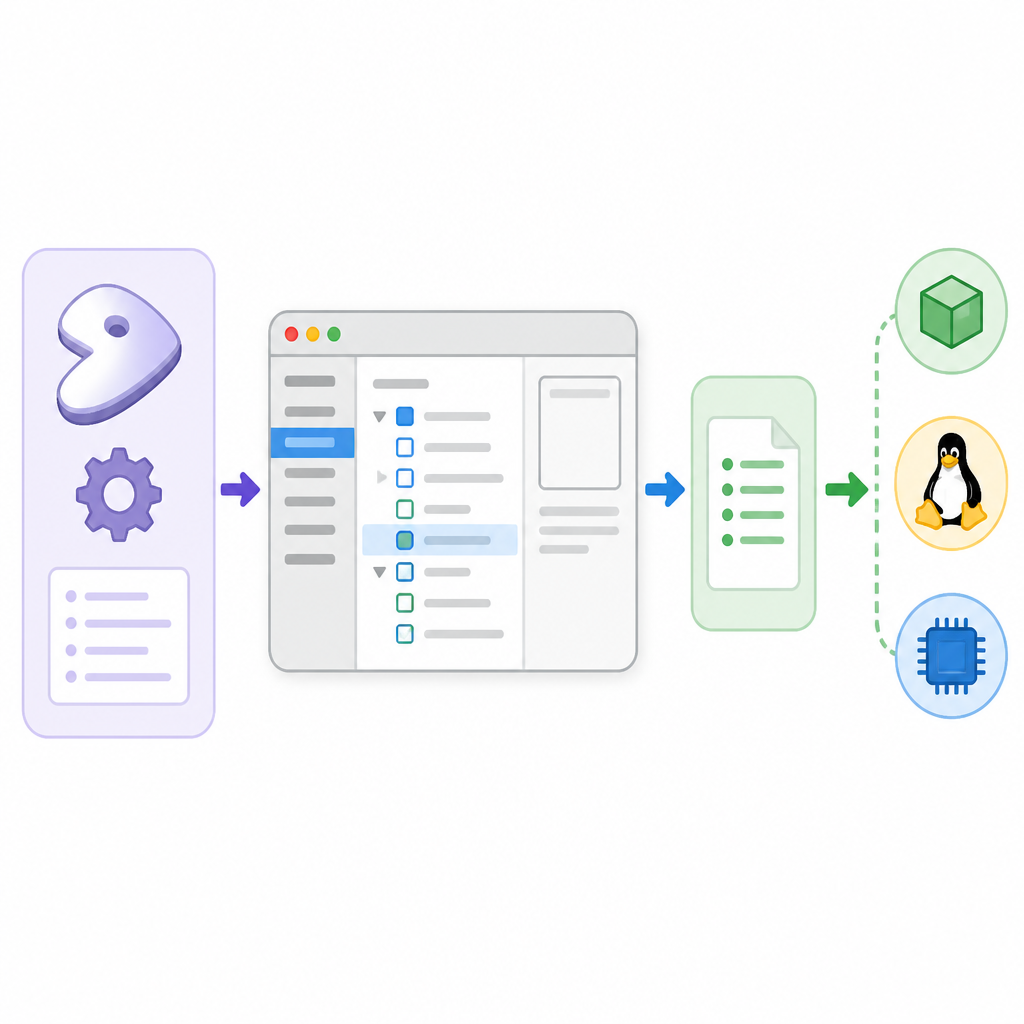
That’s the real power move. You don’t need to memorize every submenu path. You need to know how to jump from a driver name to the exact config symbol and then inspect its dependencies. Kernel config is mostly dependency management wearing a UI costume.
I’ve wasted too many sessions walking menus like a tourist because I forgot the search key existed. Then I’d stumble into the right option by accident, change three related settings, and still not understand why the thing worked. Search makes the process surgical. It also makes it easier to read help text in context, which is where a lot of the actual decision-making happens.
How to apply it: when you need support for a device, search by the driver or subsystem name first. Then follow the dependency chain before you toggle anything. If a symbol depends on USB or NET being enabled, don’t ignore that. The search result is a map, not just a lookup box.
Useful external docs here are the upstream kernel build docs, especially the Kconfig documentation, and the Gentoo-specific hardware guidance in Hardware detection. I also keep the upstream kernel tree handy at kernel.org when I need to check what a symbol actually means upstream.
Gentoo Linux common settings are a shortcut, not a substitute
The page mentions CONFIG_GENTOO_LINUX, which is available in sys-kernel/gentoo-sources and other Kernel Project-maintained kernels. The important part is not the name. It’s what it does: it selects a set of required options for a typical Gentoo installation, including tmpfs and devtmpfs support for /dev handling.
What this actually means is that Gentoo is giving you a sane baseline for a Gentoo system. It is not replacing your judgment. It’s the kind of option that prevents you from forgetting the boring stuff while you focus on the hardware-specific stuff that actually differs from machine to machine.
I like this kind of setting because it acknowledges reality. Nobody wants to hand-pick every generic kernel knob every single time. That’s not craftsmanship. That’s repetitive work with a nicer name. The Gentoo option trims down the obvious required pieces so you can spend your attention on the parts that matter: storage, input, networking, graphics, virtualization, and whatever weird device your box depends on.
How to apply it: if you’re using Gentoo kernel sources, check whether the Gentoo-specific helper config is available and read its help text in menuconfig. Use it as a baseline, then verify the rest of your system requirements manually. Don’t assume it covers every edge case. It won’t.
- Good for baseline Gentoo-required settings
- Not a replacement for hardware-specific review
- Read the help text before trusting it
Don’t mix toolchains unless you enjoy weird failures
The wiki includes a blunt warning about Kbuild and environment variables: do not mix GNU binutils and LLVM binutils. The example given is specific: make CC=gcc LD=ld.lld AR=llvm-ar will not work because LLVM’s ar and ld are not compatible with GCC in that combination. That’s the kind of sentence I wish more build docs would say out loud instead of pretending all compiler toolchains are interchangeable.
What this actually means is that kernel builds are sensitive to the whole toolchain stack, not just the compiler binary you think you picked. If you want LLVM, use it consistently. If you want GCC and GNU binutils, stay in that lane. Mixed settings are where you get failures that look random until you remember you assembled them yourself.
I’ve had builds fail in ways that looked like source bugs until I checked the environment and found some half-swapped toolchain setting from an earlier experiment. That’s the annoying part: the kernel build system is flexible enough to let you hurt yourself with precision.
How to apply it: choose a toolchain strategy before you start. If you’re using LLVM, the wiki’s example of make LLVM=1 is the simplest path. If you also want custom optimization flags, set them deliberately and keep them readable. And if you don’t know why a variable is there, don’t cargo-cult it into the command line.
For reference, the upstream Clang/LLVM build notes are here: Clang/LLVM in the kernel docs. If you’re on Gentoo, the package docs for your chosen compiler and binutils matter too, because distro defaults can affect what’s actually installed.
Build and install like you expect to recover from mistakes
After configuration, the page keeps the build path simple: compile with make -j$(nproc), install modules with make modules_install, and install the kernel with make install. That sounds basic, but the details around it are where people get bitten. The modules land under /lib/modules by default unless you change MODLIB. The actual kernel install runs through /sbin/installkernel, which comes from sys-kernel/installkernel.
That matters because Gentoo is not pretending the kernel install is just a raw copy operation. It’s part of a larger boot workflow. If you’re using installkernel with initramfs automation, the wiki recommends rebuilding external modules first so they’re included in the initramfs. It specifically calls out rebuilding external modules like NVIDIA and ZFS before installing the kernel when the dracut USE flag is active.
I like this advice because it reflects how real systems fail. If your module stack is out of sync with the kernel image, you don’t always get a loud error. Sometimes you just get missing functionality after reboot, which is the kind of problem that eats a whole afternoon.
How to apply it: treat make modules_install and make install as part of one sequence, not two unrelated commands. If you rely on external modules, rebuild them before you generate or refresh initramfs. If you use dracut, follow the order the wiki suggests. If you don’t, you’re gambling on your boot path being more forgiving than it usually is.
For the install side, I’d also keep the Gentoo installkernel page open, because that package defines the exact handoff from kernel build to bootloader-ready artifacts.
Diffing configs is how I stop lying to myself
The last part of the page is the one I wish more people used: compare the current kernel configuration against the default. The procedure copies the working .config, generates a default with make defconfig, saves that, then uses scripts/diffconfig to compare the two. That gives you a focused view of what changed instead of forcing you to eyeball a giant config file and pretend you’ll remember the meaningful bits.
What this actually means is that you can audit your own choices. Kernel configs accrete junk. You turn on one feature for one machine, then six months later you forget why it’s there. A diff gives you a record you can reason about. It’s not glamorous. It’s just useful.
I use this kind of diff when I’m cleaning up old configs or trying to understand why a machine behaves differently after an upgrade. It’s also a good way to catch accidental changes caused by dependencies, because one option can quietly flip several others. The wiki explicitly warns that changing one setting may alter additional settings, and that’s exactly the sort of thing that turns a “small tweak” into a weird boot regression.
How to apply it: save the working config before experimenting, generate a default baseline, compare them, and keep the diff around until you’re done validating the machine. If you’re not sure why a symbol changed, use the search inside menuconfig to trace it back to the menu and help text.
The template you can copy
# Gentoo kernel config workflow template
# Source: https://wiki.gentoo.org/wiki/Kernel/Configuration

# 1) Enter the kernel tree
cd /usr/src/linux

# 2) Open the interactive config UI
make menuconfig

# 3) Optional: search for a symbol inside menuconfig
# Press /
# Example: search for a driver or subsystem name

# 4) Build the kernel
make -j$(nproc)

# 5) Install modules if you enabled any as modules
make modules_install

# 6) If you rely on external modules and initramfs automation,
# rebuild external modules before installing the kernel
# emerge --ask @module-rebuild

# 7) Install the kernel through installkernel
make install

# 8) If you want a clean upgrade path for an existing config
make olddefconfig

# 9) If you want to compare your working config against defaults
cp -p .config ../.config.working
make defconfig
mv .config ../.config.default
cp -p ../.config.working .config
cd ..
/usr/src/linux/scripts/diffconfig .config.working .config.default > .config.diff

# 10) Clean up when done
rm .config.working .config.default .config.diff

# 11) Toolchain examples
# LLVM build:
# make LLVM=1
#
# Custom flags:
# make LLVM=1 KCFLAGS="-O3 -march=native -pipe"

# 12) Menuconfig reminder
# [*] = built in
# <M> = module
# / = search
# H = help
The part I’d actually copy from this template is the mindset: pick a config path, keep the toolchain consistent, rebuild external modules before the initramfs step if needed, and diff your configs when you’re not sure what changed. That’s the difference between “I built a kernel” and “I can explain this kernel later.”
If I were writing this for myself, I’d keep the workflow boring on purpose. Boring is good. Boring boots.
Most of this is original commentary wrapped around the Gentoo Wiki’s instructions, with the source material coming from Kernel/Configuration. The command examples and configuration meanings are derived from that page; the opinions and workflow framing are mine.
// Related Articles
- [TOOLS]
AWS Continuum turns AI coding into safer fixes
- [TOOLS]
Open-Generative-AI turns GitHub into a studio
- [TOOLS]
Why benchmark scores don’t predict your bill
- [TOOLS]
MCP Servers for Developers: 8 workflow gains in 2026
- [TOOLS]
Doubao turns a game prompt into a mini arcade
- [TOOLS]
Coding Plan turns Alibaba Cloud into IDE billing