GPT-5.6 turns OpenAI into a model menu
I break down OpenAI’s GPT-5.6 rollout, the three-model split, and the copyable way to pick the right model per task.

GPT-5.6 splits OpenAI into three models you can map to coding, general work, and budget tasks.
I’ve been using OpenAI models long enough to know when a release is actually useful and when it’s just packaging with a fresh coat of paint. This one felt off at first. Not because the models looked weak, but because the whole thing kept trying to be everything at once: coding, enterprise work, cybersecurity, science, cheaper tokens, faster output, desktop apps, web apps, mobile apps. That’s usually where I start squinting. When a vendor says a model is better at all the things, my default reaction is, “Okay, which thing am I supposed to use today?”
That’s the part TechCrunch’s report on OpenAI’s GPT-5.6 launch helped clarify for me. The real story isn’t just “new model, bigger claims.” It’s that OpenAI is turning its lineup into a menu: one model for heavy lifting, one for balanced work, one for cheap volume. That matters if you build with these APIs, ship internal tools, or spend half your week trying to stop a model from wasting tokens on tasks that should be boring.
And yes, there’s also the usual benchmark chest-thumping and competitor name-dropping. I’m going to ignore the marketing perfume and focus on what I can actually use.
OpenAI stopped pretending one model should do everything
Get the latest AI news in your inbox
Weekly picks of model releases, tools, and deep dives — no spam, unsubscribe anytime.
No spam. Unsubscribe at any time.
“GPT-5.6 comes in three variants: Sol (considered its workhorse), Terra (a more intermediate option), and Luna (its budget-friendly option).”
What this actually means is OpenAI is admitting what most of us already knew: one model tier is not enough once you have real production workloads. Some tasks deserve the expensive brain. Some just need decent reasoning and lower latency. Some are basically volume work, and paying top dollar for them is silly.
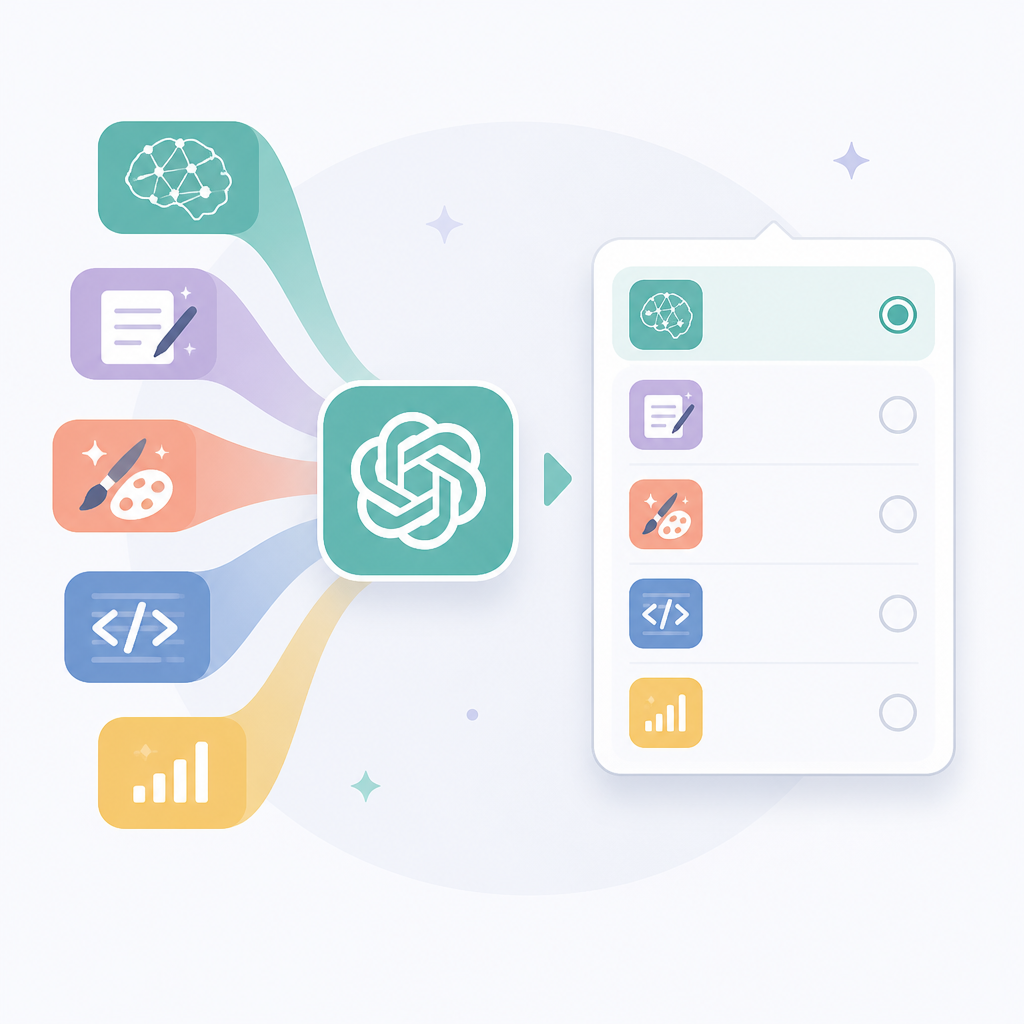
I’ve run into this in internal tooling more times than I can count. Product teams want “the best model,” then they watch the bill climb because the model is being asked to summarize Slack threads, draft doc snippets, and rewrite ticket titles. That’s not premium-model work. That’s routing work.
The three-model split is the first useful thing in this release because it gives you a mental model for deployment. Sol is the one you reach for when correctness and depth matter. Terra is the middle lane. Luna is the “do it cheaply and often” option. That’s not glamorous, but it’s the kind of boring structure that actually helps teams ship.
How to apply it: I’d start by mapping your tasks into three buckets. High-stakes reasoning goes to Sol. Everyday assistant work goes to Terra. Bulk, low-risk automation goes to Luna. If you don’t do that mapping, you’ll end up overpaying for the wrong calls and then blaming the model for your architecture choices.
- Use Sol for code review, incident analysis, and security-sensitive reasoning.
- Use Terra for internal copilots, doc drafting, and mixed business workflows.
- Use Luna for classification, extraction, and repetitive generation.
The token-efficiency claim is the real headline
Sam Altman told CNBC that Sol is “54% more token efficient” for AI coding tasks.
What this actually means is OpenAI is trying to sell efficiency, not just raw capability. That’s a different pitch. If the model gets to a good answer with fewer tokens, you care because latency drops and costs fall. For anyone building agent loops or multi-step coding flows, that matters more than a shiny benchmark number.
I’m always suspicious when a model vendor starts talking about efficiency because it usually hides a tradeoff somewhere. But here the tradeoff is at least legible: fewer tokens, less time, lower cost. That’s a practical story. If you’ve ever watched an agent burn through a prompt budget because it “thought” too long about a simple refactor, you know why this matters.
OpenAI is also framing this as a coding win, which is smart. Coding is where people notice model quality quickly. If the model can reason about code with fewer tokens, that can make tools feel less sluggish and less expensive at scale. It also makes iterative workflows less annoying. I don’t want my assistant to write a novel when I asked for a patch.
How to apply it: measure token usage on your own tasks, not just benchmark scores. Run the same prompt through your current model and a cheaper tier. Track output tokens, wall-clock time, and how often a human has to fix the result. If Sol is really more efficient, you’ll see it in the bill and in the review queue.
- Set a token budget per task class.
- Track retries, not just first-pass accuracy.
- Use cheap models for drafts, expensive models for final passes.
Cybersecurity is where OpenAI wants the bragging rights
OpenAI says 5.6 is its “strongest cybersecurity model yet, achieving frontier performance with significantly fewer tokens.”
What this actually means is OpenAI wants defenders to see GPT-5.6 as a practical security tool, not just a chatbot with a security sticker on it. The company says it supports threat modeling, code review, patching, and blue teaming. That’s a real list of jobs, not vague “security awareness” fluff.
I care about this because security work is one of the few places where model quality can be judged pretty fast. If it misses obvious issues in a diff, it’s useless. If it catches a subtle auth bug or spots a dependency risk before I do, then it earns its keep. That’s why I pay attention when a model vendor says “cybersecurity” instead of “general intelligence.” It narrows the claim to something testable.
There’s also a political angle here. The article notes that the Trump administration previously sought to restrict rollout because of misuse concerns. That tells me OpenAI knows this capability is sensitive, and it’s trying to position the model as a defensive asset. I’m not interested in the theater. I’m interested in whether it can help me review code faster without making me trust it blindly.
How to apply it: use the model as a reviewer, not an authority. Feed it diffs, architecture notes, and threat models, then ask for concrete findings with severity, exploit path, and fix. If it gives you fuzzy “be careful” language, ignore it. If it points to a specific failure mode and a patch, that’s useful.
My rule is simple: if a model claims security strength, I want it to produce evidence in the form of line numbers, attack paths, and remediation steps. Anything less is just marketing with a firewall wallpaper.
ChatGPT Work is OpenAI finally chasing office drudgery
OpenAI released “ChatGPT Work,” a workplace companion for enterprise teams that runs on desktop, web, and mobile.
What this actually means is OpenAI wants to sit inside the daily admin grind: docs, spreadsheets, presentations, and the endless copy-paste between them. That’s not a small ambition. A lot of enterprise software survives because it is annoying enough that people will pay anything to avoid it. If OpenAI can shave minutes off clerical work, that’s a real adoption wedge.
I’ve seen enough enterprise AI demos to know the pattern. They start with “ask questions about your documents,” then someone realizes the real pain is preparing the documents in the first place. That’s why a companion product matters more than a fancy model demo. If it can draft the deck, format the sheet, and keep context across devices, it becomes part of the workflow instead of a novelty tab.
The mobile, web, and desktop angle matters too. A lot of these tools die because they only work where the demo was staged. Enterprise users don’t live in one window. They bounce between Slack, email, docs, and meetings. If ChatGPT Work can actually follow that mess, then OpenAI has something more durable than a chatbot skin.
How to apply it: treat ChatGPT Work like an assistant layer, not a source of truth. Use it to draft, summarize, and reformat. Keep humans on approvals, data entry validation, and final publishing. If your team is already doing repetitive office work by hand, this is the kind of tool that can save real time without changing your whole stack.
Benchmarks are useful, but only if you read them like a skeptic
OpenAI cites the Artificial Analysis Coding Agent Index to claim Sol “sets a new state of the art at 80, 2.8 points above Fable 5.”
What this actually means is OpenAI is using a third-party benchmark to say, “Our coding model is better than Anthropic’s.” That’s a normal move, but it’s also where people start pretending benchmarks are the same thing as shipping software. They aren’t.
The article says OpenAI compares Sol to Anthropic’s Fable 5, and says Terra performs just above Fable 5 while Luna outperforms Opus 4.8. Fine. That’s useful context if you already know the benchmark and trust the evaluation. But I’ve been burned enough times to know that benchmark wins can disappear once you put the model inside a real app, with bad prompts, stale context, and users who type half-sentences.
Still, benchmarks matter because they help you decide where to start testing. If a model is better on coding indexes and uses fewer tokens, I’m willing to run it through my own tasks. I’m just not willing to let the vendor’s chart make the decision for me.
How to apply it: use benchmarks as a shortlist, not a verdict. Pick one or two tasks that matter in your stack, then compare models on your own data. If you’re building an agent, test tool use. If you’re building a code assistant, test patch quality. If you’re building enterprise search, test answer grounding. The vendor’s score only matters if it survives your workload.
- Benchmark claims are a starting point, not a deployment plan.
- Your logs are more honest than a slide deck.
- Real users will expose failure modes the index never saw.
Pricing tells you how OpenAI expects you to use each tier
OpenAI says Sol costs $5 input / $30 output per million tokens, Terra is $2.50 / $15, and Luna is $1 / $6.
What this actually means is OpenAI wants you to think in workload tiers. The pricing is not random. It’s a signal about which model should handle expensive reasoning and which one should chew through volume. If you ignore that signal, you’ll end up with a bill that makes no sense.
The output token pricing especially matters because that’s where long answers and agent loops get costly. If you’ve built anything that generates plans, code, or multi-step reasoning, you already know output is where things get ugly. These numbers push you toward routing: cheap model first, expensive model only when needed.
I like pricing tables because they force discipline. They make architecture decisions visible. When the cheapest model is one-sixth the cost of the top tier on output, that’s an invitation to stop treating every request like a PhD exam.
How to apply it: build a router. Start with Luna for extraction, Terra for standard assistant tasks, and Sol for hard cases or second-pass verification. Add fallback logic so the expensive model only kicks in when confidence is low, the task is security-sensitive, or the first draft fails validation. That’s how you keep costs under control without kneecapping quality.
The template you can copy
# Model routing template for GPT-5.6-style families

## Goal
Route each request to the cheapest model that can still meet quality, latency, and risk requirements.

## Model roles
- Sol: hard reasoning, code review, security analysis, final verification
- Terra: general assistant work, internal tools, mixed business tasks
- Luna: extraction, classification, summarization, bulk generation

## Routing rules
1. If the task affects security, money, or production code, start with Sol.
2. If the task is routine but needs decent reasoning, use Terra.
3. If the task is repetitive, low-risk, or high-volume, use Luna.
4. If the first pass fails validation, escalate one tier.
5. If the output will be reviewed by a human anyway, prefer the cheaper model first.

## Validation checklist
- Does the output contain concrete facts or just plausible filler?
- Are there line numbers, citations, or exact fields where needed?
- Did token usage stay within budget?
- Did the answer require a retry?
- Would a human approve this without rewriting it?

## Prompt block for a router
You are routing a task to the right model tier.

Task type:
{{task_type}}

Risk level:
{{risk_level}}

Expected output:
{{expected_output}}

Choose one:
- Sol for hard reasoning, security, or code review
- Terra for standard assistant work
- Luna for cheap, high-volume, low-risk tasks

Return:
1. chosen model
2. one-sentence reason
3. whether escalation is recommended

## Escalation policy
- Escalate from Luna to Terra if the output is incomplete or vague.
- Escalate from Terra to Sol if the task touches security, code correctness, or high-impact decisions.
- Do not escalate automatically just because the user asks for a long answer.

## Example use cases
- Summarize 200 support tickets -> Luna
- Draft a quarterly update -> Terra
- Review a patch for auth bugs -> Sol
- Generate a threat model -> Sol
- Rewrite a meeting note into bullets -> Luna
- Prepare a polished internal memo -> Terra
Source and attribution
This breakdown is based on Lucas Ropek’s TechCrunch article, “OpenAI launches its new family of models with GPT-5.6”. My framing, routing advice, and template are original; the model names, pricing, benchmark claims, and product details come from that source.
// Related Articles
- [MODEL]
Seedream 5.0 Pro Is the Right Choice for Editable AI Images
- [MODEL]
Midjourney v8.2 release is close
- [MODEL]
Rust KRAID enters Mesa for Arm Mali GPUs
- [MODEL]
OpenAI Opens GPT-5.6 and Launches Live Voice AI
- [MODEL]
Mistral is right to push Leanstral into proof engineering
- [MODEL]
Google’s June 2026 AI updates put live translation first