Immich Docker Compose setup that avoids common errors
3 setup steps and 4 fixes for running Immich with Docker Compose, including the Docker v25 healthcheck.start_interval issue.

How do you install Immich with Docker Compose and fix the errors people hit most often?
This guide shows the recommended Immich Docker Compose setup and the main fixes.
| Item | What it is | Common gotcha |
|---|---|---|
| docker compose up -d | Starts Immich in the background | Fails if you have the wrong Docker package |
| docker-compose.yml | Main service definition | May need a healthcheck line removed on older Docker |
| .env | Configuration file for storage and database settings | Defaults should be edited before launch |
| Docker Engine v25+ | Required for healthcheck.start_interval | Older engines throw a feature error |
1. Download the Immich files
Get the latest AI news in your inbox
Weekly picks of model releases, tools, and deep dives — no spam, unsubscribe anytime.
No spam. Unsubscribe at any time.
Immich recommends Docker Compose for production, and the first step is to create a working directory that will hold both docker-compose.yml and .env. The docs show a simple path like ./immich-app, then two downloads from the latest release: one compose file and one example environment file.

That setup matters because the rest of the install assumes both files sit in the same directory when you run the container command. If you prefer a browser download, rename example.env to .env before you continue.
mkdir ./immich-appcd ./immich-appwget -O docker-compose.yml https://github.com/immich-app/immich/releases/latest/download/docker-compose.ymlwget -O .env https://github.com/immich-app/immich/releases/latest/download/example.env
2. Edit the .env file before launch
The environment file controls where Immich stores uploads, where Postgres stores data, and which version you want to run. The defaults are usable for a quick test, but a real install should point UPLOAD_LOCATION at a directory with enough free space and should usually replace the default database password.
The docs also note that database files should not live on a network share, and that the password should avoid special characters so Docker does not misread it. If you need a timezone, uncomment TZ=Etc/UTC and replace it with a valid TZ identifier.
UPLOAD_LOCATION=./libraryDB_DATA_LOCATION=./postgresIMMICH_VERSION=v3DB_PASSWORD=postgresDB_USERNAME=postgresDB_DATABASE_NAME=immich
3. Start Immich with Docker Compose
Once the files are customized, start the stack from the same directory with docker compose up -d. The -d flag runs Immich in the background, which is what you want for a server that should keep running after you close the terminal.
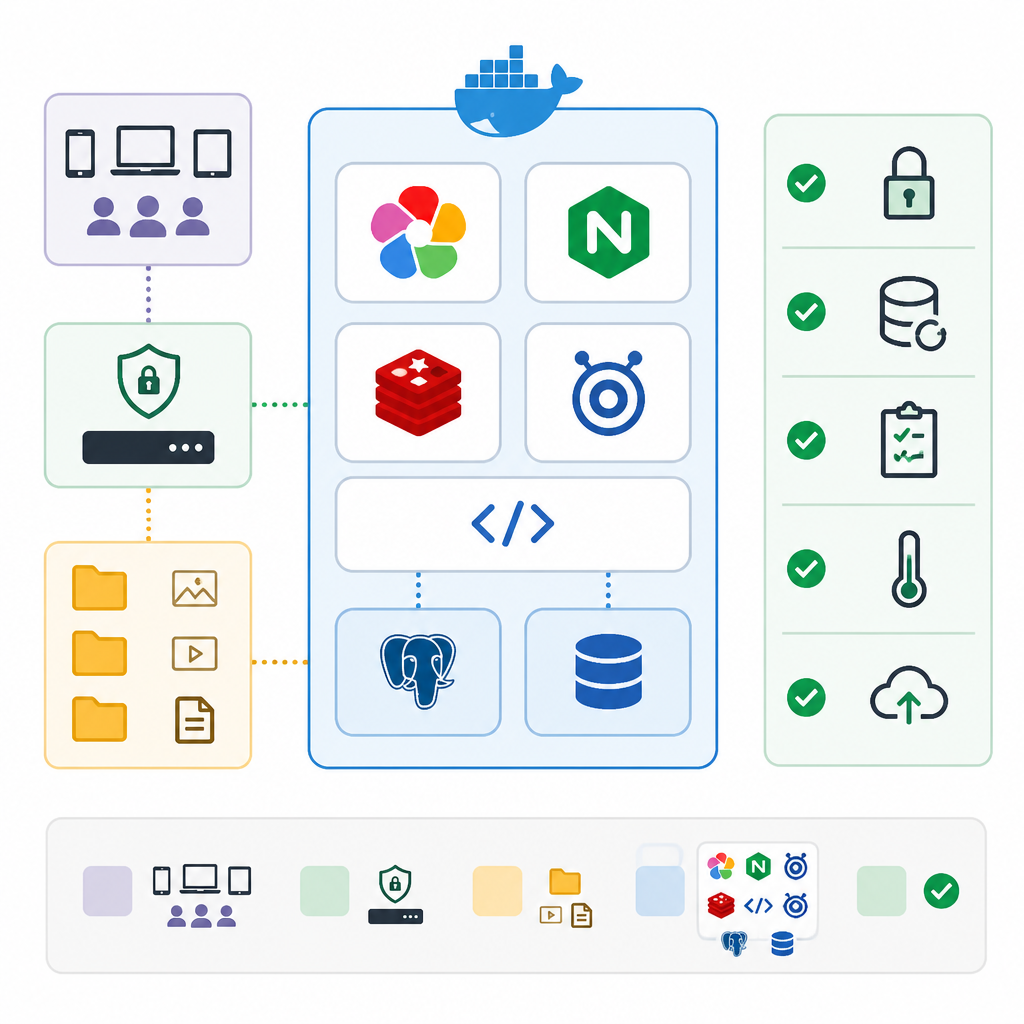
If that command fails, the docs say the issue is often the Docker package itself, not Immich. On some Ubuntu installs, the distro package exposes the wrong behavior, so the fix is to install Docker Engine from Docker’s official repository instead of the older package set.
docker compose up -d- Use docker compose, not docker-compose
- Install Docker Engine from the official apt or rpm repository
- Remove older distro Docker packages first
4. Fix the Docker version mismatch
Two errors in the docs point to the same root problem: an outdated or mismatched Docker installation. One is unknown shorthand flag: 'd' in -d, and the other is Compose file './docker-compose.yml' is invalid with a 'name' does not match any of the regexes message. Both can happen when the system is using the wrong Docker binary or plugin.
The clean fix is to follow the full Docker Engine install guide for your distribution, especially the parts that uninstall old versions and then install from Docker’s official repository. That swap is what makes docker compose work the way Immich expects.
# Good command for Immich on supported Docker installs
docker compose up -d

# Avoid on systems where the old package is still active
docker-compose up -d
5. Handle the healthcheck.start_interval error
If Docker complains that it cannot set healthcheck.start_interval because the feature requires Docker Engine v25 or later, the docs offer a simple workaround. Comment out the start_interval line in the database section of docker-compose.yml, then start the stack again.
This fix is useful when you cannot upgrade immediately, but it is still better to move to a newer Docker Engine when possible. The point is to get Immich online without getting blocked by a health check setting that your current engine does not understand.
- Open
docker-compose.yml - Find the database service
- Comment out
start_interval - Restart with
docker compose up -d
How to decide
If you want the cleanest path, follow the default Docker Compose install, edit .env with your storage and password values, then start Immich with docker compose up -d. That is the right choice for most production servers.
If you hit errors, use the fix that matches the symptom: version mismatch errors usually mean you need the official Docker Engine packages, while healthcheck.start_interval means your engine is too old for the compose file and you should comment out that line or upgrade.
// Related Articles
- [IND]
Millions Raised for Zhipu-style Social World Model
- [IND]
Anthropic’s Book Scanning Strategy Could Set a Pattern
- [IND]
Huang’s open-letter playbook for open-weight AI
- [IND]
32 firms back open-weight AI in DC letter
- [IND]
Huang usa il suo primo post su X per difendere l’IA aperta
- [IND]
Black Duck’s Coverity gets better at AI-era triage