Midjourney Pricing Guide for 2026 Plans
Midjourney’s 2026 pricing uses four paid plans, annual discounts, and GPU-hour billing.

Midjourney’s 2026 pricing uses four paid plans, annual discounts, and GPU-hour billing.
This guide is for developers, product teams, and AI buyers who need the real cost of using Midjourney in 2026. After following the steps, you will know which plan fits your workload, how annual billing changes the price, and how GPU-hour usage affects your monthly spend.
You will also understand the limits that matter in practice: no free plan, no free trial, Relax mode rules, Stealth mode access, and what happens when your fast hours run out. For official references, see the Midjourney docs and the Midjourney GitHub.
Before you start
Get the latest AI news in your inbox
Weekly picks of model releases, tools, and deep dives — no spam, unsubscribe anytime.
No spam. Unsubscribe at any time.
- A Midjourney account with an active subscription checkout flow
- A Discord account if you plan to use the Discord-based workflow
- A payment card that supports recurring subscriptions
- Current plan prices for 2026: Basic $10/month, Standard $30/month, Pro $60/month, Mega $120/month
- Annual billing option if you want the 20% discount
- A basic understanding of GPU-hour billing and queue-based generation
Step 1: Confirm your usage pattern
Goal: match your image generation habits to the right plan before you pay.

Midjourney does not charge by image count. It charges by fast GPU time, so your first job is to estimate whether you mostly create still images, batch a lot of prompts, or generate video. A light user can stay on Basic, while a team that generates often will usually need Standard or higher.
Use this quick rule: if you only need occasional still images, start with Basic; if you want steady daily use, start with Standard; if you need privacy or higher throughput, move to Pro or Mega.
You should see a clear workload category for yourself: casual, regular, heavy, or private/commercial.
Step 2: Compare the four plan tiers
Goal: identify the exact subscription tier that matches your budget and feature needs.
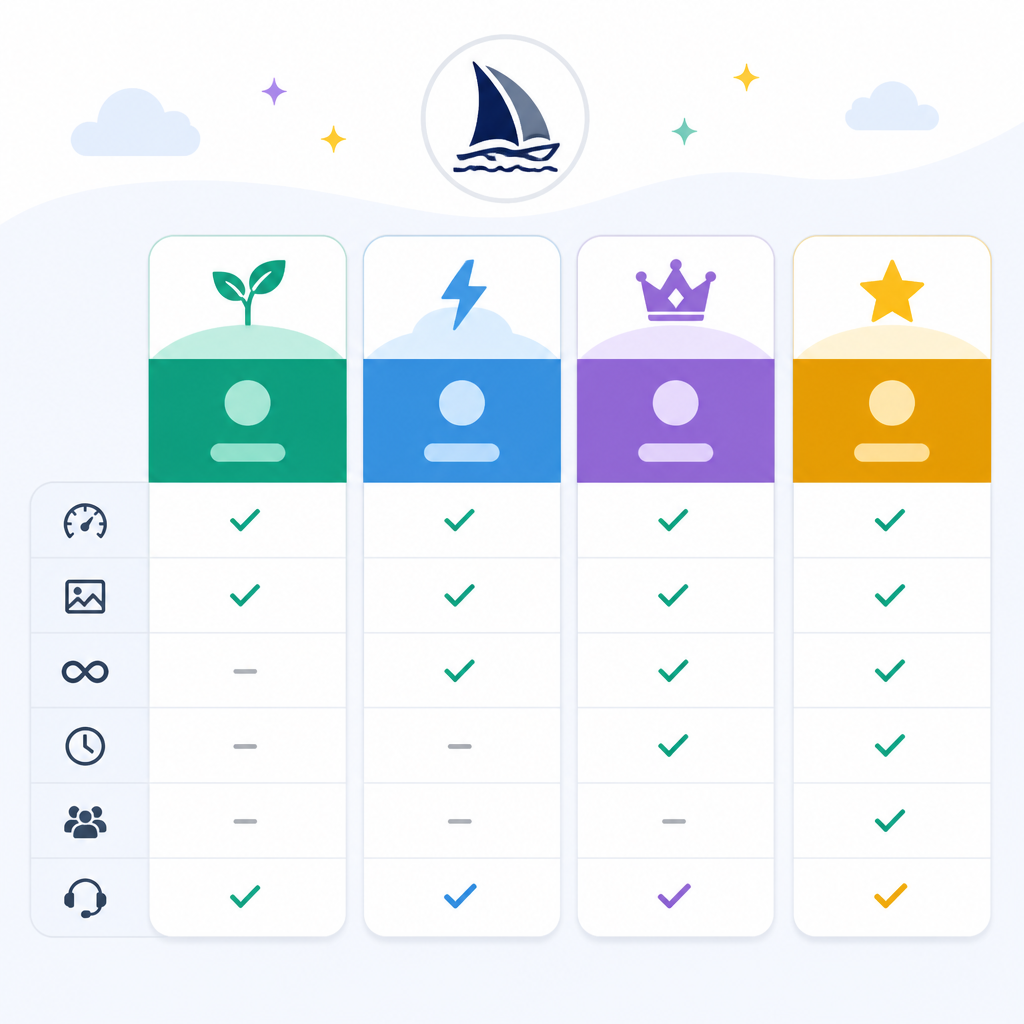
Midjourney’s 2026 lineup has four paid tiers. Basic costs $10 per month and includes 3.3 fast GPU hours. Standard costs $30 per month and includes 15 fast GPU hours. Pro costs $60 per month and includes 30 fast GPU hours. Mega costs $120 per month and includes 60 fast GPU hours.
Basic   $10/mo   3.3 fast GPU hours   no Relax   no Stealth
Standard $30/mo  15 fast GPU hours    Relax      no Stealth
Pro     $60/mo   30 fast GPU hours    Relax      Stealth
Mega    $120/mo  60 fast GPU hours    Relax      Stealth
You should see one plan that fits your budget and the features you need. If you only want the cheapest entry point, Basic is the floor. If you need Stealth mode, Basic and Standard are off the table.
Step 3: Calculate annual savings
Goal: choose monthly or annual billing with a full-year cost in mind.
Every Midjourney plan drops by 20% when you pay for a full year upfront. That means Basic becomes $8 per month billed annually, Standard becomes $24, Pro becomes $48, and Mega becomes $96. The annual totals are $96, $288, $576, and $1,152 respectively.
Start monthly if you are still testing the workflow. Move to annual only after you know the tool fits your production needs, because the annual option reduces the price but commits you for the year.
You should see the same fast GPU hour allotment in both billing modes, with only the price changing.
Step 4: Budget by GPU hours
Goal: translate your subscription into real output capacity.
Midjourney sells compute time, not a fixed image quota. A still image consumes about one GPU minute, while an HD video batch can consume about 26 GPU minutes. That means the same plan can feel generous for stills and tight for video.
For example, Basic’s 3.3 fast hours is roughly 200 fast minutes, which is enough for a few hundred still images but only a small number of video batches. Standard’s 15 fast hours gives much more room, but video-heavy workflows can still burn through it quickly.
You should see your own usage estimate in minutes or hours, not in image counts.
| Metric | Before/Baseline | After/Result |
|---|---|---|
| Monthly entry price | No free plan | $10 Basic plan |
| Annual discount | Monthly billing | 20% lower on annual billing |
| Fast GPU hours | Basic: 3.3 hours | Mega: 60 hours |
| Still image cost | About 1 GPU minute each | Fast hours stretch across many images |
| HD video cost | About 26 GPU minutes per batch | Fast hours run down much faster |
Step 5: Check Relax and Stealth access
Goal: confirm which features you get after the fast hours are gone.
Relax mode lets you generate without spending fast GPU hours, but jobs enter a queue and may take from seconds to around 30 minutes. Standard, Pro, and Mega include Relax for image generation. Basic does not. SD video in Relax is available only on Pro and Mega. Stealth mode, which keeps your work private from the public gallery, is available on Pro and Mega.
If privacy matters, or if you need unlimited queued image generation after your fast hours are used, Basic will not be enough.
You should see whether your workflow needs queued generation, private output, or both.
Common mistakes
- Choosing Basic for video-heavy work. Fix: move to Standard or higher, because video burns fast GPU hours much faster than still images.
- Assuming annual billing changes your usage limits. Fix: annual billing only lowers the price, not the monthly fast GPU hour allotment.
- Expecting Relax mode on every plan. Fix: Basic has no Relax mode, and SD video in Relax is limited to Pro and Mega.
Midjourney pricing is easiest to understand when you treat it as compute budgeting, not image shopping. The cheapest plan may be enough for experimentation, but teams should map features, privacy, and output volume before they subscribe.
If you need a deeper follow-up, compare Midjourney’s current billing rules with your monthly image volume, then test a single billing cycle before committing to annual pricing.
// Related Articles
- [TOOLS]
VDBBench adds cost to vector DB comparisons
- [TOOLS]
Zilliz Adds Cost Metrics to VDBBench
- [TOOLS]
Zilliz adds cost-aware scoring to VDBBench
- [TOOLS]
Pixel 11 launch highlights and new Gemini features
- [TOOLS]
AWS Continuum turns AI coding into safer fixes
- [TOOLS]
Open-Generative-AI turns GitHub into a studio