Mistral OCR 4 turns scans into citation-ready data
I break down OCR 4’s structured output and give you a copy-ready ingestion template for RAG, search, and review pipelines.

I break down OCR 4’s structured output and give you a copy-ready ingestion template.
I've been building document pipelines long enough to know when OCR is lying to me. Not in the dramatic sense. In the annoying, production-killing sense. You feed it a contract, a scan, or a messy PDF, and it gives you text that looks fine until you try to cite it, search it, or route it through an agent. Then the whole thing falls apart. The text is there, technically. The structure is not. Tables get flattened, headings blur into body copy, signatures vanish into the void, and confidence is either missing or useless. I’ve had to glue together OCR, layout detection, and post-processing just to get something a retrieval pipeline could trust. It’s a pain, and it wastes time in exactly the place teams can least afford it.
That’s why I paid attention when AI Daily Post’s write-up on Mistral OCR 4 landed. The article is about a document-understanding model that doesn’t stop at plain text. It adds bounding boxes, typed block labels, and per-word confidence scores, and it claims support for 170 languages across ten language groups. The source also says the model ships in a single container for on-prem deployment, which is the kind of detail that actually matters if you’ve ever tried to keep sensitive documents off someone else’s cloud.
The thing I care about isn’t the headline. It’s the shape of the output. If the model can hand me text plus layout plus confidence, I can build the boring parts of the pipeline once and stop babysitting every file by hand.
Plain text OCR is where good pipelines go to die
Get the latest AI news in your inbox
Weekly picks of model releases, tools, and deep dives — no spam, unsubscribe anytime.
No spam. Unsubscribe at any time.
“The new version tacks on bounding boxes, typed-block labels and per-word confidence scores, turning a page into a map of where each element lives and what it means.”
What this actually means is simple: OCR 4 is trying to give you document structure, not just document content. That sounds obvious until you look at what most OCR systems actually return. They hand back a text blob and maybe some coordinates if you’re lucky. Then you, the developer, become the layout engine, the parser, and the cleanup crew.
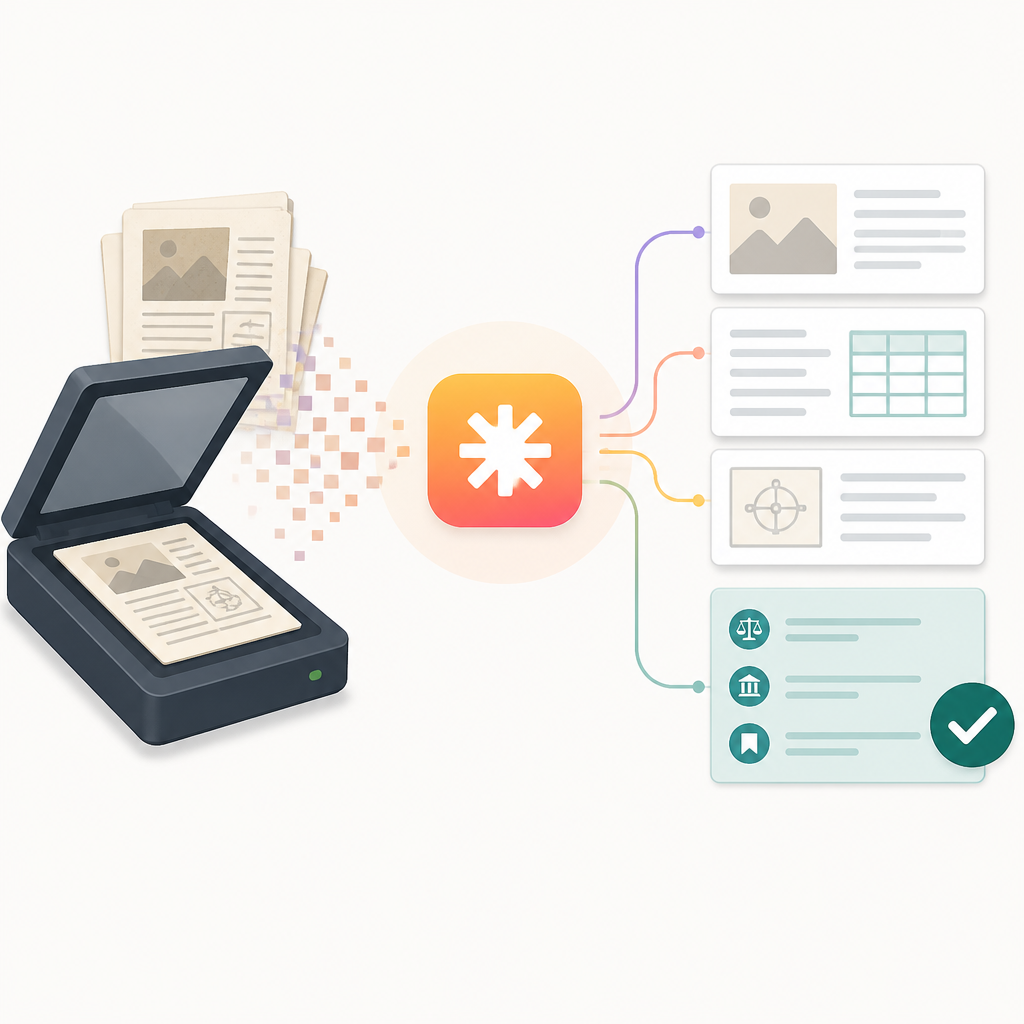
I ran into this when I built an ingestion flow for scanned invoices. The text extraction looked passable in logs. But once I tried to index it for search, the line items were scrambled and the totals were detached from their labels. The model had read the page. It had not understood the page. That difference matters a lot more than vendors like to admit.
Bounding boxes change the game because they let you tie text back to the page. Typed blocks matter because they tell you whether you’re looking at a heading, paragraph, table cell, signature, or something else. Confidence scores matter because they let you make decisions instead of guessing. If a region is shaky, I can send it to a human. If it’s strong, I can let it flow downstream automatically.
How to apply it: stop treating OCR as a preprocessing step that ends in plain text. Treat it as a structured extraction layer. Your downstream systems should receive JSON or markdown with coordinates, labels, and confidence baked in. If your OCR output can’t support that, you’re going to rebuild the missing structure yourself anyway.
- Keep the original page image and the extracted coordinates together.
- Preserve block types instead of flattening everything into paragraphs.
- Use confidence thresholds to decide when to auto-accept or review.
170 languages is nice, but the real win is fewer special cases
The source says OCR 4 supports 170 languages across ten language groups. That number matters, but not for the reason marketing people usually think. I don’t care about a giant language count as a trophy. I care because every extra language usually means another brittle branch in the codebase.
When I’ve worked on multilingual archives, the ugly part was never “can the model read this?” It was “can the pipeline behave consistently when the document switches from English to Arabic to French to Japanese?” If the system can normalize those inputs into one structured format, I get to delete a lot of special-case logic. That’s the real value.
OCR 4’s pitch is that it can handle multilingual documents in one place, which means a contract scanned in one region and a report scanned in another don’t need separate extraction pipelines. That’s especially useful for enterprise search and RAG systems, where the document corpus is messy by default. You don’t want a different ingestion path for every language family unless you enjoy maintaining a swamp.
How to apply it: define a single canonical document schema before you start ingesting anything. Language-specific handling should happen only when the OCR output truly requires it, not because your parser collapsed under pressure. Also, keep language metadata attached to each document or block. Search quality gets weird fast when you forget where the text came from.
- Normalize all OCR output into one schema.
- Store language group metadata at the document and block level.
- Test mixed-language documents early, not after launch.
Single-container deployment is the part I’d actually fight for
The article says OCR 4 fits into a single container and can be hosted entirely on-premises. That’s not a throwaway detail. It’s the part I’d push hardest on if I were evaluating it for a real system.
Cloud-only OCR is fine until you have legal documents, healthcare scans, financial records, or anything else that makes your security team twitch. Then “send it to an API” turns into a negotiation. A containerized deployment gives you a cleaner story for data residency, network boundaries, and operational control. I’ve had projects stall for weeks because the OCR vendor wanted access to documents that nobody was comfortable shipping off-box.
This also changes how you think about latency and throughput. If the model lives in your environment, you can batch, queue, scale, and observe it like any other service. That doesn’t make it free. It just makes it governable, which is what most teams actually need.
How to apply it: put OCR behind the same deployment discipline you use for internal services. Measure CPU, memory, queue depth, and per-page latency. Don’t assume “single container” means “low overhead.” It means easier packaging. Those are not the same thing, and I wish more product pages admitted that.
If you want to compare the deployment pattern, look at container-first tooling like Docker, orchestration with Kubernetes, and document pipelines that already expose structured results, such as Mistral AI itself and adjacent ingestion tools like Landing AI.
Confidence scores are what make human review sane
The source specifically calls out per-word confidence scores and says low-confidence regions can be routed to human verifiers. That’s the part that feels practical instead of aspirational. I’ve seen too many extraction systems dump a wall of text into a review queue and call that “human in the loop.” That is not a workflow. That is punishment.
Confidence-aware review is much better. If you know which words or blocks are shaky, you can send only those fragments to a reviewer. The rest can move on automatically. That cuts review time and makes the human’s job less miserable. It also gives you a cleaner audit trail when someone asks why a field was accepted or rejected.
I ran into this pattern on a claims-processing project. The OCR was good enough most of the time, but the handwritten notes and faded stamps were a mess. Once we started routing only low-confidence regions to review, the team stopped wasting time re-checking perfectly legible pages. It wasn’t glamorous. It just worked better.
How to apply it: build review logic around confidence bands, not binary pass/fail. For example, auto-accept high-confidence blocks, queue medium-confidence blocks for spot checks, and escalate low-confidence blocks for manual correction. Keep the original coordinates so reviewers can jump straight to the problem area.
- Set threshold ranges for auto-accept, spot-check, and manual review.
- Review blocks, not whole documents, whenever possible.
- Log reviewer corrections so you can measure extraction drift over time.
RAG gets better when citations are tied to actual page regions
AI Daily Post frames OCR 4 as useful for retrieval-augmented generation, enterprise search, and agentic workflows. That makes sense, because RAG systems fail in boring ways when the source text is poorly structured. You get answers that sound confident but can’t point back to anything concrete. Then everyone pretends the citation problem is just a prompt problem. It isn’t.
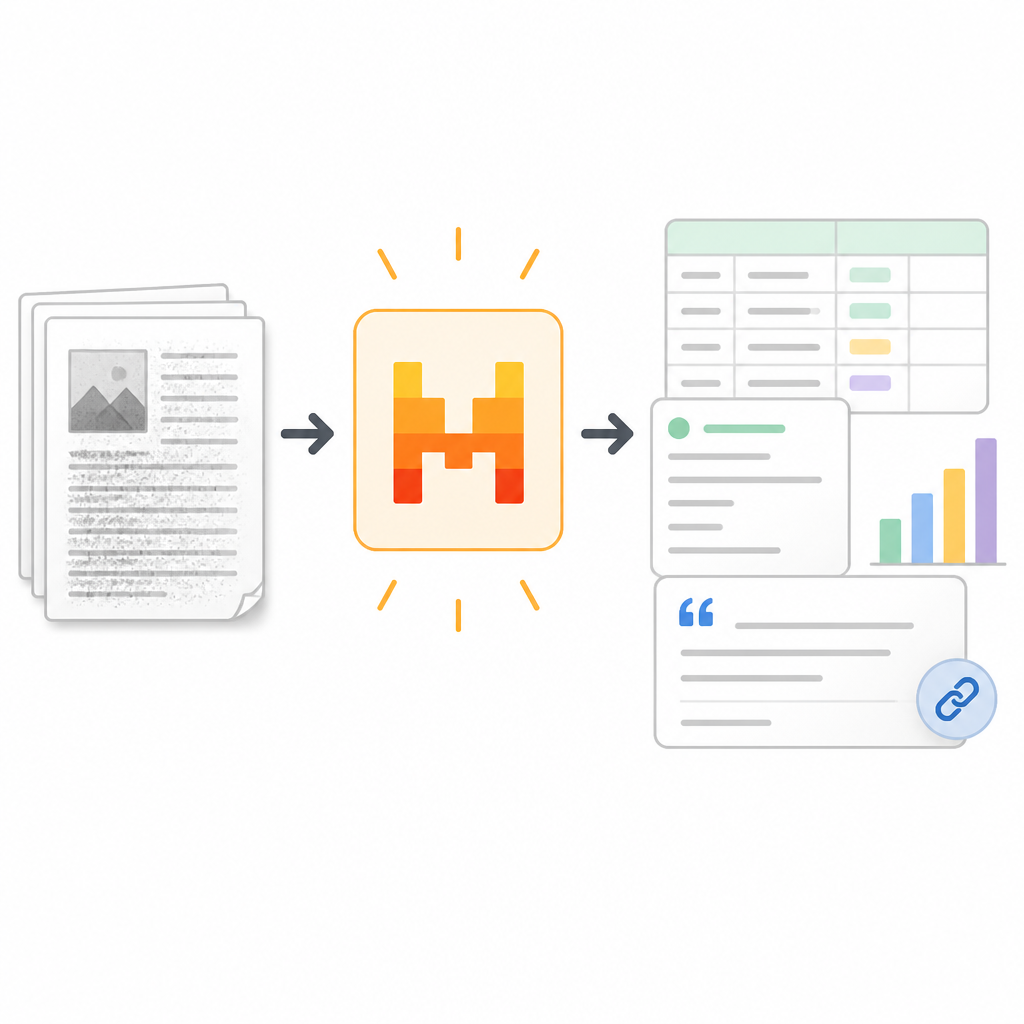
Structured OCR output helps because it gives retrieval systems more than text chunks. It gives them block types, coordinates, and confidence. That means you can cite the actual page region that produced a result, not just a random slice of text after a splitter mangled the document. For search, that means better snippets. For RAG, it means better grounding. For evaluation, it means you can inspect whether the model used the right region in the first place.
I’ve had retrieval systems where the answer was technically correct but impossible to defend. The source text had been flattened so badly that nobody could tell whether the model quoted a heading, a footnote, or a table note. That is exactly the kind of mess structured OCR is meant to reduce.
How to apply it: store OCR output in a retrieval-friendly format with explicit source pointers. Every chunk should know its page, block type, bounding box, and confidence. Then your generator can cite with actual provenance, not a hand-wavy text offset. If you’re using a vector database, keep the structured metadata alongside embeddings instead of tossing it after ingestion.
For the retrieval side, tools like Pinecone, Weaviate, or Elastic all become more useful when the source payload is honest about where the text came from.
OCR 4 is an ingestion layer, not a decision-maker
The source includes a useful warning from Mistral’s official release: OCR 4 is a document-understanding model, not a decision-maker. I like that framing because it keeps people from making the usual mistake of asking the model to do too much.
OCR should extract, classify, and localize. It should not decide whether a contract is valid, whether an invoice is approved, or whether a document is trustworthy. That kind of overreach is how teams end up debugging a system that was never designed to make business decisions. I’ve watched that happen more than once, and it always gets ugly.
Think of OCR 4 as the front door. It gets the document into a shape the rest of your stack can use. After that, you still need validators, business rules, retrieval logic, and probably a human review path for edge cases. If you skip those pieces, the structured output just gives you a prettier failure mode.
How to apply it: split your pipeline into extraction, normalization, validation, and action. OCR 4 belongs in the first stage. Anything that smells like approval, rejection, or policy enforcement belongs later. If you blur those layers, you’ll lose trust in the system fast.
One more thing: if you want to sanity-check the original framing, the source article is here: AI Daily Post’s Mistral OCR 4 coverage. I’m using that article as the anchor, not pretending I tested every claim myself.
The template you can copy
## OCR ingestion schema for citation-ready documents

Use this as the canonical shape for OCR output before it enters search, RAG, or review.


{
  "document_id": "doc_123",
  "source_uri": "s3://bucket/path/to/file.pdf",
  "file_type": "pdf",
  "language": "en",
  "language_group": "latin",
  "page_count": 12,
  "pages": [
    {
      "page_number": 1,
      "width": 2480,
      "height": 3508,
      "blocks": [
        {
          "block_id": "p1_b1",
          "type": "heading",
          "text": "Master Services Agreement",
          "confidence": 0.98,
          "bbox": [120, 88, 1410, 210],
          "words": [
            {
              "text": "Master",
              "confidence": 0.99,
              "bbox": [120, 88, 320, 210]
            },
            {
              "text": "Services",
              "confidence": 0.98,
              "bbox": [340, 88, 620, 210]
            },
            {
              "text": "Agreement",
              "confidence": 0.98,
              "bbox": [640, 88, 1410, 210]
            }
          ]
        },
        {
          "block_id": "p1_b2",
          "type": "paragraph",
          "text": "This agreement is entered into as of...",
          "confidence": 0.94,
          "bbox": [124, 260, 2200, 410]
        },
        {
          "block_id": "p1_b3",
          "type": "table",
          "text": "",
          "confidence": 0.91,
          "bbox": [120, 520, 2300, 1450],
          "cells": [
            {
              "row": 1,
              "col": 1,
              "text": "Invoice #",
              "confidence": 0.99,
              "bbox": [140, 540, 420, 620]
            },
            {
              "row": 1,
              "col": 2,
              "text": "Amount",
              "confidence": 0.99,
              "bbox": [430, 540, 720, 620]
            }
          ]
        }
      ]
    }
  ]
}


## Review policy

yaml
accept_if:
  block_confidence_gte: 0.95
  word_confidence_gte: 0.92
spot_check_if:
  block_confidence_between: [0.85, 0.94]
manual_review_if:
  block_confidence_lt: 0.85
  contains_types: [signature, stamp, handwritten_note, equation]


## Ingestion steps

1. Run OCR and preserve page geometry.
2. Normalize blocks into the schema above.
3. Chunk by block type, not arbitrary character count.
4. Attach page number, bbox, and confidence to every chunk.
5. Send low-confidence regions to human review.
6. Index approved chunks in search or vector storage.
7. Keep the original image for audit and citation checks.

## Prompt for downstream RAG

You are answering from extracted document blocks. Use only the provided sources.
Cite page number, block type, and bounding box when possible.
If confidence is low, say so instead of guessing.

## Practical threshold starter

- High confidence: 0.95 and above
- Medium confidence: 0.85 to 0.94
- Low confidence: below 0.85

## What not to do

- Do not flatten tables into plain paragraphs.
- Do not drop bounding boxes after extraction.
- Do not treat OCR output as final truth.
- Do not send low-confidence text straight into approval workflows.
This template is the part I’d actually keep around. It gives you a schema, a review policy, and a retrieval prompt without pretending OCR is magic. If OCR 4 gives you structured output in the shape the article describes, this is the kind of downstream format I’d use to make it useful.
Source and what’s mine
The original reporting came from AI Daily Post, and I’m using that article as the source for the product claims and usage framing. The schema, thresholds, workflow advice, and template above are my own practical synthesis for developers building OCR-backed ingestion pipelines.
// Related Articles
- [TOOLS]
AWS Continuum turns AI coding into safer fixes
- [TOOLS]
Open-Generative-AI turns GitHub into a studio
- [TOOLS]
Why benchmark scores don’t predict your bill
- [TOOLS]
MCP Servers for Developers: 8 workflow gains in 2026
- [TOOLS]
Doubao turns a game prompt into a mini arcade
- [TOOLS]
Coding Plan turns Alibaba Cloud into IDE billing