NVIDIA AI Models turn model hunting into a playbook
I break down NVIDIA’s AI Models page into a practical workflow for picking, optimizing, and shipping open models.

NVIDIA’s AI Models page turns model selection into a deployment playbook.
I've been using model directories like this for a while now, and they usually annoy me in the same way: they look helpful until I'm actually trying to ship something. Then I'm bouncing between a dozen tabs, half of them marketing, half of them docs, and none of them telling me the one thing I need first: what should I run, where should I run it, and what do I do when it’s too slow or too expensive?
NVIDIA’s AI Models page is better than most, but I still had to read it like a developer, not a brochure. The page is really a routing table. It points you from model families to deployment paths: DeepSeek, Gemma, gpt-oss, Kimi, Llama, and the rest. Once I stopped treating it like a catalog and started treating it like a decision tree, the whole thing made more sense.
That shift matters because the page is not saying, “Here are some models, good luck.” It’s saying, “Pick a model family, then pick your path: prototype with NIM, optimize with TensorRT-LLM, customize with NeMo, or run locally with Ollama, vLLM, Hugging Face, or llama.cpp.” That’s the useful part. The rest is just branding noise.
In this breakdown, I’m going to strip the page down into the actual workflow I’d use on a real project, plus a copy-ready template at the end you can reuse when you need to choose a model without turning your week into a benchmark festival.
Stop reading it like a catalog
Get the latest AI news in your inbox
Weekly picks of model releases, tools, and deep dives — no spam, unsubscribe anytime.
No spam. Unsubscribe at any time.
"Explore and deploy top AI models built by the community, accelerated by NVIDIA’s AI inference platform, and run on NVIDIA-accelerated infrastructure."
What this actually means is: NVIDIA wants this page to be the front door for model choice, but the real value is in how it routes you into deployment. The page is built around model families, then immediately pushes you toward the tools that make those models usable on NVIDIA hardware.
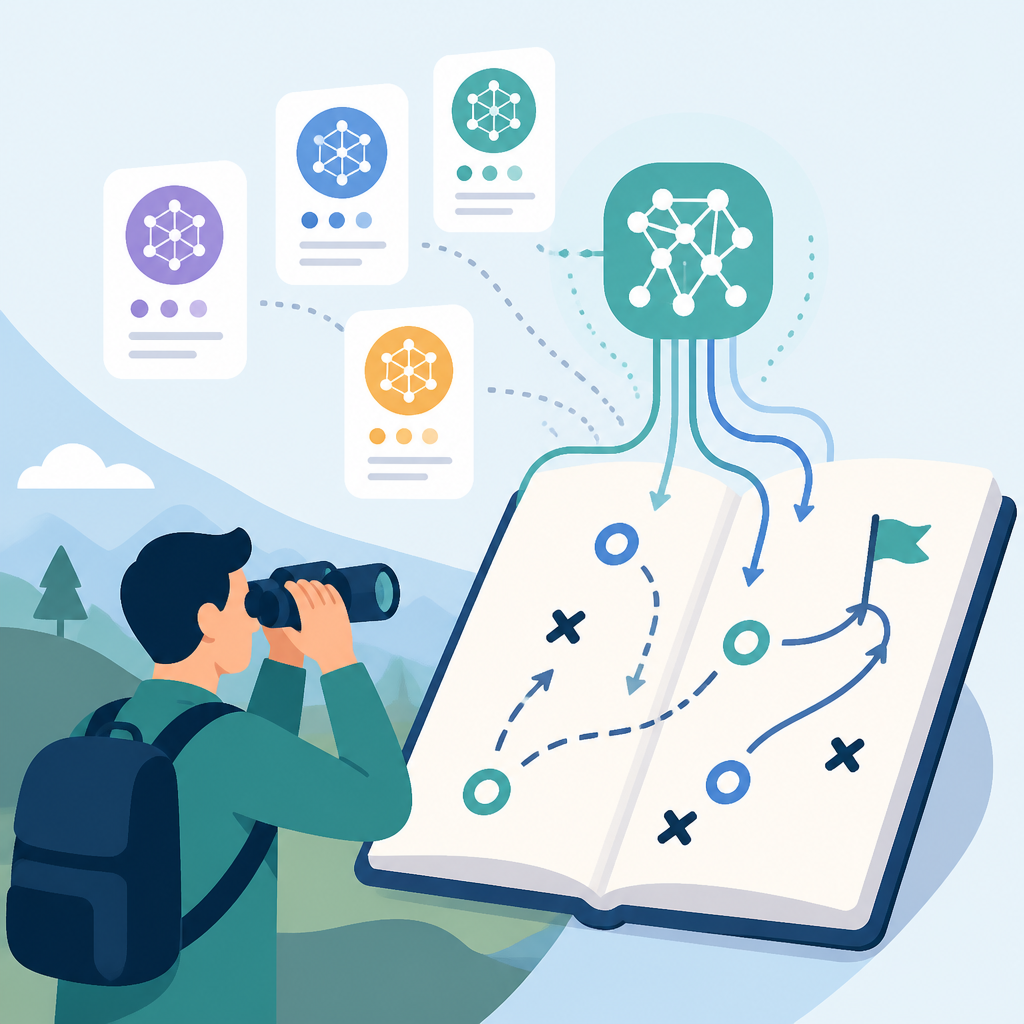
I ran into this when I was trying to decide whether a model was worth the trouble on a local GPU box versus a data center setup. The mistake I kept making was comparing model names instead of comparing operational paths. That’s backwards. A model that looks great on paper can be a pain if the only viable path is a stack you don’t want to maintain.
On this page, each family comes with a pattern: explore samples, integrate with a runtime, optimize inference, then get a production-ready version. That’s the real structure. It’s less “browse models” and more “pick your route.”
How to apply it:
- Start with deployment constraints first: edge, workstation, single GPU, or cluster.
- Then check which runtime path the page suggests: NVIDIA NIM, TensorRT-LLM, vLLM, Ollama, or Hugging Face.
- Only after that should you compare model size, architecture, and benchmark claims.
The page keeps repeating this pattern because it’s trying to reduce the usual friction: model discovery, integration, optimization, deployment. That’s the actual workflow. Everything else is a subheading.
DeepSeek is the page’s performance-first example
"DeepSeek is a family of open-source models that features several powerful models using a mixture-of-experts (MoE) architecture and provides advanced reasoning capabilities."
What this actually means is: DeepSeek is the page’s example of a model family where architecture matters as much as capability. MoE changes the performance conversation because you’re not just asking “is it smart?” You’re asking “can I run this efficiently enough to matter?”
The page leans hard into optimization here. It points to TensorRT-LLM for data center deployments, NIM for quick trials and production-ready packaging, and NeMo for customization. That trio tells me NVIDIA expects you to move from experiment to production without rewriting your stack three times.
I’ve seen teams get stuck on model quality debates when the real blocker was throughput. A model can be brilliant and still be the wrong choice if it forces you into a cost profile your app can’t absorb. That’s why the page keeps surfacing performance notes, like the DeepSeek-R1 8K/1K result showing a 15x performance benefit and revenue opportunity on Blackwell GB200 NVL72 over Hopper H200. I’m not using that as a universal promise; I’m using it as a signal that NVIDIA wants you to think in hardware terms, not just model terms.
How to apply it:
- If you’re evaluating a reasoning-heavy app, test DeepSeek first against your latency and token budget.
- Use TensorRT-LLM when you care about squeezing inference performance out of NVIDIA GPUs.
- Use NIM docs when you want a packaged deployment path instead of building every layer yourself.
- Use NeMo docs when your real problem is adapting the model to your data.
The practical takeaway is simple: DeepSeek isn’t just a model family on this page, it’s a template for how NVIDIA wants you to think about open models on its hardware. Pick the model, then pick the acceleration path.
Gemma is the “works everywhere” story, if you read it correctly
"Gemma is Google DeepMind’s family of lightweight, open models."
What this actually means is: Gemma is the page’s answer when you need smaller models that still fit into a serious deployment story. The page calls out support across data center GPUs, Windows RTX, and Jetson devices. That’s not fluff. That’s the clue that Gemma is meant to travel.

I like this section because it’s the least dramatic and most useful. Not every project needs a giant reasoning monster. Sometimes you need something you can run on a workstation, test quickly, and then move into a product without rebuilding the whole pipeline. Gemma fits that kind of work better than the “look how huge this model is” crowd.
The page also notes that Gemma 3n is natively multilingual and multimodal for text, image, video, and audio. That matters because it changes the kind of app you can build without stitching together separate systems for every modality. NVIDIA then routes you to NIM for production-grade support, NeMo for customization, TensorRT-LLM for optimization, and Ollama for fast local experimentation.
How to apply it:
- Choose Gemma when your main constraint is portability across devices.
- Use Ollama for a quick local test loop.
- Use TensorRT-LLM if you need to push throughput on NVIDIA GPUs.
- Use Hugging Face if you want to fine-tune or adapt a smaller checkpoint with normal tooling.
The page also points to sample applications and Jetson demos, which is NVIDIA’s way of saying: don’t overthink the first prototype. Get it running on the target class of device and see where the pain actually is.
gpt-oss is NVIDIA’s proof that open-weight models need a runtime plan
"NVIDIA has optimized both new open-weight models for 10x inference performance on NVIDIA Blackwell architecture, delivering up to 1.5 million tokens per second (TPS) on an NVIDIA GB200 NVL72 system."
What this actually means is: NVIDIA is not presenting gpt-oss as just another model family. It’s presenting it as a hardware-plus-runtime story. The model matters, but the runtime and kernel work matter just as much. If you ignore that, you miss the point of the page.
I’m always suspicious when a page starts quoting throughput numbers without enough context, but I don’t need to treat this as a benchmark contest to see the pattern. The page is telling you that the same model can look very different depending on whether you run it through TensorRT-LLM, vLLM, SGLang, Ollama, or other supported paths. That’s the whole game.
This is also where NVIDIA’s ecosystem strategy becomes obvious. The page references OpenAI’s gpt-oss models, TensorRT-LLM, vLLM, llama.cpp, and Ollama. That’s not random. It’s showing you the same model family across multiple developer entry points.
How to apply it:
- Use gpt-oss when you want open-weight flexibility and care about deployment speed.
- Use TensorRT-LLM if your bottleneck is inference performance on Blackwell or Hopper.
- Use vLLM or SGLang if your team already lives in those serving stacks.
- Use Ollama or llama.cpp if you want a local-first developer loop.
My take: this section is the clearest sign that “model choice” is now inseparable from “serving choice.” If you’re not thinking about both, you’re not really choosing a model. You’re just collecting names.
Kimi shows what happens when scale gets weird
"Kimi K2 is a state-of-the-art MoE language model with 32 billion activated parameters and 1 trillion total parameters."
What this actually means is: Kimi is the page’s example of a model family where the headline number is only half the story. Activated parameters and total parameters are not the same thing, and NVIDIA is clearly expecting you to understand that the serving path matters because the model is huge in a very particular way.
The page says Kimi K2 Thinking MoE saw a 10x performance leap on NVIDIA GB200 NVL72 compared with NVIDIA HGX H200, and it calls out Fireworks AI deploying Kimi K2 on NVIDIA B200 to hit top leaderboard performance. Again, I’m not treating that as a universal truth for every setup. I’m reading it as a signal that the page wants you to think about scale, routing, and infrastructure together.
This is where teams often get sloppy. They hear “open model” and assume the operational burden is low. It isn’t. Large MoE models can be very efficient in the right setup, but they can also become a mess if you don’t plan for routing, memory, and serving topology. The page keeps pointing back to optimized deployment paths because that’s where the real work is.
How to apply it:
- Use Kimi when you need a large open model and your infrastructure can actually support it.
- Check the NVIDIA NIM path if you want a packaged deployment option.
- Use TensorRT-LLM when you need to squeeze the most from the hardware you already own.
- Use the page’s sample links to validate whether your workload is reasoning-heavy, chat-heavy, or agent-heavy before you commit.
I’d treat Kimi as the “read the fine print” family. If DeepSeek is the performance-first example and Gemma is the portable one, Kimi is the reminder that scale changes the deployment conversation in ways that marketing copy never explains well.
Llama is the familiar default, but NVIDIA still wants to tune it
"Llama is Meta’s collection of open foundation models, most recently made multimodal with the 2025 release of Llama 4."
What this actually means is: Llama is the family most developers already know, so NVIDIA is using it as the easiest on-ramp to the rest of the page. The page doesn’t just say “here’s Llama.” It says NVIDIA worked with Meta to advance inference using TensorRT-LLM, offers optimized versions as NIM microservices, and supports customization through NeMo.
This is the section I’d expect most teams to start with, because Llama is the least surprising name on the page. That’s fine. Familiarity is useful. But the page is still making the same point: don’t stop at the model name. Decide whether you want local experimentation, optimized serving, or customization with your own data.
I’ve lost more time than I care to admit by assuming the default model would also be the default operational path. Usually it isn’t. The page’s Llama section is basically NVIDIA saying, “Yes, use the thing you already know, but use it through our optimized stack if you care about performance.” Fair enough.
How to apply it:
- Use Llama when your team already has familiarity and you want the shortest path to a working prototype.
- Use NIM if you want a production-ready microservice instead of wiring everything by hand.
- Use TensorRT-LLM if you need better throughput on NVIDIA GPUs.
- Use NeMo when your business logic depends on your own data.
There’s a reason Llama gets a long section here. It’s the bridge between “I know what this model is” and “I now need to run it like an adult.”
The real pattern is model, runtime, optimize, ship
"Get started with the right tools and frameworks for your development environment."
What this actually means is: NVIDIA wants the page to act like a workflow checklist. Every family follows the same arc. Explore the model. Integrate with a runtime. Optimize inference. Deploy a production-ready microservice. That’s the pattern I’d actually copy.
This is the part most model pages get wrong. They either dump a list of checkpoints on you or they bury the deployment path under too much platform language. NVIDIA at least gives you the sequence, even if it’s wrapped in a lot of product names. Once you see the sequence, the page becomes useful instead of noisy.
Here’s the practical version I’d use on a real project:
- Pick one model family based on your use case, not hype.
- Prototype with the fastest path available, usually NIM or Ollama.
- Measure latency, memory use, and token throughput on your actual hardware.
- Move to TensorRT-LLM if optimization matters.
- Use NeMo only if you need customization or adaptation.
That sequence saves me from the usual trap of over-investing in the wrong layer. A lot of teams start by fine-tuning when they should be benchmarking. Or they start by optimizing when they haven’t even proven the use case. This page is useful because it nudges you toward the right order.
And yes, the page has a lot of NVIDIA-specific infrastructure around it: Blackwell, Hopper, Jetson, RTX, DGX, NIM, NeMo, TensorRT-LLM. I don’t think you need to memorize the whole stack. I think you need to know which layer solves which problem. That’s enough.
The template you can copy
# AI model selection template inspired by NVIDIA’s AI Models page

## 1) What am I building?
- Use case:
- Primary input type: text / image / audio / video / multimodal
- Primary constraint: latency / cost / portability / customization / throughput
- Target deployment: local / edge / workstation / data center / cloud

## 2) Which model family fits first?
- DeepSeek: reasoning-heavy, performance-sensitive workloads
- Gemma: lightweight, portable, multi-device workflows
- gpt-oss: open-weight models with a strong serving/runtime focus
- Kimi: large MoE workloads where scale and routing matter
- Llama: familiar general-purpose foundation model path
- Other:

## 3) What is my first run path?
- Fast prototype: NIM / Ollama / Hugging Face / llama.cpp
- Serving stack: TensorRT-LLM / vLLM / SGLang
- Customization: NeMo / Transformers / PyTorch
- Hardware target: Blackwell / Hopper / RTX / Jetson

## 4) What do I measure before I commit?
- Tokens per second:
- Time to first token:
- Memory footprint:
- Cost per request:
- Quality on my own prompts:

## 5) What is the next move if it works?
- Keep the same model and optimize serving
- Quantize the model
- Move to NIM for packaging
- Fine-tune or adapt with NeMo
- Swap to a smaller or faster family

## 6) Decision rule
If the model is good enough but too slow, optimize the runtime first.
If the model is too expensive, test a smaller family before fine-tuning.
If the model needs my data, customize after the benchmark, not before.
If the deployment target changes, re-evaluate the family instead of forcing the old choice.

## 7) Copy-paste prompt for internal evaluation
I need to choose an AI model for:
[describe app]

Constraints:
- Deployment target: [local/edge/cloud/data center]
- Latency budget: [number]
- Cost budget: [number]
- Input types: [text/image/audio/video]
- Need for customization: [low/medium/high]

Recommend one model family from:
- DeepSeek
- Gemma
- gpt-oss
- Kimi
- Llama

Then recommend the first runtime path:
- NIM
- TensorRT-LLM
- Ollama
- vLLM
- llama.cpp
- NeMo

Explain the choice in one paragraph and include the first benchmark I should run.
The nice thing about this template is that it forces the conversation away from model fandom and back toward shipping. That’s the whole point. If you can’t explain the deployment path, you don’t really have a model choice yet.
Source-wise, this breakdown is based on NVIDIA’s AI Models page at https://developer.nvidia.com/ai-models. My structure, framing, and template are original, but the model family summaries and deployment paths come from NVIDIA’s published page and linked docs.
// Related Articles
- [TOOLS]
LLM Leaderboard 2026: 300+ Models Ranked
- [TOOLS]
llama-benchy brings llama-bench tests to APIs
- [TOOLS]
How to Start Vibe Coding with AI
- [TOOLS]
Kimi K2.5 works in Claude Code and Cline
- [TOOLS]
Why small businesses should use AI for admin, not everything
- [TOOLS]
Crun AI turns Gemini Omni into chat video editing