Open Code Review turns AI reviews into line-accurate checks
I break down Alibaba’s Open Code Review CLI and give you a copy-ready setup for reliable, line-level AI code reviews.

Alibaba’s Open Code Review makes AI code reviews line-accurate and repeatable.
I've been using AI assistants for code review long enough to know the exact flavor of disappointment they bring. They sound confident, they catch a few obvious problems, and then they wander off into nonsense: wrong line numbers, half the files ignored, and comments that feel like they were written after glancing at a diff through frosted glass. I kept trying to make general-purpose tools behave like reviewers, and they kept acting like chatbots with a code habit.
That got annoying fast. A review tool that misses a bad null check is bad enough. A tool that points at line 35 when the bug is at line 135 is worse, because now I have to distrust everything else it says. I want reviews I can route into a team workflow, not a demo that looks smart for three minutes. That is why I paid attention when I saw Alibaba’s Open Code Review article. The pitch wasn’t “better prompts.” It was “stop letting the model make the parts that need to be exact.” That’s the part I actually care about.
Open Code Review, or OCR, is Alibaba’s open source CLI for code review. It’s not a chat window. It’s a pipeline with constraints, file selection, bundling, location checks, and an agent only where the model is useful. That split is the whole trick.
Stop asking a chatbot to be a reviewer
Get the latest AI news in your inbox
Weekly picks of model releases, tools, and deep dives — no spam, unsubscribe anytime.
No spam. Unsubscribe at any time.
“A purely language-driven architecture lacks strong constraints on the review process.”
That line is the whole article in one sentence. What this actually means is simple: if you let the model decide what to inspect, how to map comments to code, and how strict to be, you get inconsistent reviews. Sometimes it looks thorough. Sometimes it skips a third of the diff. Sometimes it invents a line number that doesn’t exist.
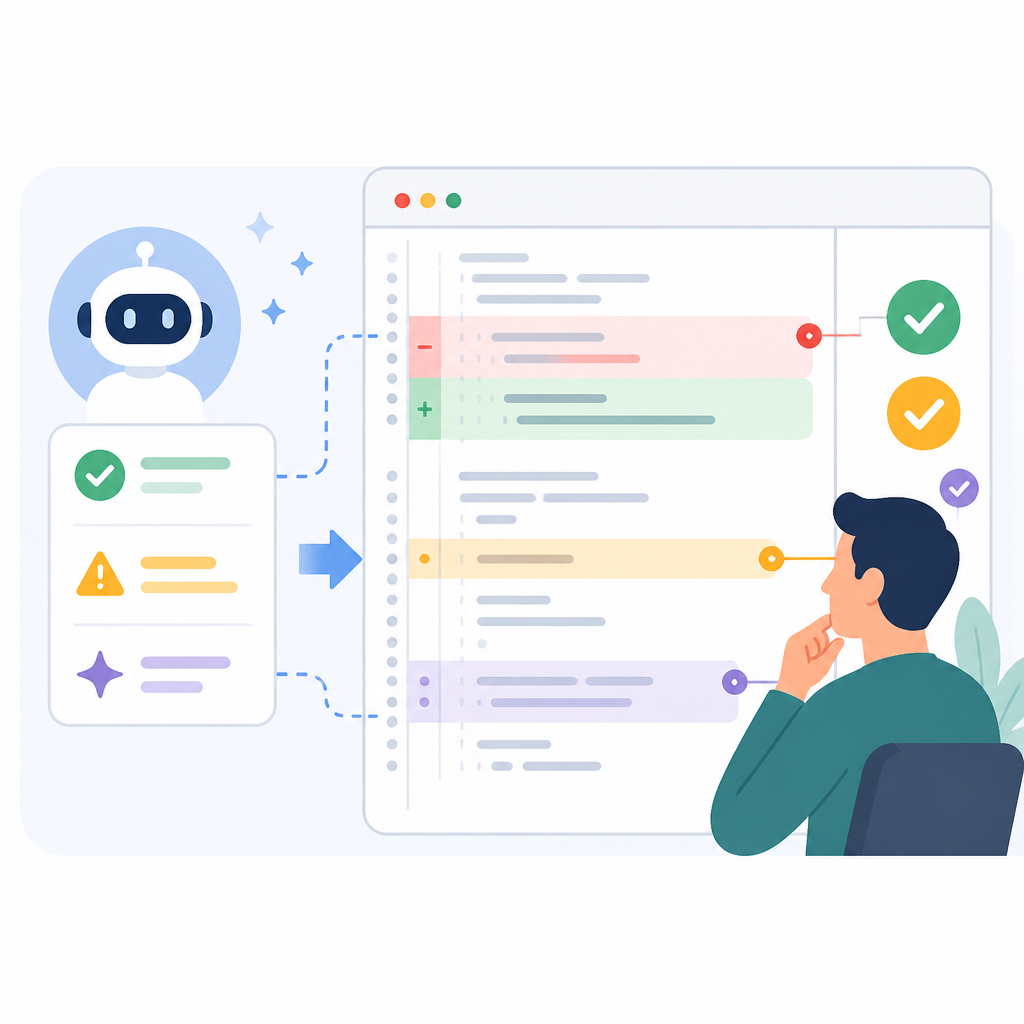
I’ve seen this in practice with broad code review prompts. The model starts strong, then quietly narrows its attention when the diff gets large. It’s not malicious. It’s just doing probabilistic text generation, and that’s a terrible foundation for precise review work. If I need a reviewer to be consistent, I need the boring parts handled by code, not vibes.
OCR’s first move is to separate the job into two halves. Deterministic logic handles file selection, bundling, rule matching, and comment placement. The agent handles interpretation, context retrieval, and judgment. That’s the right split. I don’t want the model deciding whether to review generated files or how to interpret a file glob. I want those decisions locked down before the model even starts.
How to apply it: if you’re building your own review assistant, stop with the “one prompt to rule them all” approach. Make a pre-processing stage that decides what gets reviewed, what gets skipped, and how files are grouped. Then hand the model a smaller, cleaner, more controlled task. That alone will remove a lot of the randomness people blame on the model.
File selection should be code, not a prompt suggestion
“Precise file filtering” and “important changes are never missed.”
OCR treats file selection like infrastructure, not a hint. The article says rules decide exactly which files to review, such as src/main/**/*.java, and which to skip, such as **/generated/**. That sounds boring. Good. Boring is what you want when the cost of missing a file is a bug in production.
What this actually means is that the tool doesn’t rely on the model to notice everything. The repo diff is filtered before review begins. If a file is out of scope, it stays out of scope. If it matters, it gets included every time. That’s a huge improvement over “please review these changes carefully,” which is basically a polite request for the model to try harder.
I ran into this problem when reviewing a change that touched both business logic and generated artifacts. A general AI reviewer spent half its attention on junk and then acted surprised by the actual bug in the service layer. That’s exactly the kind of waste OCR tries to prevent. It uses rules, not guesswork, to define the review surface.
How to apply it: write explicit file rules for your review tool. Start with include paths, then add exclusions for generated code, vendored dependencies, lockfiles if you want, and any files that should never trigger review comments. If your repo has different review standards for source code, configs, and SQL, encode that in the filter stage instead of hoping the prompt will sort it out.
- Include only the paths that matter for review.
- Exclude generated, vendored, and machine-written files.
- Keep the file filter deterministic so every run sees the same scope.
Bundle related files or the model will get lost
“Smart file bundling” groups related files into a single review unit.
This part is underrated. OCR doesn’t just throw every changed file into one giant blob. It groups related files into review bundles, then sends each bundle to a sub-agent with its own context. The article gives the example of message_en.properties and message_zh.properties being reviewed together. That makes sense, because those files are semantically linked.
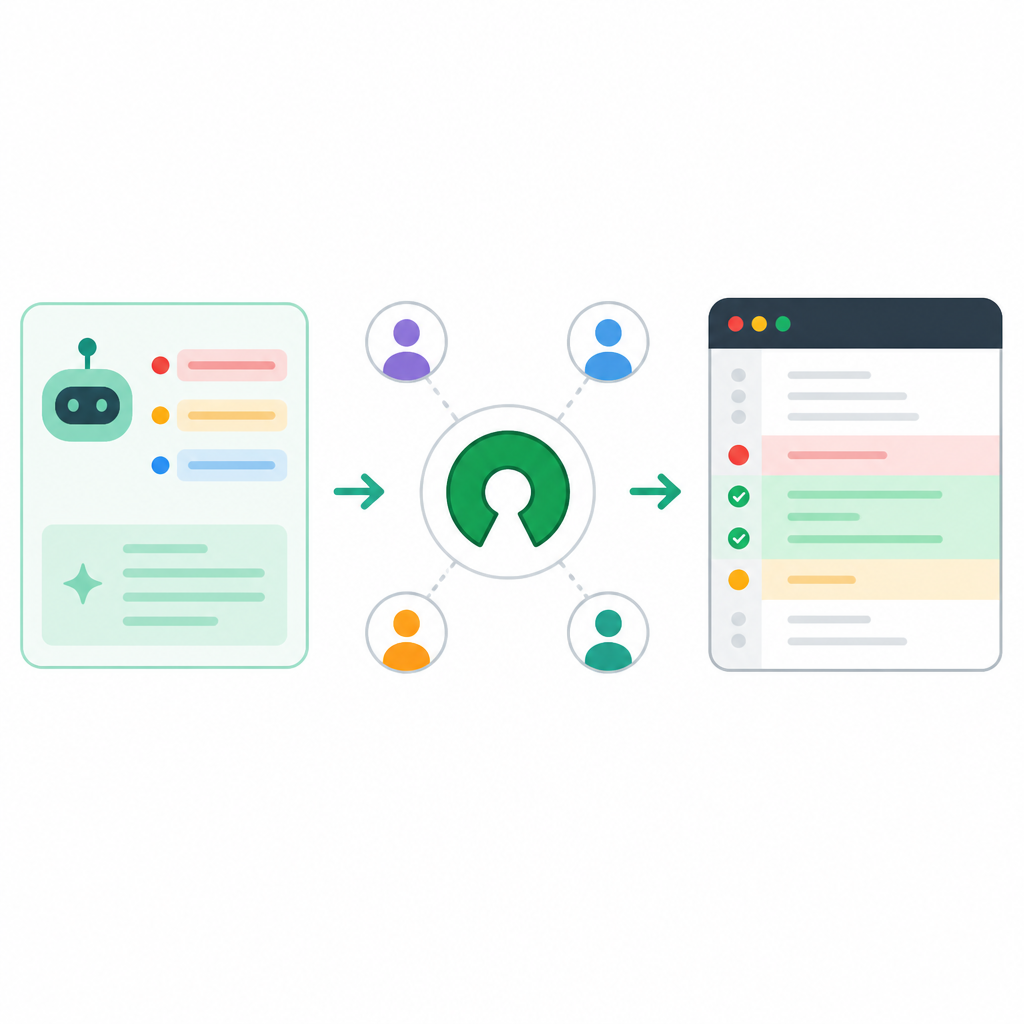
What this actually means is that OCR is trying to reduce context noise. A big changeset is not one problem. It’s a pile of smaller problems with different local context. If you review everything in one pass, the model gets overloaded, starts summarizing instead of inspecting, and you end up with shallow comments. Bundling gives the model a smaller, coherent job.
I like this because it mirrors how I review code manually. I don’t read a feature branch as a giant monolith. I look at the API changes together, the config changes together, the localization changes together, and the migration changes together. OCR is basically forcing that discipline into the tool.
How to apply it: define bundle rules around domain boundaries, not just file extensions. Group translation files together, schema and migration files together, controller and service changes together, and tests with the code they validate. If your tool can fan out into parallel sub-reviews, even better. You get more complete coverage without stuffing everything into one prompt and praying.
- Bundle by feature area or file relationship.
- Use separate review contexts for each bundle.
- Parallelize when the change set is large enough to justify it.
Line numbers are not a nice-to-have
“External location and reflection components” systematically correct location errors.
This is the part that makes OCR feel less like a demo and more like an actual tool. The article says OCR uses separate modules for comment positioning and content reflection. In plain English: if the model makes a plausible complaint but points at the wrong place, the system checks it again and corrects the location. If the content looks off, it can be reflected back through another pass.
What this actually means is that OCR refuses to trust the model’s first answer on positioning. That matters because line-level review is only useful if the line is real. A review comment with the wrong location is not a review comment. It’s a support ticket for the reviewer.
I’ve lost patience with tools that say “possible null pointer risk” and then attach it to a blank line or a harmless return statement. Once that happens, I have to verify the tool before I can verify the code. That’s backwards. OCR is trying to reverse that burden by adding a correction layer outside the model.
How to apply it: if you’re building or choosing a review system, check whether it validates positions against the actual diff or file snapshot. A review comment should be anchored to real file offsets, not just text similarity. If your tool can’t map back to source reliably, it doesn’t belong in a workflow where developers expect actionable comments.
For teams, this also means you should test review output the same way you test code: on known diffs. Take a small set of changes, run the tool repeatedly, and confirm the line references stay correct. If they drift, don’t ignore it. That’s a structural failure, not a cosmetic one.
Make the agent useful, then keep it on a short leash
“Scenario-specific prompt tuning” and a “dedicated toolset” for code review.
OCR doesn’t throw the model away. It just stops pretending the model should do everything. The article says the team tuned prompts specifically for code review and trimmed the generic toolset based on real-world tool-call patterns. That’s the practical version of “less is more.” The model gets the tools it actually uses for review, not a giant kitchen sink.
What this actually means is that the agent is allowed to read files, search the codebase, and inspect other changed files for context. That’s enough for deep review. It doesn’t need a hundred unrelated tools. Too many tools just make the agent noisier and less predictable.
I’ve watched agent systems get worse after tool sprawl. Someone adds five helpers, then the model starts bouncing between them, wasting tokens and producing weird partial answers. OCR’s approach is cleaner: shrink the toolset, optimize the prompt for the task, and keep the agent focused on review behavior instead of general-purpose wandering.
How to apply it: audit your tool list. If a review agent has tools it almost never uses, remove them. If it needs a file-reader, a search tool, and maybe a way to inspect related diffs, that may be enough. Then rewrite the prompt for review-specific behavior: what to inspect, what to flag, how to rank severity, and when to stay quiet.
One more thing: don’t confuse “more tools” with “more intelligence.” In review workflows, predictability beats novelty. A smaller, well-defined toolset usually produces better output than a bloated one that the model only half understands.
Use the CLI like a workflow, not a toy
“Workspace mode,” “branch range mode,” and “single commit mode.”
OCR is a CLI, so the integration story is refreshingly direct. The article lays out three common modes: review uncommitted changes in the workspace, compare two refs, or review a single commit. That covers the real ways teams work. Local iteration, branch review, and commit-level inspection.
What this actually means is that OCR isn’t trying to invent a new developer ritual. It fits into the existing one. If I’m working locally, I can review my dirty tree. If I’m validating a branch before merge, I can compare main to a feature branch. If I need to inspect one bad commit, I can target it directly.
I like this because it makes the tool easier to trust. The less ceremony a review tool demands, the more likely I am to use it consistently. And consistency matters more than raw model quality. A slightly less clever tool that runs every time beats a brilliant tool that only gets used when someone remembers it exists.
How to apply it: wire the review command into your normal dev flow. Run it before opening a pull request. Run it in CI for branch diffs. Run commit-level review when you’re isolating regressions. If your team already uses GitHub Actions, GitLab CI, or another pipeline, OCR’s CLI shape makes it much easier to slot in than a web-only assistant.
- Use workspace mode for local pre-PR checks.
- Use branch range mode for merge request or CI review.
- Use single commit mode when debugging a regression.
The installation path matters because adoption always gets messy
“Install via NPM,” “download the binary,” or “build from source.”
The article gives three installation paths, which is exactly what I want from an open source tool. If I already have Node.js, I can install globally with npm. If I want a binary, I can pull one from GitHub releases. If I want to inspect or modify the code, I can build from source. That’s a sane distribution story.
What this actually means is that OCR is trying to reduce friction for different kinds of teams. Some people want the fastest path to trying it. Some want a locked-down binary. Some want source access because they’re going to integrate it deeply. The tool doesn’t force one deployment style on everybody.
I’ve been on enough teams to know that adoption usually fails on the boring stuff: install steps, config confusion, auth headers, and unclear default behavior. OCR’s article spends time on configuration for a reason. It knows that if setup is painful, nobody will care how good the review engine is.
How to apply it: document one recommended install path for your team and keep the others as fallback. If you support multiple LLM providers, write down the exact environment variables and config file location. If the tool needs special auth handling, say so early. Don’t bury setup under feature talk and expect people to figure it out later.
The template you can copy
# Open Code Review rollout template

## 1) Install
Choose one:
- npm install -g @alibaba-group/open-code-review
- download the binary from the GitHub Releases page
- build from source if you need to patch or inspect behavior

## 2) Configure the model endpoint
Set one provider path and stick to it for the team.

Example env vars:
export OCR_LLM_URL="https://api.anthropic.com/v1/messages"
export OCR_LLM_TOKEN="YOUR_API_KEY"
export OCR_LLM_MODEL="claude-opus-4-6"
export OCR_USE_ANTHROPIC=true

If you use Anthropic-style keys, set:
ocr config set llm.auth_header x-api-key

## 3) Define review scope
Use deterministic file rules.

Include:
- src/main/**/*.java
- app/**/*.ts
- services/**/*.py

Exclude:
- **/generated/**
- **/vendor/**
- **/dist/**
- **/*.min.js

## 4) Bundle related files
Group files by feature or domain:
- localization files together
- migrations together
- controller/service/test files together
- config files together

## 5) Run the right mode
Local worktree:
ocr review

Branch diff:
ocr review --from main --to feature-branch

Single commit:
ocr review --commit abc123

## 6) Make output actionable
Use JSON for automation:
ocr review --format json

Use preview before full review:
ocr review --preview

Use a business context note:
ocr review --background "Add rate limiting to login API"

## 7) Keep the tool on a short leash
- Limit tools to file read, search, and changed-file inspection
- Validate line numbers against the actual diff
- Reject comments that cannot be anchored to real source positions
- Tune prompts for code review only

## 8) CI policy
Fail the pipeline only on high-confidence issues.
Route medium-confidence findings to human review.
Ignore low-confidence noise unless it repeats.

## 9) Team rule
If a review comment cannot point to a real line in a real file, it does not count as a review finding.
That template is the part I’d actually keep around. It turns OCR’s ideas into a workflow: deterministic scope, bundle by domain, run the right review mode, and force every comment to earn its place with a real source anchor. If you’re building your own review assistant, this is the shape I’d start from.
The original article is from Efficient Coder on xugj520.cn, and it explains installation, configuration, and usage for Alibaba’s Open Code Review CLI. My breakdown here is my own read on why the architecture works and how I’d adapt it in a real dev workflow.
For the underlying project, I’d also look at the Open Code Review GitHub repository, the npm package, and the GitHub Releases page for binaries and version tracking. If you’re comparing it with other assistant workflows, the Claude Code docs are useful context too.
// Related Articles
- [TOOLS]
AWS Continuum turns AI coding into safer fixes
- [TOOLS]
Open-Generative-AI turns GitHub into a studio
- [TOOLS]
Why benchmark scores don’t predict your bill
- [TOOLS]
MCP Servers for Developers: 8 workflow gains in 2026
- [TOOLS]
Doubao turns a game prompt into a mini arcade
- [TOOLS]
Coding Plan turns Alibaba Cloud into IDE billing