QVAC turns consumer hardware into local AI
I break down Tether’s QVAC stack and give you a copy-ready pattern for local-first AI on consumer hardware.

I break down Tether’s QVAC stack into a copy-ready local-first AI pattern.
I've been watching AI tooling drift in a direction I don't love. Every demo says “local,” “private,” “efficient,” and then you open the docs and find the same old mess: a cloud dependency hiding behind nicer branding, a GPU bill waiting to ruin your month, and a fine-tuning story that only works if you already have infrastructure people on payroll. That’s been my annoyance for a while. I want models that run where the data lives, not another excuse to ship everything to somebody else’s server and call it product design.
Then I read Tether’s sponsored TechCrunch piece, “Tether AI is building the Stable Intelligence layer”, and the interesting part wasn’t the marketing gloss. It was the shape of the stack: QVAC Fabric, QVAC SDK, local inference, delegated inference, and a real attempt to make consumer hardware do actual work. I’m not pretending the article is neutral journalism; TechCrunch labels it as sponsored content. But the underlying idea is worth dissecting because it points at a workflow I can actually use, not just admire from a distance.
Stop treating “local AI” like a slogan
Get the latest AI news in your inbox
Weekly picks of model releases, tools, and deep dives — no spam, unsubscribe anytime.
No spam. Unsubscribe at any time.
“QVAC SDK and Fabric give people and companies the ability to execute inference and fine-tune powerful models on their own terms, on their own hardware, with full control of their data.”
What this actually means is simple: the point is not “AI, but smaller.” The point is control. If the model runs on your machine, your phone, your desktop, or your team’s own hardware, then latency, privacy, and cost stop being abstract talking points and start becoming product constraints you can design around.
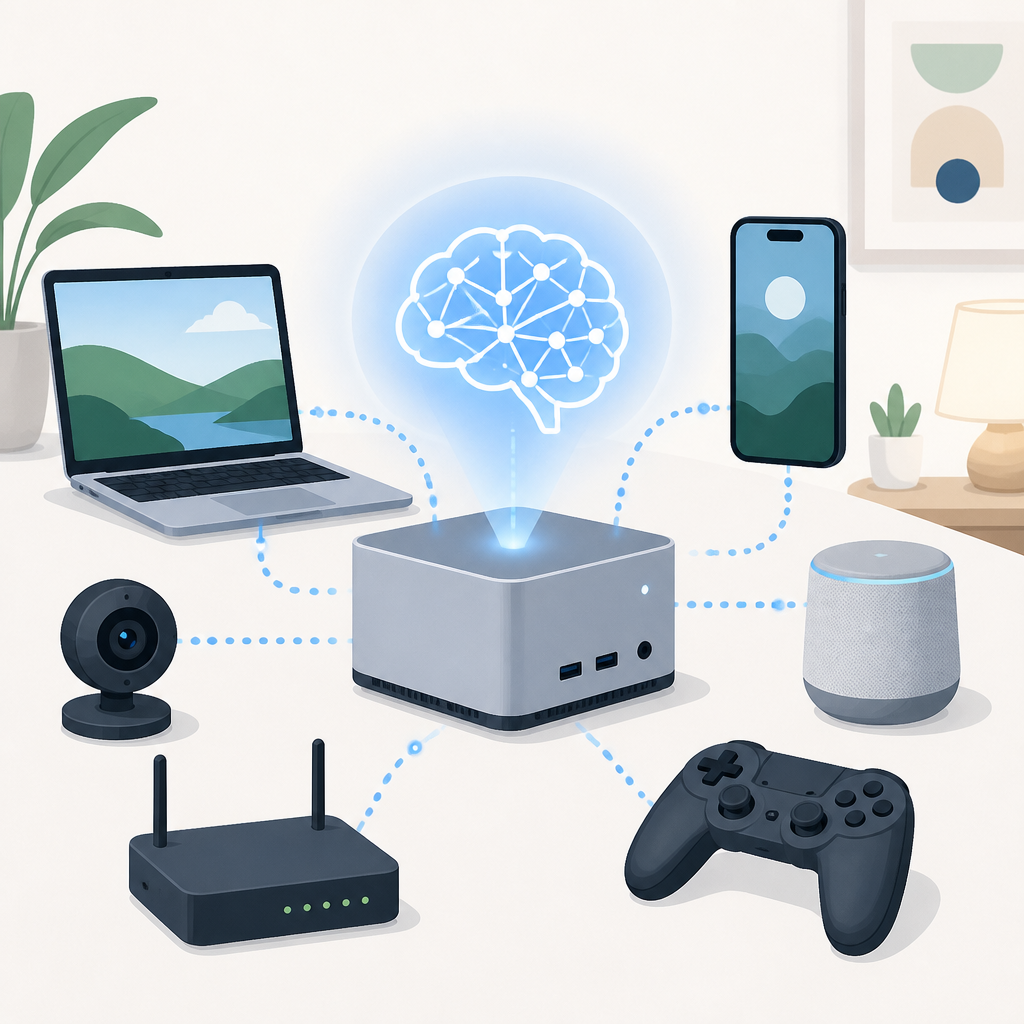
I’ve seen teams get burned by the opposite. They prototype on a hosted API, ship something useful, and then discover they can’t afford the usage pattern they accidentally created. Or they hit a compliance wall because the data can’t leave the device. Or they want to customize the model and suddenly they’re in a tangle of cloud GPUs, retraining jobs, and monthly invoices that make everyone quiet in meetings.
Tether’s pitch is basically: stop renting every inference step from somebody else. That’s not a moral argument. It’s a systems argument. If the workload can live on consumer hardware, a lot of the pressure disappears. The tradeoff is obvious too: you now own the variability of devices, the mess of backends, and the need to make the software behave across weird hardware combinations.
How to apply it: I’d start by asking a boring but useful question for every AI feature: does this need the cloud, or does it just need a model? If the answer is “just a model,” I’d design for local execution first and only add remote fallback when the task truly demands it. That one decision changes your architecture more than most people want to admit.
QVAC Fabric is really a runtime bet, not a model bet
The article says QVAC Fabric is a “high-throughput inference runtime” that works on regular devices, and that it derives from llama.cpp. That detail matters more than the buzzier language around “Stable Intelligence.” I’ve used enough model tooling to know the runtime is where the pain lives. Models get the attention. Runtimes get the blame.
What this actually means is that Tether is not just shipping a model wrapper. They’re trying to make a general execution layer for AI workloads. The article says Fabric is hardware-agnostic and can work across desktop GPUs from NVIDIA, AMD, and Intel, plus mobile chips like Mali, Adreno, and Apple silicon. It also says Fabric can switch between Vulkan, CUDA, and ROCm depending on the GPU. That’s the kind of claim that sounds boring until you’ve had to support real users with real machines.
I ran into this exact problem building internal tooling for a mixed-device team. The devs had nice NVIDIA cards, the designers had MacBooks, and the field team had laptops that had no business running heavy inference. If your stack assumes one GPU vendor, you’ve already lost half the room. If your stack assumes cloud-only, you’ve lost the offline and privacy-sensitive cases too.
- Runtime portability matters more than model novelty once you leave the demo stage.
- Backend switching is not a nice-to-have if you expect heterogeneous hardware.
- Consumer hardware support is only useful if the runtime can survive messy device diversity.
How to apply it: I’d treat the runtime as a first-class product surface. Define the backends you need, define the minimum device classes you support, and test inference before you obsess over model selection. If the runtime breaks on half your users’ machines, your “AI feature” is just a lab demo with a UI.
The real trick is memory management, not magic
The article highlights a Dynamic Tiling Algorithm that supposedly bypasses memory constraints by segmenting large matrix operations. That’s the kind of thing people skim past because it sounds technical and dry. I don’t. Memory is where local AI projects go to die. You can have a clever model and still fail because the device can’t hold the working set without choking.
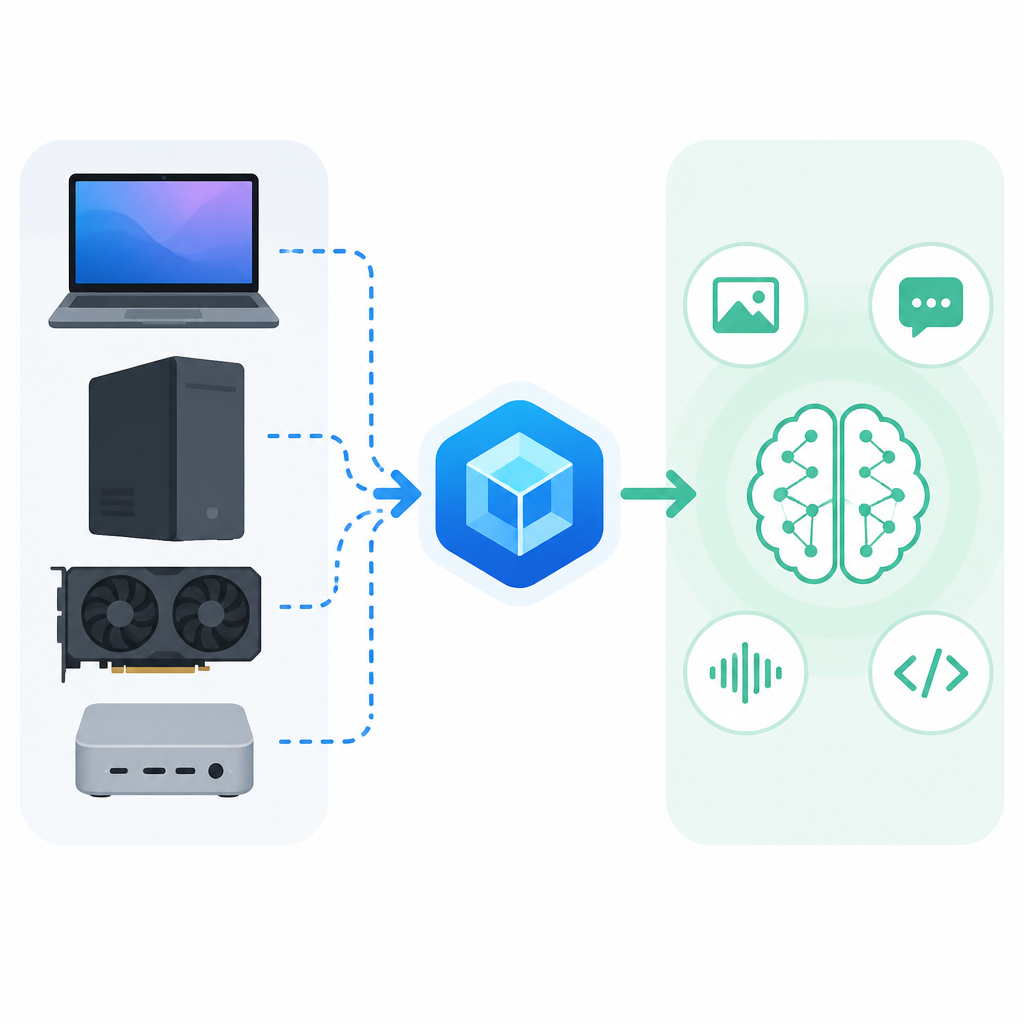
What this actually means is that the software is doing the annoying job of chopping the workload into pieces that fit the hardware. That’s not glamorous, but it’s the difference between “this model runs on a phone” and “this model runs in a slide deck.” The article also says QVAC Fabric reduces computational overhead on mobile GPUs. If that holds up in practice, it’s the difference between a feature that feels native and a feature that makes the device hot enough to annoy everyone in the room.
I’ve seen teams make the classic mistake: they benchmark on a desktop, then assume the same behavior on mobile will just be “slower.” No. Mobile is not slower desktop. It is a different operating environment with different memory ceilings, thermal limits, and battery concerns. If you don’t design for that, the app will technically run and still be unusable.
How to apply it: budget memory before you budget model size. Write down your target device classes, then profile the largest context window, the heaviest adapter, and the worst-case concurrent workload. If you can’t explain where the memory goes, you don’t have an edge strategy, you have wishful thinking.
Fine-tuning has to stop being a luxury tax
The article spends a lot of time on cost, and honestly, that’s where it gets practical. It talks about the cost of fine-tuning, the cost of multi-GPU clusters, and the annoying reality that the bill often shows up after the team has already committed to the workflow. It also mentions PEFT methods like LoRA and QLoRA, which are part of the broader move to make adaptation less expensive.
What this actually means is that model customization should not be reserved for companies with spare GPU budget and a tolerance for infrastructure drama. If you need task-specific behavior, you should be able to adapt the model without building a small data center in the process. Tether’s pitch is that QVAC Fabric includes a complete LoRA fine-tuning workflow inside a modular framework, and that’s the part I care about most. Not because fine-tuning is fashionable, but because it turns “AI as a subscription” into “AI as a tool you can shape.”
I’ve watched teams spend more money compensating for a generic model than they would have spent just training the thing properly. The hidden tax shows up in prompt engineering, retries, manual review, and all the human cleanup work nobody tracks until the quarter is over. If a lighter fine-tuning path cuts that waste, it’s not just cheaper. It’s saner.
- Use adaptation when your task has stable patterns and repeated outputs.
- Use base models when your use case is broad or still changing weekly.
- Measure the cost of human cleanup, not just the cost of training.
How to apply it: make fine-tuning a decision with a threshold. If you’re rewriting prompts every week to patch the same behavior, move that logic into a reusable adaptation path. If your data is sensitive, local fine-tuning becomes even more attractive because you’re not shipping raw material to a third-party service.
Delegated inference is the part I’d steal first
The article says QVAC Workbench supports delegated inference through Pear, a P2P runtime built with the Holepunch stack. The example is straightforward: start a task on your phone, then hand the heavy lifting to a desktop at home. That’s a useful pattern, and it’s the kind of thing I wish more AI tools supported without making me fight login screens and sync bugs.
What this actually means is that device choice becomes a workflow decision instead of a hard constraint. Your phone can initiate the task. Your desktop can finish it. Your local network, peer-to-peer layer, or trusted device graph can route work based on capacity and convenience. That’s a lot better than forcing every task through the same server just because the product team wanted a single architecture diagram.
I ran into a similar setup when I was trying to keep a research workflow private but still usable on the go. The annoying part wasn’t the model. It was moving the job between devices without losing state or leaking data. Delegation solves that if it’s done right. It also makes the product feel less like a chatbot and more like a distributed workbench.
How to apply it: think in terms of task mobility. Which tasks can start on low-power devices? Which ones should migrate to a more capable machine? Which ones should stay local no matter what? If you map those boundaries early, you can design a user experience that respects battery life, privacy, and compute availability without making the user babysit the system.
Workbench and Health show the stack is meant to ship
The article mentions two products already built on QVAC: QVAC Workbench and QVAC Health. I care less about the branding and more about the fact that Tether is trying to prove the stack through actual applications. That’s usually where platform stories either get real or fall apart.
Workbench is described as a local-first AI assistant for scheduling, writing, coding, and research. QVAC Health is positioned as a private health assistant that stores user data on the device and uses OCR to scan lab reports and log biomarkers. Those are very different use cases, but they both depend on the same underlying promise: local data stays local, and the model runs where the user is.
What this actually means is that the platform isn’t just a library bundle. It’s an opinion about product design. If the stack can support a work assistant and a health assistant, then it’s trying to be the substrate for a category of applications, not just a single app. That’s a harder sell, but it’s also more useful if it works.
I’m skeptical of any AI platform that only exists as a promise. But I’m less skeptical when I can see the shape of the apps it wants to enable. Workbench tells me the stack is meant for general productivity. Health tells me it’s meant for sensitive personal data. That combination is where local-first architecture stops being a hobby and starts looking like a real product requirement.
How to apply it: don’t pitch your stack before you can show one or two concrete apps that prove the pattern. Build a general layer, sure, but ship a narrow use case that makes the architecture legible. People trust systems they can touch more than they trust diagrams.
The template you can copy
# Local-first AI product template inspired by QVAC-style design

## 1) Core promise
Run AI tasks on user-owned hardware first.
Only send work to the cloud when the task cannot complete locally.

## 2) Architecture
- Model runtime: local inference engine with pluggable backends
- Device targets: desktop GPU, mobile GPU, CPU fallback
- Data policy: keep raw user data on-device by default
- Sync policy: sync only derived artifacts, not source data
- Delegation policy: allow tasks to move between trusted devices

## 3) Required modules
- inference
- fine-tuning or adapter training
- OCR
- transcription
- translation
- embeddings
- RAG
- text-to-speech
- delegated execution

## 4) Product rules
- Every AI feature must declare whether it works offline
- Every feature must declare its minimum device class
- Every feature must declare its memory budget
- Every feature must declare whether user data leaves the device

## 5) Implementation checklist
- Pick a local inference runtime
- Define supported GPUs and fallback paths
- Add adapter-based customization before full retraining
- Add a task queue that can migrate between devices
- Add encryption for any synced metadata
- Build one narrow app before expanding the platform

## 6) Prompt for product planning
You are designing a local-first AI feature for consumer hardware.

Return:
1. the smallest useful local workflow
2. the device classes it must support
3. the memory and latency budget
4. the data that must never leave the device
5. the fallback behavior when local compute is insufficient
6. the one app that proves the platform is real

## 7) Decision gate
Ship locally if:
- the task is privacy-sensitive
- the task is repeated often
- the task can tolerate device variability
- the user benefits from offline use

Use cloud inference only if:
- the task is too large for local memory
- the task needs shared centralized state
- the task is better served by server-scale orchestration
If I were turning the article’s ideas into a real product plan, that’s the template I’d start from. It forces the team to stop hand-waving about “edge AI” and answer the annoying questions up front: where does the model run, what devices count, what data stays local, and when do we give up and route elsewhere?
The value here is not that the template is fancy. It isn’t. The value is that it makes the architecture explicit enough to argue about before you’ve wasted three sprints building the wrong thing.
Source attribution: I based this breakdown on Tether’s sponsored TechCrunch article at techcrunch.com/sponsor/tether/tether-ai-is-building-the-stable-intelligence-layer-a-highly-efficient-platform-designed-to-scale-on-edgedevices-made-for-the-people/. The template and framing here are my own, while the product claims, module list, and architecture references come from that source.
// Related Articles
- [TOOLS]
Docker Engine on Ubuntu belongs on the official repo path
- [TOOLS]
Rust vs Go: 2026 latency gap, decoded
- [TOOLS]
10 identity protocols let KYC stay private
- [TOOLS]
Use Consensus AI for faster literature scouting
- [TOOLS]
15 Perplexity prompts for better research decisions
- [TOOLS]
Mistral AI Models 2026 for Builders