Songscription turns piano audio into editable sheet music
I broke down Songscription’s piano transcription workflow and turned it into a copy-ready comparison template for your own tool reviews.

This breaks down a piano transcription comparison and gives you a copy-ready review template.
I've been comparing AI transcription tools for a while now, and honestly, most of them feel half-finished in the same annoying way. They’ll give you a file, sure. But then you’re stuck cleaning up timing, fixing missed notes, exporting again, and jumping into a different app just to make it usable. That’s fine if you’re experimenting. It’s terrible if you’re trying to get a real piano part into sheet music before you lose the idea.
The weird part is that the pitch is always the same: “just upload audio and get notation.” In practice, that only matters if the output is editable, the exports are usable, and the tool fits the way you already work. I care a lot less about the demo and a lot more about whether I can take a messy recording, fix the obvious mistakes, and move it into the next step without fighting the software.
That’s why this Songscription comparison caught my eye. It’s not pretending every tool is the same. It actually separates transcription tools from notation editors, which is the first honest thing I’ve seen in a while. And yes, that distinction matters way more than people want to admit.
I’m using the Songscription comparison post as the source for this breakdown, plus the product pages for Songscription, Melody Scanner, Klangio, and MuseScore. The post is written by Songscription itself, so I’m treating its claims as vendor claims and separating those from the workflow advice I’d actually use.
Stop calling every music app a transcription tool
Get the latest AI news in your inbox
Weekly picks of model releases, tools, and deep dives — no spam, unsubscribe anytime.
No spam. Unsubscribe at any time.
“MuseScore is not a transcription tool at all, just a notation editor for music you’ve already written or imported.”
What this actually means is simple: if the app doesn’t listen to audio and produce notation, it’s not in the same category. I know that sounds obvious, but people mix these up constantly. They’ll open MuseScore expecting it to “hear” a piano recording and magically turn it into a score. That’s not what it does. It’s a notation editor. A very good one, but still an editor.
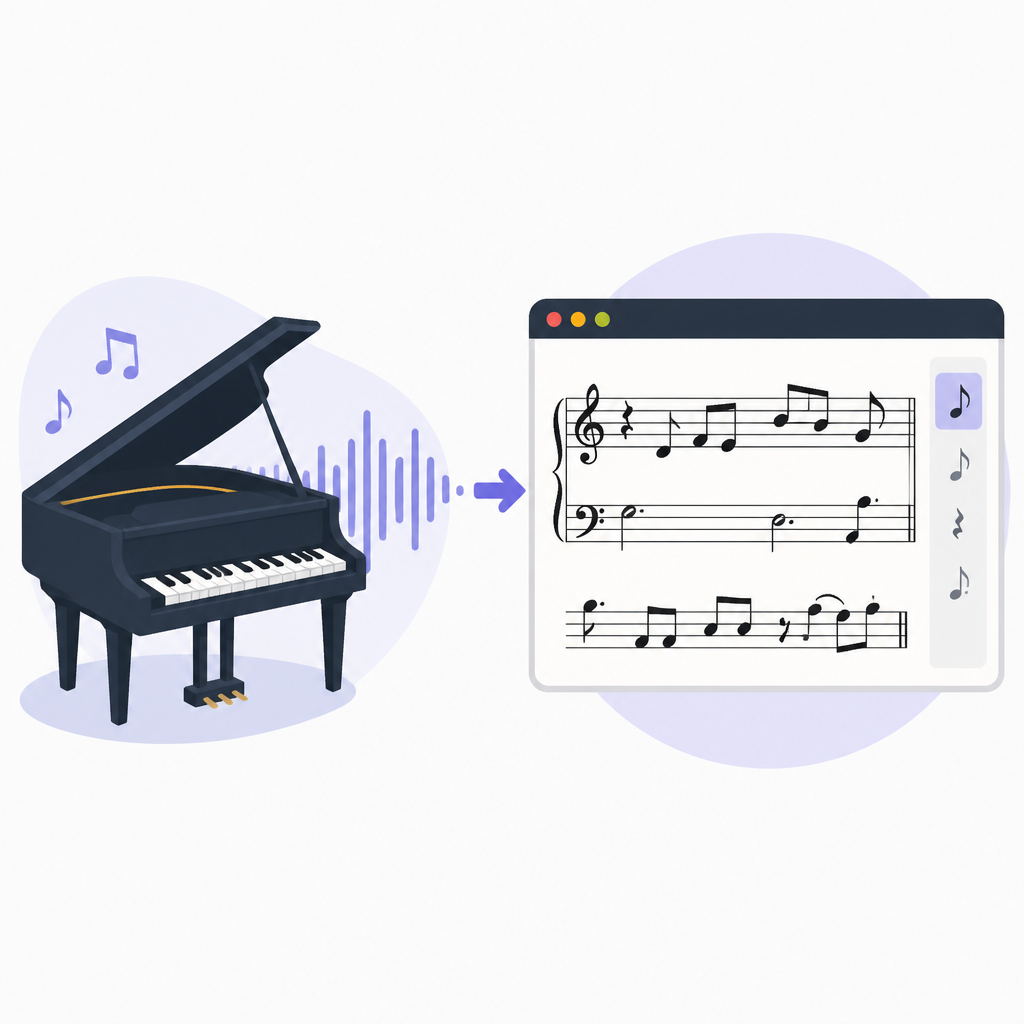
I’ve seen this mistake derail people’s workflow more times than I can count. Someone records a piano idea on their phone, imports the audio into a notation app, and then gets annoyed when nothing happens. The fix is not “try harder.” The fix is picking the right class of tool: transcription first, editing second.
How to apply it: split your workflow into two questions. First, can this tool transcribe audio into notes, MIDI, or MusicXML? Second, can it edit the result well enough that I don’t need another app immediately? If the answer to the first question is no, it’s not a transcription tool. If the answer to the second is no, it’s a bad transcription tool for real work.
This matters because it keeps you from comparing apples to paperclips. MuseScore belongs in the engraving/editing bucket. Songscription, Melody Scanner, and Klangio belong in the audio-to-notation bucket. That distinction is the whole article, even if the marketing copy tries to blur it.
- Use transcription tools to convert audio into notation or MIDI.
- Use notation editors to clean up, arrange, and print the result.
- Don’t expect an editor like MuseScore to replace an audio transcription engine.
Polyphonic piano is where tools stop bluffing
The post says the core technical challenge is polyphonic transcription: identifying multiple simultaneous notes with overlapping harmonic overtones. That’s the real test. A single melody line is easy to fake. A left-hand pattern with a right-hand voicing, pedal blur, and a few passing tones? That’s where the software starts sweating.
What this actually means is that piano transcription quality is mostly about how well a model handles note separation under messier conditions. Clean solo piano is the easy case. Dense chords, rolled voicings, and mixed recordings are the hard case. If a tool only looks good on clean demos, I don’t trust it.
I ran into this when trying to transcribe a simple jazz piano recording that was recorded in a room with a little too much reverb. The software got the melody right and then hallucinated the accompaniment into a swamp of extra notes. That’s not a small issue. Once a tool starts inventing notes, your cleanup time explodes.
How to apply it: test with your worst realistic recording, not your cleanest one. If you mostly work from solo piano, use solo piano. If you work from live captures or mixed tracks, test that. The post says Songscription can isolate piano from a full mix automatically, which is exactly the kind of feature I care about because it removes a manual step before transcription even starts.
For a practical review, score each tool on three things: note accuracy, chord clarity, and how much cleanup it needs after export. If you can’t fix the result quickly, the raw transcription quality doesn’t matter much. You’re still stuck.
- Test with dense chords, not just melody lines.
- Use recordings that match your actual workflow.
- Measure cleanup time, not just first-pass accuracy.
Export formats decide whether the file is useful
The article spends a lot of time on output formats, and that’s not filler. It’s the part most people ignore until they hit a wall. A PDF is good for reading or printing. MIDI is good for DAWs and other software that can interpret note data. MusicXML is the better bridge into notation editors because it preserves more musical detail. Guitar Pro is useful if you need that ecosystem.
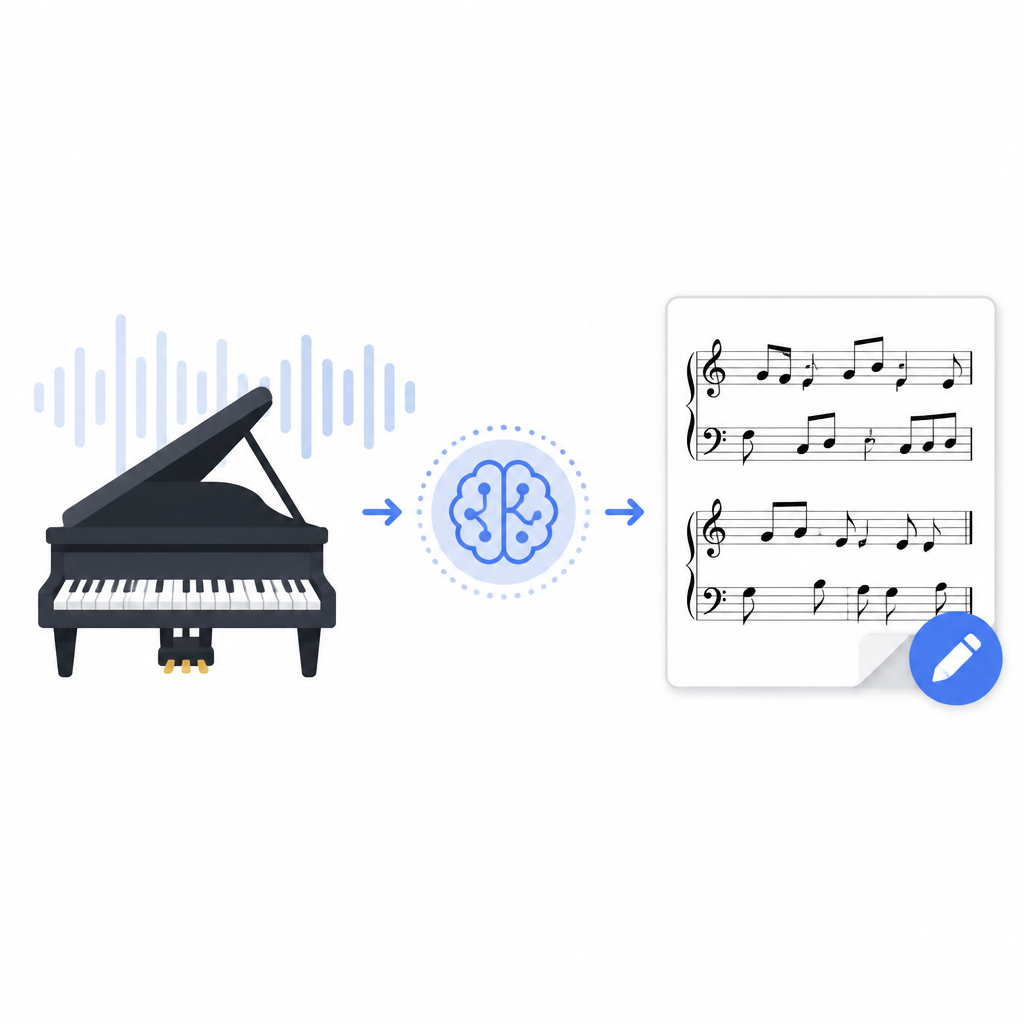
What this actually means is that “transcribed” is not the same thing as “usable.” I’ve had plenty of files that looked promising until I tried to move them into the next tool. MIDI is often enough for production work, but if I’m trying to preserve voicing, articulations, or notation detail, I want MusicXML. If all I get is a PDF, I’m basically looking at the end product, not a movable asset.
The post claims Songscription exports PDF, MIDI, MusicXML, and Guitar Pro from one workflow. That’s a practical advantage because it lets you choose the output based on what you’re doing next instead of forcing one format on every use case. Melody Scanner, according to the post, keeps MIDI behind a paid tier. Klangio has its own workflow angle with a plugin and mobile apps. MuseScore, again, is for editing imported material, not audio transcription.
How to apply it: decide your downstream tool before you transcribe. If you’re going into a DAW, prioritize MIDI. If you’re going into notation software, prioritize MusicXML. If you only need a readable score, PDF is enough. Don’t let a tool sell you on “export options” if the one you need is locked behind a paywall or missing entirely.
And if a product claims broad export support, test the round-trip. Export the file, import it into the next app, and see what survives. A lot of software looks good until the file leaves home.
Built-in editing is not a nice-to-have
One of the better points in the Songscription post is that the built-in piano roll editor matters more than squeezing out the last bit of raw model accuracy. I agree with that. Hard. Because raw accuracy is only half the job. The other half is correction.
What this actually means is that transcription software should help you recover from mistakes without forcing a context switch. If I have to export, open another app, re-import, fix a few notes, and then export again, I’ve already lost the time I thought I saved. That’s the part vendors love to skip over in demos.
I’ve had sessions where the first pass was 85 percent right. That sounds decent until you realize the 15 percent wrong notes are exactly the ones that matter most: the bass movement, the inner voicing, the weird syncopation that defines the phrase. A built-in editor turns those errors from a workflow failure into a normal cleanup step.
How to apply it: treat editing as part of transcription, not a separate phase. If a tool has a piano roll, notation editor, or note correction interface, test how fast you can fix three common problems: wrong pitch, wrong duration, and missed note. If those take forever, the editor is decorative.
The post says Songscription includes a built-in editor, while most other tools send you elsewhere for cleanup. That difference is bigger than it sounds. It’s the difference between “I can finish this here” and “I hope the next app handles the mess.”
Mobile apps and DAW plugins solve different problems
There’s a useful little split in the comparison: Melody Scanner and Klangio win on portability, while Songscription wins on the desktop workflow. That’s not a minor detail. It’s a choice between capturing ideas wherever you are and finishing serious transcription work in a browser-based editor.
What this actually means is that mobile capture and in-DAW transcription are convenience features with real workflow impact. If you’re on the subway, in rehearsal, or sitting at a piano without your laptop, a phone app is the difference between capturing an idea and forgetting it. If you live inside a DAW, a plugin can remove a bunch of file shuffling.
I’ve used both styles of workflow, and they’re not interchangeable. Phone-first tools are great for fast capture, but I rarely want to finish detailed cleanup on a phone. DAW plugins are nice when I’m already producing, but they can feel cramped if I’m trying to do deep notation work. Browser-based tools sit in the middle, which is often the sweet spot for piano transcription.
How to apply it: pick the tool based on where transcription starts, not just where it ends. If ideas come from your phone, prioritize mobile apps like Melody Scanner or Klangio. If your work starts in a browser and ends in notation or production software, a browser-first tool like Songscription is easier to live with.
And if your workflow depends on a DAW plugin, be honest about that early. Don’t buy a transcription tool and then complain it doesn’t live inside your recording software. That’s on you, not the product.
The honest comparison is workflow, not hype
The strongest part of the source post is that it doesn’t pretend one tool wins every category. It actually says Songscription is better for most pianists, students, teachers, and composers who want the whole job done in one place, while Klangio is better if you need a DAW plugin or mobile apps, and Melody Scanner is lighter weight for simple mobile capture.
What this actually means is that the “best” tool depends on the job you’re trying to finish. That sounds obvious, but most comparison posts bury the tradeoffs. They list features like a shopping cart and hope nobody notices the workflow mismatch. I prefer the annoying version that tells me exactly where the tool is weak.
The article also makes a point I wish more teams would copy: test the tools on your own library. Not a demo clip. Not a polished sample. Your actual recordings. That’s the only way to know whether the transcription engine handles your kind of material.
How to apply it: build a tiny decision matrix. Ask four questions: What am I transcribing? Where do I capture ideas? Where do I edit? What do I export into? If a tool answers all four well enough, it’s a fit. If it only answers one, it’s a demo, not a workflow.
Here’s the selection logic I’d actually use: choose Songscription if you want piano-first transcription with editing and broad export support. Choose Melody Scanner if mobile capture is the priority and the material is simple. Choose Klangio if you want a plugin or phone apps. Choose MuseScore only after transcription, when you need notation work and engraving.
The template you can copy
# AI Piano Transcription Tool Review Template

## What I tested
- Tool name:
- Source URL:
- Recording type:
- Complexity level:
- Output formats needed:

## My real workflow
1. Capture audio from:
2. Transcribe into:
3. Fix errors in:
4. Export into:
5. Final use case:

## What the tool got right
- Polyphonic note detection:
- Chord handling:
- Timing accuracy:
- Export quality:
- Editing workflow:

## What the tool got wrong
- Missed notes:
- Wrong durations:
- Bad voicing:
- Export limitations:
- Extra cleanup steps:

## Format check
- PDF useful? yes / no
- MIDI useful? yes / no
- MusicXML useful? yes / no
- Guitar Pro useful? yes / no

## Workflow fit
- Mobile capture: yes / no
- Browser workflow: yes / no
- DAW plugin: yes / no
- Built-in editing: yes / no

## Final verdict
- Best for:
- Not good for:
- My actual recommendation:

## Copy-paste summary line
[Tool name] is best when [workflow], but weak when [workflow], so I’d use it for [use case].
That’s the template I’d use if I were comparing transcription tools for real work instead of collecting feature lists. It forces you to write down the stuff that actually matters: what you’re transcribing, where the file goes next, and how much cleanup the tool saves or creates.
If you want a tighter version for team notes or product research, cut it down to three fields: input type, output type, and cleanup time. That alone will save you from a lot of bad “best tool” decisions.
My own rule after reading this comparison is pretty simple: if the tool can’t handle my worst realistic piano recording and give me an editable output I can move forward with, I’m not interested. Everything else is just packaging.
Source attribution: This breakdown is based on Songscription’s article at https://www.songscription.ai/blog/best-ai-piano-transcription-software. The comparison logic and template are my own rewrite; the product claims and feature descriptions come from the source post and linked product sites.
// Related Articles
- [TOOLS]
VDBBench adds cost to vector DB comparisons
- [TOOLS]
Zilliz Adds Cost Metrics to VDBBench
- [TOOLS]
Pixel 11 launch highlights and new Gemini features
- [TOOLS]
AWS Continuum turns AI coding into safer fixes
- [TOOLS]
Open-Generative-AI turns GitHub into a studio
- [TOOLS]
Why benchmark scores don’t predict your bill