TurboVec cuts vector DB memory from 31GB to 4GB
I break down TurboVec, the open-source vector index that shrinks memory use and runs on normal hardware.
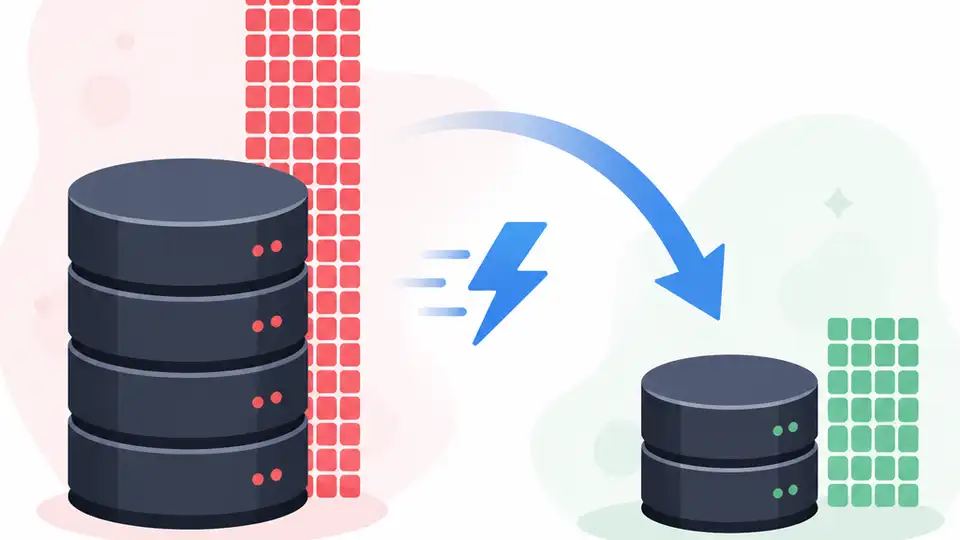
TurboVec shrinks vector index memory so you can run big search workloads on normal hardware.
I've been using vector search stacks long enough to know when the memory bill is lying to you. You start with a clean prototype, maybe a few million embeddings, and everything looks fine. Then the corpus grows, the index fattens, and suddenly your “simple” retrieval layer wants a machine that feels embarrassingly expensive for what it actually does. That’s the part that always annoyed me: not the search, not the embeddings, just the stupid amount of RAM burned to keep vectors warm.
So when I saw Gate’s write-up on TurboVec, I stopped and paid attention. The pitch is simple enough to be suspicious of: an open-source vector index library from Google Research and developer Ryan Codrai that reportedly compresses 10 million vectors from 31GB in float32 form down to about 4GB. That’s the kind of number that changes what hardware you even bother testing on. No giant GPU cluster. No heroic cloud bill. Just a smaller index that can actually live on a MacBook without making you hate your life.
What I wanted to know was not “is this impressive?” It obviously is. I wanted to know what kind of design tradeoff sits underneath that number, and more importantly, what a working developer is supposed to do with it. Because if you’re building retrieval, RAG, similarity search, or any of the other things we keep stapling embeddings onto, memory is the bottleneck that quietly decides whether your system is elegant or ridiculous.
31GB to 4GB is not a cute optimization
Get the latest AI news in your inbox
Weekly picks of model releases, tools, and deep dives — no spam, unsubscribe anytime.
No spam. Unsubscribe at any time.
TurboVec compresses 10 million vectors from 31GB (float32 format) to approximately 4GB, an 87% reduction.
What this actually means is that TurboVec is attacking the part of vector search that hurts first: storage overhead. A lot of teams act like the embedding model is the hard part. It usually isn’t. The hard part is keeping enough vectors indexed that search stays fast without turning your infrastructure into a furnace.
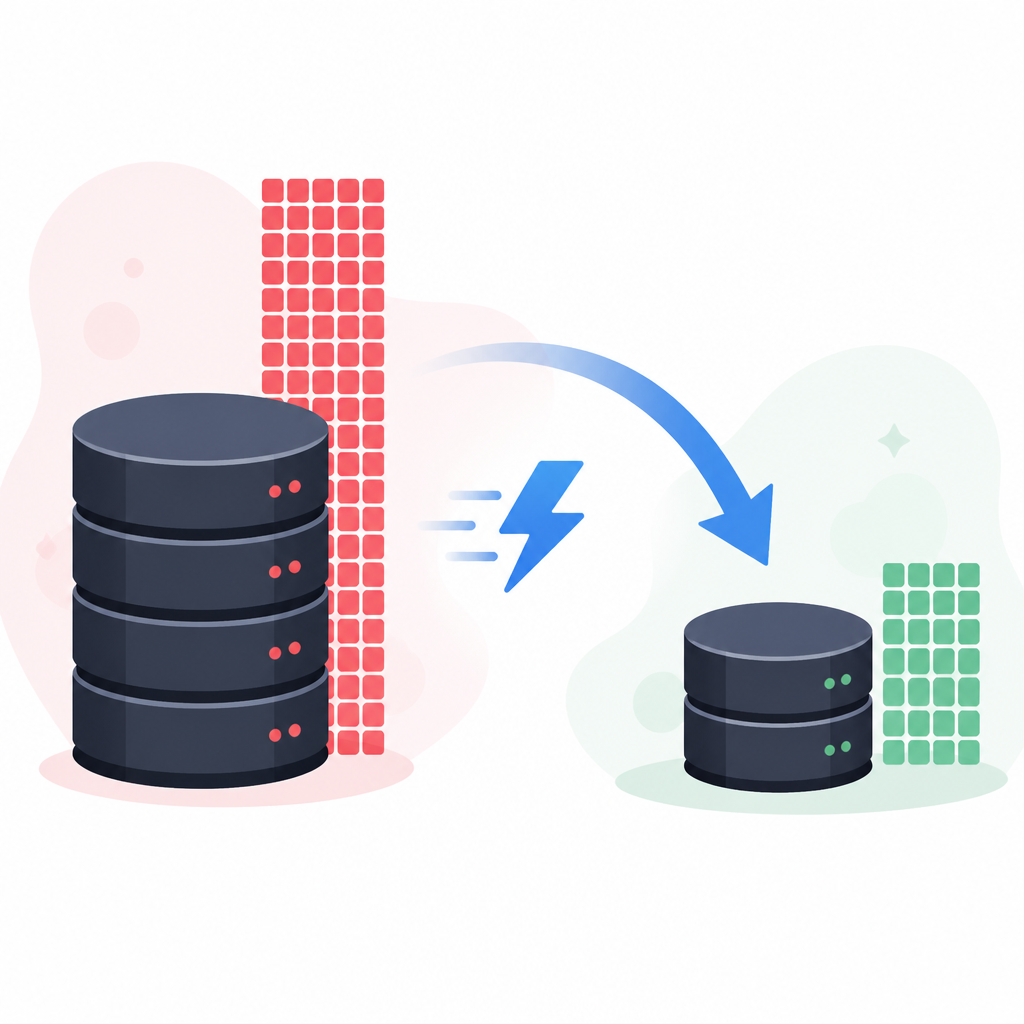
I’ve seen this play out in production more times than I can count. The demo works on a laptop. The staging dataset works on a beefy instance. Then the real corpus lands, and your “lightweight retrieval layer” suddenly needs a memory upgrade that costs more than the app itself. A drop from 31GB to 4GB is not a minor tuning pass. It changes the class of machine you can use, the deployment pattern you can afford, and the point at which you stop arguing with finance.
Gate’s article says the 31GB figure is for float32 vectors. That matters. Float32 is common, simple, and expensive in memory terms. If TurboVec is getting that kind of compression without making the whole thing unusable, then the real value is not just smaller indexes. It’s that the library is trying to make vector search less dependent on “special” infrastructure.
How to apply it: if you’re running vector retrieval today, I’d start by measuring three things before touching the stack:
- raw vector memory footprint at float32
- current index overhead beyond the vectors themselves
- the largest dataset size that still fits on your cheapest target machine
That gives you a baseline. Without it, every memory-saving library sounds magical and every migration sounds risky. With it, you can see whether a compressed index is actually buying you deployment freedom or just shaving off a number on a slide.
Offline operation is the part I care about
TurboVec is described as supporting offline operation, which is the detail I care about more than the headline memory number. A lot of search tooling feels like it was designed by someone assuming you always have a fat server, a stable network, and permission to spend cloud money like it’s free candy. Real systems are messier than that.
Offline support changes the shape of the problem. It means you can build, test, and possibly deploy in environments where internet access is limited, latency matters, or cloud dependency is just annoying overhead. It also means your indexing workflow can be more deterministic. No service calls in the middle of a build. No weird sync dependency. No “why is the managed service rate-limiting my test run again?”
I ran into this exact annoyance when trying to prototype vector retrieval for a local-first app. The embeddings were fine. The index was the problem. Every hosted option assumed I wanted to ship my data somewhere else first, which I did not. If TurboVec really works well offline, that’s a practical win for teams building privacy-sensitive apps, local AI tools, and edge deployments where cloud-first architecture is just the wrong answer.
How to apply it: offline-friendly vector search is worth considering if any of these are true:
- your data cannot leave a device or private network
- you need repeatable indexing in CI or local dev
- you want to ship a desktop or on-device retrieval feature
If you’re in one of those buckets, don’t just ask whether the index is fast. Ask whether it can be built, updated, and queried without a network dependency. That’s where a lot of tools quietly fail.
MacBook support sounds boring until you price a cluster
The Gate summary says TurboVec runs efficiently on standard consumer hardware such as MacBooks. That line is easy to skim past, but I think it’s the most operationally useful part of the whole story. “Runs on a MacBook” is developer shorthand for “I can test this without begging for budget.”

That matters because hardware accessibility changes adoption. If a vector index only behaves on expensive servers or GPU-heavy infrastructure, you’ve already narrowed the people who can experiment with it. If it runs on a laptop, more developers can actually evaluate it, debug it, and ship something real before the infra team gets involved.
I’ve been burned by this before. A project looks great in a notebook, but the moment you try to reproduce it on a normal workstation, the memory profile falls apart. Then you’re stuck choosing between overprovisioning or rewriting the thing. Neither feels good. So when I see a library advertise consumer hardware as a real target, I read that as a design constraint, not a marketing flourish.
How to apply it: if you’re evaluating TurboVec or something like it, test on the weakest machine you expect to support, not the strongest one you can borrow. Specifically:
- run indexing on a laptop-class CPU
- measure peak memory during build, not just steady-state query time
- check whether updates are tolerable on the same hardware
If the index only behaves on a monster box, then the memory savings are nice but not transformative. If it behaves well on a laptop, that’s when you start rethinking deployment.
Compression only matters if retrieval stays usable
Here’s the part I always worry about with aggressive compression claims: does the search still feel like search, or did we just squeeze memory by making the results worse? Every compact index has to answer that question. If you save RAM but wreck recall or make updates painful, you’ve just moved the problem around.
The source material doesn’t give me benchmark tables, recall curves, or latency graphs, so I’m not going to invent them. What I can say is that TurboVec is being positioned as a vector index library, not a toy compression demo. That suggests the design goal is practical retrieval, not just a smaller artifact sitting on disk. But any team adopting it should verify the usual stuff themselves.
I’d test four things before trusting it anywhere near users:
- recall at your real k values
- query latency under concurrent load
- index build time for full refreshes
- update behavior for incremental inserts or deletes
That list is boring, but boring is how you keep retrieval from becoming a mystery box. Memory savings are only useful if they let you keep the search quality you actually need. Otherwise you just built a cheaper disappointment.
How to apply it: compare TurboVec against your current index using the same embeddings and the same query set. Don’t compare on synthetic benchmarks alone. Use your own top queries, your own tail queries, and your own ugly edge cases. The ugly ones are usually where compressed systems start lying.
Google Research matters because this is an infrastructure bet
According to the Gate article, TurboVec comes from Google Research and developer Ryan Codrai. That attribution matters because this is not just another weekend repo trying to impress people on a README. It suggests there’s real systems thinking behind the work, even if the public article is light on implementation detail.
I’m not saying “Google” automatically means better. I’m saying infrastructure problems like vector indexing usually get interesting when someone with real scale pressure starts shaving memory with intent. That’s when a library stops being a curiosity and starts being a candidate for actual production use.
The open-source angle matters too. If the library is open, teams can inspect the design, adapt it, and decide whether it fits their stack instead of waiting for a vendor to expose a feature flag. That’s a big deal in a space where managed services often hide the very tradeoffs you need to understand.
How to apply it: if you’re considering a library from a major research org, don’t assume it’s automatically production-ready for your case. Do this instead:
- read the repo docs and issue tracker
- look for maintenance signals, not just launch hype
- check whether the data model matches your embedding pipeline
And if the project is open source, treat that as an invitation to understand the internals, not an excuse to skip due diligence.
What TurboVec changes for RAG and similarity search
If I zoom out, TurboVec is interesting because it attacks the cost center behind a bunch of modern AI plumbing. Retrieval-augmented generation, semantic search, recommendation, deduplication, nearest-neighbor lookup, all of it depends on storing and querying a lot of vectors without wasting memory like an amateur.
That means the practical upside is not just “smaller index.” It’s that you can rethink where the retrieval layer lives. Maybe it moves from a dedicated service to an embedded component. Maybe a single node can handle a workload that previously needed a cluster. Maybe local development becomes realistic instead of a fake approximation of production.
I’ve always thought vector databases were over-provisioned more often than anyone wants to admit. Teams buy capacity because the default representation is expensive, then build architecture around the bill. If TurboVec can materially reduce that footprint, you get more options: cheaper dev environments, smaller prod instances, and less pressure to reach for managed infrastructure just because the index is hungry.
How to apply it: map the memory savings to an actual architecture decision. Ask yourself:
- Can this move from a hosted vector DB to embedded search?
- Can I shrink the instance size without hurting recall?
- Can I keep a larger corpus in memory on the same budget?
If the answer to any of those is yes, then TurboVec is not just an optimization. It’s a design lever.
The template you can copy
## TurboVec evaluation template for vector search teams

### 1) Baseline the current index
- Embedding count: ____________________
- Embedding dimension: ________________
- Current dtype: ______________________
- Current in-memory footprint: _________
- Current index build time: ____________
- Current p95 query latency: ___________
- Current recall@k on real queries: _____

### 2) Define the target deployment
- Target machine class: ________________
- RAM budget: _________________________
- CPU-only requirement: yes / no
- Offline requirement: yes / no
- Update frequency: ___________________
- Max acceptable query latency: ________

### 3) Run the TurboVec comparison
Use the same embeddings, same queries, and same evaluation set.

Compare:
- memory footprint
- build time
- query latency
- recall@k
- update cost
- peak RAM during indexing

### 4) Decision rule
Adopt TurboVec only if:
- memory drops enough to hit the target machine class
- recall stays within your acceptable threshold
- query latency stays within your SLA
- build/update time does not become operationally annoying
- offline or local operation is actually useful for your workflow

### 5) Copy-paste test checklist
- [ ] I measured raw float32 memory first
- [ ] I tested on the weakest supported machine
- [ ] I used real production queries
- [ ] I checked incremental updates
- [ ] I compared against my current index, not a toy baseline
- [ ] I confirmed the deployment savings are real

### 6) Simple adoption note
If TurboVec cuts memory enough to move your retrieval layer onto cheaper hardware, it is worth a serious pilot.
If it only saves RAM but hurts recall or ops simplicity, it is not worth the migration.
That’s the part I’d actually use in a team review. It forces the conversation out of “cool compression trick” territory and into “does this change our deployment?” territory, which is where the real decision lives.
Source-wise, I’m working from Gate’s article on TurboVec and treating the article as a summary of the underlying Google Research / Ryan Codrai work, not as a full technical spec. The original URL is https://www.gate.com/news/detail/googles-turbovec-reduces-vector-database-memory-from-31gb-to-4gb-launches-21686565. For adjacent context, I’d also keep an eye on Google Research, GitHub for the open-source repo, and common vector search references like Pinecone’s vector database guide and approximate nearest neighbor basics if you want to compare designs. What I wrote here is my breakdown of the reported claims, plus the implementation checklist I’d use myself.
// Related Articles
- [TOOLS]
Six AI features that keep short video apps alive
- [TOOLS]
Sightengine is the right choice for visual moderation, not general tr…
- [TOOLS]
ScoreDetect details AI moderation rollout, 99% matching
- [TOOLS]
kernel.org turns Linux source into one safe hub
- [TOOLS]
Nvidia and LG turn AI plans into a playbook
- [TOOLS]
Ollama is the best free AI path in 2026 for real work