Six AI features that keep short video apps alive
I break down the six AI features short video apps need in 2026, plus a copy-ready build template you can reuse.
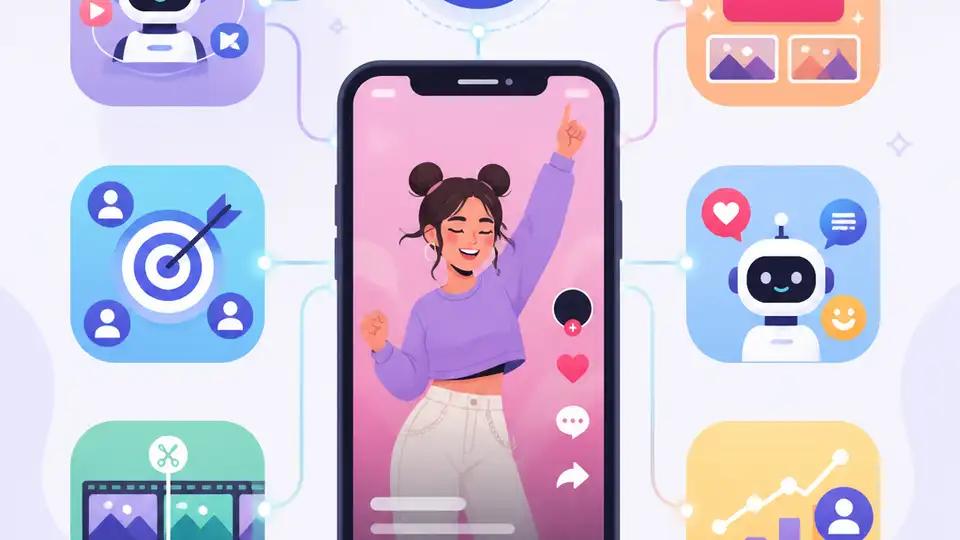
A practical breakdown of the six AI features short video apps need in 2026.
I've been around enough short video products to know when a platform is pretending. The UI looks fine, the upload flow works, the feed scrolls, and the pitch deck is full of words like “engagement” and “personalization.” Then you open the app and it feels dead. Not technically broken. Just dead. The feed keeps serving me junk, the filters look like a half-finished demo, captions are missing, moderation is an afterthought, and creators have no clue what’s actually working. I’ve seen teams spend months polishing onboarding while the core loop quietly falls apart.
That’s why this Primocys piece hit a nerve. It isn’t trying to sell a fantasy. It’s basically saying: if you’re building a short video app in 2026, AI is not a nice extra, it’s the operating system. The article is on primocys.com, and it walks through the exact features that decide whether your app feels alive or forgettable. I’m going to unpack the parts that matter, strip out the marketing gloss, and turn it into something you can actually use.
1) The feed is the product, not the homepage
Get the latest AI news in your inbox
Weekly picks of model releases, tools, and deep dives — no spam, unsubscribe anytime.
No spam. Unsubscribe at any time.
If your short video app doesn’t have AI working for it, it’s working against you.
What this actually means is that the feed is not a container for content. It is the product. If the ranking is bad, everything else is just decoration. Primocys says the most important signal is video completion rate, not likes or comments. That matches what I’ve seen in real products: a video that gets watched to the end is usually more valuable than a video that gets a pile of lazy taps.

The article also points out the cold-start problem, which is where most teams start lying to themselves. A brand-new user has no history, so the system has nothing to learn from. If you just dump trending videos into the feed, you’re basically hoping a random sample of the internet will feel personal. It won’t.
I ran into this on a niche content app where the team kept asking why retention was flat. The answer was painfully boring: the feed had no learning loop. It was chronological first, “smart” later. By the time they planned “later,” the users were already gone. That’s the mistake here. You do not bolt on the feed engine after launch and expect people to forgive you.
Primocys gives a simple comparison: chronological feeds tend to bleed users fast, while AI-ranked feeds can push retention higher because they find relevance sooner. I’m not going to repeat their exact retention numbers as gospel, but the direction is right. Relevance wins. Always.
How to apply it:
- Pick one primary ranking signal early, and make it completion rate.
- Use onboarding interest selection to seed the first session.
- Track skips, rewatches, shares, and dwell time, but don’t let them outrank completion too early.
- Design the feed so the model can improve every session, not every quarter.
If I were building this from scratch, I’d treat the feed like a product team inside the product: instrumentation first, ranking second, tuning forever.
2) Filters are not decoration, they are distribution
Primocys makes a point I wish more founders understood: AR filters are not just a fun camera feature. They’re a distribution mechanism. When someone uses a filter, posts with it, and other people see the effect, your platform gets promoted for free. That’s not a side benefit. That’s the whole trick.
The article cites modern mobile AR stacks like Google ML Kit Face Mesh and on-device rendering with TensorFlow Lite. The important bit is not the brand names, it’s the architecture. If the filter runs on-device, you avoid a server round-trip and you keep the interaction fast enough to feel playful instead of laggy.
I’ve seen teams burn months trying to make filters “look premium” while ignoring whether they actually make people post. That’s backwards. A filter that flatters the face and records cleanly will beat a technically fancier one that nobody shares. Users don’t reward complexity. They reward “I look better in this clip than I do in the mirror.”
Primocys also says to start with a small set of high-quality filters instead of dumping in a giant library. That’s the right call. Huge filter catalogs are usually a sign that nobody tested the first ten properly.
How to apply it:
- Build 8 to 10 filters that match your audience, not a generic camera app.
- Run them on-device where possible to keep latency low.
- Measure share rate, not just usage rate.
- Make the filter effect visible in the output, because invisible features don’t spread.
If you want a real growth loop, the content itself should advertise the tool that made it.
3) Moderation has to happen before publish, not after chaos
This is the one founders always want to postpone, which is exactly why it bites them later. Primocys is blunt about it: scan before publish. Not report and review. Not “we’ll handle it if someone complains.” Before publish.

That matters because the damage happens the moment harmful content goes live, not after your support inbox sees it. The article frames this as both a regulatory issue and an app store issue, and that tracks. If you’re building a consumer short video app, one bad incident can become a platform problem, not just a content problem.
The stack they describe is straightforward: visual moderation for images and thumbnails, text moderation for captions and hashtags, and a human review queue for edge cases. I like that approach because it admits what AI is actually good at. It is great at filtering obvious junk. It is mediocre at context. So let the machine do the first pass and reserve humans for the weird stuff.
I’ve worked on products where moderation was treated like a support ticket queue. That always turns into a mess. The upload goes live, the content spreads, and then someone asks why the system didn’t catch it. Because you built the wrong system. That’s why.
How to apply it:
- Block publish until the content passes automated checks.
- Moderate thumbnails, captions, hashtags, and the video itself.
- Route uncertain cases to humans instead of forcing a binary AI decision.
- Log moderation outcomes so you can retrain or tune thresholds later.
Also, if you are shipping a consumer app, moderation is not a legal footnote. It is part of your release checklist.
4) Auto-captions are the cheapest feature with the biggest payoff
Primocys calls out auto-captions as both an accessibility feature and a discovery feature. That’s exactly right. Most people watch short video with sound off, so captions are not optional polish. They are the difference between “watched” and “ignored.”
The article references OpenAI Whisper for transcription. I’ve used Whisper enough to know why teams keep coming back to it: it’s good enough, it supports a lot of languages, and it’s easy to slot into an async upload pipeline. You don’t need to block the publish flow while transcription runs. Let the video go live, then attach captions when they’re ready.
There’s also a web SEO angle that people miss. If your short video app has a web surface, caption text becomes indexable content. That means a video can rank like a page, which is a nice side effect if you care about search traffic. Without captions, you’re leaving that on the table.
I ran into this on a fitness app where the team assumed captions were just for accessibility. Then they noticed search traffic to exercise tutorials was tiny compared with what it should have been. The problem wasn’t the content. It was that search engines had almost nothing to read.
How to apply it:
- Run transcription asynchronously after upload.
- Store captions as editable text, not just burned-in overlays.
- Expose captions in your web version for search indexing.
- Support manual correction, because auto-caption errors compound fast.
This is one of those features that pays for itself twice: better viewing experience and better discovery.
5) Creators need feedback, not vibes
Primocys includes creator analytics as one of the must-haves, and I’m glad they did. Too many short video apps obsess over the consumer side and forget that creators are the supply chain. If creators stop posting, the feed dries up. Then the recommendation engine starts feeding on leftovers, which is how products die slowly and awkwardly.
The useful part here is not just dashboards. It is machine-learning-powered feedback that helps creators understand what timing, format, and topic patterns are working. If the system can tell a creator, “your clips posted at 7 PM hold attention better,” or “this format gets more rewatches,” that is real product value.
I’ve seen creator tools that were basically fancy charts with no guidance. Nobody changes behavior because of a line graph. They change behavior when the app gives them a clear next move.
Primocys frames this as retention for the supply side, and that’s the right mental model. You are not just keeping viewers around. You are keeping creators from drifting to another platform where they feel seen, rewarded, and slightly less confused.
How to apply it:
- Show creators completion rate, rewatch rate, and share rate per post.
- Recommend posting windows based on their own audience, not global averages.
- Highlight which formats are outperforming for that creator specifically.
- Keep the UI simple enough that the insights get used.
If creators can’t tell what works, they’ll guess. Guessing is expensive.
6) Sound matching is the culture engine nobody wants to name
Primocys ends with AI sound matching, and that may sound like a small thing until you think about how short video culture actually works. Audio is not background. Audio is structure. It tells people what kind of clip they’re about to watch, how to edit it, and whether it feels native to the platform.
When the system can match clips to relevant sounds, it lowers the friction for making content that feels current. That matters because short video platforms are not just consumption apps. They are remix machines. The easier it is to align a clip with the right sound, the more likely users are to post something that fits the culture of the app instead of looking pasted in from somewhere else.
I’ve seen teams treat sound selection like a tiny UI detail. Then they wonder why their content feels sterile. Because the sound layer is part of the creative language. If the app helps users find the right audio faster, it helps them create better clips faster.
How to apply it:
- Use audio similarity and trend detection to suggest sounds.
- Surface sounds that fit the clip’s mood or category.
- Let creators preview how a sound changes the clip’s feel.
- Keep trending audio easy to discover, but don’t let it drown out relevance.
When this works, users stop thinking about “features” and start thinking about what to post next. That’s the real win.
7) Build for these features from day one, even if you ship them later
This is the part I wish more teams would tattoo on the whiteboard: you do not need every AI feature on launch day, but you do need the architecture ready for them. Primocys says that directly, and they’re right. If you build the app like AI is an afterthought, every later addition becomes a painful rewrite.
The practical move is to separate the core video pipeline from the intelligence layer. Upload, storage, moderation, transcription, ranking, analytics, and effects should be able to evolve independently. If they’re tangled together, every change turns into a release train from hell.
I’ve been in enough product reviews to know how this goes. Someone says, “We’ll add recommendations in version two.” Then version one ships without event tracking, without caption storage, without moderation hooks, and without a place to store feedback signals. Congratulations, you’ve built a dead end.
How to apply it:
- Design your data model around events, not just posts.
- Store raw signals for later ranking and analytics work.
- Keep moderation, transcription, and ranking as separate services or modules.
- Plan for model updates without reworking the whole app.
That’s the difference between an app that can learn and an app that can only ship once.
The template you can copy
Short Video App AI Feature Plan (2026)

Goal
Build the app so AI powers discovery, creation, moderation, and retention from day one.

1) Feed ranking
- Primary signal: video completion rate
- Secondary signals: rewatches, shares, skips, follows, dwell time
- Cold start: onboarding interest selection with 5 topics
- Output: ranked feed, not chronological feed

2) AR filters
- Start with 8–10 high-quality filters for the target audience
- Run face tracking and rendering on-device where possible
- Measure share rate per filter
- Add new filters based on actual usage

3) Moderation
- Scan before publish
- Check video, thumbnail, caption, and hashtags
- Auto-approve obvious safe content
- Send uncertain cases to human review
- Store moderation logs for tuning

4) Auto-captions
- Transcribe asynchronously after upload
- Store captions as editable text
- Show captions by default in the player
- Expose caption text on web pages for SEO

5) Creator analytics
- Show completion rate, rewatch rate, share rate, and best posting windows
- Give creator-specific recommendations, not generic charts
- Highlight which formats perform best for that creator
- Keep insights simple and actionable

6) Sound matching
- Suggest audio based on clip category, mood, and trend data
- Show preview before publishing
- Keep trending sounds easy to browse
- Use audio matching to reduce friction in creation

Build order
Phase 1: feed ranking, moderation, captions
Phase 2: creator analytics, sound matching
Phase 3: AR filters and advanced personalization

Data model
- user_events table
- video_events table
- moderation_results table
- caption_transcripts table
- creator_insights table
- sound_match_results table

Implementation rule
If a feature cannot be measured, it is not ready to optimize.
That template is intentionally plain. I’d rather have a boring system that works than a flashy one that can’t tell me why users leave.
The original article is AI Features Every Short Video App Must Have in 2026 on Primocys. My breakdown is derivative of that source, but the structure, examples, and implementation advice here are mine.
// Related Articles
- [TOOLS]
Use Consensus AI for faster literature scouting
- [TOOLS]
15 Perplexity prompts for better research decisions
- [TOOLS]
Mistral AI Models 2026 for Builders
- [TOOLS]
RustRover 2026.2 turns Rust setup into one file
- [TOOLS]
Geekbench 7 setup for realistic CPU and GPU tests
- [TOOLS]
Spark 4.2 turns AI search into SQL