AI Companion Rules and App Rollbacks Explained
This guide explains the new AI companion rules and how to remove agent features safely.

This guide explains the new AI companion rules and how to remove agent features safely.
Developers building chat apps, companion bots, or agent features need a practical way to respond to the new AI emotional-companion rules. By the end, you will know how to audit your product, remove risky behaviors, add guardrails, and verify the rollout before the July 15 deadline.
The examples below use common app and model workflows, so you can adapt them for products like Doubao, Qianwen, Yuanbao, or your own stack. For the official policy text and platform docs, start with the [regulatory notice](https://www.zhihu.com/question/2056532907695649760) and the [OpenAI docs](https://platform.openai.com/docs/) plus the [OpenAI GitHub repo](https://github.com/openai/openai-openapi) for API references.
Before you start
Get the latest AI news in your inbox
Weekly picks of model releases, tools, and deep dives — no spam, unsubscribe anytime.
No spam. Unsubscribe at any time.
- An account with your model provider and admin access to the app backend
- API keys for your chat or agent service
- Node 20+ or Python 3.11+
- Access to your prompt templates, memory store, and moderation pipeline
- A staging environment that can mirror production traffic
- Logging enabled for conversations, tool calls, and safety events
Step 1: Audit companion features
Your first goal is to identify every feature that can create emotional dependency, roleplay attachment, or unsafe advice. This includes character personas, long-term memory, relationship scoring, unbounded follow-up loops, and any tool that lets the model act like a trusted friend, partner, or advisor.

grep -RInE "persona|companion|memory|relationship|roleplay|agent" src config promptsYou should see a complete inventory of prompts, UI labels, and backend routes that support companion-style behavior. If the search misses anything, add it to a tracking sheet before changing code.
Step 2: Remove risky agent paths
The next goal is to disable or downgrade features that can intensify emotional projection. Replace open-ended agent behavior with bounded chat, shorten memory retention, and block any workflow that lets the model make high-stakes suggestions without review.
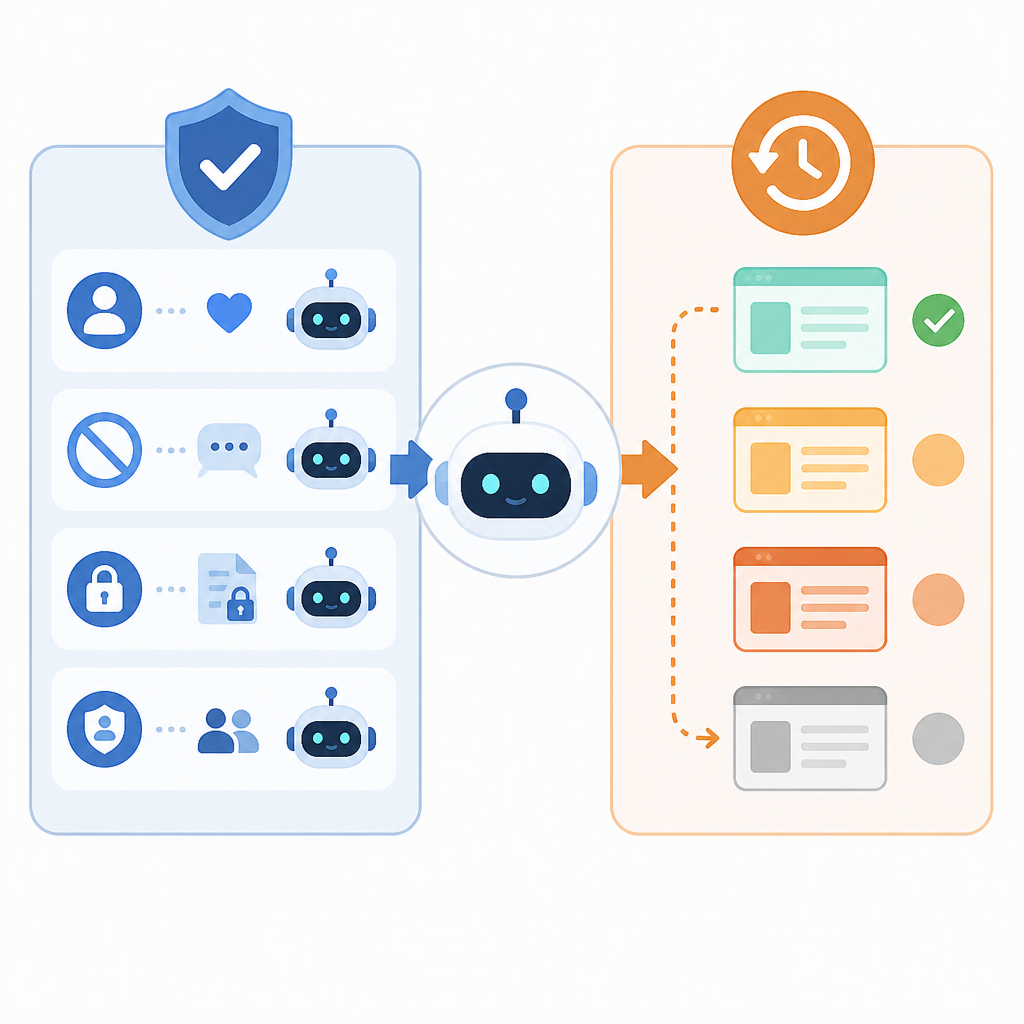
For example, switch from autonomous task execution to a simple assistant mode, and require explicit user confirmation before any tool call. If your product uses multi-turn roleplay, turn it off in production and keep it only in a sandbox.
You should see fewer tool invocations, fewer long persona sessions, and a simpler conversation flow in staging. Users should still be able to chat, but the app should no longer behave like a persistent companion.
Step 3: Add safety guardrails
Now your goal is to stop the model from reinforcing delusion, dependency, or unsafe life decisions. Add policy prompts, refusal rules, crisis routing, and moderation checks for self-harm, medical, legal, and financial advice.
Use layered controls so one failure does not reach the user. A typical setup includes a system prompt, a classifier, a response filter, and a human escalation path for sensitive cases.
You should see blocked outputs for disallowed content and a clear escalation path for urgent messages. Test with adversarial prompts and confirm the model refuses or redirects instead of escalating intimacy or certainty.
Step 4: Roll out a staged shutdown
Your goal here is to ship the change without breaking the rest of the app. Use a feature flag, release the new policy to a small percentage of traffic, and keep a rollback path ready if retention or support metrics move in the wrong direction.
Document the change in release notes and in-product messaging so users know what is being removed and why. If you need to preserve some personalization, limit it to harmless preferences such as theme, language, or chat history.
You should see the new behavior in staging first, then in a limited production slice, and finally in full release after approval. If error rates or complaint volume spike, turn the flag off and revert quickly.
Step 5: Verify compliance and user impact
The final goal is to prove the app follows the new rules and still works as intended. Run regression tests for safety, check that banned paths are unreachable, and review analytics for drops in risky interactions.
If the source mentions performance, safety, or rollout impact, track it in a simple table before launch.
| Metric | Before/Baseline | After/Result |
|---|---|---|
| Companion sessions per user | High, unbounded roleplay use | Bounded chat only |
| Unsafe advice rate | Observed in manual review | Blocked by moderation and refusal rules |
| Tool-call autonomy | Automatic in some flows | Confirmation required for every sensitive action |
You should see clean test logs, no reachable companion-only routes, and a release signoff from product, legal, and safety reviewers. That is the point where the app is ready for the deadline.
Common mistakes
- Leaving old prompts active in hidden admin paths. Fix: search all environments, not just production.
- Replacing companion mode with weaker moderation only. Fix: remove the behavior first, then add filters.
- Forgetting to update user-facing copy. Fix: explain the change in the app and in release notes before rollout.
What's next
After the shutdown lands, build a longer-term safety review process for every new persona, memory feature, and tool-using agent before it reaches users.
// Related Articles
- [IND]
AI Weekly: 2026-06-29 ~ 2026-07-06
- [IND]
Daily HuggingFace AI Papers keeps research moving
- [IND]
Meta’s $182.9B AI bet may need compute sales
- [IND]
DSpark vs MTP methods in one clear comparison
- [IND]
What China’s AI unicorns are saying in 2026
- [IND]
Pinecone, Milvus, and 3 rivals that power AI search