Build a code-aware RAG pipeline with LangChain
Set up a code-aware retrieval augmented generation pipeline with LangChain.

Set up a code-aware retrieval augmented generation pipeline with LangChain.
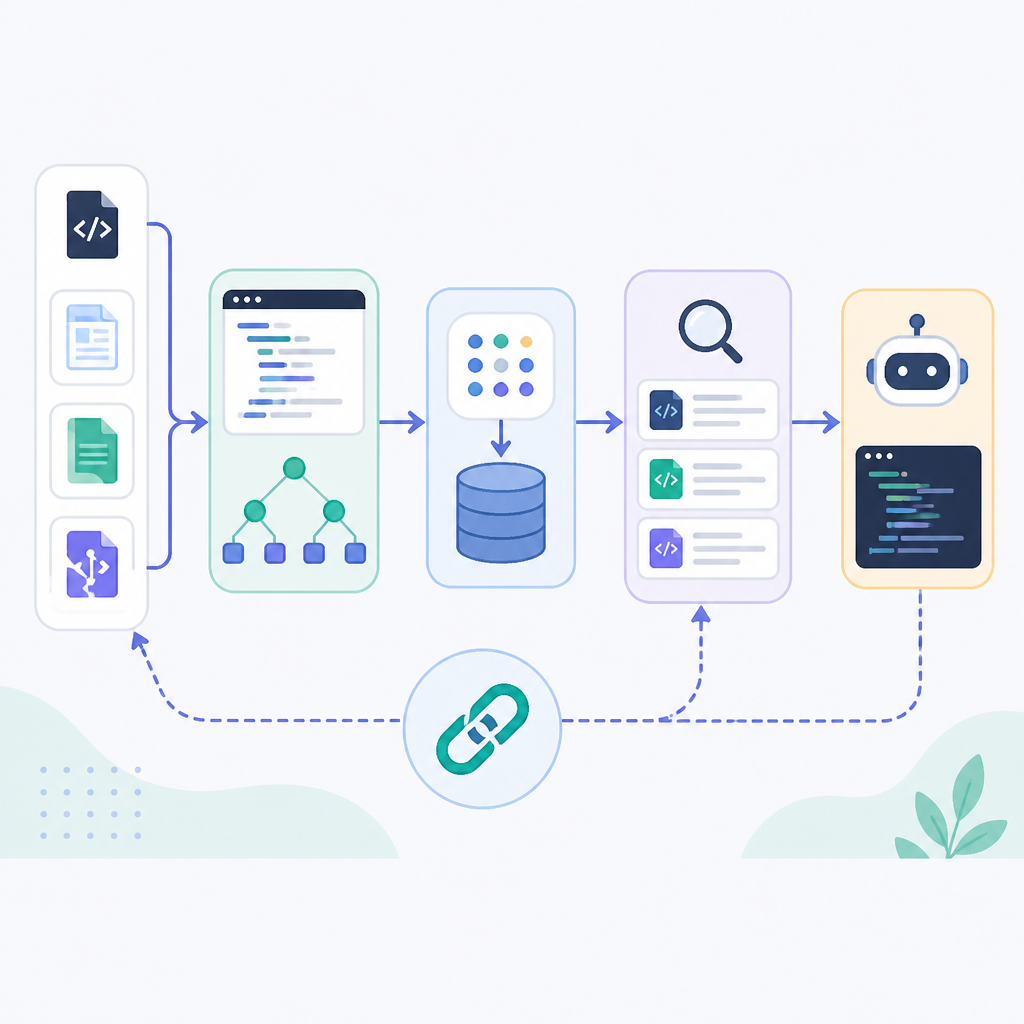
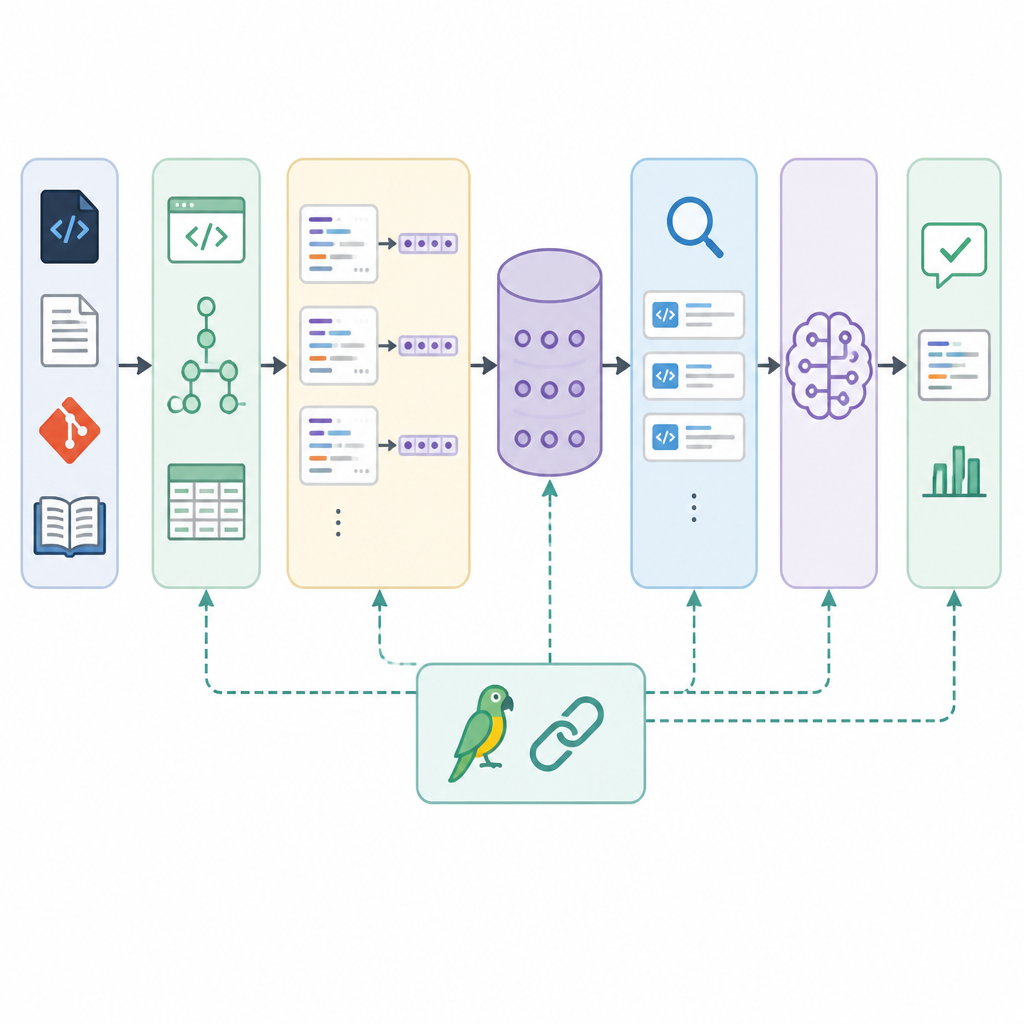
This guide is for developers who want to build a retrieval augmented generation system that handles Python and Markdown files cleanly, splits content by tokens, and returns grounded answers from your own documents. By the end, you will have a working LangChain-based RAG workflow that loads files, chunks them with syntax awareness, stores embeddings, and answers questions with retrieved context.
Before you start
Get the latest AI news in your inbox
Weekly picks of model releases, tools, and deep dives — no spam, unsubscribe anytime.
No spam. Unsubscribe at any time.
- Node.js 20+ or Python 3.10+; this guide uses Python examples.
- A LangChain account or local environment with access to LangChain packages.
- An LLM API key, such as OpenAI, Anthropic, or another supported provider.
- An embeddings API key for the same provider, or a local embeddings model.
- A small document set with .py and .md files.
- Git installed so you can clone a sample repo or your own project docs.
Step 1: Install LangChain packages
Goal: create a clean project with the libraries needed for loading files, splitting text, embedding chunks, and running retrieval.
pip install langchain langchain-community langchain-text-splitters langchain-openai faiss-cpu tiktokenVerification: you should see the packages install without errors, and python -c "import langchain" should run successfully.
Step 2: Load Python and Markdown files
Goal: ingest source files into LangChain documents so the pipeline can treat code and docs as searchable inputs.
from langchain_community.document_loaders import DirectoryLoader, TextLoader

py_loader = DirectoryLoader("./docs", glob="**/*.py", loader_cls=TextLoader)
md_loader = DirectoryLoader("./docs", glob="**/*.md", loader_cls=TextLoader)

python_docs = py_loader.load()
markdown_docs = md_loader.load()
all_docs = python_docs + markdown_docs
Verification: you should see a non-empty list of documents, and each document should include page content from your files.
Step 3: Split documents by tokens
Goal: chunk content with token-aware boundaries so the model sees complete ideas instead of arbitrary character slices.
from langchain_text_splitters import RecursiveCharacterTextSplitter

splitter = RecursiveCharacterTextSplitter.from_tiktoken_encoder(
    chunk_size=800,
    chunk_overlap=120,
)
chunks = splitter.split_documents(all_docs)
Verification: you should see more chunks than source files, and chunk sizes should stay close to your token target rather than breaking mid-function or mid-paragraph.
Step 4: Create a vector index
Goal: turn chunks into embeddings and store them in a retriever-friendly index for semantic search.
from langchain_openai import OpenAIEmbeddings
from langchain_community.vectorstores import FAISS

embeddings = OpenAIEmbeddings()
vectorstore = FAISS.from_documents(chunks, embeddings)
retriever = vectorstore.as_retriever(search_kwargs={"k": 4})
Verification: you should see the FAISS index build successfully, and calling the retriever should return the top matching chunks for a sample query.
Step 5: Wire the RAG chain
Goal: connect retrieval to generation so the model answers using the most relevant chunks from your dataset.
from langchain_openai import ChatOpenAI
from langchain.chains import RetrievalQA

llm = ChatOpenAI(model="gpt-4o-mini", temperature=0)
qa = RetrievalQA.from_chain_type(llm=llm, retriever=retriever)

result = qa.invoke({"query": "What does the codebase do?"})
print(result["result"])
Verification: you should see an answer that references your documents instead of a generic response, and the retrieved context should align with the question.
Step 6: Test chunk quality and retrieval
Goal: confirm that syntax-aware splitting and token-based chunking improve answer quality on code-heavy questions.
Run a few targeted prompts such as function names, setup instructions, or architecture questions, then compare the retrieved chunks to the final answer. If the model misses key details, reduce chunk size, increase overlap, or add metadata filters for file type and path.
Verification: you should see more precise answers for code and documentation questions, with fewer broken snippets and fewer irrelevant chunks in the top results.
| Metric | Before/Baseline | After/Result |
|---|---|---|
| Chunking method | Character-based splits | Token-based splits |
| Code awareness | Functions and blocks may break mid-way | Splits stay closer to syntax boundaries |
| Retrieval quality | More noisy context | More relevant top-k chunks |
| Answer grounding | Higher chance of generic responses | More document-specific responses |
Common mistakes
- Using plain character chunking for code files. Fix: switch to a token-aware splitter and tune chunk size for functions and sections.
- Embedding too much content in one chunk. Fix: lower chunk size and increase overlap so retrieval returns focused context.
- Forgetting to verify retrieved sources. Fix: print the top-k chunks before generation and inspect whether the context matches the query.
What's next
Once this pipeline works, add metadata filters, source citations, persistence for the vector store, and evaluation tests so you can measure retrieval quality as your document set grows.
// Related Articles
- [AGENT]
SALA Boosts Long Context on Edge AI
- [AGENT]
Anthropic’s breach proves AI agents need hard security limits
- [AGENT]
GenAI.mil turns a scary prompt into a report
- [AGENT]
EPAM’s OpenAI deal turns pilots into production
- [AGENT]
Prompt engineering is overrated for Claude Code
- [AGENT]
Grok Build adds live previews and rewind fixes