Claim Alibaba Cloud Free Trial Credits on ECS
Set up an Alibaba Cloud ECS trial account, claim credits, and launch a small Linux server.

This guide shows how to claim Alibaba Cloud trial credits and launch an ECS server.
This guide is for developers who want a low-risk first server on Alibaba Cloud using trial credits and the free-trial window. By the end, you will have an active account, a verified payment method if required, a running ECS instance, and a checklist for avoiding the most common setup errors.
Before you start
Get the latest AI news in your inbox
Weekly picks of model releases, tools, and deep dives — no spam, unsubscribe anytime.
No spam. Unsubscribe at any time.
- An Alibaba Cloud account with access to the Alibaba Cloud Console
- A valid email address and phone number for account verification
- A credit card or other payment method, if your region requires identity or billing verification
- A modern browser such as Chrome, Edge, or Firefox
- SSH client installed on your computer, such as OpenSSH on macOS/Linux or Windows Terminal on Windows 11
- A Linux image choice for ECS, such as Ubuntu 22.04 LTS
- A basic understanding of public IPs, SSH keys, and security groups
- Optional: the Alibaba Cloud ECS Toolkit if you want to manage instances from the command line
Step 1: Create your Alibaba Cloud account
Your first outcome is a verified cloud account that can access trial offers and the ECS console. Sign in or register, then complete the identity checks requested in your region.

Use the account registration flow in the Alibaba Cloud documentation, confirm your email, and finish any phone or billing verification prompts before moving on.
You should see the Alibaba Cloud home dashboard and be able to open the ECS product page without being redirected to an incomplete signup screen.
Step 2: Claim trial credits and free access
Your second outcome is an activated trial balance or free-trial entitlement that can be applied to a new server. Open the trial or free-account offer page, review the region rules, and claim the promotion tied to your account.
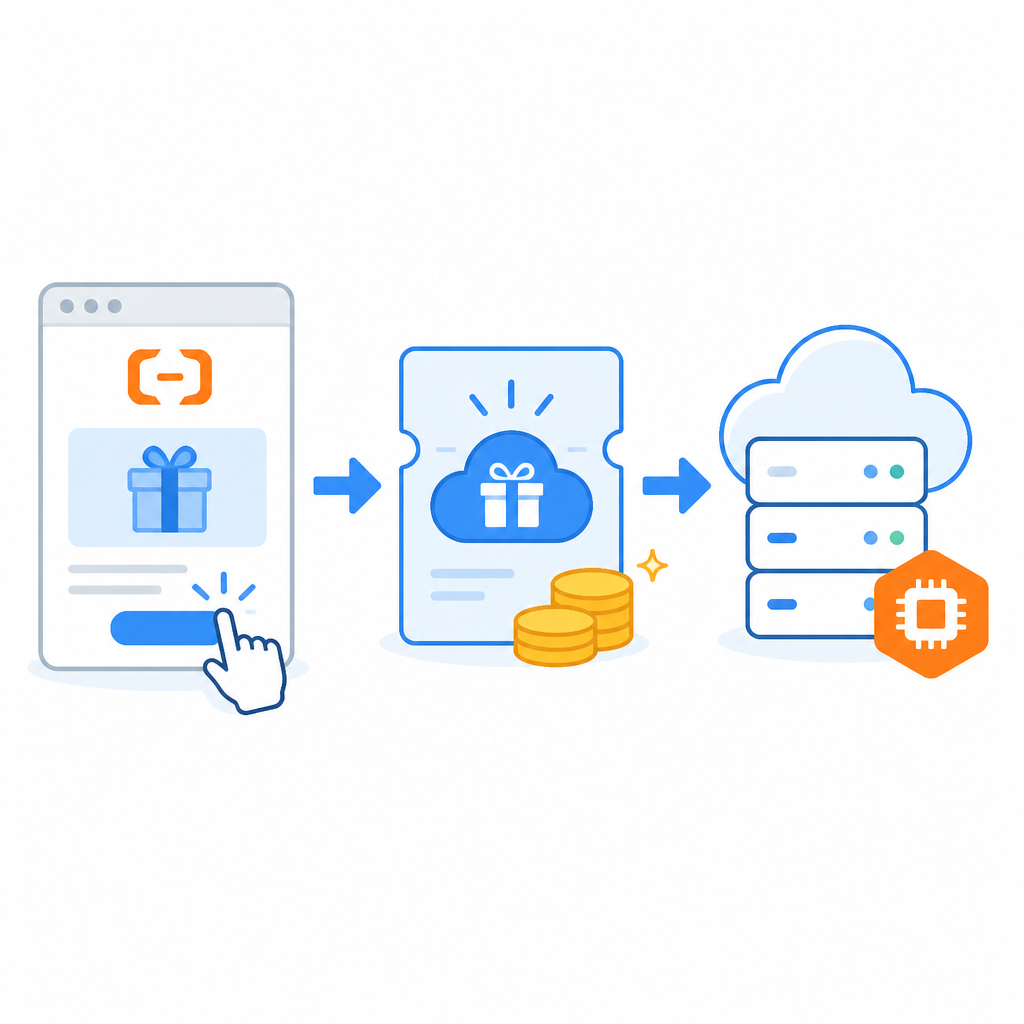
Check the offer details carefully, because some trial credits are tied to specific products, regions, or time windows. If the console shows a coupon, credit grant, or free-trial badge, save that information for the ECS creation step.
You should see the credits or trial status reflected in your billing or promotions area, with an expiration date or remaining balance listed.
Step 3: Launch an ECS instance
Your third outcome is a running Elastic Compute Service instance that can accept SSH connections. In the ECS console, choose a small Linux instance, select the trial-supported region, and keep the configuration minimal to stay within the free allowance.
ssh-keygen -t ed25519 -C "[email protected]">Attach your public key during instance creation if the console supports it, or plan to add it after boot. Pick a security group that allows inbound TCP 22 from your IP address only, then create the instance and wait for the status to change to Running.
You should see an ECS instance with a public IPv4 address, a running state, and a security group rule for SSH access.
Step 4: Connect and verify Linux access
Your fourth outcome is a successful SSH login to the server, which proves the instance is usable. From your local terminal, connect with the key or password method configured during creation.
After login, run a few basic checks such as hostname, OS version, and uptime. If you installed an Ubuntu image, confirm the package manager and kernel details so you know the machine is ready for deployment work.
You should see a Linux shell prompt on the remote server and command output that matches the image you selected.
Step 5: Harden the server and track usage
Your fifth outcome is a safer trial server that is less likely to be exposed to the internet by mistake. Disable password login if you are using keys, remove any open SSH rules you do not need, and monitor the billing or quota page so the trial does not expire unexpectedly.
Install only the packages you need, keep the instance small, and note the expiration date for credits or trial access. If you plan to keep the machine, snapshot your work and document the renewal or upgrade path before the trial ends.
You should see a tighter security group, a working SSH key login, and a usage page that shows how much of the trial remains.
| Metric | Before/Baseline | After/Result |
|---|---|---|
| Server access | No cloud account or instance | Running ECS instance with SSH access |
| Security exposure | Open inbound access not reviewed | SSH limited to your IP address |
| Cost control | No trial tracking | Credits and expiration date monitored |
Common mistakes
- Using the wrong region for the trial offer. Fix: match the instance region to the promotion terms before you create the server.
- Leaving port 22 open to all IP addresses. Fix: restrict SSH to your current IP and remove broad rules after testing.
- Forgetting to watch the credit expiration date. Fix: check billing or promotions after launch and set a reminder before the trial ends.
What's next
From here, you can deploy a small web app, add a domain and HTTPS certificate, or automate instance setup with Terraform or the Alibaba Cloud CLI.
// Related Articles
- [TOOLS]
DeepSeek V4 Flash turns Agent work cheap
- [TOOLS]
GPT-5.6 Sol cuts GPU costs 20%
- [TOOLS]
Astra Turns a Math Post Into a Model Launch
- [TOOLS]
OpenAI’s API changelog adds spend caps, transcribe, and Fast mode
- [TOOLS]
Windsurf’s IntelliJ plugin is a shortcut, not a strategy
- [TOOLS]
SWE-1.7 free preview lands in Devin Desktop