CUDA cores matter, but memory and Tensor Cores win
5 CUDA-core facts that show why GPU training speed depends on more than raw core count.

CUDA cores help speed AI training, but memory, architecture, and Tensor Cores often matter more.
If you are choosing a GPU for AI work, this guide shows what CUDA cores do, how they differ from Tensor Cores, and why raw core count is not the whole story. One useful benchmark: an RTX 4090 has 16,384 CUDA cores and can reach about 70 trillion FP32 operations per second.
| Item | CUDA cores | Memory | Cloud price |
|---|---|---|---|
| RTX A6000 | 10,752 | 48 GB GDDR6 | $0.35/hr |
| A100 80GB | 6,912 | 80 GB HBM2e | $0.78/hr |
| L40 | n/a | 48 GB GDDR6 | $0.89/hr |
| L40S | n/a | 48 GB GDDR6 | $0.99/hr |
| H100 80GB | 14,592 | 80 GB HBM3 | $1.38/hr |
1. CUDA cores are the GPU’s general-purpose workers
Get the latest AI news in your inbox
Weekly picks of model releases, tools, and deep dives — no spam, unsubscribe anytime.
No spam. Unsubscribe at any time.
CUDA stands for Compute Unified Device Architecture, NVIDIA’s platform for programming its GPUs. CUDA cores are the physical processing units inside those GPUs, and they handle parallel arithmetic such as addition, multiplication, and floating-point math.

That design is why GPUs can do many small jobs at once while CPUs focus on fewer, more complex tasks. A GPU with thousands of CUDA cores can push through repetitive calculations far faster than a CPU when the workload splits cleanly into parallel pieces.
- Best fit: floating-point math, integer math, parallel compute
- Common use cases: graphics, scientific computing, mining, AI preprocessing
- Example: an RTX 4090 has 16,384 CUDA cores
2. Tensor Cores do the heavy AI matrix work
CUDA cores are generalists, while Tensor Cores are specialists built for deep learning. Introduced with Volta in 2017, Tensor Cores accelerate matrix operations used in training and inference, especially with FP16, BF16, INT8, and TF32 formats.
In practice, that means Tensor Cores often drive the biggest gains in modern AI training. Thunder Compute notes that Tensor Cores can make neural-network training up to 20 times faster than CUDA cores alone, because they process matrix blocks in a single clock cycle.
CUDA cores: preprocessing, activations, non-matrix math
Tensor Cores: matrix multiplies in attention and convolutions
3. More CUDA cores do not always mean faster training
A higher core count can help, but it is not a reliable shortcut to better performance. Memory bandwidth, cache behavior, clock speed, architecture, and memory capacity can outweigh raw CUDA core totals in real workloads.
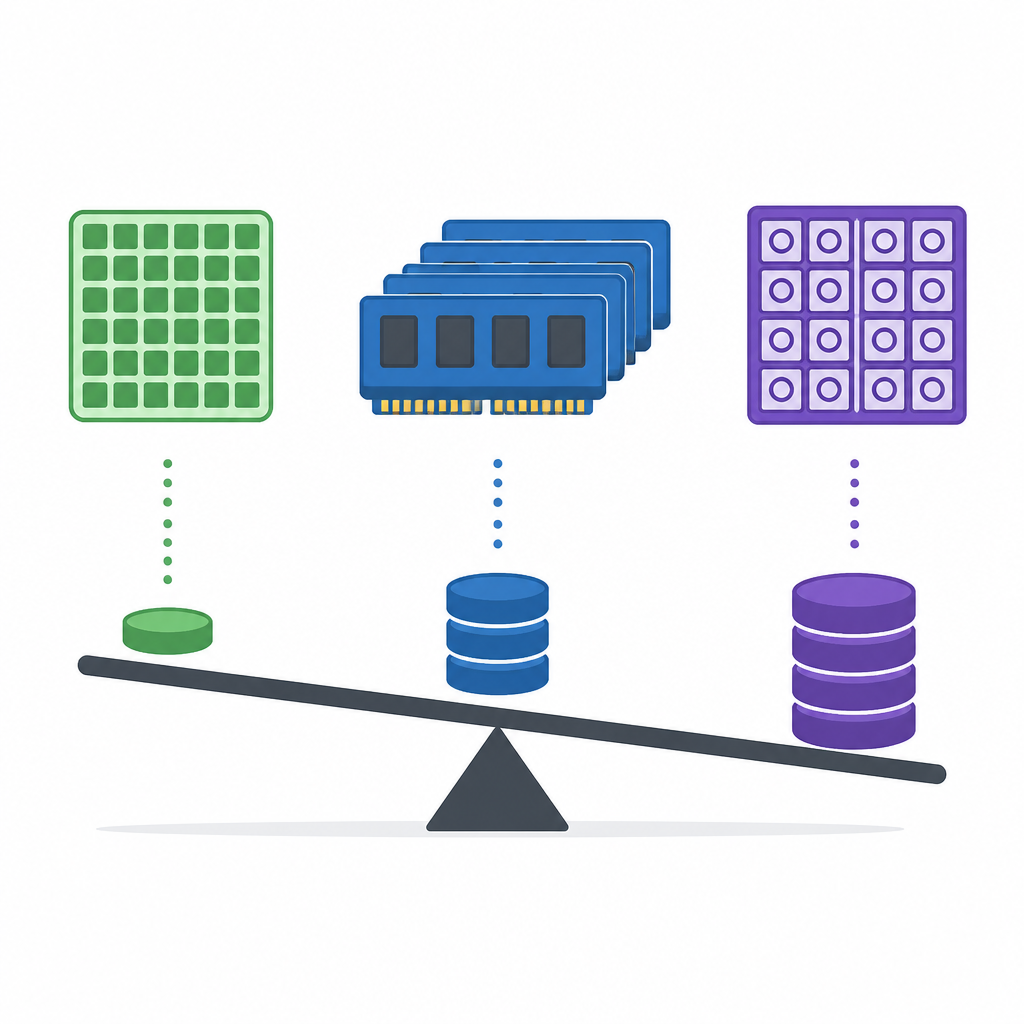
The RTX 4080 is a good example: it has 9,728 CUDA cores, fewer than the RTX 3090’s 10,496, yet it often performs better because of newer architecture and a stronger memory subsystem. For AI specifically, Tensor Core count and available VRAM often matter more than the CUDA core number on the box.
- Check memory bandwidth before comparing core counts
- Check VRAM size if your dataset or model is large
- Check architecture generation, not just spec-sheet totals
4. CUDA performance depends on how the chip moves data
CUDA cores live inside Streaming Multiprocessors, or SMs, and the GPU scheduler keeps threads moving in warps. That setup only works well when data reaches the cores efficiently through registers, shared memory, and global memory.
This is why a GPU can look strong on paper and still underperform in practice. If memory access is slow or the workload is poorly organized, the cores sit idle. For AI training, the fastest card is often the one that keeps compute and memory in balance.
- SMs group CUDA cores into execution blocks
- Warps run threads in lockstep
- Memory hierarchy affects real throughput as much as core count
5. CUDA matters most when you pick the right GPU tier
CUDA runs only on NVIDIA GPUs, so your choice usually comes down to data center, workstation, or consumer hardware. A100 and H100 cards are built for large-scale training, while RTX-class cards are often better for prototyping, fine-tuning, and inference.
Cloud access makes that choice easier because you can test different configurations without buying hardware. Thunder Compute offers CUDA-powered instances starting at $0.35/hr, with A100 80GB at $0.78/hr and H100 at $1.38/hr, plus CUDA preinstalled for PyTorch, TensorFlow, and custom kernels.
- RTX A6000: good starting point for prototyping
- A100 80GB: strong for larger models and memory-heavy runs
- H100 80GB: best for serious training when budget allows
How to decide
If you care about general CUDA development, look for a balanced GPU with enough cores, enough VRAM, and decent memory bandwidth. If you care about AI training, prioritize Tensor Cores and memory capacity first, then compare CUDA core counts as a secondary detail.
For small teams and individual builders, cloud GPUs can be the simplest path. Start with a cheaper RTX-class instance, then move to A100 or H100 only when your model size, batch size, or training time justifies the jump.
// Related Articles
- [IND]
Rust 661’s best releases for builders this week
- [IND]
Deepwoken’s Second Layer hides Ethiron below Scyphozia
- [IND]
AMD is right to use Anthropic to break CUDA’s grip
- [IND]
AI Weekly: 2026-07-20 ~ 2026-07-27
- [IND]
WAIC 2026 turns AI hype into real work
- [IND]
KPMG’s OpenAI deal turns SaaS into agents