design.md turns brand tokens into agent-ready UI specs
4 ways design.md gives coding agents persistent design-system context and checks tokens, contrast, and regressions.

design.md gives coding agents a persistent, structured design system spec.
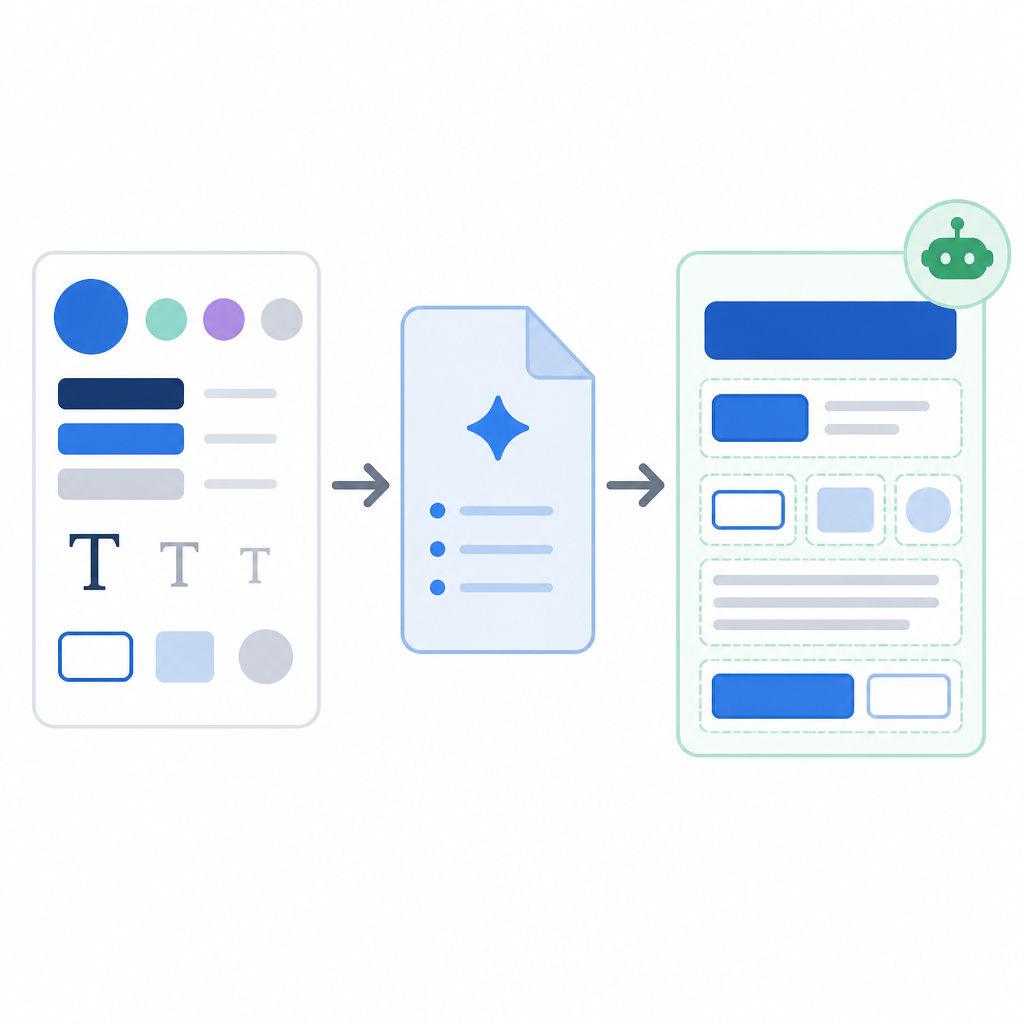
design.md turns a visual identity into a file agents can lint, diff, and export, with one repo showing 16k stars and a CLI that outputs JSON for automation.
| Item | What it does | Notable detail |
|---|---|---|
| design.md format | Stores tokens plus prose | YAML front matter and Markdown body |
| lint | Checks structure and contrast | Exit code 1 on errors |
| diff | Compares design versions | Flags token-level regressions |
| export | Converts tokens for other systems | Tailwind, CSS, and DTCG outputs |
1. The file format itself
Get the latest AI news in your inbox
Weekly picks of model releases, tools, and deep dives — no spam, unsubscribe anytime.
No spam. Unsubscribe at any time.
At the center of the project is a simple idea: a design system can be described in one file that agents can read without guessing. The format combines machine-readable YAML front matter with Markdown prose, so the file carries exact token values and the reasoning behind them.

That split matters because the tokens are normative while the prose explains intent. An agent can use {colors.primary} or {rounded.sm} exactly, then read the surrounding sections to understand whether the system wants matte, journalistic, minimal, or gallery-like output.
- Top layer: YAML front matter
- Second layer: Markdown sections like Overview, Colors, Typography, and Components
- Token types include colors, dimensions, typography objects, and component maps
2. The lint command
The design.md CLI includes a linter that checks whether the file matches the spec, whether token references resolve, and whether contrast ratios pass WCAG thresholds. It returns structured JSON, which makes it easy for agents and scripts to act on findings instead of scraping plain text.
The repo’s example shows a warning for a button text color on a dark background, along with a contrast ratio of 15.42:1 and a summary count of errors, warnings, and info. The command also supports stdin, so you can pipe a file in and keep the workflow inside a shell or CI job.
npx @google/design.md lint DESIGN.md
cat DESIGN.md | npx @google/design.md lint -
# Exit code: 1 if errors are found
3. The diff command
For teams that iterate on brand systems, the diff command is the practical guardrail. It compares two DESIGN.md files and reports token additions, removals, and modifications, along with a regression flag if the newer file gets worse on errors or warnings.
That makes it useful for design reviews, release checks, and agent workflows that need to know whether a change altered the system in a meaningful way. In the sample output, a color token changes from tertiary to accent, while typography stays untouched.
- Input: before and after DESIGN.md files
- Output: token-level change report in JSON
- Regression signal: true when the later file gets worse
4. The export command
One of the strongest parts of the spec is that the same source can feed other design pipelines. The export command converts DESIGN.md tokens into Tailwind v3 theme.extend config, Tailwind v4 CSS theme blocks, or DTCG-compliant JSON.
This is useful when your source of truth lives in DESIGN.md but your implementation needs a different format. Rather than manually rewriting colors, spacing, and component values, you can generate the target format and keep the token set aligned across tools.
npx @google/design.md export --format json-tailwind DESIGN.md
npx @google/design.md export --format css-tailwind DESIGN.md
npx @google/design.md export --format dtcg DESIGN.md
5. The Windows-friendly CLI details
The project also pays attention to real-world command-line friction. On Windows, invoking the package directly as design.md can collide with Markdown file association, so the docs recommend the dot-free designmd alias when running from a package.json script.
That small detail prevents a common failure mode for teams that automate linting in scripts. The same alias resolves to the same entrypoint, and the docs also note that npm registry misconfiguration can cause ENOVERSIONS errors if the package is not being fetched from the public registry.
- Use
designmd lint DESIGN.mdin scripts on Windows - Check
npm config get registryif installs fail - The package publishes as
@google/design.mdon npm
How to decide
Pick DESIGN.md if you want a design system format that agents can parse, validate, compare, and export without losing the human context behind the tokens. It fits teams that already care about token hygiene, contrast checks, and reproducible UI output.
If your workflow is mostly code-first and you need a bridge between brand intent and implementation, this format is a better fit than a loose style guide. If you need fewer moving parts, start with the file format and lint command, then add diff and export once your team wants version control and downstream generation.
// Related Articles
- [IND]
80% of Q1 2026 VC Went to AI, But Blockchain Is Next
- [IND]
Seed’s anti-distillation rule turns open models into policy
- [IND]
Windows Codex and Claude Code fixes that work
- [IND]
Rust 1.97.1 fixes a compiler bug stable users felt
- [IND]
OpenAI Astra turns math proofs into a workflow
- [IND]
OpenCode Go makes open coding models affordable