Extracted prompts turn model behavior into a map
A practical breakdown of extracted system prompts, with a copy-ready template for reading model behavior like source code.

A copy-ready way to read extracted system prompts and compare model behavior.
I've been collecting model prompts for a while now, and honestly, the whole thing kept feeling slippery. A model would sound helpful in one product, stubborn in another, and weirdly formal somewhere else. I’d ask the same kind of question across tools, then get three different personalities back, and none of them lined up with the marketing copy. That mismatch is what bothered me. Not because models are inconsistent — that part I expected — but because the actual instructions driving them were hidden behind layers of product polish.
Then I started looking at extracted system prompts instead of just outputs. That changed the game for me, not because the prompts are magical, but because they explain the behavior better than any demo does. Once you read the instructions, you stop guessing. You can see what the product is optimizing for, what it refuses to do, and where the weird behavior is probably coming from. I’m using the Zhihu weekly GitHub hotlist post as the trigger here, because it points at a pile of extracted prompts across Anthropic, OpenAI, Google, xAI, Cursor, Copilot, VS Code, and Perplexity. The post itself is here: zhuanlan.zhihu.com/p/2052133036855239807.
That list is useful, but the real value is not “look at all these names.” It’s that prompt extraction turns model behavior into something I can inspect, compare, and reuse. And once you do that, you start seeing the same patterns everywhere.
Stop judging the model by the demo
Get the latest AI news in your inbox
Weekly picks of model releases, tools, and deep dives — no spam, unsubscribe anytime.
No spam. Unsubscribe at any time.
Extracted system prompts from Anthropic - Claude Fable 5, Opus 4.8, Claude Code, Claude Design. OpenAI - ChatGPT 5.5 Thinking, GPT 5.5 Instant, Codex. Google - Gemini 3.5 Flash, 3.1 Pro, Antigravity. xAI - Grok, Cursor, Copilot, VS Code, Perplexity, and more.
What this actually means is: the interesting part is not the brand list, it’s the fact that these products are all steering behavior with hidden instructions. The output you see is already filtered through a system prompt, product policy, and a bunch of product-specific guardrails. If you only look at the answer, you’re reverse-engineering a shadow.

I ran into this when I was comparing coding assistants. One would aggressively rewrite my code. Another would ask too many questions. A third would act like it wanted to be helpful but would refuse the exact thing I needed. At first I blamed the model. Then I started reading the prompt style and the product constraints. That’s when the pattern clicked: the model wasn’t “bad,” it was being shaped into a specific role.
How to apply it: when you evaluate an AI tool, separate three things in your notes: base model, system prompt, and product wrapper. Don’t say “Claude is like this” or “Gemini is like that” unless you’re clear about which app, which prompt, and which policy layer you mean. If you’re building with Anthropic system prompts, OpenAI prompt engineering, or Google prompting strategies, this distinction saves time fast.
Hidden instructions explain the personality drift
What I keep seeing in extracted prompts is that “personality” is usually just instruction stacking. There’s a base role, then a behavior policy, then product-specific tone, then safety rules, then a bunch of formatting rules. By the time the model answers, it’s not one voice. It’s a committee.
That matters because a lot of developers still treat prompt engineering like a single magic sentence. It isn’t. If the system prompt says “be concise,” “ask clarifying questions,” “avoid speculation,” and “prioritize safety,” you’ll get a model that feels cautious even when the base model is capable of more. If the prompt says “move fast,” “act like a coding agent,” and “prefer direct action,” you get a completely different experience from the same underlying model family.
I’ve seen this bite teams building internal copilots. They pick a model because it performs well in a benchmark, then wire it into a product with an overbearing system prompt written by committee. The end result feels timid. Nobody can explain why. The answer is usually in the prompt text, not the benchmark chart.
- Read prompts for behavior, not just for wording style.
- Look for instruction conflicts: concise vs thorough, cautious vs proactive, neutral vs opinionated.
- Check whether the product is optimizing for user trust, speed, compliance, or autonomy.
How to apply it: when you extract or inspect a system prompt, annotate every line with the behavior it pushes. I literally mark lines as “tone,” “risk,” “format,” “tool use,” or “refusal.” That turns a blob of text into a map. If you’re using a prompt repository like awesome-prompt or browsing prompt collections on GitHub, don’t just save them. Classify them.
Tool use is where the real product design lives
System prompts for agentic products are where the interesting stuff hides. Once a model can call tools, the prompt stops being about chat style and starts being about decision policy: when to search, when to ask, when to stop, when to summarize, when to hand control back.
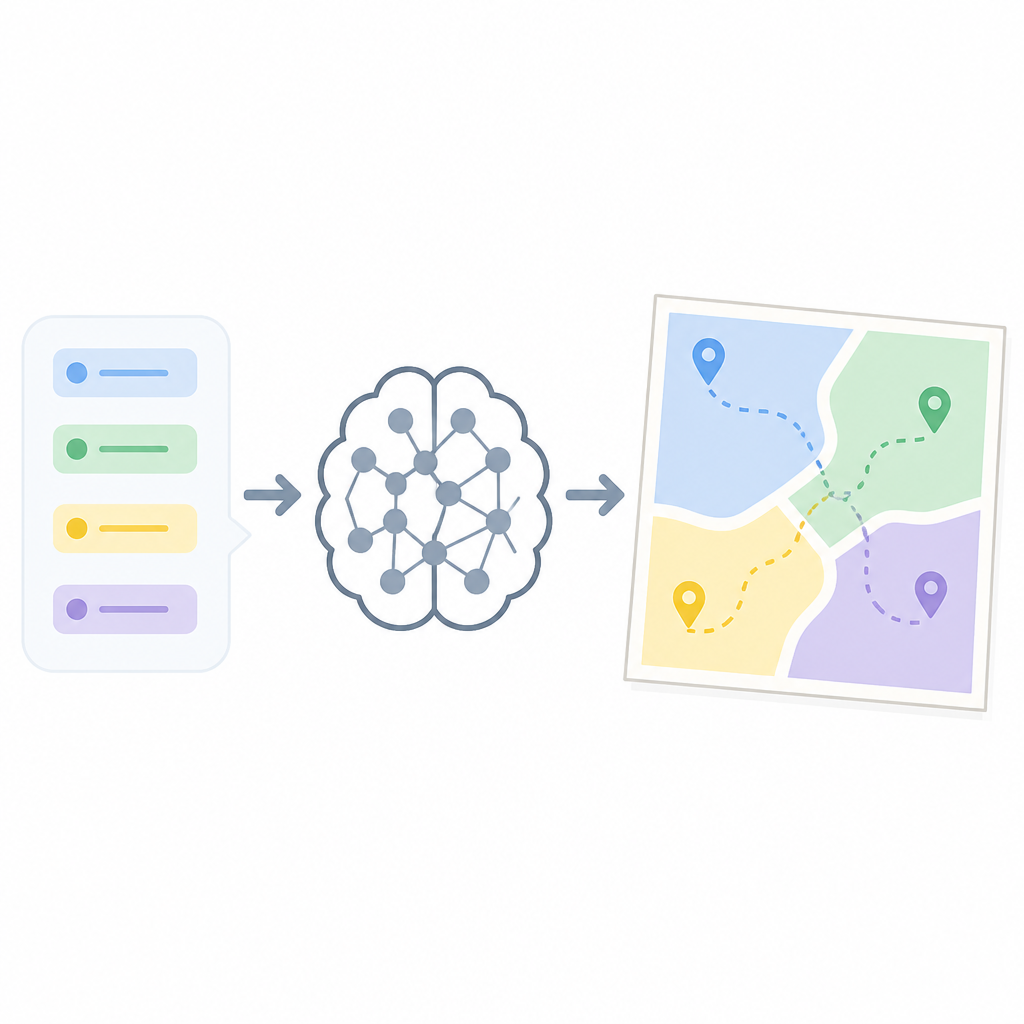
The Zhihu post mentions tools like Claude Code, Codex, Cursor, VS Code, and Perplexity. That mix is telling. These are not just chat surfaces. They are workflow products. Their prompts are probably shaping the model into a collaborator that can inspect files, draft edits, and decide whether to act or wait. That’s a much harder problem than “answer the user politely.”
I ran into this when I built a small internal agent for repo maintenance. The model kept overusing tools because the prompt made tool invocation sound like progress. It was not progress. It was thrashing. Once I rewrote the prompt to require a quick plan before tool use, the behavior got calmer and more useful. Same model, different instructions, different product.
How to apply it: if your AI tool has tool calling, write the prompt like a decision tree, not a pep talk. Define when the model should:
- answer directly
- ask a clarifying question
- inspect files or data
- produce a plan first
- stop and wait for approval
That structure matters more than a clever persona. If you want a reference point, read the OpenAI function calling docs and compare them with Anthropic tools guidance. You’ll see the same truth from different angles: tool use needs policy, not vibes.
Cross-model comparison is the fastest way to spot prompt debt
Once you line up extracted prompts from Anthropic, OpenAI, Google, and xAI, the prompt debt becomes obvious. Some prompts are clean and direct. Others are bloated with repeated rules, awkward exceptions, and conflicting tone instructions. That clutter usually leaks into the product experience.
This is where I get a little annoyed with teams that think prompt writing is “just words.” It’s not. It’s product architecture. A messy prompt creates messy behavior. A prompt that tries to satisfy every stakeholder ends up making the model hesitant, verbose, or strangely evasive.
I’ve used prompt comparisons to debug why two assistants with similar model access felt so different. One had a tight instruction stack and clear tool boundaries. The other had a giant prompt full of “be helpful,” “be safe,” “be concise,” “be detailed,” and “don’t overstep” all at once. No surprise which one produced cleaner results.
How to apply it: build a simple comparison table for any model or assistant you use. I’d track:
- role instruction
- tone instruction
- tool policy
- refusal policy
- format requirements
- memory or context rules
If you’re doing this seriously, keep the source handy. GitHub is still the easiest place to inspect community-reported prompt dumps and related repos, and the weekly hotlist format on Zhihu is a decent way to discover what people are extracting. For the repo side, start with GitHub itself and then move to the specific project pages you trust.
The useful part is not copying prompts, it’s copying structure
This is the part people miss. I don’t think the goal is to steal a system prompt and paste it into your app. Half the time that’s useless, and the other half it’s a licensing or policy mess. The useful part is learning the structure that makes a prompt work.
For example, good prompts usually separate identity, behavior, constraints, and output format. They also make priority order explicit. That’s what keeps the model from improvising when it should be following rules. When I started writing prompts this way, my own assistants got way easier to debug. A bad output now pointed to a bad section, not a mystery.
Here’s the practical lens I use:
- Identity: what is the model pretending to be?
- Behavior: how should it act under uncertainty?
- Constraints: what must it never do?
- Output: what shape should the answer take?
How to apply it: whenever you inspect a prompt dump, rewrite it into those four buckets. Don’t preserve the original wording. Preserve the function. That’s the part you can actually reuse in your own work without dragging in somebody else’s product baggage.
And if you’re building on top of a model API, this is where the docs matter. OpenAI’s text generation guidance, Anthropic’s prompt engineering overview, and Google’s prompting strategies all point in the same direction: structure beats cleverness.
Prompt extraction is a debugging tool, not a trophy hunt
I see a lot of people treat extracted prompts like collectibles. That’s a waste. The real value is debugging. If a model is acting weird, prompt extraction can tell you whether the weirdness is coming from the base instruction set, the product wrapper, or your own application layer.
This is especially useful in agent workflows. If an assistant keeps refusing actions, overexplaining, or ignoring file context, the problem may be in the system prompt’s priorities. If it keeps being too eager, the prompt may be over-optimizing for autonomy. If it keeps missing the point, the prompt may be missing a clean task boundary.
I’ve used this approach to fix flaky assistants by comparing prompt versions before and after a product update. The differences were often tiny, but the behavior changes were huge. One extra safety clause here, one tone instruction there, and suddenly the assistant felt like a different product.
How to apply it: keep a prompt diff log. When a model behavior changes, record the date, prompt version, UI change, and tool policy change. If you can’t get the actual system prompt, write down the observable behavior and infer the likely instruction shift. That sounds tedious because it is. But it’s still better than guessing.
If you want a place to organize this work, a plain markdown file in a private repo is enough. You don’t need a fancy system. You need discipline.
The template you can copy
# Prompt behavior audit template

## Source
- Product:
- Model:
- Source URL:
- Date reviewed:

## What I observed
- Tone:
- Verbosity:
- Refusal behavior:
- Tool use behavior:
- Error recovery behavior:

## Prompt structure guess
- Identity:
- Behavior rules:
- Constraints:
- Output format:
- Priority order:

## Conflicts I suspect
- Rule A vs Rule B:
- Safety vs speed:
- Concision vs completeness:
- Autonomy vs approval:

## How I would rewrite it
### Identity

### Behavior

### Constraints

### Output format

### Tool policy

### Escalation / refusal policy

## Copy-ready system prompt skeleton
You are a [role].

Behavior:
- Be [tone].
- Prefer [decision style].
- Ask clarifying questions when [condition].

Constraints:
- Do not [forbidden action].
- Do not guess when [uncertainty condition].
- Do not use tools unless [tool condition].

Output:
- Return answers in [format].
- Keep responses [length/style].

Tool policy:
- Use tools when [rule].
- Stop and summarize before [rule].
- Ask for approval before [rule].

Priority:
1. Safety and policy
2. Task correctness
3. Tool efficiency
4. Tone and style
The point of this template is simple: turn prompt reading into a repeatable review process. I use it when I’m comparing assistants, debugging agent behavior, or drafting my own system prompts. It keeps me from getting hypnotized by the output and forces me to inspect the machinery.
If I were starting over today, I’d use this on every AI product I touch. Not because prompt dumps are fun, but because they tell the truth faster than the UI does.
Source attribution: the trigger for this breakdown is the Zhihu post at https://zhuanlan.zhihu.com/p/2052133036855239807. Everything above is my own practical interpretation of the prompt-extraction idea, not a verbatim reproduction of the original article.
// Related Articles
- [AGENT]
Agent Plugins 1.0.0 turns skills into folders
- [AGENT]
FaithEyes lets you train tool-faithful vision agents
- [AGENT]
Connect Qwen 3.8 Max to CLI Agents
- [AGENT]
Fine-tune a small LLM for legal labeling
- [AGENT]
SALA Boosts Long Context on Edge AI
- [AGENT]
Anthropic’s breach proves AI agents need hard security limits