GORM query helpers turn SQL into guardrails
I break down GORM advanced queries and give you a copy-ready pattern for selective reads, locks, subqueries, and upserts.

This breaks down GORM advanced queries into a copy-ready pattern for safer reads and writes.
I've been using GORM long enough to know when it gets annoying. Basic CRUD is fine. Then the codebase grows, the models get fat, and suddenly every query is either selecting way too much, locking way too little, or doing that lovely little dance where you check for a row, then insert it, then realize two requests raced each other and now you have a mess.
That’s the part that always felt off to me. Not GORM itself, exactly. The defaults just stop being enough once you care about performance, concurrency, and not writing the same brittle SQL over and over. The Advanced Query doc on gorm.io is the page I keep coming back to when I need to stop hand-waving and make the query do the actual job. It’s not flashy. It’s just the stuff that saves you from future bug reports.
What I like here is that the patterns are small but practical: select fewer columns, lock rows when you mean it, tuck logic into subqueries instead of building string soup, and use FirstOrInit or FirstOrCreate when you want one path for “find it” and “make it.” That’s the real value. Fewer branches in application code, fewer surprise writes, fewer opportunities for me to forget a condition at 2 a.m.
Stop selecting the whole table when you only need three fields
Get the latest AI news in your inbox
Weekly picks of model releases, tools, and deep dives — no spam, unsubscribe anytime.
No spam. Unsubscribe at any time.
In GORM, you can efficiently select specific fields using the Select method.
What this actually means is simple: don’t drag a giant model through your API when the caller only needs an ID and a name. GORM will happily map query results into a smaller struct, and that’s a nice way to keep payloads and scanning work down.

The docs show this with a large User model and a tiny APIUser struct. When you query into APIUser, GORM automatically selects the matching columns. That’s a small thing until you’ve got tables with dozens of fields and a hot endpoint getting hammered.
type User struct {
    ID uint
    Name string
    Age int
    Gender string
    // hundreds of fields
}

type APIUser struct {
    ID uint
    Name string
}

db.Model(&User{}).Limit(10).Find(&APIUser{})
// SQL: SELECT `id`, `name` FROM `users` LIMIT 10
I’ve run into this exact issue in APIs where the model kept growing because product kept asking for one more field. The query still worked, but the response got heavier and the code got sloppier. Once I started querying into DTO-style structs, a lot of accidental data exposure just disappeared.
There’s also QueryFields mode, which flips the behavior so GORM selects columns by name instead of using *. That’s handy when you want explicitness across the board, but I wouldn’t turn it on blindly without checking the generated SQL on your busiest paths.
- Use a smaller destination struct when the API doesn’t need the full model.
- Use
Selectwhen you want to be explicit about the columns. - Check the generated SQL once, then stop guessing.
How to apply it: define read models for endpoints, reports, and background jobs. Keep your write model separate if the table is wide. If you’re refactoring an old query, start by replacing Find(&users) with a smaller destination type and compare the SQL before you touch anything else.
Lock rows when you actually mean to update them
GORM supports different types of locks, for example: db.Clauses(clause.Locking{Strength: "UPDATE"}).Find(&users)
What this actually means is that you can stop pretending a read is harmless when it’s really a setup for a write. If you’re going to inspect rows and then update them, you often want a row lock so another transaction doesn’t sneak in and change the same data underneath you.
The basic example is FOR UPDATE. GORM exposes that through clause.Locking. There’s also SHARE, NOWAIT, and SKIP LOCKED. Those last two are the ones that matter when concurrency gets ugly.
db.Clauses(clause.Locking{Strength: "UPDATE"}).Find(&users)
// SQL: SELECT * FROM `users` FOR UPDATE
The docs are clear that the selected rows stay locked for the duration of the transaction. That matters for workflows like job processing, inventory updates, or anything where two workers might try to claim the same record. If you’ve ever built a queue worker and then watched two processes grab the same job, you already know why this exists.
NOWAIT is the blunt option: fail immediately if the row is locked. SKIP LOCKED is the more practical one when you want workers to keep moving and just ignore rows somebody else already owns. I’ve used that pattern in background processors where waiting would have just clogged the pipeline.
- Use
UPDATElocks when a read is the first half of a write. - Use
NOWAITwhen waiting would be worse than failing fast. - Use
SKIP LOCKEDfor concurrent workers that should keep moving.
How to apply it: wrap the lock in a transaction, keep the locked section short, and don’t do network calls while holding the transaction open. That part sounds obvious until someone stuffs an HTTP request inside the lock and the whole thing turns into self-inflicted pain.
Use subqueries instead of building string soup
Subqueries are a powerful feature in SQL, allowing nested queries.
What this actually means is that you can keep complex query logic readable without dropping down to raw SQL too early. GORM accepts a *gorm.DB as a subquery parameter, which lets you compose queries instead of concatenating fragments and hoping the parentheses land in the right place.
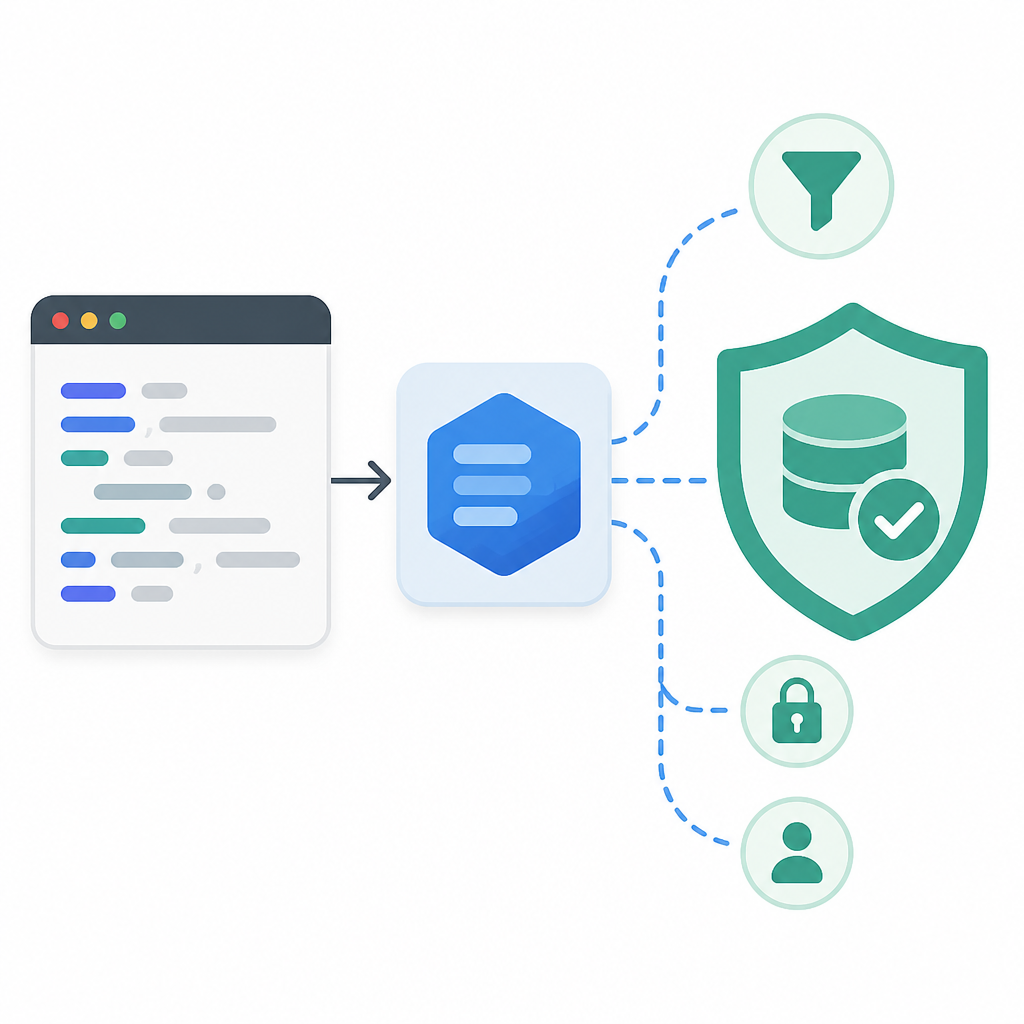
The doc’s example compares an amount against the average amount from the same table. That’s the kind of thing I’d rather express as a subquery than as a giant raw string someone has to mentally parse every time they touch it.
db.Where("amount > (?)", db.Table("orders").Select("AVG(amount)")).Find(&orders)
// SQL: SELECT * FROM "orders" WHERE amount > (SELECT AVG(amount) FROM "orders");
There’s also the nested version, where one subquery feeds another clause. That’s useful when you need grouped logic but still want the query builder to handle quoting and parameter binding.
I’ve reached for this when I needed a report query that compared a row against a computed benchmark. The alternative was a raw statement that nobody wanted to edit later. GORM’s subquery support is not magic, but it keeps the intent visible.
You can also use subqueries in the FROM clause. That’s the move when you want to treat a filtered or projected dataset like a temp table without actually creating one.
db.Table("(?) as u", db.Model(&User{}).Select("name", "age")).Where("age = ?", 18).Find(&User{})
// SQL: SELECT * FROM (SELECT `name`,`age` FROM `users`) as u WHERE `age` = 18
How to apply it: use subqueries when a query starts repeating itself or when you need to compare against a derived value. If the query becomes unreadable, stop and name the subquery variable. I’ve found that one tiny naming step saves a lot of future swearing.
Group conditions keep parentheses from lying to you
Group Conditions in GORM provide a more readable and maintainable way to write complex SQL queries involving multiple conditions.
What this actually means is that GORM can help you preserve the logic of a messy WHERE clause without making the parentheses your problem. And parentheses are always the problem when a query gets complicated.
The docs show a pizza example with nested AND and OR groups. It looks verbose in code, but it maps cleanly to SQL and makes the intent much harder to misunderstand later.
db.Where(
    db.Where("pizza = ?", "pepperoni").Where(db.Where("size = ?", "small").Or("size = ?", "medium")),
).Or(
    db.Where("pizza = ?", "hawaiian").Where("size = ?", "xlarge"),
).Find(&Pizza{})
// SQL: SELECT * FROM `pizzas` WHERE (pizza = "pepperoni" AND (size = "small" OR size = "medium")) OR (pizza = "hawaiian" AND size = "xlarge")
I like this because the code mirrors the logic instead of hiding it in a single string where one missing parenthesis changes the entire meaning. I’ve had to debug those queries before, and it’s always embarrassing how small the mistake was.
How to apply it: if you catch yourself writing a WHERE clause with multiple AND/OR branches in one string, stop and break it into grouped conditions. Use nested db.Where(...) calls to make the intent obvious. Your future self will thank you, and your teammate won’t need to reverse-engineer your brain.
One more practical note: group conditions are especially useful when you’re building filter UIs. Each branch can map to a user-selected option without turning the query into a giant switch statement.
Named arguments are boring, and that’s why they’re good
GORM enhances the readability and maintainability of SQL queries by supporting named arguments.
What this actually means is that you can stop counting positional placeholders like a machine from 2009. Named arguments make complex conditions easier to read, especially when the same value appears more than once.
The docs show both sql.Named and a map[string]interface{}. Both work. I usually prefer the one that makes the call site easiest to scan in that specific piece of code.
db.Where("name1 = @name OR name2 = @name", sql.Named("name", "jinzhu")).Find(&user)
// SQL: SELECT * FROM `users` WHERE name1 = "jinzhu" OR name2 = "jinzhu"
There’s a reason I keep liking this pattern: it reduces the mental tax of reading a query. If I can tell what a parameter means without tracing its position through four helper functions, that’s already a win.
How to apply it: use named arguments in queries with repeated values, optional filters, or helper functions that build conditions incrementally. If the query is tiny, positional placeholders are fine. If it’s not tiny, named args keep it from becoming self-inflicted archaeology.
sql.Namedis nice when you want the parameter to read like a real argument.map[string]interface{}is handy when values are assembled dynamically.- Use the style that makes the call site easiest to inspect later.
FirstOrInit and FirstOrCreate are the missing “find or make” moves
FirstOrInit fetches the first record that matches given conditions, or initializes a new instance if no matching record is found.
What this actually means is that you can collapse a common application pattern into one call: look for the record, and if it isn’t there, prepare a struct with defaults. That’s FirstOrInit. If you want the record persisted too, that’s FirstOrCreate.
I’ve seen people write this as three separate steps all over the place: query, branch, initialize, maybe save. It works, but it’s noisy and easy to get wrong. GORM gives you a cleaner path, and the difference between Attrs and Assign is the part you actually need to remember.
Attrs fills in values only when the record is missing. Assign sets values on the struct whether the record exists or not. With FirstOrInit, those changes stay in memory. With FirstOrCreate, they can be written back to the database.
db.Where(User{Name: "non_existing"}).Attrs(User{Age: 20}).FirstOrInit(&user)
// user -> User{Name: "non_existing", Age: 20} if not found

db.Where(User{Name: "Jinzhu"}).Assign(User{Age: 20}).FirstOrInit(&user)
// user -> User{ID: 111, Name: "Jinzhu", Age: 20} if found
That distinction matters more than the name suggests. I’ve used Attrs when I wanted a clean default for a new struct, and Assign when I wanted the in-memory object to reflect a newer value even if the database row already existed. It’s a subtle difference, but it saves you from writing separate code paths.
FirstOrCreate pushes the same idea one step further by saving the result. The docs also point out RowsAffected, which is the easiest way to tell whether you created something or just loaded it.
result := db.FirstOrCreate(&user, User{Name: "non_existing"})
// result.RowsAffected => 1 when created

result = db.Where(User{Name: "jinzhu"}).FirstOrCreate(&user)
// result.RowsAffected => 0 when found
How to apply it: use FirstOrInit when you need a prepared struct but not a database write yet. Use FirstOrCreate when the record should exist after the call. If you’re in a concurrent path, remember that this is still not a magic substitute for proper uniqueness constraints. I’d still back it with a unique index, because I enjoy sleeping.
Find-to-map is the escape hatch for dynamic output
GORM provides flexibility in querying data by allowing results to be scanned into a map[string]interface{} or []map[string]interface{}.
What this actually means is that you don’t always need a struct. Sometimes you just need a dynamic shape for admin views, exports, or ad hoc processing. GORM can scan directly into a map or a slice of maps, which is surprisingly handy when the schema is not the point.
The doc does have one important warning: include Model or Table so GORM knows what to query. Forget that, and you’re asking for a confusing failure.
result := map[string]interface{}{}
db.Model(&User{}).First(&result, "id = ?", 1)
// SQL: SELECT * FROM `users` WHERE id = 1 LIMIT 1

var results []map[string]interface{}
db.Table("users").Find(&results)
// SQL: SELECT * FROM `users`
I use this pattern when I’m building something exploratory or when the output shape is driven by configuration instead of a fixed struct. It’s not my first choice for normal application code, but it’s better than inventing a fake model just to hold a temporary result.
How to apply it: reach for maps when the result is genuinely dynamic, not just because you’re avoiding typing a struct. If the shape is stable, use a struct. If the shape changes based on user input or report config, maps are fine.
The template you can copy
// GORM advanced query playbook
// Copy this into your project and adapt the model names.

package data

import (
    "database/sql"

    "gorm.io/gorm"
    "gorm.io/gorm/clause"
)

type User struct {
    ID     uint
    Name   string
    Age    int
    Status string
}

type APIUser struct {
    ID   uint
    Name string
}

// 1) Select only the fields you need
func ListAPIUsers(db *gorm.DB, limit int) ([]APIUser, error) {
    var users []APIUser
    err := db.Model(&User{}).
        Limit(limit).
        Find(&users).Error
    return users, err
}

// 2) Lock rows before updating them in a transaction
func ClaimUsers(db *gorm.DB) ([]User, error) {
    var users []User
    err := db.Transaction(func(tx *gorm.DB) error {
        return tx.Clauses(clause.Locking{
            Strength: "UPDATE",
            Options:   "SKIP LOCKED",
        }).Where("status = ?", "pending").Find(&users).Error
    })
    return users, err
}

// 3) Use subqueries instead of raw string soup
func UsersAboveAverageAge(db *gorm.DB) ([]User, error) {
    var users []User
    avgAge := db.Model(&User{}).Select("AVG(age)")
    err := db.Where("age > (?)", avgAge).Find(&users).Error
    return users, err
}

// 4) Keep complex filters readable with grouped conditions
func FindPizzaCandidates(db *gorm.DB) error {
    return db.Where(
        db.Where("pizza = ?", "pepperoni").Where(
            db.Where("size = ?", "small").Or("size = ?", "medium"),
        ),
    ).Or(
        db.Where("pizza = ?", "hawaiian").Where("size = ?", "xlarge"),
    ).Error
}

// 5) Use named arguments for repeated values
func FindBySharedName(db *gorm.DB, name string) (*User, error) {
    var user User
    err := db.Where("name1 = @name OR name2 = @name", sql.Named("name", name)).First(&user).Error
    return &user, err
}

// 6) Prepare a struct without writing it yet
func InitUser(db *gorm.DB, name string) (*User, error) {
    var user User
    err := db.Where(User{Name: name}).Attrs(User{Status: "new"}).FirstOrInit(&user).Error
    return &user, err
}

// 7) Find or create, and update the in-memory record when needed
func UpsertUser(db *gorm.DB, name string) (*User, bool, error) {
    var user User
    result := db.Where(User{Name: name}).Assign(User{Status: "active"}).FirstOrCreate(&user)
    created := result.RowsAffected == 1
    return &user, created, result.Error
}

// 8) Scan dynamic results into maps when the shape is not stable
func LoadDynamicUsers(db *gorm.DB) ([]map[string]interface{}, error) {
    var rows []map[string]interface{}
    err := db.Table("users").Find(&rows).Error
    return rows, err
}
This is the version I’d actually keep around in a project: one file, one set of examples, no ceremony. The point isn’t to copy every line blindly. The point is to have a sane starting point for the queries you keep writing anyway.
Original source: https://gorm.io/docs/advanced_query.html. Everything above is my breakdown and refactor of that documentation into a more usable pattern for day-to-day development, with the code examples adapted into a copy-ready template.
// Related Articles
- [TOOLS]
Pixel 11 launch highlights and new Gemini features
- [TOOLS]
AWS Continuum turns AI coding into safer fixes
- [TOOLS]
Open-Generative-AI turns GitHub into a studio
- [TOOLS]
Why benchmark scores don’t predict your bill
- [TOOLS]
MCP Servers for Developers: 8 workflow gains in 2026
- [TOOLS]
Doubao turns a game prompt into a mini arcade