Kimi K2.6 turns agents into a swarm
Kimi K2.6 is an open-source multimodal agent model for long coding runs, UI generation, and swarm-style task orchestration.

Kimi K2.6 is an open-source multimodal agent model you can use for long coding runs and swarm orchestration.
I've been using agent models for a while now, and the same annoyance keeps showing up: they look brilliant in a demo, then fall apart the second the task gets messy. Ask for a multi-step refactor, a UI from a sketch, or a background job that needs to keep going after I close the tab, and a lot of these systems start improvising like a junior dev who nodded through the meeting and then ignored the ticket. That part drives me nuts. I don't want a chatty assistant that agrees with everything. I want something that can hold state, split work, keep moving, and not lose the plot halfway through a long run.
That is why I stopped at the Ollama library page for Kimi K2.6. The source page is blunt about what it is: an open-source, native multimodal agentic model built for long-horizon coding, coding-driven design, proactive autonomous execution, and swarm-based task orchestration. Ollama also shows the practical bits I care about: 256K tokens of context, text and image input, and a cloud variant you can run through the Ollama CLI, API, or launchers like Claude Code, Codex, OpenCode, and Hermes Agent.
This is not a chat model pretending to be an agent
Get the latest AI news in your inbox
Weekly picks of model releases, tools, and deep dives — no spam, unsubscribe anytime.
No spam. Unsubscribe at any time.
Kimi K2.6 is an open-source, native multimodal agentic model that advances practical capabilities in long-horizon coding, coding-driven design, proactive autonomous execution, and swarm-based task orchestration.
What this actually means is that the model is being positioned as a worker, not a conversational toy. The words matter here. Long-horizon coding means it is supposed to stay useful across a big sequence of edits, not just the first answer. Proactive autonomous execution means it should keep doing work without me babysitting every step. Swarm-based orchestration means it can split a problem into smaller pieces and coordinate them. That is a very different pitch from “ask me anything.”

I ran into this exact distinction when I tried to use earlier agent setups for a repo cleanup. They could suggest a plan, but the minute I asked for file-by-file execution, they started drifting. One file got fixed, another got half-fixed, and the rest became a pile of “I can continue.” That is the failure mode Kimi K2.6 is trying to address. It is not just answering; it is supposed to persist through work.
How to apply it: treat Kimi K2.6 like a task runner with language skills. Give it a goal, constraints, and a finish line. Don't ask for “ideas.” Ask for “refactor these three modules, keep public APIs stable, and report every changed file.” If the model is doing what the source claims, that framing should fit it much better than a free-form chat prompt.
256K context is the part that makes long jobs believable
Ollama lists a 256K token context window for kimi-k2.6:cloud. That is the boring line that actually matters. Agent systems usually fail because they forget. They forget the earlier instructions, forget the file they edited, forget the shape of the design, forget the constraints from three steps ago. A bigger context window does not magically fix that, but it gives the model a fighting chance to keep the whole mess in view.
What this actually means is I can push more of the project into the prompt without playing prompt Tetris. For code work, that matters a lot. I can include a spec, a file tree, relevant snippets, test output, and a few examples of the style I want. For design work, I can include screenshots, rough notes, and content rules. The model has more room to reason across those inputs instead of hallucinating a clean-room answer.
I like to think of context as the model's working desk. A tiny desk means you keep shoving things off the edge. A 256K desk means I can leave the spec, the current implementation, the error log, and the target output in front of it at the same time. That does not guarantee quality, but it reduces the stupid failures.
- Use the full context for source files, not just the one you want changed.
- Include constraints early: performance, framework version, naming rules, and output format.
- Ask for a plan before asking for edits if the task is more than one file.
How to apply it: when you start a Kimi K2.6 session, front-load the decision-making material. If you are working in a monorepo, include the relevant package boundaries and any shared types. If you are generating UI, include the product brief, brand rules, and the target device. The model is being sold on long-horizon work, so give it the horizon.
The coding-driven design pitch is really about turning rough input into structure
The source page says K2.6 can transform simple prompts and visual inputs into production-ready interfaces and lightweight full-stack workflows, generating structured layouts, interactive elements, and rich animations with deliberate aesthetic precision. That is a loaded claim, but I get the intent. This is not just “make me a landing page.” It is “take a rough idea and return something with actual layout discipline.”
What this actually means is the model is being aimed at the annoying middle ground between design and implementation. I have lost count of the times I got a decent screenshot mock from a model, only to spend another hour cleaning up spacing, hierarchy, and interaction states. If Kimi K2.6 can preserve structure while moving from prompt to interface, that is useful. If it can also accept images, then the workflow gets even better because I can point it at a sketch or an existing screen and say, “do this, but cleaner.”
I ran into this when I asked another agent to rebuild a dashboard from a Figma export. It could describe the layout fine. The rendered result, though, was a mess of mismatched spacing and fake polish. The problem was not the idea; it was the absence of design discipline. K2.6's pitch suggests it is trying to keep that discipline alive through the generation step.
How to apply it: use image input as a constraint, not a suggestion. Attach the reference screen, then specify what must stay the same and what can change. For example: “keep the card hierarchy, replace the color system, make the table denser, and preserve responsive behavior.” That gives the model a design target instead of a vague vibe.
- Start with a visual reference if you have one.
- Ask for layout structure first, then interactions, then polish.
- Request the output in a framework you can ship, not a screenshot you can admire.
The swarm claim is the one I would actually test
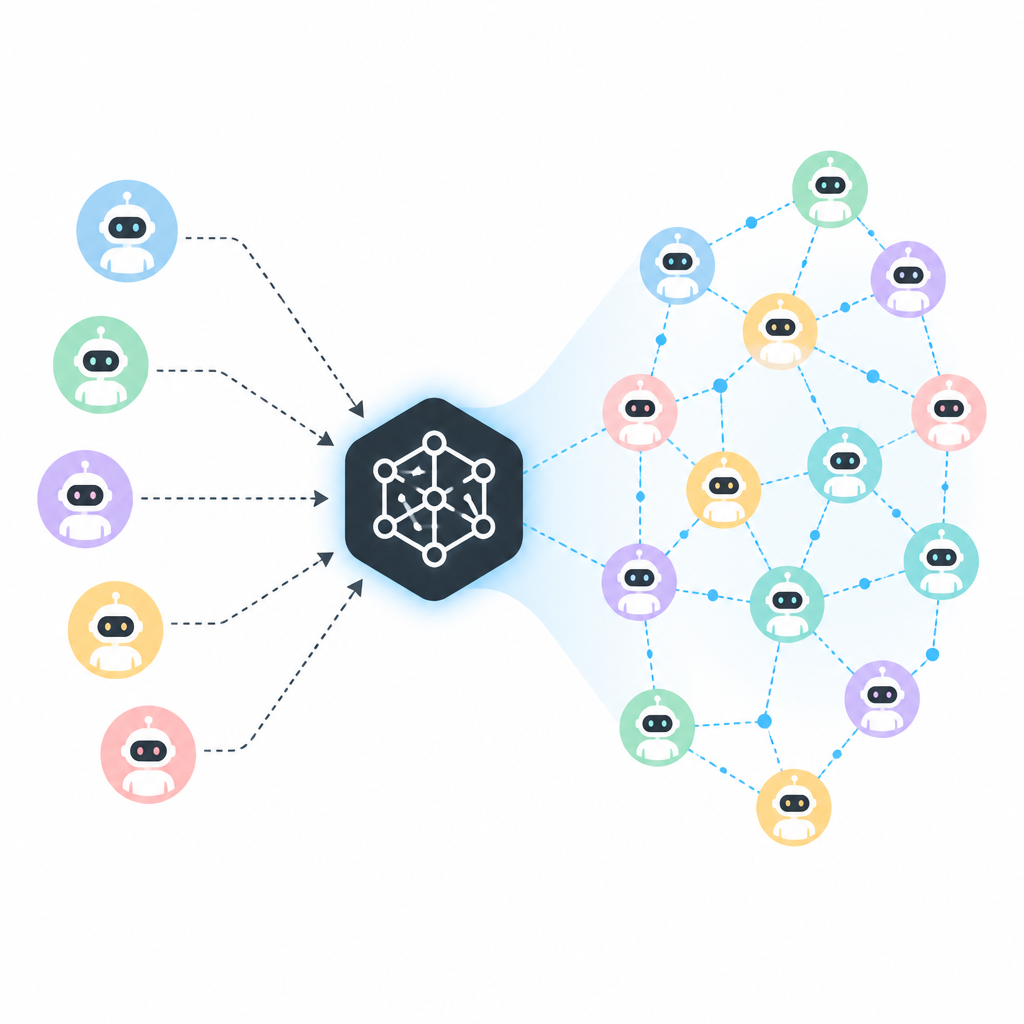
Ollama's write-up says K2.6 can scale horizontally to 300 sub-agents executing 4,000 coordinated steps. That is the flashiest line on the page, and honestly, it is also the one that tells me the most about what the system is trying to be. This is not a single-threaded assistant. It is a coordinator. It is supposed to break work apart, assign pieces, and bring the results back together.
What this actually means is that the model is being framed around decomposition. If I ask for a website, a spreadsheet, and a doc in one run, the system should not try to do everything in one linear pass. It should split the task, let different sub-agents handle different parts, then merge the output. That is the only way these big autonomous workflows stop collapsing under their own weight.
I have seen this pattern in real use with code review automation. One agent checks syntax, another checks style, another checks security, and a coordinator decides what matters. That setup works better than one giant monologue because each subtask has a tighter job. Kimi K2.6's swarm framing sounds like the same idea pushed harder.
How to apply it: if you are building on top of Kimi K2.6, do not treat every request as one prompt. Break your own product into roles. Use one pass for planning, one for execution, one for verification. If the platform already supports orchestration, your job is to define the boundaries cleanly so the swarm does not waste time re-deriving obvious things.
Persistent background work is the feature that changes how I schedule things
The source page says K2.6 demonstrates strong performance in powering persistent, 24/7 background agents that proactively manage schedules, execute code, and orchestrate cross-platform operations without human oversight. That is the line that makes this feel less like a demo and more like infrastructure.
What this actually means is the model is being pitched for jobs that do not end when the prompt ends. Think monitoring a queue, nudging a deployment, checking a calendar, or kicking off a script when a condition changes. I care about this because most assistants are terrible at continuity. They are stateless in practice, even when the wrapper pretends otherwise.
I ran into this with a support triage workflow. The model could classify incoming issues, but it could not keep following through when a case needed a second check later in the day. That is where a persistent agent matters. If Kimi K2.6 can actually stay on watch, then it moves from “helpful” to “operational.”
How to apply it: define a wake-up condition, a task boundary, and a stop rule. Background agents become dangerous when they are vague. Give them exact triggers like “new issue tagged blocker,” “build failed on main,” or “meeting starts in 15 minutes.” Then tell them what they are allowed to do and what requires a human reply.
The Ollama wrapper is the part that makes this usable now
I do not care how impressive a model card sounds if I cannot wire it into my existing stack. Ollama makes this much more practical because it gives me a familiar path: CLI, HTTP API, Python, JavaScript, and integrations with tools like Claude Code, Codex, OpenCode, and OpenClaw. The page also shows the exact run and API snippets for kimi-k2.6:cloud.
What this actually means is I can test the model without rebuilding my workflow around it. I can hit the local Ollama server at http://localhost:11434, swap in the model name, and start measuring output quality against tasks I already know. That is the difference between “interesting” and “I can ship this.”
I like that Ollama keeps the entry point boring. Boring is good. Boring means I can compare models without rewriting the app. It means I can script a benchmark, run the same prompt across a few systems, and see which one actually handles long-form work without melting down.
How to apply it: use the same message format you already use in Ollama. Keep the first test small. Ask for a file change, a short UI, or a single automation step. Then increase complexity only after you see whether the model respects the instructions and the output format.
The template you can copy
# Kimi K2.6 task prompt template

You are working as an autonomous coding and orchestration agent.

## Goal
[State the end result in one sentence.]

## Context
- Project: [name]
- Stack: [frameworks, languages, versions]
- Files or assets: [paste paths, snippets, or image references]
- Constraints: [performance, style, compatibility, deadline]

## What to do
1. Inspect the provided context.
2. Break the work into clear subtasks.
3. Execute the subtasks in order.
4. Verify the result against the constraints.
5. Report what changed and what still needs human review.

## Rules
- Do not invent missing requirements.
- Preserve existing public APIs unless told otherwise.
- If a choice is ambiguous, explain the tradeoff and pick the safest option.
- Keep output structured and concise.

## Output format
Return:
- Plan
- Changes made
- Verification
- Follow-up risks

## Example use for code
Refactor the auth flow in these files: [paste files]. Keep behavior stable, add tests, and summarize any migration risks.

## Example use for UI
Turn this screenshot and product brief into a responsive page. Preserve hierarchy, improve spacing, and output framework-ready code.

## Example use for orchestration
Monitor this condition: [trigger]. When it happens, run [action], log the result, and notify [channel/person].
That template is the part I would actually paste into a real workflow. It forces the model to think in steps, keeps the output structured, and gives you a place to define constraints before the agent wanders off. If Kimi K2.6 is as capable as the Ollama page suggests, this is the shape of prompt that will let you see it.
My advice is simple: test it on one annoying job before you trust the hype. Give it a real repo, a real design brief, or a real automation task. If it can hold context, coordinate work, and finish without hand-holding, you will know fast. If it cannot, you will know that too.
Source: https://ollama.com/library/kimi-k2.6. This breakdown is my own read of the Ollama model page and the snippets it exposes; anything beyond that page is my interpretation, not a claim from the source.
// Related Articles
- [AGENT]
SALA Boosts Long Context on Edge AI
- [AGENT]
Anthropic’s breach proves AI agents need hard security limits
- [AGENT]
GenAI.mil turns a scary prompt into a report
- [AGENT]
EPAM’s OpenAI deal turns pilots into production
- [AGENT]
Prompt engineering is overrated for Claude Code
- [AGENT]
Grok Build adds live previews and rewind fixes