MCP servers turn AI tools into connected workflows
MCP servers give AI apps a standard way to find tools, data, and prompts across systems without custom integrations.

MCP servers give AI apps a standard way to find tools, data, and prompts across systems.
Mural’s explanation of MCP servers lands on a simple point: AI gets much more useful when it can move across apps without losing context. The company says the Model Context Protocol was introduced by Anthropic in November 2024, and its own Mural MCP Server is built to plug collaboration into that flow.
That matters because teams now use AI in planning tools, docs, project trackers, and chat apps all at once. If every handoff needs a custom connector, the workflow slows down fast.
| Concept | What it does | Source detail |
|---|---|---|
| MCP | Standard interface for AI apps to access tools and data | Open-source protocol |
| Anthropic launch | Introduced the protocol | November 2024 |
| Mural article audio | Length of the explainer | 5:14 min |
| Article date | Publication date | June 26, 2026 |
What an MCP server actually is
Get the latest AI news in your inbox
Weekly picks of model releases, tools, and deep dives — no spam, unsubscribe anytime.
No spam. Unsubscribe at any time.
An MCP server is the piece that exposes tools, resources, prompts, or structured data to an AI app through the Model Context Protocol. Think of it as a common interface that lets an AI client discover what is available, ask for it, and use it without a one-off integration for every system.
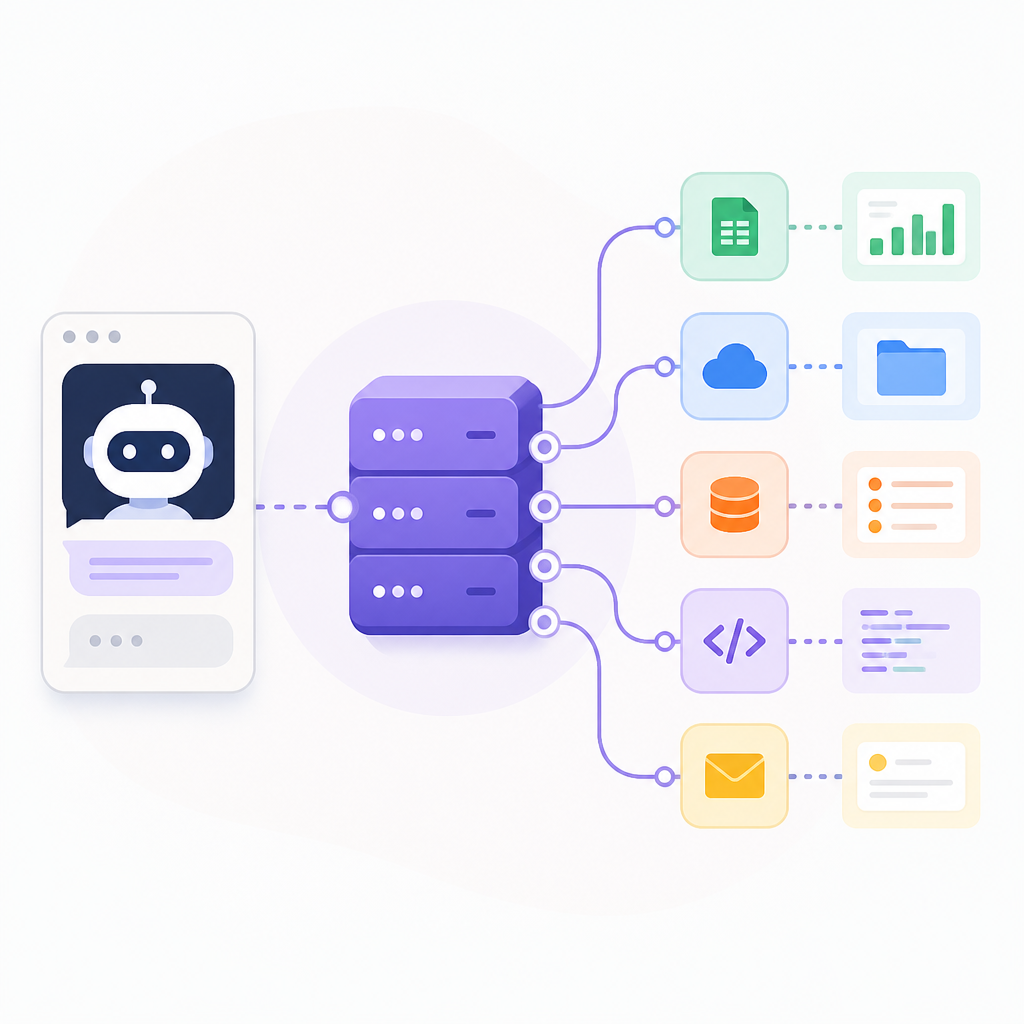
Mural frames this as a bridge between AI applications and external systems. That is the useful part: the server does not replace the app or the data source. It makes them easier to connect in a repeatable way.
In practice, that means an assistant can pull from a knowledge base, check a project tracker, and keep the thread of a task alive while moving between systems. The value is less about raw automation and more about continuity.
- AI apps can discover available tools through one protocol
- Teams avoid rebuilding connectors for every workflow
- Shared context survives more handoffs between systems
- Different products can participate in the same workflow
Why MCP exists in the first place
The reason MCP exists is painfully familiar to anyone who has built integrations: every app wants its own connector, and every connector needs maintenance. Before MCP, teams often had to wire up custom paths between models, apps, and data sources, then keep those paths working as software changed.
Anthropic introduced MCP in 2024 to make those connections more standardized. That is a practical move, not a flashy one. Standardization lowers the number of special cases developers have to support, which matters a lot when AI tools are spreading across an organization.
“Model Context Protocol is an open standard that enables developers to build secure, two-way connections between data sources and AI-powered tools.” — Anthropic
That quote gets to the heart of the protocol. MCP is about making AI systems aware of the tools and data around them, without forcing every team to invent a new integration pattern from scratch.
How MCP servers differ from APIs and clients
APIs and MCP servers both move data, but they do different jobs. An API usually exposes a specific service or function. An MCP server sits above that layer and helps AI applications discover what tools exist, what data they can access, and how to use them in a consistent way.
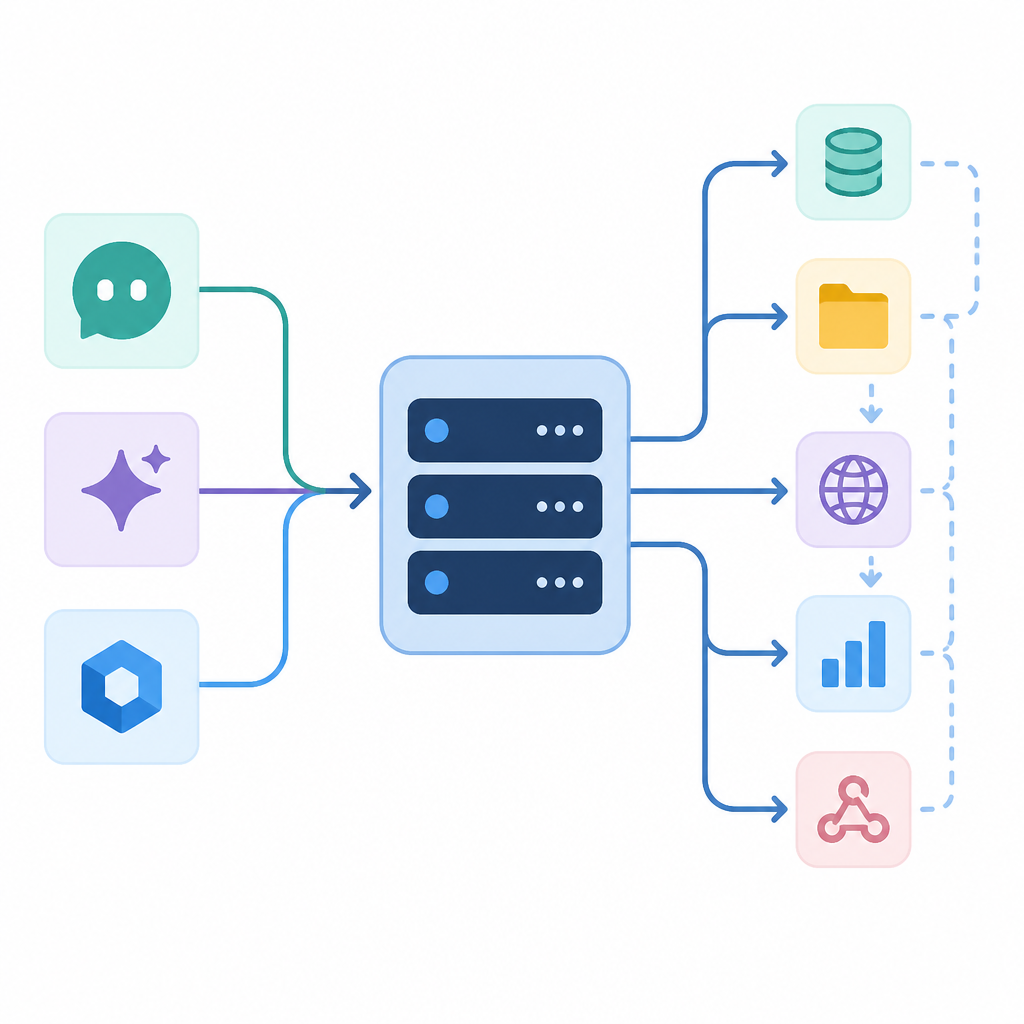
The client-server split matters too. An MCP client asks for tools or information. An MCP server makes those capabilities available. In the real world, Cursor or Claude Desktop can act as clients, while a GitHub repo, knowledge base, or collaboration platform can expose MCP endpoints as a server.
- APIs expose functions or data
- MCP servers expose tools, prompts, and resources to AI apps
- MCP clients request those capabilities
- Both patterns can live side by side in the same stack
That distinction matters for developers. If an API is the plumbing, MCP is the standard socket that lets AI systems plug into the plumbing with less custom work.
Why this matters for real AI workflows
The biggest benefit shows up when AI work spans multiple apps. A product team might brainstorm in Mural, store decisions in docs, assign tasks in a project tracker, and use an assistant to summarize the whole thing. Without a protocol layer, every hop risks dropping context.
Mural’s article makes this point clearly: disconnected systems create repetitive prompts, duplicated effort, and fragmented coordination. MCP servers reduce that friction by giving AI tools a shared way to access information and act on it across systems.
Here is a simple example of the workflow problem MCP tries to solve:
- An assistant reads notes from a planning board
- It checks task status in a project tool
- It updates a document with the latest decisions
- It keeps the same thread of context across all four steps
That is why MCP matters more as AI adoption spreads. The more tools a team uses, the more expensive it becomes to keep context aligned by hand.
The real comparison is coordination, not automation
People often talk about AI in terms of automation, but MCP is more about coordination. It helps AI systems share state, exchange information, and stay aware of what happened in other tools. That makes workflows more consistent, especially in organizations that mix collaboration software, planning tools, and operational systems.
Mural points to its own Product Roadmap Template as one place where shared planning can help teams align dependencies and execution. That is a good example because roadmap work breaks down fast when notes live in one app, tasks live in another, and decisions live in a third.
For teams comparing approaches, the practical question is simple: do you want isolated AI actions, or do you want AI that can keep its bearings across systems? MCP pushes toward the second option.
That also explains why adoption is picking up. As organizations add more AI tools, they need fewer isolated demos and more shared infrastructure that can keep those tools talking to each other.
What to watch next
MCP servers will matter most in places where context is expensive to recreate: product planning, research, operations, and cross-team collaboration. If your AI stack already depends on multiple apps, the next step is not adding another assistant. It is deciding which systems should expose MCP and which ones should consume it.
The practical test is whether your team spends time re-entering the same information across tools. If the answer is yes, MCP is worth a serious look. If the answer is no, you may not need it yet.
The real question now is which vendors will make MCP support a default part of their AI products, because that will decide how quickly connected workflows become normal instead of special-case engineering.
// Related Articles
- [AGENT]
Agent Plugins 1.0.0 turns skills into folders
- [AGENT]
FaithEyes lets you train tool-faithful vision agents
- [AGENT]
Connect Qwen 3.8 Max to CLI Agents
- [AGENT]
Fine-tune a small LLM for legal labeling
- [AGENT]
SALA Boosts Long Context on Edge AI
- [AGENT]
Anthropic’s breach proves AI agents need hard security limits