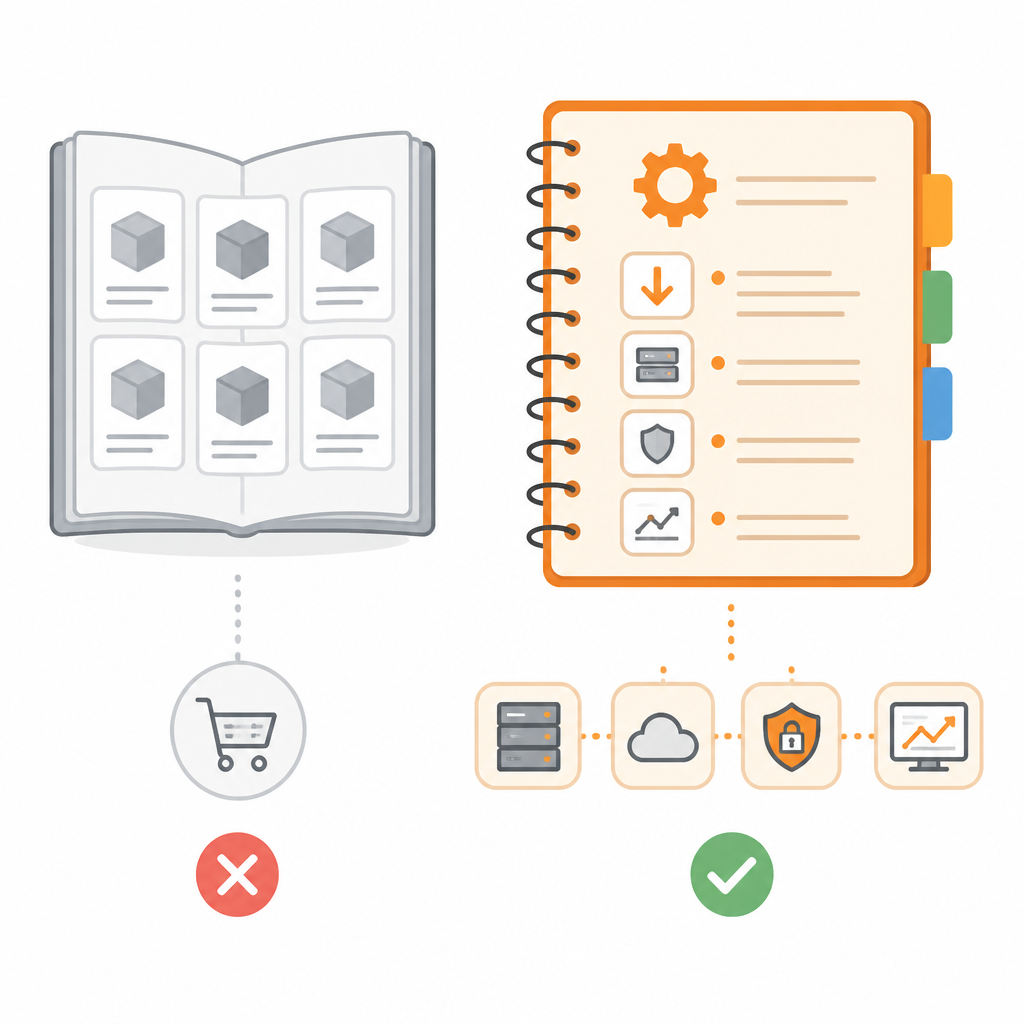
Mistral’s model docs are a deployment manual, not a catalog
Mistral’s model docs are built to help teams deploy the right model, not just browse a list.

Mistral’s model docs are built to help teams deploy the right model, not just browse a list.
Mistral’s model documentation is not a marketing catalog; it is a practical operating guide for choosing, tuning, and deploying models across cloud providers and Mistral Compute. That matters because the page is organized around decisions engineers actually make: model selection, latency, cost, benchmark comparison, deployment targets, and best practices. The latest lineup reinforces the point. Mistral Medium 3.5 Open is framed for agentic and coding work, Mistral Small 4 Open unifies instruct, reasoning, and coding, Voxtral Mini Transcribe Realtime targets live transcription, Voxtral TTS handles multilingual voice cloning, and OCR 3 Premier powers document AI. This is not a shelf of names. It is a set of workload-specific tools with deployment paths attached.
The docs are optimized for choosing the right model fast
Get the latest AI news in your inbox
Weekly picks of model releases, tools, and deep dives — no spam, unsubscribe anytime.
No spam. Unsubscribe at any time.
The strongest signal in the docs is the model selection guide, which sits beside the overview and deployment pages instead of being buried in a footnote. That placement is deliberate. It tells teams to start with the task, then map to the model, not the other way around. For an engineer, that is the difference between wasting cycles on a general-purpose benchmark chase and landing on a model that fits the actual latency, cost, and quality envelope of the product.

The page also names the criteria that matter: task requirements, latency constraints, and cost targets. That is the right triad. A model with a better benchmark score is useless if it misses response-time budgets or blows up inference spend. By putting those constraints in the selection flow, Mistral is teaching teams to treat model choice as an engineering tradeoff, not a leaderboard contest.
Deployment is the real product here
The deployment section is the most revealing part of the docs because it explicitly covers cloud providers and Mistral Compute. That changes the meaning of the page. It is not just telling users what exists; it is telling them where the model can run and how to operationalize it. For teams shipping production systems, deployment support is not a nice extra. It is the difference between a model demo and a dependable service.
This emphasis fits the current model lineup. A frontier-class multimodal model for agentic workflows, a hybrid reasoning and coding model, and real-time audio products all imply different runtime needs. A docs page that stops at specs would fail those users. Mistral instead connects model identity to deployment surface, which is exactly what product teams need when they are deciding whether to host on a cloud provider, move to Mistral Compute, or standardize on a model family for multiple workflows.
Benchmarks matter, but only when paired with best practices
Mistral’s docs do something many model vendors still avoid: they pair benchmarks with best practices for prompt engineering, sampling, and evaluation. That combination is critical. A benchmark table tells you what won in a controlled test. Best practices tell you how to make the model behave in your system. Without that second layer, teams end up overfitting to a demo prompt and underinvesting in evaluation discipline.
The inclusion of prompting and sampling guidance also signals that Mistral expects users to squeeze value out of the model through configuration, not just raw capability. That is the right posture for production AI. The best model for a use case is rarely the one with the biggest headline score; it is the one that responds predictably under your prompt format, sampling settings, and quality checks. Documentation that teaches those knobs is more useful than documentation that only celebrates benchmark wins.
The counter-argument
The opposing view is straightforward: model pages should stay simple, and too much emphasis on deployment and tuning can overwhelm users who only want a quick overview. There is truth in that. A team exploring options for the first time often wants a clean comparison table, a short feature list, and a few benchmark numbers. If a docs site turns into a mini platform handbook, it can feel heavier than necessary.
There is also a valid concern that deployment guidance can age quickly. Cloud targets change, model versions ship often, and best-practice advice can drift as workloads evolve. A documentation page that tries to do everything risks becoming stale in the parts that matter most to operators.
That objection does not defeat Mistral’s approach. It defines its limit. Model docs that stop at discovery help with browsing, but they do not help with adoption. Mistral is right to bias the page toward deployment, selection, and evaluation because those are the steps where teams either ship or stall. A lightweight overview is useful only if it leads to an executable path. Here, it does.
What to do with this
If you are an engineer, use Mistral’s docs the way they are intended: start with the workload, compare latency and cost against benchmark claims, then validate prompt and sampling settings before you commit to deployment on a cloud provider or Mistral Compute. If you are a PM or founder, treat the docs as a buying signal. A vendor that documents selection, deployment, and evaluation this clearly is signaling that it expects production use, not casual experimentation. Build your shortlist around that standard.
// Related Articles
- [TOOLS]
DeepSeek V4 Flash turns Agent work cheap
- [TOOLS]
GPT-5.6 Sol cuts GPU costs 20%
- [TOOLS]
Astra Turns a Math Post Into a Model Launch
- [TOOLS]
OpenAI’s API changelog adds spend caps, transcribe, and Fast mode
- [TOOLS]
Windsurf’s IntelliJ plugin is a shortcut, not a strategy
- [TOOLS]
SWE-1.7 free preview lands in Devin Desktop