Oracle OKE’s Kubernetes support schedule, explained
Oracle OKE now supports three Kubernetes versions for new clusters, with older versions dropping off after new releases.
Oracle OKE supports three Kubernetes versions for new clusters and retires older ones on a rolling schedule.
Oracle Cloud Infrastructure’s Kubernetes Engine support policy is simple on paper and unforgiving in practice: when Oracle adds support for a new Kubernetes version, an older one eventually loses support. The current table includes versions 1.32 through 1.36, with several release notes that matter if you run production clusters.
| Kubernetes version | OKE status | Notable date or requirement |
|---|---|---|
| 1.36.0 | Preview only | Available in OC1 only; production should wait for 1.36.1 |
| 1.35 | Supported | Requires OL8 or later with cgroups v2 enabled |
| 1.34.1 | Supported | Oracle flags upstream issues fixed in 1.34.2 |
| 1.33.1 | Supported | Planned end date listed as 2026-06-08 |
| 1.32.10 | Supported | Listed with OKE end-of-life date of 2026-05-28 |
Oracle’s support window is short by design
Get the latest AI news in your inbox
Weekly picks of model releases, tools, and deep dives — no spam, unsubscribe anytime.
No spam. Unsubscribe at any time.
Oracle says Kubernetes Engine supports three versions of Kubernetes for new clusters. For at least 30 days after Oracle announces support for a new version, OKE keeps supporting the fourth-oldest available version, then drops it.
That policy matters because Kubernetes upgrades are not optional housekeeping. If you keep clusters on an older minor version for too long, you can run into unsupported node images, blocked upgrades, or version-specific behavior changes that only show up when you are already under pressure.
Oracle also recommends using the newest supported Kubernetes version when creating a new cluster, and moving existing clusters up as soon as Oracle announces support for a newer release. That advice is boring, but it is the kind of boring that saves outage pages later.
- OKE supports 3 Kubernetes versions for new clusters.
- The fourth-oldest version stays supported for at least 30 days after a new announcement.
- Oracle lists 1.36.0 as preview-only, not production-ready.
- The support table currently spans 1.32 through 1.36.
Version 1.35 changes the node image story
The most operationally important note in the document is for Kubernetes 1.35. Starting with that release, Kubernetes requires cgroups v2 for container resource management. That immediately changes what kind of worker node images you can use.
Oracle spells out the compatibility split clearly. OKE OL8 images with build number 1367 or higher have cgroups v2 enabled by default. Older OKE OL8 images can still work if you enable cgroups v2 yourself. OL7 images do not work with Kubernetes 1.35, and Oracle says the same for OL7 platform images and custom images based on OL7.
"Starting with Kubernetes version 1.35, Kubernetes requires cgroups v2 for container resource management." — Oracle Cloud Infrastructure documentation
If you are still running worker nodes on OKE OL7 images, Oracle says you cannot do an in-place upgrade to 1.35. You need an out-of-place upgrade to a supported OL8 image or custom OL8 image. That is the kind of detail that turns a routine version bump into a maintenance window with real planning.
There is also a subtle but important distinction between image families. Oracle supports OKE OL8 images and custom images based on them, but only when the cgroups v2 requirement is satisfied. Platform images are treated differently, and the docs explicitly exclude OL7 platform images from 1.35 support.
- 1.35 requires OL8 or later with cgroups v2 enabled.
- OKE OL8 images with build 1367+ enable cgroups v2 by default.
- OL7 images are not supported for 1.35.
- In-place upgrades from OKE OL7 to 1.35 are not allowed.
Preview releases are available, but Oracle limits them hard
Oracle marks several entries in the table as preview releases, including 1.36.0, 1.35.0, 1.34.0, and 1.33.0. These are early-access releases intended for testing, and Oracle says they are only available in the OC1 realm.
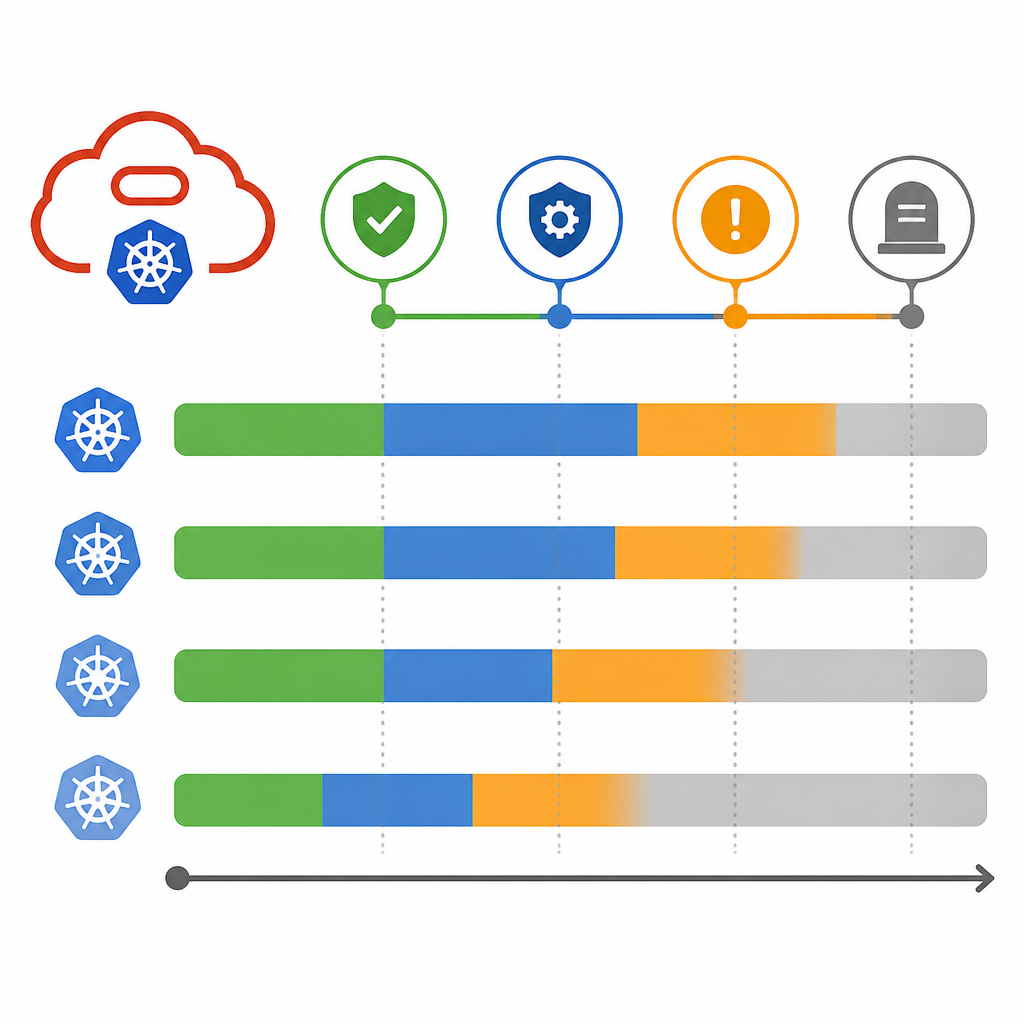
That is a practical warning, not a footnote. If your environment depends on a preview build, you are accepting limited support and a shorter path to production. Oracle repeatedly tells users to wait for the production release that follows, such as 1.36.1 after 1.36.0 or 1.35.1 after 1.35.0.
The 1.34.1 notes are even more detailed. Oracle says upstream issues in 1.34.1 are addressed in 1.34.2, and recommends thinking carefully before upgrading if those issues would affect your environment. In some cases, Oracle recommends staying on 1.33 or earlier until 1.34.2 is available in production.
That kind of guidance is useful because it shows Oracle is not treating every patch as equal. Some releases are more stable choices than others, and the document gives you a reasoned path instead of a blind upgrade order.
There are real behavior changes hidden in the patch notes
The 1.34.1 notes include another change that operators will care about: CRI-O now enforces fully qualified image names by default. In plain English, that means short image names like nginx can fail if multiple registries match.
Oracle’s example is concrete. Use docker.io/nginx instead of nginx if you want to avoid ambiguity. If you need short names, Oracle points to a custom cloud-init script that disables the enforcement on worker nodes.
This matters because image pull failures can look like random runtime noise until you trace them back to a policy change in the container runtime. The error message Oracle shows is the kind of thing that can waste a lot of time if you do not know what changed upstream.
- CRI-O short-name enforcement is enabled by default in 1.34.1.
- Fully qualified image names reduce ambiguity across registries.
- Oracle provides a cloud-init workaround for teams that need short names.
- 1.34.2 is the safer target if 1.34.1’s upstream issues affect you.
For teams tracking Oracle infrastructure updates, this page is less about a static compatibility chart and more about upgrade discipline. The pattern is clear: stay close to the newest supported version, watch preview labels carefully, and treat node image requirements as part of the upgrade plan, not an afterthought.
If you run OKE in production, the most important question is whether your current node images and Kubernetes minor version are still inside Oracle’s support window. If the answer is no, your next maintenance cycle should be an upgrade plan, not a debate.
// Related Articles
- [IND]
Google’s Q2 2026 results prove AI spend is now the story
- [IND]
AI regulation in India is now a business risk
- [IND]
Europe should standardise the AI Act through harmonised technical rul…
- [IND]
AMD and Anthropic’s 2GW deal reshapes AI supply
- [IND]
OpenAI’s comeback proves coding now drives the AI race
- [IND]
System design interviews get easier with 5 core ideas