Awesome-LLM turns LLM research into a map
A practical breakdown of Awesome-LLM, plus a copy-ready template for curating models, papers, tools, and evals.

Before: scattered LLM links everywhere; after: one curated map you can actually use.
I've been using LLM bookmarks the same dumb way for months: a pile of tabs, a few saved tweets, a half-dead Notion page, and a GitHub star list that turned into a junk drawer. Every time I needed a paper, an inference library, or a benchmark, I ended up re-searching the same stuff. And worse, I kept finding the same names in different places without any sense of what mattered now versus what mattered in 2023. That's the part that made me annoyed. Not because the information wasn't out there, but because it was all disconnected, and my brain was doing the glue work.
Then I landed on Hannibal046's Awesome-LLM, a curated GitHub list that tries to hold the whole LLM stack in one place. It isn't trying to be clever. It is just aggressively useful: milestone papers, data, evaluation, training frameworks, inference, applications, tutorials, books, and a grab bag of links around the ecosystem. The repo description says it has "papers about large language models, especially relating to ChatGPT," plus frameworks, tools, courses, and publicly available checkpoints and APIs. That's the hook. A single index for a field that keeps exploding into smaller and smaller piles.
What I think this repo is really doing
Get the latest AI news in your inbox
Weekly picks of model releases, tools, and deep dives — no spam, unsubscribe anytime.
No spam. Unsubscribe at any time.
Here is a curated list of papers about large language models, especially relating to ChatGPT. It also contains frameworks for LLM training, tools to deploy LLM, courses and tutorials about LLM and all publicly available LLM checkpoints and APIs.
What this actually means is: this repo is not a reading list, and it is not a link dump. It is a navigation layer. That sounds boring until you try to work in LLM land without one. Then it becomes obvious that the biggest problem is not lack of content, it's lack of orientation. I can find a paper in ten seconds. I can also waste an hour deciding whether I should be reading a paper, a benchmark, a training framework, or a deployment tool.
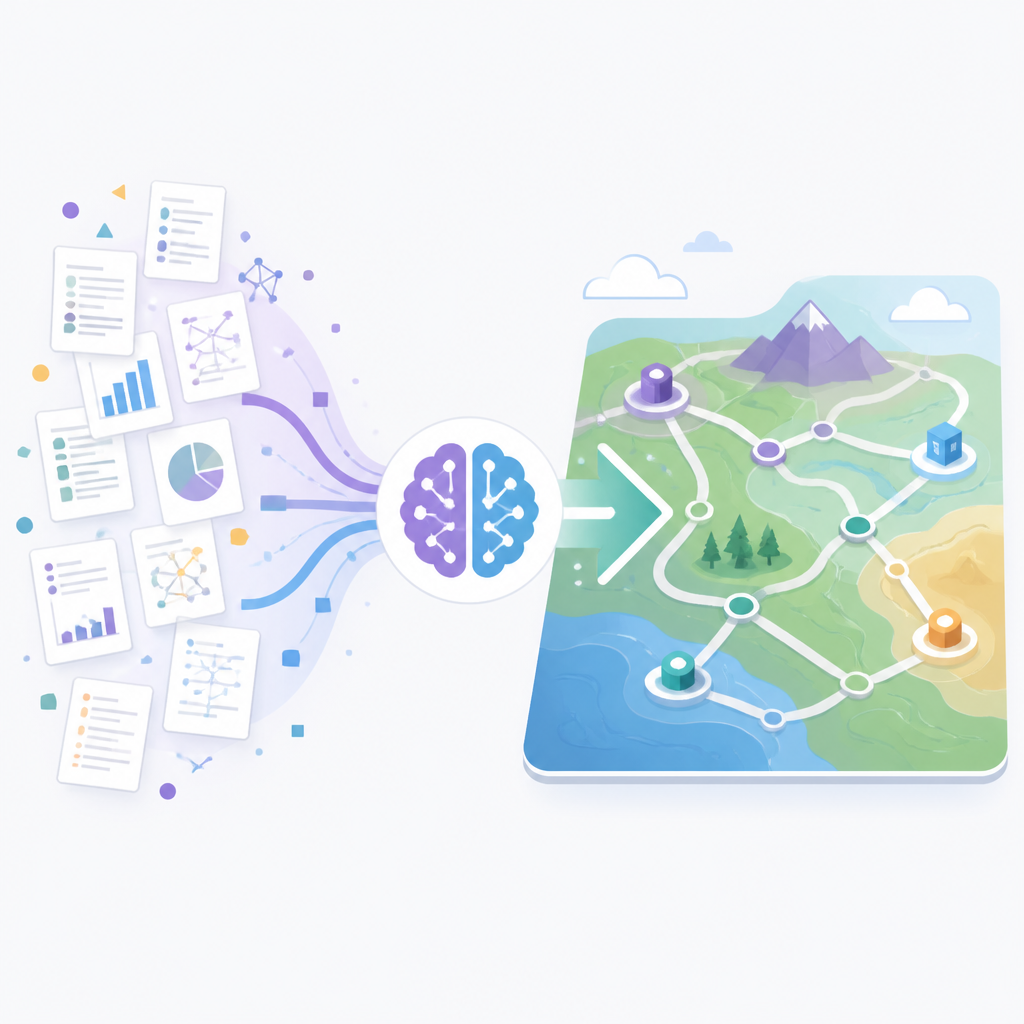
I like that the repo is opinionated enough to sort the world into buckets. It tells me, in plain terms, where to look if I want history, implementation, evaluation, or application. That matters because LLM work is weirdly non-linear. You do not learn it by reading one canonical textbook and moving on. You keep bouncing between architecture, training recipes, inference tricks, and product constraints. A list like this is basically an index for that bouncing.
I ran into this exact problem when I was trying to explain to a teammate why one model felt "better" even though the benchmark numbers were close. I had the model card, the paper, and the deployment notes, but I didn't have a clean way to trace the surrounding context. A curated map would have saved me from pretending I had a coherent answer.
The milestone papers section is a timeline, not a trophy case
The Milestone Papers table starts with Attention Is All You Need and runs through GPT-1, BERT, GPT-2, Megatron-LM, T5, ZeRO, scaling laws, GPT-3, Switch Transformers, Codex, FLAN, WebGPT, Retro, Gopher, Chain-of-Thought, LaMDA, and Minerva. The repo is basically saying: here are the papers that changed the shape of the work, in rough historical order.
What this actually means is that the list is teaching you the sequence of ideas, not just the names. If you read it top to bottom, you can see the field moving from architecture breakthroughs to scale, then to instruction tuning, retrieval, reasoning, and alignment. That sequence is more useful than a random list of "important papers" because it gives you a mental model for why today’s LLM stack looks the way it does.
I think a lot of people mess this up. They jump straight to the shiny current model and then act surprised when they don't understand why retrieval matters, why sparse experts exist, or why instruction tuning changed the user experience so much. The timeline fixes that. It tells the story of pressure: bigger models, less memory, better prompting, better fine-tuning, better human feedback, better reasoning.
If I were using this section in practice, I'd treat it like a reading path, not a checklist. Start with the architecture papers, then the scaling papers, then the prompting and instruction papers, and only after that move into alignment and retrieval. If you read them in random order, you end up with trivia. If you read them in sequence, you start seeing design tradeoffs.
- Use the timeline to answer “why did this technique appear?”
- Use it to identify the paper that introduced a concept before the marketing version swallowed it.
- Use it when you need to brief a teammate who knows models, but not the historical path.
For me, the best part is that the table includes dates and institutes. That gives just enough provenance to keep me honest without turning the repo into a bibliography swamp. I wish more lists did that instead of pretending every paper is equally relevant forever.
The rest of the repo is a stack, not a pile
After the milestone papers, the table of contents keeps going: other papers, leaderboard, open LLM, data, evaluation, training frameworks, inference, applications, tutorials and courses, books, thoughts, and miscellaneous. That structure matters. It mirrors the actual workflow of building with LLMs.
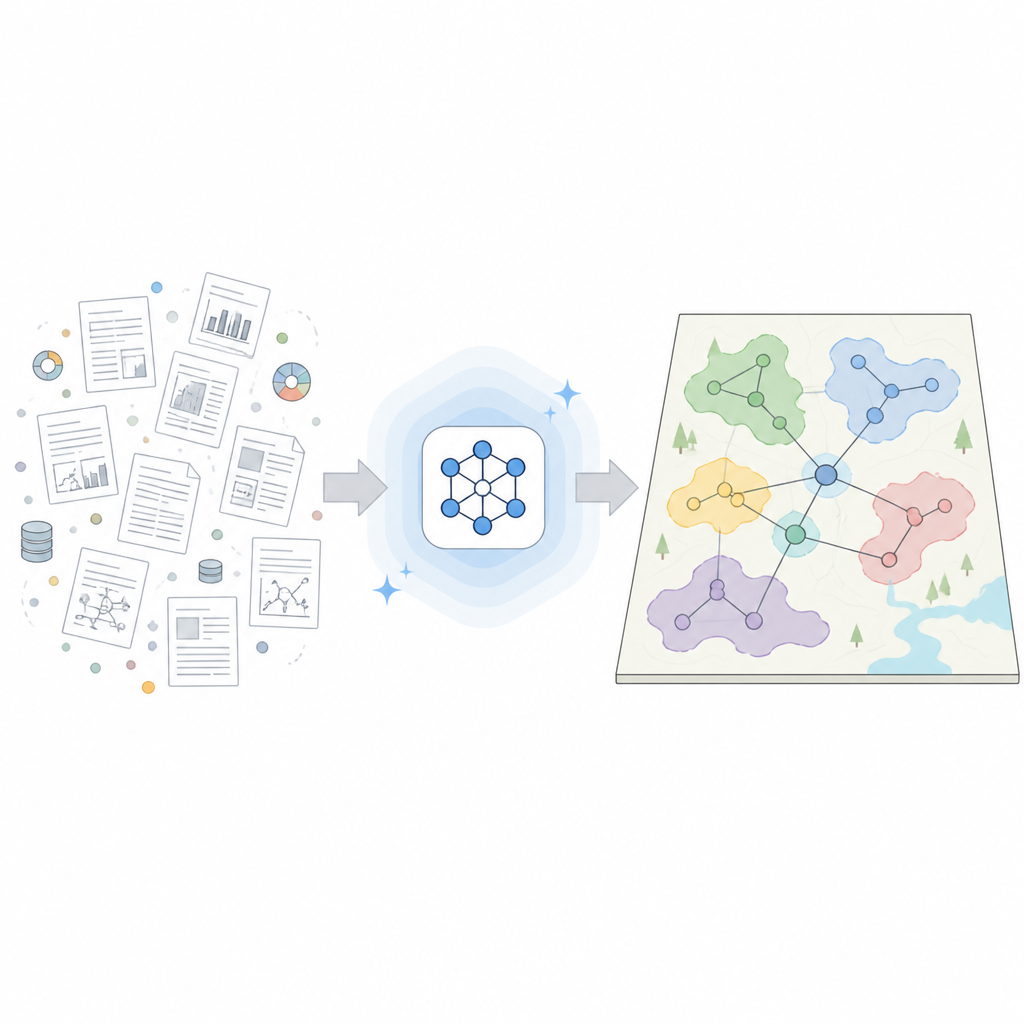
What this actually means is that the repo is organized around the questions you ask while building. First: what should I read? Then: what models exist? Then: what data and evals matter? Then: what framework should I train with? Then: how do I serve it? Then: what can I build with it? That is a sane progression, and honestly, it is rarer than it should be. A lot of resource lists are just buckets. This one behaves more like a working notebook.
I like that the repo doesn't pretend the ecosystem is stable. It has a "Trending LLM Projects" section near the top with items like TinyZero, open-r1, DeepSeek-R1, Qwen2.5-Max, OpenAI o3-mini, DeepSeek-V3, and Kimi-K2. That section is basically the repo admitting that the field moves fast and the index has to keep up.
How I would apply this: keep a similar top-level structure in your own internal docs. Don't make a single "LLM resources" page and call it done. Split it into history, current models, data, evaluation, training, inference, and deployment. If you are building a team wiki, this structure will save people from wandering around like they forgot why they opened the browser in the first place.
Why the data and evaluation buckets are the parts I trust most
In my experience, the most useful lists are the ones that force you to confront data and evaluation early. That is where a lot of LLM projects get fuzzy. People love model names. They love training recipes. They love posting demo videos. Then they get weirdly vague when you ask what data they trained on or how they measured whether the thing is any good.
What this actually means is that the repo's LLM Data and LLM Evaluation sections are not side notes. They are the sanity checks. If you are building anything serious, you need to know what data sources exist, what benchmarks are respected, and where the weak spots are. Otherwise you're just collecting model outputs and calling it engineering.
I ran into this when I was comparing two models for an internal tool. One looked better in casual testing, but its evaluation story was thin. Another had more boring demos but clearer benchmark coverage. Guess which one was easier to justify to the team? The one with the better evaluation trail. This repo nudges you toward that kind of discipline by making eval and data first-class categories instead of afterthoughts.
How to apply it in your own work:
- Document the data sources before you document the demo.
- Keep a short list of benchmark suites you actually trust.
- Write down what each evaluation does not measure, not just what it does.
If I were curating a team-facing version of this repo, I'd add a short note under every dataset and benchmark explaining the failure mode. Is it multilingual? Long context? Code? Safety? Reasoning? The point is not to be exhaustive. The point is to stop people from overclaiming because the chart looked nice.
Training and inference are where the mess gets real
The repo's LLM Training Framework and LLM Inference sections are where the abstraction gets punched in the face by reality. Training is where compute budgets, parallelism, memory tricks, and distributed systems show up. Inference is where latency, throughput, batching, quantization, and deployment constraints start bossing you around.
What this actually means is that the repo is useful not just as a learning resource, but as a bridge between research and production. A lot of people are comfortable talking about model quality. Fewer people are comfortable talking about serving costs, GPU memory, or how a training stack changes your iteration speed. The categories in Awesome-LLM remind you that those are not separate conversations.
I think this is the part of the list that helps the most when you're moving from "I read the paper" to "I need this to run at 2 a.m. without falling over." That's the moment where you stop caring about abstract elegance and start caring about whether the framework handles your hardware, whether the inference path is maintainable, and whether your team can debug it without a week of pain.
If you want to act on this section, make a short internal matrix with four columns: training framework, inference stack, supported hardware, and operational pain. That last column is the one people skip, and it is the only one that matters after the first incident.
Useful anchors for this part of the ecosystem include Hugging Face Transformers, vLLM, and DeepSpeed. Those are the kinds of tools the repo is trying to point you toward without pretending one tool solves everything.
Applications, tutorials, and books are the escape hatch
I used to think application lists were the least interesting part of these repos. I was wrong, or at least half wrong. The application and tutorial sections are where a lot of people actually get unstuck. Not because they need one more theory paper, but because they need a concrete example, a course, or a book that shows them how the pieces fit together.
What this actually means is that the repo understands a basic truth: not everyone arrives through research. Some people arrive through shipping. Some arrive through prompt engineering. Some arrive through a tutorial rabbit hole. A good curated list has to meet people where they are, or it becomes a museum.
I especially like that the repo includes LLM Tutorials and Courses and LLM Books alongside the more technical sections. That tells me the maintainer understands that learning LLMs is not one clean path. It is layered. You need the conceptual map, then the practical examples, then the deeper references when you want to stop copy-pasting and start understanding.
How to apply it: if you're building an internal enablement page, don't bury the beginner material underneath the advanced stuff. Put a short on-ramp next to the serious references. Give people a path from zero to useful. Otherwise they will open your docs once, get discouraged, and go back to searching random blog posts.
- Pair each advanced link with one beginner-friendly explainer.
- Keep one section for “how to start” and one for “how to go deeper.”
- Do not make people guess which resource is for which skill level.
That last point sounds small, but it is the difference between a resource library and a pile of homework.
The real lesson is how to curate without pretending to be complete
The strongest thing about Awesome-LLM is not breadth. It is the restraint. The repo doesn't try to prove it has every link on earth. It tries to be a living index that points to the right neighborhoods. That is a much better goal, and it is the one I would copy if I were maintaining a team resource page.
What this actually means is that curation is a product decision. You are deciding what people should see first, what should be grouped together, and what deserves a place in the main path versus the side alley. That is editorial work, not just collection work. And honestly, most internal docs fail because nobody wants to make those calls.
I have a lot more respect for a list that says "here are the important buckets, and here are the current projects worth watching" than for a giant archive that looks comprehensive but is impossible to use. Awesome-LLM is the former. It gives you enough structure to move, but not so much that it turns into bureaucracy.
If I were building my own version, I'd keep the same philosophy: one top-level map, a handful of high-signal sections, and a short trending list that gets refreshed often. No fluff. No fake completeness. Just enough shape to help people get oriented fast.
The template you can copy
# Awesome-LLM-style resource map

## What this page is for
A short, opinionated index of the resources my team actually uses for LLM work.

## 1) Milestone papers
- [Attention Is All You Need](https://arxiv.org/abs/1706.03762)
- [Improving Language Understanding by Generative Pre-Training](https://www.cs.ubc.ca/~amuham01/LING530/papers/radford2018improving.pdf)
- [BERT: Pre-training of Deep Bidirectional Transformers for Language Understanding](https://aclanthology.org/N19-1423.pdf)
- [Language Models are Few-Shot Learners](https://papers.nips.cc/paper/2020/file/1457c0d6bfcb4967418bfb8ac142f64a-Paper.pdf)
- [Chain-of-Thought Prompting Elicits Reasoning in Large Language Models](https://arxiv.org/abs/2201.11903)

## 2) Current models to watch
- [DeepSeek-R1](https://github.com/deepseek-ai/DeepSeek-R1)
- [DeepSeek-V3](https://github.com/deepseek-ai/DeepSeek-V3)
- [open-r1](https://github.com/huggingface/open-r1)
- [TinyZero](https://github.com/Jiayi-Pan/TinyZero)
- [Kimi-K2](https://github.com/MoonshotAI/Kimi-K2)

## 3) Data and evaluation
### Data
- Link to datasets we actually use
- One-line note on what each dataset is good for
- One-line note on what each dataset misses

### Evaluation
- Link to benchmarks we trust
- One-line note on the failure modes
- One-line note on when a benchmark is misleading

## 4) Training and inference
### Training frameworks
- [DeepSpeed](https://github.com/deepspeedai/DeepSpeed)
- [PyTorch](https://github.com/pytorch/pytorch)
- [Hugging Face Transformers](https://github.com/huggingface/transformers)

### Inference stacks
- [vLLM](https://github.com/vllm-project/vllm)
- [Text Generation Inference](https://github.com/huggingface/text-generation-inference)
- [llama.cpp](https://github.com/ggerganov/llama.cpp)

## 5) Applications
- Internal copilots
- Search and retrieval
- Code assistants
- Document workflows
- Agentic tools

## 6) Tutorials and books
- One beginner tutorial
- One practical course
- One deeper book

## 7) Maintenance rules
- Review trending links monthly
- Remove dead links
- Add a one-line reason for every new entry
- Keep the top section short
- Prefer structure over completeness

## 8) Copy rule for the team
If a link does not help someone decide what to read, build, or test next, it does not belong here.
That is the version I would actually hand to a team. It keeps the same spirit as Awesome-LLM, but it is scoped for work instead of fandom. And that is the real trick: don't copy the list. Copy the editorial discipline.
Source attribution: the original reference is https://github.com/hannibal046/awesome-llm. My breakdown is original commentary built from that repo's README and structure, not a line-by-line rewrite.
// Related Articles
- [TOOLS]
Microsoft 365 apps steer you to MAI models
- [TOOLS]
Docker Is the Right Default for MariaDB Setup
- [TOOLS]
11 Anthropic Skills That Make Codex Useful
- [TOOLS]
Claude Code’s hidden checks expose a bad habit
- [TOOLS]
Claude Fable 5 Gets Access Back in the US
- [TOOLS]
RustRover 2026.1.4 is the right default IDE for Rust teams