Databricks Model Serving turns LLM deploys simpler
I break down Databricks Model Serving and give you a copy-ready deployment template for LLM endpoints.

This breaks down Databricks Model Serving and gives you a copy-ready LLM deployment template.
I've been around enough model deploys to know when something is pretending to be simpler than it is. Databricks Model Serving had that smell for me at first. The pitch sounded clean: point a model at an endpoint, let the platform handle the rest, move on with your life. Nice in theory. In practice, I kept running into the usual junk: version drift, hand-built wrappers, weird autoscaling behavior, and the classic “why is the inference stack now everybody’s problem?” moment.
What finally made me pay attention was the mismatch between training and serving. Training can be messy and slow. Serving is where the model gets judged every second. If the endpoint is flaky, the model doesn’t matter. If latency spikes, users don’t care that your notebook was elegant. I wanted to know whether Databricks Model Serving, now called Mosaic AI Model Serving, actually reduces that operational burden or just moves it somewhere else. The Flexera piece I’m breaking down here is useful because it doesn’t just pitch the feature, it walks through pricing, limits, and the boring parts that usually get skipped.
I’ve seen too many teams ship a model and then spend the next month building the serving system around it. That’s the part I wanted to unpack.
Source anchor: this breakdown is based on Pramit Marattha’s Flexera post, How to: Deploy LLMs with Databricks Model Serving (2026), originally published from the Chaos Genius blog after Flexera acquired Chaos Genius.
Stop treating serving like a notebook extension
Get the latest AI news in your inbox
Weekly picks of model releases, tools, and deep dives — no spam, unsubscribe anytime.
No spam. Unsubscribe at any time.
“Deploying a trained ML model is a different problem from training one.”
What this actually means is that most teams mentally lump training and inference together until production punches them in the face. Training tolerates batch jobs, retries, and long runtimes. Serving does not. Serving has to answer fast, stay up, and survive traffic spikes without your team babysitting it.
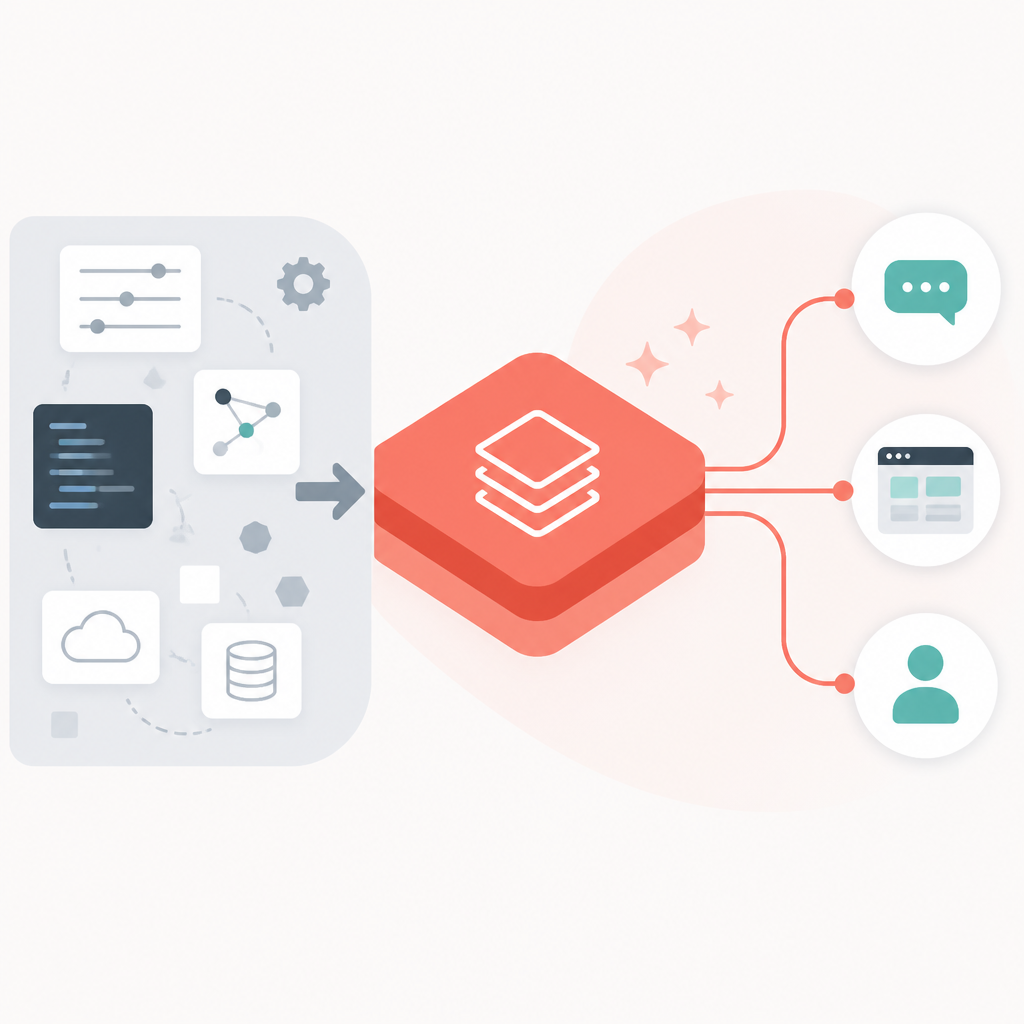
I ran into this exact issue on a recommendation system where the training stack was clean and the serving stack was a patchwork of scripts, container configs, and one-off fixes. The model was good. The endpoint was the problem. Every deploy felt like a small systems migration. That’s why Databricks Model Serving matters: it tries to make serving a first-class product instead of a side quest.
Databricks’ own docs frame the service as a managed way to deploy models directly inside the platform. Flexera’s article says the service is now officially called Mosaic AI Model Serving and was announced generally available in 2023. The important part is not the rename. It’s the integration with the MLflow Model Registry. If your model already lives in MLflow, you’re not copying artifacts around or inventing a second source of truth just to serve it.
How to apply it: stop asking “how do I deploy this model?” and start asking “what does a production inference contract need?” That contract should include versioning, rollback, latency expectations, access control, and monitoring. If your current path doesn’t answer those questions, you don’t have a serving system yet. You have a demo.
The registry is the real shortcut, not the endpoint button
The Flexera post makes a point I wish more platform docs made louder: the registry is doing a lot of the heavy lifting. When a model is tracked through experimentation, staging, and production in MLflow, serving becomes promotion, not reinvention.
That matters because people love to talk about “deploying models” as if the hard part is clicking deploy. Nope. The hard part is keeping model versions straight, knowing which artifact is live, and being able to roll back when the new model starts acting weird. The registry handles versioning and rollback. Serving handles inference. That separation is healthy.
Here’s the practical payoff. If you’re using MLflow, your model lifecycle already has a shape:
- train and log the model
- register the version
- promote it to staging
- test it under realistic traffic
- move it to production
Databricks Model Serving plugs into that flow instead of asking you to rebuild it elsewhere. That’s a big deal for teams that are already living in Databricks notebooks, jobs, and Unity Catalog. Less glue code, fewer sync bugs, fewer “which artifact is this endpoint actually using?” conversations in Slack.
How to apply it: if your team is still exporting model files manually, stop. Put the model in MLflow, make the registry the source of truth, and only then wire serving on top. If you do it the other way around, you’ll end up with an endpoint that works until the next retrain, which is exactly when things get annoying.
Serverless is nice, but read the fine print
Flexera says Databricks Model Serving is serverless, and that’s true in the useful sense: for CPU-based custom models, you don’t provision infrastructure, and endpoints can scale to zero when idle. That’s the part people want. No cluster babysitting. No VM patching. No Kubernetes tax for a model that just needs to answer requests.
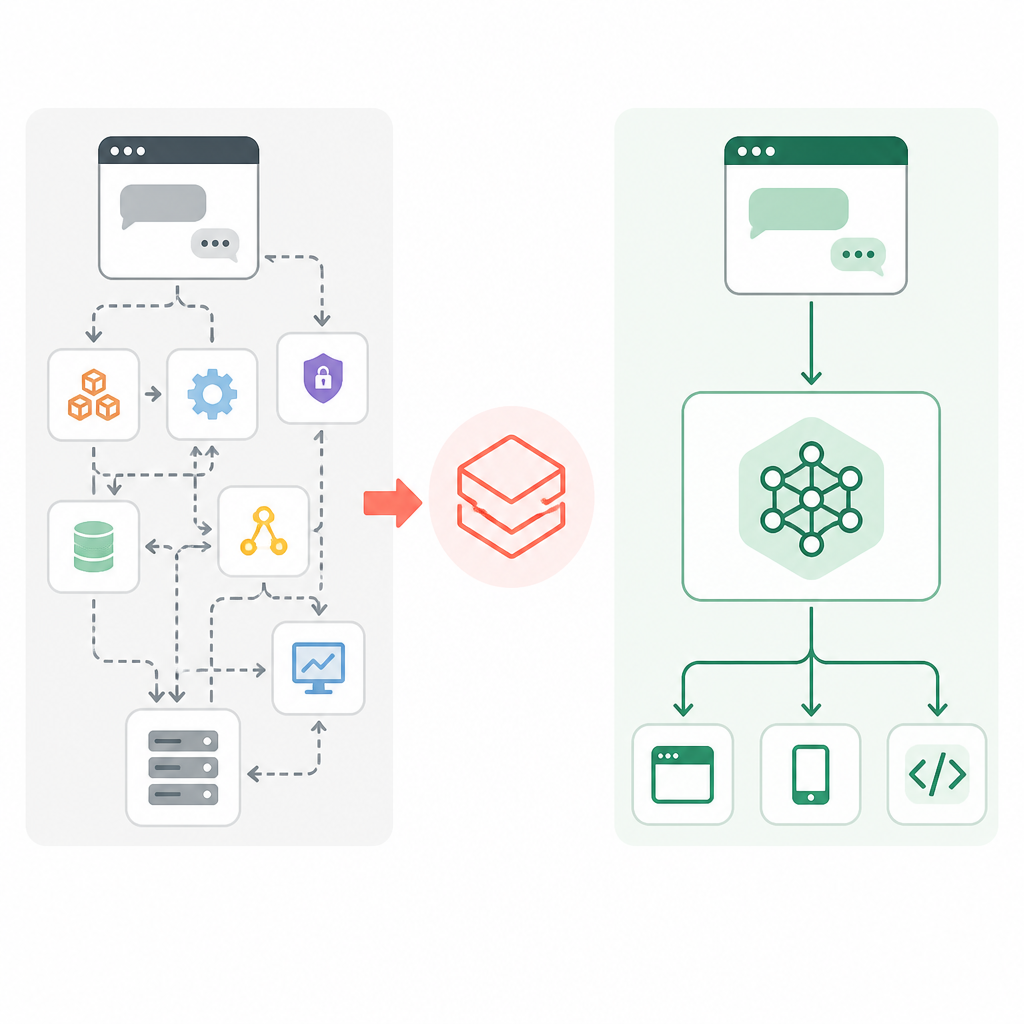
But I’d be sloppy if I stopped there. The article also notes the split between CPU endpoints and GPU endpoints with provisioned throughput. That distinction matters a lot. CPU endpoints are the easy serverless story. GPU provisioned throughput is more of a capacity reservation story. You get predictable latency and capacity, but you’re paying for reserved GPU capacity continuously.
This is where teams get themselves into trouble. They hear “serverless” and assume every workload is pay-only-when-used. That is not what’s happening for every endpoint type. If you’re serving a foundation model or another workload that needs reserved GPU capacity, you need to budget like an adult and not like a marketing slide.
How to apply it: use CPU serverless endpoints for lighter custom inference workloads and experimentation. Use provisioned throughput when latency guarantees matter more than idle cost. If you’re unsure, test both with real traffic patterns. I’ve seen people overpay for always-on GPU capacity because they assumed the word “serverless” covered everything. It doesn’t.
One interface is better than three half-broken ones
The strongest claim in the Flexera article is probably the simplest: Databricks gives you a unified deployment path across custom models, fine-tuned transformers, open-source checkpoints, and third-party foundation models. I like that because model diversity is real, but operational sprawl is optional.
Without a unified interface, teams usually end up with separate wrappers, separate deployment scripts, separate monitoring views, and separate failure modes. That’s a lot of surface area to maintain for something that should basically be “send input, get prediction.”
Databricks tries to collapse that into one API and one UI. The endpoint becomes the abstraction, not the model type. That’s a cleaner way to think about serving. You still have different cost profiles and hardware needs underneath, but your team doesn’t have to relearn the whole workflow every time the model class changes.
The article also points out centralized management and governance. That’s not fluff. If you can set rate limits, access controls, and monitoring from one place, you cut down on the kind of tool switching that wastes hours. I’ve had teams spend more time stitching together observability than actually validating model quality. That’s backwards.
- one control plane for multiple model types
- one place to manage access and limits
- one endpoint pattern for clients to call
How to apply it: define a single serving contract for your org, even if the underlying models differ. Standardize request and response shapes where possible. Standardize auth. Standardize logging. If you can make the endpoint look boring to consumers, you’ve done your job.
Real-time ML fails at latency before it fails at accuracy
The Flexera post does a good job spelling out the ugly bits of real-time ML: latency, throughput, real-time features, monitoring, deployment pipelines, versioning, data quality, and integration with existing systems. That list is basically a postmortem waiting to happen if you ignore it.
My take is simple: most production ML failures are not “the model was dumb.” They’re “the system around the model was slow, stale, or invisible.” A 500ms recommendation endpoint feels broken. A fraud model that waits on a slow feature lookup can literally lose money. A model that drifts silently is worse than one that’s obviously bad because nobody notices until users do.
Databricks’ integration with online feature stores and Vector Search is relevant here because real-time inference is only as fresh as the data behind it. If your features are stale, your predictions are stale. If your monitoring is weak, your model can rot in production while everyone congratulates themselves on “shipping AI.”
How to apply it: build the serving path with three questions in mind. How fast is it? How fresh is the data? How do I know when it’s wrong? If you can’t answer those three things before launch, do not call it production-ready.
Pricing is where the fantasy gets corrected
Flexera’s pricing section is the part I’d point every FinOps person to first. The article notes that pricing depends on cloud, region, and plan tier, and that the Standard tier is being retired, with Premium or Enterprise now the common path. That’s not a small footnote. It changes how teams budget and plan migrations.
The broader lesson is that serving costs are not just “model cost.” They’re shaped by usage mode. CPU endpoints can scale to zero. Pay-per-token foundation model endpoints bill based on usage. Provisioned throughput bills on reserved capacity. Those are very different economic models, and you need to match them to workload shape instead of pretending one pricing model fits all.
I’ve seen teams get burned because they optimized training spend and forgot that serving is where the recurring bill lives. Training happens occasionally. Serving happens every day. If you deploy something popular, inference cost can become the real line item very fast.
How to apply it: before you pick an endpoint type, estimate request volume, latency target, and idle time. Then map that to the pricing mode. If the workload is bursty and light, serverless CPU can make sense. If it is high-volume and latency-sensitive, provisioned GPU may be worth it. Don’t guess. Put numbers on it.
The template you can copy
# Databricks Model Serving deployment template for an LLM

## 1) Decide the serving mode
- Use CPU serverless if the model is small enough and latency targets are moderate.
- Use GPU provisioned throughput if you need predictable latency or higher throughput.
- Use pay-per-token only when the foundation model pricing matches your traffic pattern.

## 2) Register the model in MLflow
- Log the model artifact to MLflow.
- Register a version in the Model Registry.
- Add a clear stage label: staging, production, or archived.

## 3) Define the endpoint contract
- Input: prompt, system message, max_tokens, temperature, and optional metadata.
- Output: generated_text, model_version, latency_ms, and request_id.
- Keep the request and response shapes stable.

## 4) Create the serving endpoint
- Choose the registered model version.
- Set access controls.
- Configure autoscaling or provisioned capacity based on workload.
- Add rate limits if the endpoint is externally exposed.

## 5) Wire in real-time dependencies
- Pull live features from an online feature store if the model needs them.
- Use vector search if retrieval is part of the prompt assembly.
- Make feature freshness visible in logs.

## 6) Add observability
- Log request_id, model_version, latency_ms, tokens_in, tokens_out, and error_code.
- Track p95 latency and error rate.
- Watch for input drift and output quality regressions.

## 7) Build rollback into the process
- Keep the previous model version ready.
- Promote only after staging tests pass.
- Roll back by switching the serving endpoint to the prior version.

## 8) Budget with the right cost model
- CPU serverless: pay for usage.
- GPU provisioned throughput: pay for reserved capacity.
- Revisit cost after the first real traffic week, not before.

## 9) Release checklist
- Auth works.
- Logs are searchable.
- Latency is under target.
- Rollback is tested.
- Ownership is assigned.

## 10) Minimal endpoint payload example
{
  "prompt": "Summarize this customer issue in one paragraph.",
  "system_message": "Be concise and factual.",
  "max_tokens": 200,
  "temperature": 0.2,
  "metadata": {
    "team": "support",
    "env": "prod"
  }
}
This template is intentionally boring. That’s the point. If your deployment flow is too clever, it will be painful to operate. I’d rather have a dull, repeatable process than a fancy one that nobody trusts.
Source attribution: the core ideas here come from Flexera’s article at https://www.flexera.com/blog/finops/databricks-model-serving/. I’ve added my own operational framing, examples, and deployment template; the template itself is original and adapted for general use.
// Related Articles
- [TOOLS]
Grok 4.5 hits Cursor with $2/$6 pricing
- [TOOLS]
AGT turns agent calls into governed actions
- [TOOLS]
OpenClaw v2026.7.1 turns control UI into a workspace
- [TOOLS]
OpenAI’s screenless speaker turns ChatGPT into a companion
- [TOOLS]
SCALE turns CUDA code into portable GPU builds
- [TOOLS]
2027 AI/ML internship jobs are being tracked daily