AGT turns agent calls into governed actions
I break down Microsoft’s Agent Governance Toolkit and give you a copy-ready policy template for governed agent calls.

I've been using agent-style workflows long enough to know the weird part isn't the model. It's the glue. One minute the agent is reading docs, the next it's about to send email, hit a database, or spawn a shell command, and the whole thing is hanging on a polite prompt that says “please behave.” That is not a control. That's a wish.
I break down Microsoft’s Agent Governance Toolkit and give you a copy-ready policy template for governed agent calls.
That frustration is what pulled me into Microsoft’s Agent Governance Toolkit. The repo is blunt about the problem: autonomous agents need policy enforcement, identity, sandboxing, and auditability before they touch anything real. I’m not treating this like a shiny launch post. I’m treating it like a practical pattern I’d actually want in front of an agent that can spend money, mutate data, or delegate work.
The source that kicked this off is the GitHub repository itself, plus the README and docs linked from it. Microsoft says the toolkit is in public preview, supports one pip install for the quick start, and covers the OWASP Agentic Top 10. The repo also includes language-specific packages, CLI checks, and policy examples, which is exactly the kind of “okay, show me the wiring” material I care about.
Stop pretending prompt text is a permission system
Get the latest AI news in your inbox
Weekly picks of model releases, tools, and deep dives — no spam, unsubscribe anytime.
No spam. Unsubscribe at any time.
“Prompt-level safety (‘please follow the rules’) is not a control surface. It is a polite request to a stochastic system.”
What this actually means is simple: if your only defense is “the model knows not to do that,” you already lost. The repo’s README says agents call tools, browse the web, query databases, and delegate to other agents. Once that’s true, the dangerous part is no longer generation. It’s execution. The model can be perfectly well-mannered in chat and still do something stupid when the tool layer is loose.
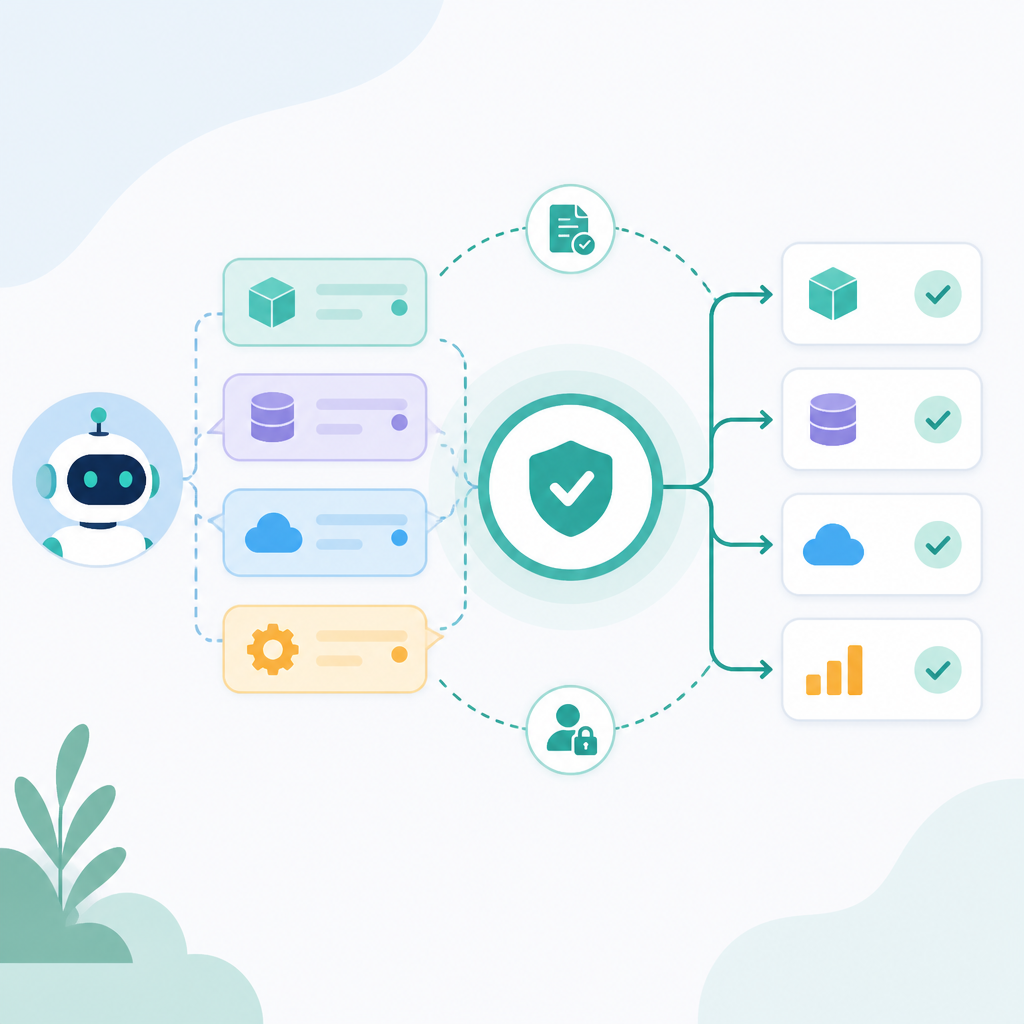
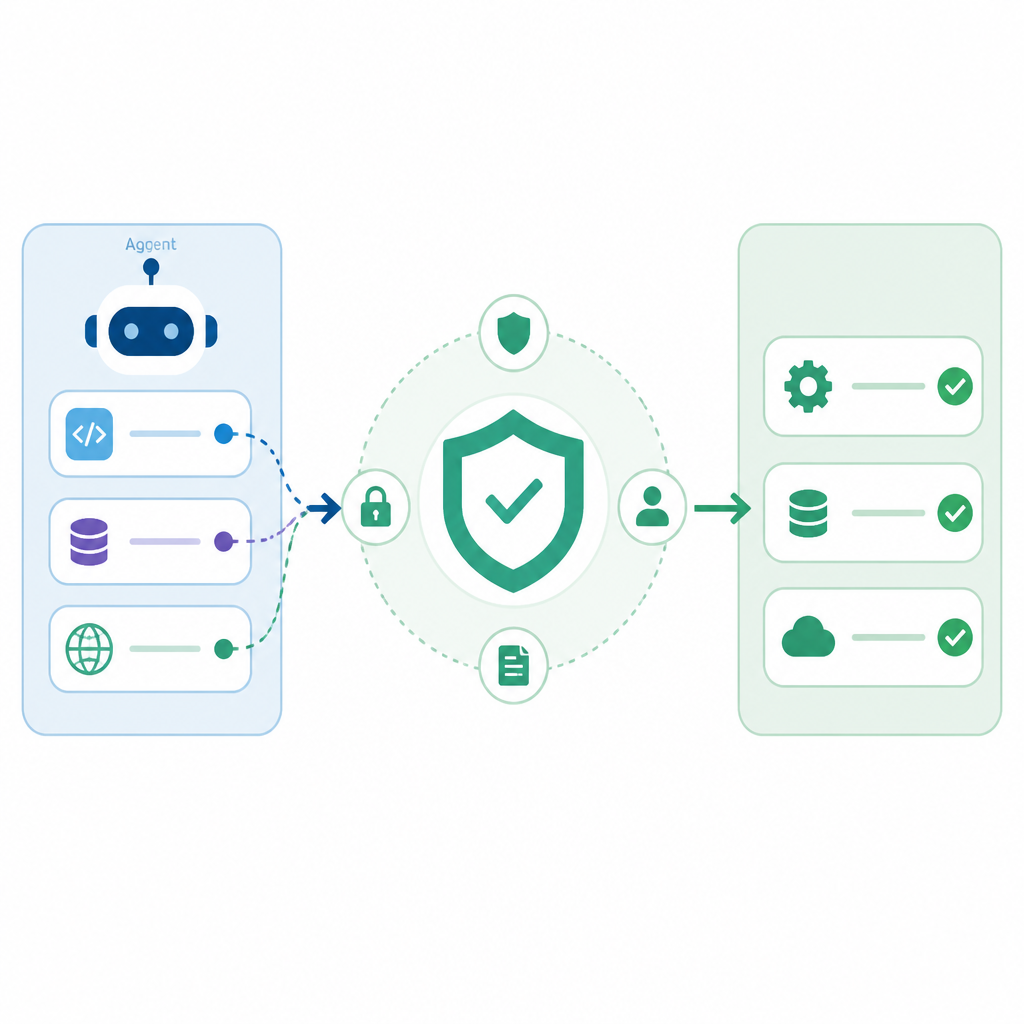
The README backs this up with a hard line: every tool call, message send, and delegation is intercepted in deterministic application code before the model’s intent reaches the wire. That is the important bit. Not “the model was reminded.” Not “the system prompt was improved.” Intercepted. Deterministically. Before execution.
I ran into this exact failure mode on an internal agent prototype a while back. The agent looked obedient in tests, then one bad prompt injection later it tried to use a tool we never meant to expose in that context. The model didn’t “hack” anything. We just failed to put an actual gate in front of the action. That’s the whole lesson here.
How to apply it: stop thinking in terms of “safer prompts” and start thinking in terms of “governed actions.” Every agent capability should be wrapped by a policy check. If a call changes state, costs money, exposes data, or crosses trust boundaries, it should pass through a policy engine first. If you can’t explain where that gate lives in code, you don’t have one.
Identity has to answer who acted, not just who connected
The README asks a question that gets missed in too many agent systems: “Which agent did this?” That sounds obvious until you build a multi-agent setup and realize several agents may share one API key, one service account, or one backend connector. At that point, the platform can tell you which app connected, but not which agent made the decision.
That matters because incident response gets mushy fast. If a bad action happened, “an agent did it” is not useful. I need to know which agent, under what policy, with what identity, and through which tool path. Otherwise I’m doing archaeology instead of debugging.
Microsoft’s README points to zero-trust identity and mentions SPIFFE in the architecture diagram. If you’re not familiar with SPIFFE, it’s a standard for workload identity that gives software a real identity instead of a pile of shared secrets. That’s the right direction for agents. I’d rather bind an agent to an identity that can be traced than let five autonomous workers all impersonate “the app.”
I’ve seen teams use a single API key because it was convenient in the first demo. It always comes back to bite them. Once multiple agents share credentials, you can’t tell which one triggered a dangerous call, and you can’t apply different rules by role or environment. The toolkit’s framing is better: identity is part of the governance path, not an afterthought.
- Give each agent its own identity, even if the backend is shared.
- Log the agent ID alongside the action, policy version, and outcome.
- Use workload identity standards like SPIFFE where possible instead of long-lived shared secrets.
How to apply it: define an identity model before you write agent logic. Decide what identifies the agent, what identifies the user on whose behalf it acts, and what identifies the environment. Then thread those identifiers through every policy evaluation and audit record. If your logs can’t answer “who did what,” the system is still too loose.
Policies need to block actions, not just describe vibes
The quickest useful example in the README is the two-line wrapper:
from agentmesh.governance import govern
safe_tool = govern(my_tool, policy="policy.yaml")  # every call checked, logged, enforced
That’s the kind of thing I like because it refuses to be fancy. Wrap the tool. Check the policy. Log the decision. Deny the call if needed. No ceremony, no magical agent runtime pretending to be a security boundary.
The policy example is equally plain:
apiVersion: governance.toolkit/v1
name: production-policy
default_action: allow
rules:
  - name: block-destructive
    condition: "action.type in ['drop', 'delete', 'truncate']"
    action: deny
    description: "Destructive operations require human approval"
  - name: require-approval-for-send
    condition: "action.type == 'send_email'"
    action: require_approval
    approvers: ["security-team"]
What this actually means is that policy is not a comment. It is executable control flow. If the action matches the rule, the rule decides. That’s the difference between a governance document and a governance system.
I like that the toolkit supports multiple policy styles in the repo, including YAML, OPA, and Cedar in the architecture references. That matters because teams already have opinions. Some want human-readable YAML. Some want policy engines they already know. Some need a more formal policy language. The point isn’t the syntax. The point is that the action is evaluated outside the model.
How to apply it: start with a tiny deny list for destructive actions and privileged side effects. Then add explicit approval paths for anything that sends messages, changes records, or touches production systems. Keep the policy file close to the code, version it, and review it like you would any other security-sensitive artifact. If you can’t diff the policy, you can’t trust the policy.
Sandbox the execution path or the agent will surprise you
The README keeps coming back to sandboxing, and for good reason. Once an agent can run code, touch files, or invoke external tools, you need a containment story. Not because the model is evil. Because the model is fallible and the inputs are adversarial.
The repo references execution sandboxing as one of the core pillars, and that lines up with the practical reality of agent work. You don’t just want to know whether an action is allowed. You want to know whether the allowed action is restricted to a safe environment. A tool call that is permitted in production but runs inside a locked-down sandbox is a very different animal from one that can roam freely across the host.
I’ve had agents do dumb but expensive things in dev containers, let alone on real machines. A bad shell command, a bad file write, a bad network call, and suddenly the “assistant” is now your incident. Sandboxing is how you keep the blast radius small when the agent makes the wrong move or gets nudged into one.
- Run code-executing tools in isolated containers or jailed runtimes.
- Separate read-only tools from write-capable tools.
- Put network egress rules on the sandbox, not just on the app server.
How to apply it: treat sandboxing as a second gate after policy. Policy decides whether the action is allowed. Sandbox decides what the allowed action can touch. If the tool is “run Python,” the sandbox should still limit filesystem access, environment variables, network access, and process capabilities. If you skip that layer, you’re trusting the agent with too much surface area.
Audit logs are the real product when things go wrong
The README explicitly says auditors and regulators need tamper-evident records of every decision: what policy was active, what the agent requested, and why it was allowed or denied. That’s not paperwork. That’s survival. When a governed agent misbehaves, the first question is never “did the prompt look okay?” It’s “show me the decision trail.”
Microsoft also calls out that the toolkit logs the decision. Good. It should. If you’re going to deny or approve actions, you need a record that survives the postmortem. Otherwise you’re just guessing after the fact.
This is where a lot of agent stacks quietly fail. They have app logs, maybe a tracing system, maybe some model telemetry. But they don’t have a single record that ties together agent identity, policy version, requested action, decision, approver, and timestamp. Without that, you can’t prove why something happened. You can only say you think you know.
I prefer audit logs that answer four questions in one shot:
- Which agent made the request?
- Which policy version evaluated it?
- What was requested, exactly?
- Why was it allowed, denied, or escalated?
How to apply it: make the audit event a first-class data model, not a log line you improvise later. Store policy version hashes. Include the rule name that fired. Record the input fields used in the decision. If you need to redact sensitive values, do it in a way that preserves the reason the decision happened. Otherwise the log is just noise with a timestamp.
Use the toolkit like a wrapper, not a religion
One thing I appreciate in the repo is that it doesn’t force you into a single language or runtime. There are examples for Python, TypeScript, .NET, Rust, Go, and Claude Code plugin integration. That tells me the maintainers understand the real constraint: governance has to sit where the tools are actually called.
The README also mentions CLI commands like agt doctor, agt verify, agt red-team scan, and agt lint-policy. That’s the practical side I’d use in CI. I want a way to check the installation, validate policy files, run compliance checks, and scan prompts for injection risks before anything gets near production.
There’s also a useful honesty in the public preview note. This is not being sold as finished forever software. It’s a production-quality public preview, which is the right level of caution. I’d rather a security-oriented toolkit admit it may still change than pretend the rough edges don’t exist.
How to apply it: don’t try to “adopt the whole toolkit” in one go. Start with one high-risk tool, wrap it, and wire policy evaluation into the call path. Then add audit logging. Then add sandboxing. Then add CI checks. The order matters because it keeps you from building a giant governance theater project that nobody actually uses.
And yes, I’d keep the wrapper thin. Governance should be visible in code review. If the enforcement layer is hidden behind too much abstraction, people will route around it the first time it gets in their way. That’s how these things die.
The template you can copy
# agent-governance starter kit

This is the smallest pattern I’d use for a governed agent tool.

## 1) Policy file: policy.yaml

apiVersion: governance.toolkit/v1
name: production-policy
default_action: deny
rules:
  - name: allow-read-only-search
    condition: "action.type == 'web_search'"
    action: allow

  - name: block-destructive-actions
    condition: "action.type in ['drop', 'delete', 'truncate', 'shell_exec']"
    action: deny
    description: "Never allow destructive or host-level actions by default"

  - name: require-approval-for-side-effects
    condition: "action.type in ['send_email', 'create_ticket', 'write_database']"
    action: require_approval
    approvers:
      - security-team
      - service-owner

## 2) Python wrapper

from agentmesh.governance import govern

# Replace `my_tool` with your actual tool function.
# Expected action object shape: { type, ... }
safe_tool = govern(my_tool, policy="policy.yaml")

# Example calls
result = safe_tool(action={"type": "web_search"}, query="latest docs")
# Allowed

blocked = safe_tool(action={"type": "delete"}, table="users")
# Raises GovernanceDenied

## 3) Audit event shape

{
  "timestamp": "2026-07-18T12:00:00Z",
  "agent_id": "agent-123",
  "user_id": "user-456",
  "policy_name": "production-policy",
  "policy_version": "1.0.0",
  "action": {
    "type": "delete",
    "target": "users"
  },
  "decision": "deny",
  "rule": "block-destructive-actions",
  "reason": "Never allow destructive or host-level actions by default"
}

## 4) CI checks

# Validate policy syntax
agt lint-policy policies/

# Check installation and runtime wiring
agt doctor

# Run governance verification
agt verify --strict

# Scan prompts or agent instructions for injection risk
agt red-team scan ./prompts/ --min-grade B

## 5) Minimal rollout plan

1. Wrap one dangerous tool.
2. Add policy evaluation before execution.
3. Log every allow/deny decision.
4. Run the tool in a sandbox.
5. Add CI checks so policy drift gets caught early.
6. Split identities per agent so incident response is possible.

## 6) What I would not skip

- A deny-by-default rule for destructive actions
- A stable agent identity
- A policy version in every audit record
- A sandbox for code execution
- A human approval path for side effects

## 7) One-line rule of thumb

If the agent can change state, spend money, or talk to the outside world, it should go through policy, identity, sandbox, and audit before the action leaves the process.
That template is intentionally boring. Good. Boring is what I want from governance. The interesting part should be the agent’s job, not the permission model.
If I were dropping this into a real project tomorrow, I’d start with the policy file and the wrapper, then wire the audit event into whatever logging pipeline already exists. After that I’d add sandboxing for any tool that executes code or touches the filesystem. Only then would I expand to more agents and more tool types. That sequence keeps the blast radius small and the rollout sane.
Source attribution: the original material is the Microsoft Agent Governance Toolkit repository and its README. My breakdown is original commentary and a practical template derived from the patterns described there, not an official Microsoft example.
// Related Articles
- [TOOLS]
OpenClaw v2026.7.1 turns control UI into a workspace
- [TOOLS]
OpenAI’s screenless speaker turns ChatGPT into a companion
- [TOOLS]
SCALE turns CUDA code into portable GPU builds
- [TOOLS]
2027 AI/ML internship jobs are being tracked daily
- [TOOLS]
MiMo Code Is Worth Using Only If You Treat It Like Infrastructure
- [TOOLS]
Ollama raises $65M with 14 people and 8.9M users