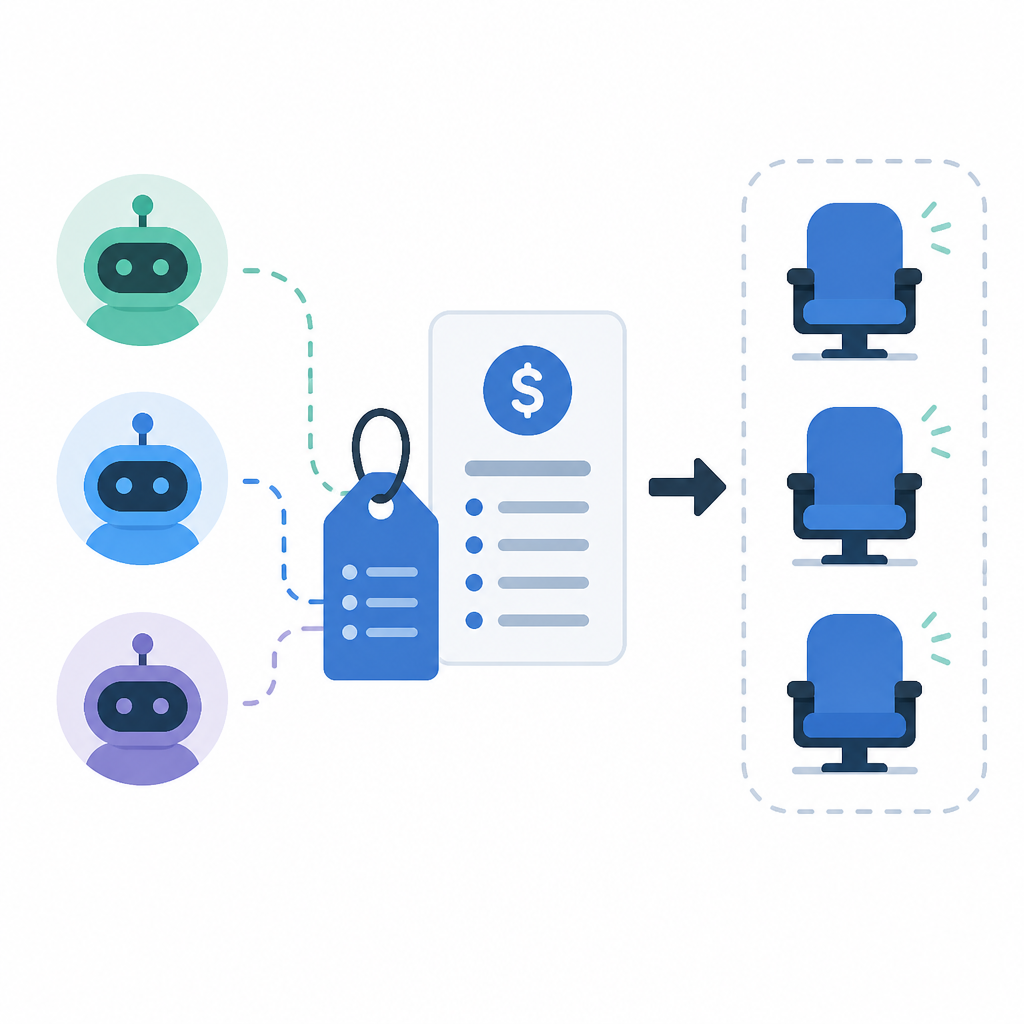
Devin’s pricing turns agents into seats
I break down Devin’s pricing tiers and the copyable plan structure behind quotas, seats, and team controls.

I break down Devin’s pricing tiers into a copyable plan structure.
I've been watching agent tools get priced for a while now, and most of them feel weird in the same way. They talk like you're buying one magical assistant, then the bill shows up looking like a cloud invoice with a personality problem. Devin had that vibe for me at first too. The product pitch is all about coding with agents, but the pricing page is where the real model shows up: quotas, seats, model access, team controls, and a very specific idea of who should pay for what. That part is actually useful, because it stops pretending every user is the same.
I kept bouncing between plans thinking, okay, where's the catch? Free gives you a light quota and limited model access. Pro opens the doors to frontier models and cloud agents. Max is basically for people who burn through usage. Teams adds collaboration and admin. Enterprise adds the usual grown-up stuff, but with more detail than I expected. What I wanted was the underlying pattern, not the marketing copy. Once I stripped that away, I found a pricing framework I can steal for my own products without copying the exact numbers.
Source-wise, this comes from Devin’s pricing page on devin.ai/pricing. Devin is the coding agent product from Cognition, and the page itself is doing most of the teaching here. I’m not using outside stats because the source page doesn’t give me any. I am using the actual plan names, included features, and FAQ language from the page, because that’s the part worth dissecting.
Stop selling one AI and start selling usage bands
Get the latest AI news in your inbox
Weekly picks of model releases, tools, and deep dives — no spam, unsubscribe anytime.
No spam. Unsubscribe at any time.
Free $0. Pro $20/month. Max $200/month. Teams $80/month + $40/mo per full dev seat. Enterprise: let’s talk.
What this actually means is Devin isn’t pricing a single product. It’s pricing access to a system with different pressure points. Free is a sampler. Pro is the default paid path. Max is for heavy users. Team and Enterprise are for orgs that need coordination, not just more tokens. That’s a much cleaner mental model than “one subscription, one assistant.”

I’ve seen a lot of AI tools get stuck because they price like software from 2018. Flat monthly fee, maybe one premium tier, and then surprise usage constraints buried in the fine print. Devin is more honest. It says the core cost driver is usage, and the plan is really just a wrapper around how much usage you get, what models you can touch, and whether you’re buying for one developer or a team.
That matters if you’re designing your own pricing. If your product has wildly different cost profiles depending on task size, model choice, or automation depth, then a simple “one price for all” setup will punish either you or your users. Devin’s page makes the tradeoff visible instead of hiding it.
- Use a low-friction free tier to let people feel the product.
- Use a mid-tier paid plan to unlock the real value.
- Use a high-usage plan for power users who will happily pay to avoid friction.
- Use team and enterprise plans for governance, not just more capacity.
How I’d apply this: define your plans around consumption patterns, not just feature checklists. Then write the plan names to match user intent. “Pro” says normal paid user. “Max” says heavy user. “Teams” says shared workflow. “Enterprise” says procurement and control. That naming does a lot of work before the buyer even reads the bullets.
Free should feel useful, not generous
The Free plan includes a light quota to code with agents, limited model availability, unlimited inline edits, and unlimited Tab completions.
What this actually means is Devin is careful not to give away the expensive part of the product for free. You can still use the editor-adjacent features forever, but the agent quota is capped and model choice is restricted. That’s smart. It lets people build habit without letting free users soak up the costly backend.
I ran into this exact mistake when I helped design a trial for a tool with expensive inference calls. We made the free tier too broad because we wanted adoption. Adoption came, all right. So did the bill. The fix was to protect the expensive path and keep the cheap, sticky interactions open. Devin does that here with unlimited inline edits and unlimited Tab completions. You can still get value, but you can’t casually run the most expensive workflows forever.
The phrase “light quota” is doing a lot of quiet work. It sounds friendly, but it also tells the user not to expect endless agent runs. That’s better than pretending the free plan is real production capacity. People can handle limits if the limits are clear.
For your own product, I’d separate free-tier value into two buckets:
- cheap, frequent actions that build trust;
- expensive, high-value actions that drive upgrade pressure.
If you blur those together, you either bankrupt yourself or create a free plan that nobody respects. Devin avoids both. The free tier is a demo with utility, not a fake subscription.
Pro is the real product, not the upsell
Pro $20 per month includes everything in Free, plus increased quotas, access to OpenAI, Claude, and Gemini frontier models, free use of SWE 1.6 and leading open source models, access to cloud agents, and purchase extra usage at API pricing.
What this actually means is Pro is where Devin expects serious individual usage to live. It isn’t just “more of the same.” It’s access to better models, cloud execution, and a clean overflow path when you exceed your allowance. That last piece is important. They don’t force you into a hard stop the moment you cross a limit. You can buy extra usage at API pricing.
I like that because hard stops create stupid behavior. People start rationing or abandoning the tool at the worst possible moment. Overflow pricing is more honest: you keep working, and if you’re using more, you pay more. That matches the economics of agentic workflows much better than a fake unlimited plan.
The model access list also tells me something practical. Devin is selling model choice as a premium feature, not just raw compute. That’s a real differentiator for developer tools. Some tasks want a fast or cheap model. Some want a stronger reasoning model. If your product can route work across model families, that’s worth charging for because it’s operational flexibility, not fluff.
How I’d apply this in practice:
- Make the paid default the plan that most individual users should actually want.
- Include multiple model options only after the user has paid.
- Let users burst beyond quota instead of forcing a plan jump too early.
- Expose the overflow price in a way that doesn’t feel like a trap.
Devin’s Pro plan is basically the “this is the product” tier. Everything below it is a taste. Everything above it is for people who’ve already found the ceiling.
Max is what you call the ceiling when you don’t want to say ceiling
Max $200 per month includes everything in Pro, plus significantly higher quotas.
What this actually means is Max is not a new feature tier. It’s a capacity tier. That’s a subtle but important difference. They’re not promising a new workflow or a new class of capability. They’re saying, if you already like Pro and keep slamming into usage limits, here’s the escape hatch.
I’ve always thought this is where a lot of pricing pages get awkward. They try to invent extra features just to justify a higher price, and users can smell it. Devin doesn’t bother. It says the thing power users want is more room to work. Fair enough. That’s easy to understand and easy to sell.
This is also where usage-based products get psychologically interesting. Heavy users don’t usually want “more features” as much as they want less friction. The Max plan is basically a friction-removal plan. You pay because you’re tired of thinking about quota.
If I were copying this pattern, I’d use Max only when I know there’s a clear segment that:
- uses the product daily,
- hits quota consistently,
- prefers predictability over per-message anxiety.
That’s the segment willing to pay a lot more for less interruption. If you don’t have that segment, don’t invent a Max plan just because it looks premium. Devin probably has the usage shape to justify it.
Teams is where the product stops being personal
Teams $80/month for team plan + $40/mo per full dev seat includes unlimited team members, sharing and collaboration, centralized billing, admin dashboard with analytics, and priority support.
What this actually means is Devin separates “people who can see the workspace” from “people who are full users with quota and Devin Desktop access.” That’s the kind of pricing detail I wish more SaaS pages handled cleanly. Unlimited team members sounds generous, but the real monetization is in full dev seats. That’s the actual control point.
I’ve worked on enough team tools to know why this matters. If you charge per named user for every little viewer, you create friction around adoption. Nobody wants to pay for the person who only needs to peek at a project once a week. But if you let collaboration spread while charging for full usage, the product can grow inside the org without turning procurement into a hostage situation.
Devin also bundles the boring but necessary stuff: centralized billing, analytics, priority support. That’s not decoration. That’s what turns a tool into something a manager can approve. The admin dashboard matters because once a product touches multiple developers, someone needs to answer, “who used what, and why did we pay for it?”
How I’d apply this:
- Separate collaboration presence from paid execution seats.
- Make admin visibility part of the team plan, not an afterthought.
- Price support as part of the transition from individual to team use.
And yeah, the “+ $40/mo per full dev seat” line is the cleanest part of the whole page. It says exactly where the money comes from and who gets the expensive access. No mystery, no weird seat math.
Enterprise is just Teams with procurement language
Enterprise includes everything in Teams, plus highest priority support, dedicated account management, SAML/OIDC SSO, centralized enterprise admin controls, dedicated deployment option, and first class support for every major model provider.
What this actually means is Devin is selling confidence, not features. The enterprise buyer wants control, identity, deployment options, and a named human to yell at when something goes wrong. The page is honest about that. It doesn’t pretend enterprise is about more code completion power. It’s about risk management and organizational fit.
I appreciate that they call out model-provider support here too. In enterprise settings, the model vendor story matters almost as much as the app story. Companies want options, and they want to know they won’t get boxed into one provider if the policy team gets nervous or the procurement team changes direction.
This is the part of the page that tells me Devin understands the sales motion. Enterprise isn’t a bigger button. It’s a different buying process. SSO, centralized admin controls, dedicated deployment, support levels, account management: that’s the checklist buyers actually use.
If you’re building your own enterprise tier, don’t just add “custom pricing” and call it a day. Add the things that reduce internal risk:
- identity and access controls,
- deployment boundaries,
- admin oversight,
- support commitments,
- vendor flexibility where it matters.
That’s the real enterprise package. Everything else is noise.
The FAQ is where the pricing philosophy finally admits itself
Each paid plan comes with a usage allowance that refreshes automatically on a daily and weekly basis. Cost per message varies based on the model used, the task size and complexity, and the reasoning required.
What this actually means is Devin is telling you the product costs real money to run, and the cost changes with the work. I respect that. Too many pricing pages hide the mechanism and then act surprised when users ask why one task costs more than another. Devin says it plainly: model, task size, complexity, reasoning. That’s the cost stack.
The FAQ also gives practical advice on stretching usage: control prompt size, be precise, remove unnecessary context, switch to smaller models for routine tasks, and use mini models like Haiku, GPT 5.2 Mini, and open source models like Kimi K2.5. That’s not just support content. It’s pricing education. They’re teaching users how to behave in a quota-based system.
I really like that move because it turns pricing from a wall into a usage model. People don’t just learn what they paid for. They learn how to spend it well. That reduces support load and makes the limits feel less arbitrary.
Here’s the practical lesson I’d steal:
- publish the factors that change cost,
- teach users how to lower spend,
- make the cheapest acceptable model easy to choose,
- let support content double as product design.
That last one is underrated. Good FAQs are often just product decisions written down after the fact.
The template you can copy
# Pricing page template for an agentic developer tool

## Plan structure

### Free
- $0/month
- Light quota for agent usage
- Limited model availability
- Unlimited low-cost editor actions
- Goal: let users feel the product without exposing full compute costs

### Pro
- $[price]/month
- Everything in Free, plus:
  - Increased usage quota
  - Access to premium frontier models
  - Access to cloud execution / hosted agents
  - Ability to purchase extra usage at API pricing
- Goal: become the default paid plan for individual users

### Max
- $[price]/month
- Everything in Pro, plus:
  - Significantly higher quota
- Goal: serve power users who keep hitting limits

### Teams
- $[base_price]/month for the team plan
- + $[seat_price]/month per full user seat
- Includes:
  - Unlimited team members / collaborators
  - Sharing and collaboration
  - Centralized billing
  - Admin dashboard with analytics
  - Priority support
- Goal: separate collaboration from paid execution seats

### Enterprise
- Contact sales
- Everything in Teams, plus:
  - Highest priority support
  - Dedicated account management
  - SSO (SAML/OIDC)
  - Centralized enterprise admin controls
  - Dedicated deployment option
  - Support for major model providers
- Goal: satisfy procurement, security, and deployment requirements

## Usage policy
- Each paid plan includes a usage allowance that refreshes on a daily and weekly basis
- Cost per message varies by:
  - model used
  - task size
  - task complexity
  - reasoning required
- If users exceed their included usage, allow extra usage purchases at API pricing

## Usage guidance for customers
- Keep prompts concise
- Remove unnecessary context
- Use smaller models for routine tasks
- Route simple work to cheaper models
- Reserve premium models for hard tasks

## Positioning notes
- Free = sampling and habit formation
- Pro = default paid usage
- Max = capacity for heavy users
- Teams = collaboration and admin
- Enterprise = control, security, and procurement
I’d use this as a starting point, not a finished product. Swap in your own quotas, model names, support terms, and deployment options. The structure is the part worth copying, because it maps cleanly to how agent products actually get used.
Source attribution: the structure and plan details above are derived from Devin’s pricing page at https://devin.ai/pricing. My framing, naming, and template are my own interpretation of that page, not official Devin copy.
// Related Articles
- [TOOLS]
AWS Continuum turns AI coding into safer fixes
- [TOOLS]
Open-Generative-AI turns GitHub into a studio
- [TOOLS]
Why benchmark scores don’t predict your bill
- [TOOLS]
MCP Servers for Developers: 8 workflow gains in 2026
- [TOOLS]
Doubao turns a game prompt into a mini arcade
- [TOOLS]
Coding Plan turns Alibaba Cloud into IDE billing