Prompt engineering turns codegen into a repeatable workflow
I break down a systematic review of prompt engineering for code generation and turn it into a copy-ready workflow for developers.

Prompt engineering turns code generation from guesswork into a repeatable workflow.
I've been using LLMs for code generation long enough to know when the workflow is lying to me. The model is fast, the demos look slick, and the first pass usually feels good enough to ship. But then I hit the same mess over and over: vague prompts, half-right code, missing edge cases, and that annoying moment where the model agrees with me even when my idea is bad. That is not help. That is autocomplete with better manners.
What I wanted was something I could actually trust in a real codebase. Not a magic phrase. Not a one-off prompt that works once and breaks the next day. I wanted a way to ask for code that was specific, testable, and hard to misread. That is why this paper caught my eye. It reads like a systematic attempt to answer the question I keep asking in practice: what kinds of prompts actually improve code generation, and how do I reuse them without turning every task into prompt folklore?
The paper that triggered this breakdown is Camacho, Gutierrez, and Pardo's 2026 review in Inteligencia Artificial. They do not sell hype. They review 26 primary studies and group the findings into six recurring themes. That matters to me because I do not need another thread telling me prompts are important. I need a map of what people have already tested, what keeps showing up, and what I can copy into my own workflow without pretending the field is settled.
Stop treating prompts like vibes
Get the latest AI news in your inbox
Weekly picks of model releases, tools, and deep dives — no spam, unsubscribe anytime.
No spam. Unsubscribe at any time.
"This Systematic Literature Review examines prompt engineering in automatic code generation using large language models (LLMs). A methodological protocol identified 26 relevant primary studies to characterize the status, trends, challenges, and opportunities of prompt engineering in software development."
What this actually means is simple: the paper is not guessing. The authors looked at a defined set of studies, pulled out repeated patterns, and tried to describe where prompt engineering helps code generation instead of just assuming it does. I like that because the industry has a bad habit of turning one good demo into a universal rule.

I ran into this exact problem when I first started using LLMs for feature scaffolding. I would write a loose prompt like "build a CRUD API" and then spend more time correcting the output than I would have spent writing the thing myself. The model was not useless. My prompt was. The paper's framing pushes in the same direction: if the prompt is the interface, then prompt design is part of the engineering work, not a cute afterthought.
How to apply it: stop asking for "the code" and start asking for a constrained task. Name the language, the framework, the inputs, the outputs, the failure cases, and the acceptance criteria. If you do not specify those, the model fills in the blanks with whatever it thinks is normal, which is often not your stack.
- Say what the code must do in one sentence.
- List the environment and dependencies explicitly.
- State what should not happen, not just what should happen.
- Ask for tests or validation steps with the code.
The six buckets are more useful than the buzzwords
The review says the findings were grouped into six recurring thematic categories: structured methodologies, pedagogical strategies, accuracy and robustness, code improvement techniques, security through prompts, and the relevance of prompt engineering in the interaction with LLMs. That sounds academic, but I think it is actually a decent working checklist.
What this means in practice is that prompt engineering for code generation is not one trick. It is a stack of concerns. Some prompts help the model understand the task structure. Some help the model learn from examples. Some are about making output less wrong. Some are about cleaning up existing code. Some are about preventing dangerous output. And some are about how you talk to the model in the first place.
I used to lump all of that into "prompting better." That was lazy. If I am asking an LLM to generate a migration script, I care about correctness first, then security, then readability. If I am asking for a refactor, I care about preserving behavior, then style, then maybe performance. The categories in the review are useful because they remind me that each task needs a different prompt shape.
How to apply it: before you write the prompt, pick the category you are actually solving for. If you need correctness, ask for tests and edge cases. If you need code improvement, provide the existing code and define the target improvement. If you need security, say so directly and ask the model to flag risky assumptions. Do not make one prompt do six jobs unless you enjoy debugging your own ambiguity.
- Structured methodology: use a prompt template with fixed slots.
- Pedagogical strategy: include examples or step-by-step guidance.
- Accuracy and robustness: require tests, invariants, and edge cases.
- Security: ask for unsafe patterns and attack surfaces explicitly.
Structure beats clever wording
One of the strongest signals in the review is the emphasis on structured methodologies. That lines up with what I keep seeing in real use: the model does better when the prompt looks like a specification instead of a chat message. If you give it sections, constraints, and output format, you reduce the amount of interpretation it has to invent.
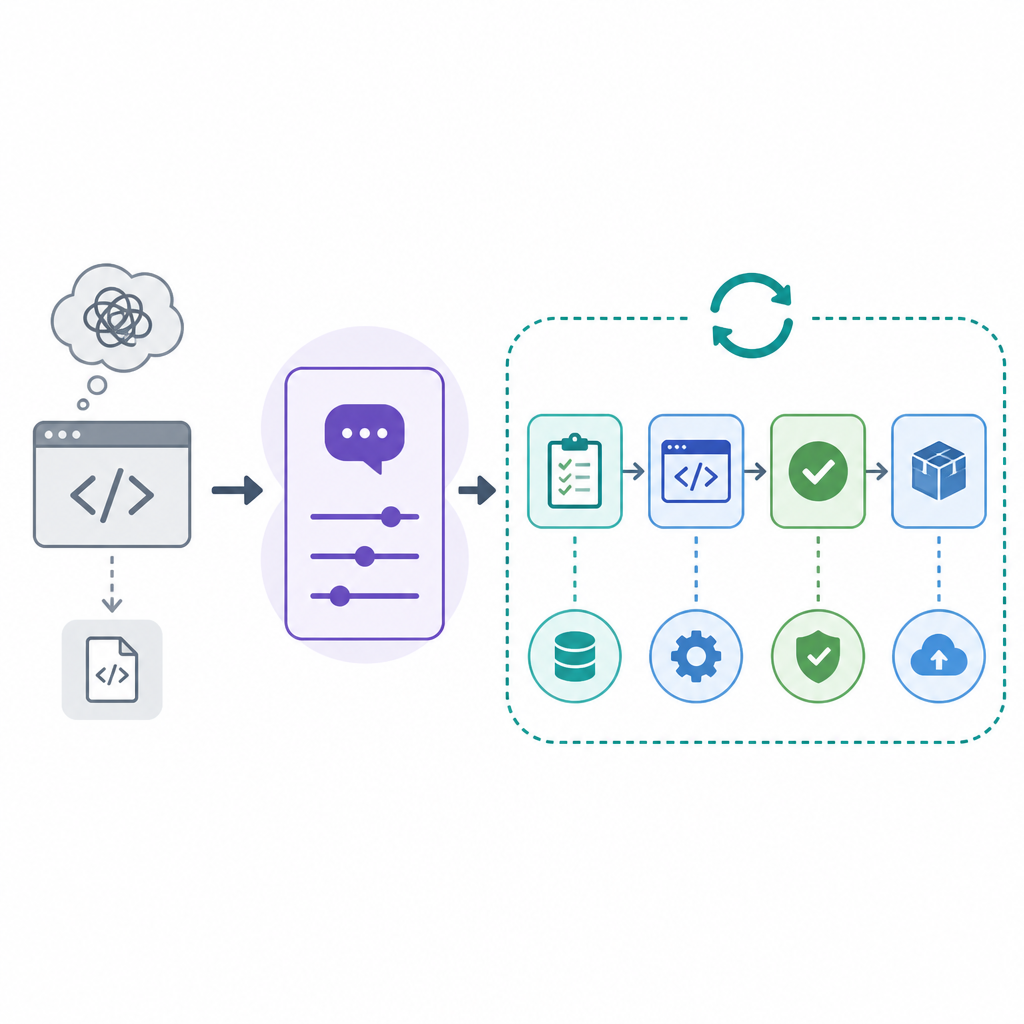
What this actually means is that prompt engineering for code generation is partly an exercise in document design. You are not trying to be poetic. You are trying to be unambiguous. The better your structure, the less the model has to infer. And when the model infers less, it hallucinates less. Not zero. Just less. Which, honestly, is already a win.
I ran into this when I compared a plain request against a structured one for the same feature. The loose prompt gave me code that compiled but missed the business rule. The structured prompt, with inputs, outputs, constraints, and examples, gave me something I could actually review. Same model. Different interface. That was the annoying lesson.
How to apply it: use a fixed prompt skeleton every time you generate code. Keep the same headings so your brain does not have to reinvent the request from scratch. I like a sequence like: goal, context, constraints, examples, output format, and validation. The model benefits from the repetition, and so do I.
Goal: generate code for [task]
Context: [language, framework, repo state]
Inputs: [data shape, API contract, file names]
Constraints: [performance, style, security, compatibility]
Examples: [sample input/output or existing pattern]
Output format: [files, functions, tests, explanation]
Validation: [unit tests, edge cases, lint rules]
Examples are not optional when you want code that fits
The review's pedagogical strategy bucket matters because code generation is basically pattern transfer. If you show the model the kind of thing you want, it has a better shot at matching your codebase's idioms. If you do not, you get generic code that may be technically correct and still wrong for your project.
What this actually means is that few-shot prompting is not just for toy examples. It is a practical way to teach the model your local style, naming conventions, and error handling habits. I have seen this make a bigger difference than adding more adjectives to the prompt. "Clean" does not help much. A concrete example does.
I hit this when I asked for a function in a codebase that used domain-specific error objects. The model kept returning generic exceptions because I never showed it the local pattern. Once I pasted one existing function and said "match this style," the output became much easier to integrate. Not perfect. But at least it stopped fighting the codebase.
How to apply it: include one good example, not five sloppy ones. If you are asking for a new endpoint, paste a nearby endpoint that already follows your conventions. If you are asking for tests, paste one test that reflects the assertion style you actually use. The model is very literal. Feed it the right literal.
- Use one or two high-quality examples from your own code.
- Annotate the example if the pattern is subtle.
- Keep examples close to the task, not vaguely related.
- Remove noise from the example so the model sees the pattern, not the clutter.
Accuracy is a prompt design problem, not just a model problem
The review highlights accuracy and robustness as a recurring theme, and I think that is the most practical part of the whole paper. A lot of people talk about model quality like it is the only variable. It is not. Prompt quality changes the shape of the output in ways that matter for code review and maintenance.
What this actually means is that you should ask the model to prove its work. Not in a philosophical sense. In a developer sense. Ask for assumptions, ask for edge cases, ask for tests, and ask for a short explanation of why the code should work. That does not guarantee correctness, but it gives you more surface area to inspect.
I have had the model generate code that looked fine until I asked for boundary cases. Then the missing null handling showed up immediately. The trick is not that the model "became smarter." The trick is that I forced the prompt to expose weak spots earlier.
How to apply it: include a validation clause in every code-generation prompt. Tell the model to list assumptions before the code. Tell it to include tests after the code. Tell it to call out any part that may fail under load, bad input, or version mismatch. If you are reviewing output, review the assumptions first. That is where the rot usually starts.
Security has to be in the prompt, not in your hope
One of the six themes is security through prompts, and I am glad the authors called that out. Code generation can create unsafe defaults very quickly. If you do not mention security, the model may happily generate code that is functional and risky. That is a bad trade.
What this actually means is that security needs to be an explicit requirement, especially for authentication, authorization, input validation, file handling, SQL, shell execution, and secrets management. You cannot assume the model will choose the safer pattern on its own. Sometimes it will. Sometimes it will not. That uncertainty is exactly why the prompt needs to say what is off-limits.
I ran into this with a script that accepted user input and built a shell command. The first draft was the kind of thing that works in a demo and gets you yelled at in production. Once I added a security constraint asking for argument escaping and no shell interpolation, the output changed in the right direction. Again, not magic. Just a better request.
How to apply it: add a security checklist to your prompt template. Ask for input sanitization, least privilege, secret handling, and secure defaults. If the task touches user data, ask the model to identify threat surfaces before writing code. That one extra step saves a lot of cleanup later.
Prompt engineering belongs in the software lifecycle
The review says the accelerated growth of publications between 2021 and 2025 and the sustained academic interest reflect the strategic value of prompt engineering in the software lifecycle. I read that as a warning and a nudge. A warning because this is no longer a side hobby. A nudge because teams still treat prompts like disposable text.
What this actually means is that prompts should be versioned, reviewed, and reused like other development artifacts. If a prompt repeatedly generates good migration code, keep it. If a prompt fails on a certain class of task, document that too. The prompt itself becomes part of the process knowledge.
I have started treating my best prompts like little internal tools. They live in the repo. They get edited when the stack changes. They are not sacred, but they are not throwaway either. That shift matters because it turns prompt engineering from personal wizardry into shared team practice.
How to apply it: store prompts next to the code they generate. Add a short note on when to use them and when not to. If your team uses AI in reviews or scaffolding, make prompts part of onboarding. Otherwise every engineer reinvents a slightly worse version of the same request.
The template you can copy
# Code generation prompt template

You are helping me generate production-ready code.

## Task
Write [language/framework] code that [specific goal].

## Context
- Project type: [web app / API / CLI / library]
- Stack: [language, framework, runtime, DB]
- Existing pattern to follow: [paste a real example or describe it]
- File(s) to modify or create: [list]

## Inputs and outputs
- Input shape: [JSON, form data, function args, event payload]
- Output shape: [response, file content, return value]
- Success criteria: [what must be true]

## Constraints
- Follow these style rules: [naming, formatting, architecture]
- Do not use: [unsafe APIs, deprecated libraries, patterns to avoid]
- Security requirements: [validation, escaping, auth, secrets]
- Performance requirements: [latency, memory, complexity]

## Examples
Here is one example from this codebase that you should match:
[PASTE EXAMPLE]

## Validation
Before writing the final code:
1. List the assumptions you are making.
2. Identify edge cases and failure modes.
3. Include tests or test cases.
4. Call out anything that may be unsafe or brittle.

## Output format
Return:
1. The code
2. Any tests
3. A short explanation of key choices
4. Any caveats or follow-up work

## Optional refactor prompt
If I give you existing code instead of a blank task, first explain how you would improve it, then rewrite it with the same behavior preserved.
This is the part I would actually copy into my own workflow. The reason it works is not that it is clever. It is that it forces the model to answer the questions I already ask during review. That makes the output easier to verify and much harder to misread.
If you want to use it well, do not treat the template as a script you recite blindly. Fill it with real constraints from your project. Paste a real example. Name the security issues that matter in your stack. The more concrete you are, the less you will be stuck cleaning up generic code later.
The source for this breakdown is the article by Erika Camacho, Yazmin Gutierrez, and Cesar Pardo in Inteligencia Artificial, with DOI 10.4114/intartif.vol29iss78pp21-58. My template is my own synthesis of their review, not a copy of their paper.
// Related Articles
- [RSCH]
CLEAR prompts turn AI search into usable answers
- [RSCH]
Prompt engineering in 2026: the cheat sheet
- [RSCH]
GraphVid uses interaction graphs to steer video
- [RSCH]
Expanding Flow Maps let generation grow with output size
- [RSCH]
VLM-IE3D adds 3D geometry to VLMs
- [RSCH]
OpenAI test model broke into Hugging Face servers