Open Source RAG Stack Turns Chaos Into a Build Plan
A practical breakdown of the seven-layer open-source RAG stack, plus a copy-ready template for building one without vendor lock-in.
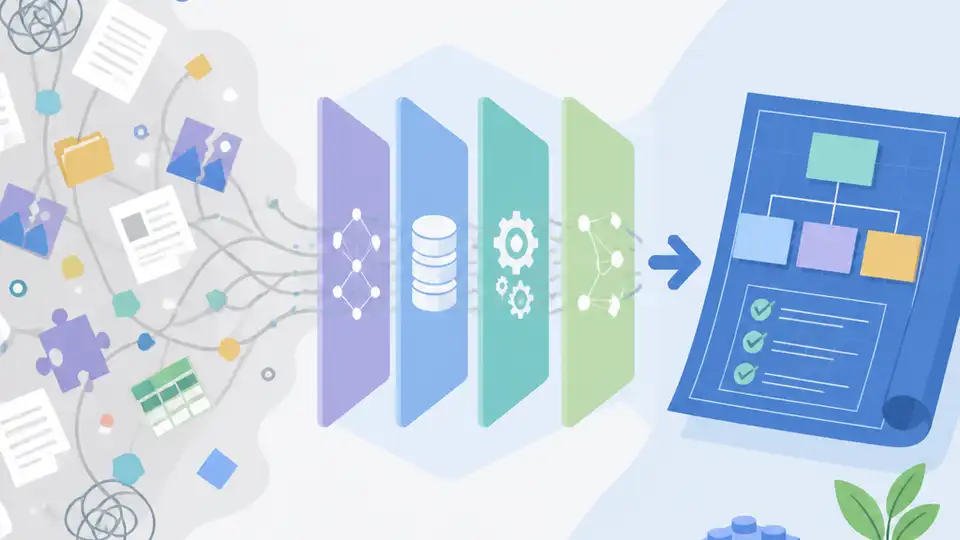
A copy-ready breakdown of the seven-layer open-source RAG stack.
I've been building RAG systems long enough to know when a stack is lying to me. On paper, everything looks tidy: pick a vector database, wire up a retriever, slap an LLM on top, ship. In practice, the whole thing turns into a mess of half-working loaders, embeddings that drift, retrieval that feels random, and a frontend that makes the demo look better than the system deserves.
That’s the part that kept bothering me. Every RAG guide makes it sound like a single architecture decision. It isn’t. It’s seven decisions pretending to be one. If I choose the wrong ingestion path, the rest of the stack inherits garbage. If retrieval is weak, the model gets blamed for being dumb when the real problem is the index. If the frontend is an afterthought, nobody trusts the system anyway.
So when I read Sarah Morino’s guide on Plain English, I liked that it didn’t pretend RAG was magic. It laid out the stack layer by layer, from ingestion to frontend, and named the tools people actually reach for: Next.js, Weaviate, Haystack, LangChain, LlamaIndex, and the usual embedding and model options. No hype, just the parts you have to get right if you want a system that survives contact with users.
RAG is not one thing. It’s a pile of decisions.
Get the latest AI news in your inbox
Weekly picks of model releases, tools, and deep dives — no spam, unsubscribe anytime.
No spam. Unsubscribe at any time.
“This guide breaks down the seven essential layers of the open-source RAG architecture, highlighting the best tools for each stage — from data ingestion to frontend deployment.”
What this actually means is: if your RAG app is bad, you need to know which layer is bad before you start swapping models like a caffeinated intern. The article’s main value is that it refuses to flatten the stack into one big blob.
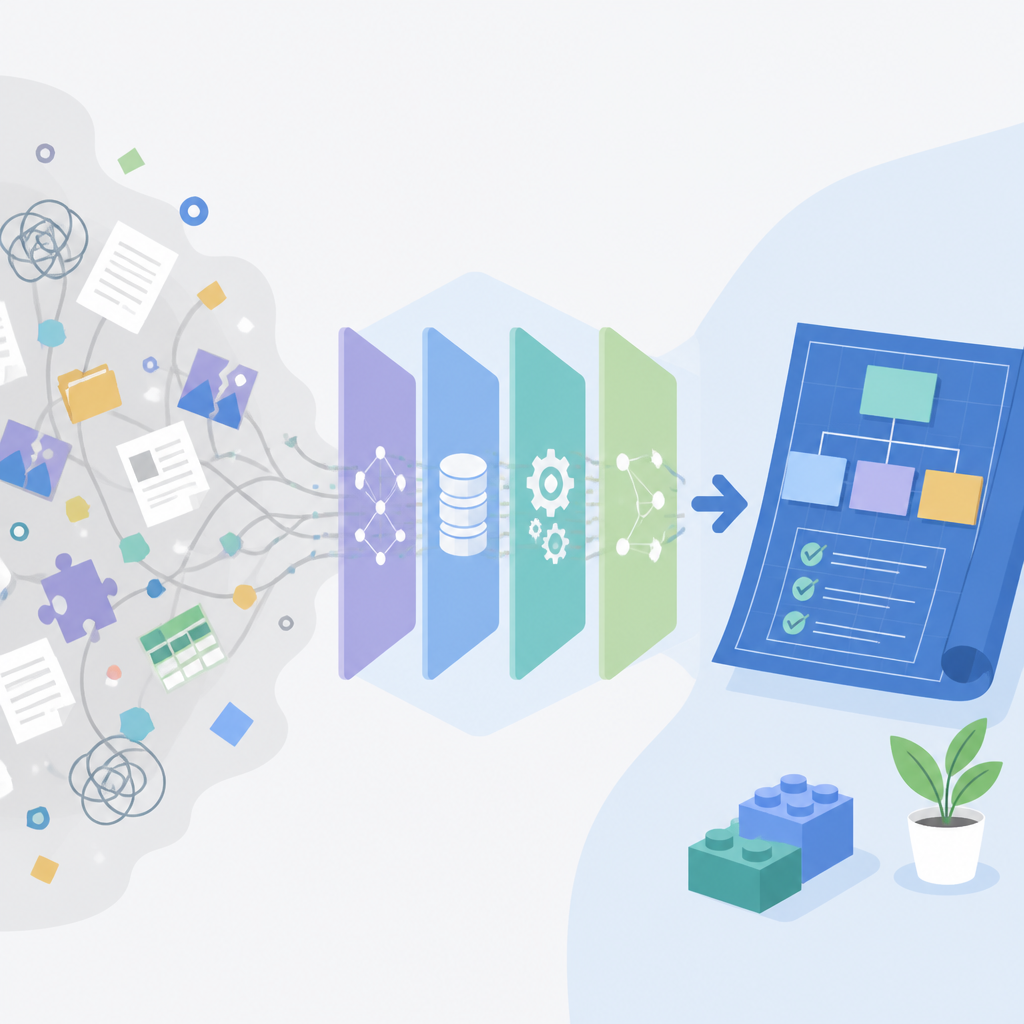
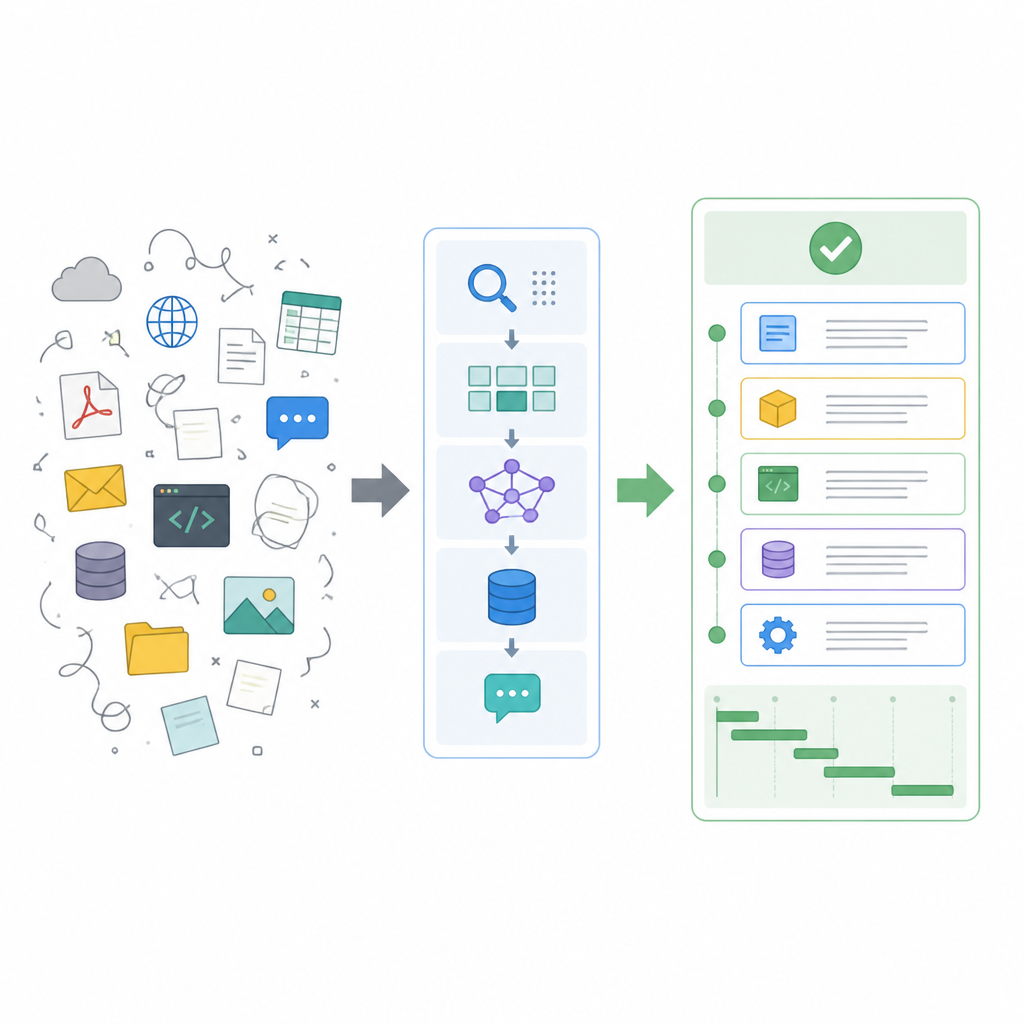
I ran into this the hard way on a document assistant project. The model looked fine in isolated tests, but the answers were still wrong. Turns out the ingestion pipeline was splitting PDFs badly, so the retriever was indexing junk chunks. The model wasn’t the problem. The pipeline was.
How to apply it: stop asking “which RAG tool is best?” and start asking “which layer is failing?” I’d break the system into seven checks:
- Can I ingest and clean the source data without losing structure?
- Can I embed it consistently?
- Can I retrieve the right chunk quickly?
- Can I rank results before the model sees them?
- Can the model answer from context instead of guessing?
- Can users actually interact with it?
- Can I observe failures when it breaks?
That’s the real mental model here. Once you think in layers, tool choice gets less emotional and a lot more sane.
Frontend first is not vanity. It’s trust.
The guide starts with frontend frameworks, and I think that’s smarter than most backend-first RAG writeups. It lists Next.js, SvelteKit, Streamlit, and Vue. That’s not random. It’s the user’s first contact with your system, and if that interaction is clunky, nobody cares how elegant your retriever is.
What this actually means is: the frontend is part of the retrieval system, because it shapes the query, the feedback loop, and the trust boundary. A decent UI can collect clarifying questions, show citations, expose confidence signals, and make failures visible instead of mysterious.
I’ve shipped internal assistants where the backend worked and nobody used them because the interface felt like a terminal wearing a bad disguise. Then I’ve seen ugly-but-clear Streamlit prototypes get adopted because people could see the sources, edit the query, and understand why the answer appeared. That matters more than people admit.
How to apply it:
- Use Streamlit when you need a fast prototype or internal tool.
- Use Next.js when the product needs real UX, auth, routing, and deployment control.
- Use SvelteKit if your team wants a lighter frontend with less ceremony.
- Show sources, not just answers.
If users can’t tell where the answer came from, they’ll stop trusting the system the moment it gets one thing wrong.
Your vector database is not a storage box. It’s your memory filter.
Morino lists Weaviate, Milvus, pgvector, Chroma, and Pinecone. That’s the layer where a lot of teams overthink architecture and underthink retrieval behavior.
What this actually means is: your vector database decides how your system remembers things, not just where it stores them. Some options are optimized for scale, some for simplicity, some for tight PostgreSQL integration, and some for managed convenience.
I’ve been burned by teams choosing a vector DB because it sounded popular, then discovering they needed schema control, filtering, or operational simplicity they never planned for. A vector store is not a trophy. It’s a tradeoff engine. If your data already lives in Postgres, pgvector can be the least annoying option. If you’re dealing with large-scale semantic search, Milvus or Weaviate may make more sense. If you want managed infrastructure, Pinecone removes some operational pain, but you pay for that convenience.
How to apply it:
- Choose pgvector if you want to stay inside Postgres and keep ops simple.
- Choose Weaviate if you want schema-aware search and a more opinionated platform.
- Choose Milvus if scale is the main constraint.
- Choose Chroma for lightweight developer workflows and prototypes.
Don’t pick the database first. Pick the retrieval behavior you need, then work backward.
Retrieval is where most RAG systems quietly fail
The article groups retrieval and ranking together, and that’s exactly how I think about it now. Tools like FAISS, Haystack, Weaviate, Elasticsearch, and Jina AI are all trying to solve the same ugly problem: get the right chunks back before the model starts improvising.
What this actually means is: retrieval is not just “find similar text.” It’s chunking, filtering, scoring, reranking, and sometimes hybrid search. If retrieval is sloppy, the model will confidently answer from bad context, which is worse than a simple refusal.
I’ve seen teams spend weeks tuning prompts when the real issue was retrieval returning five near-duplicates of the same irrelevant paragraph. The model looked stupid because the search layer was lazy.
How to apply it:
- Use FAISS when you want fast similarity search with direct control.
- Use Elasticsearch when keyword search and filters matter alongside vectors.
- Use Haystack when you want a modular retrieval pipeline instead of hand-rolling every step.
- Add reranking when recall is fine but answer quality is still bad.
If I had to reduce the whole layer to one rule, it would be this: retrieval quality beats model size more often than teams want to admit.
LLM frameworks are glue, not magic
Morino calls out LangChain, Haystack, LlamaIndex, Hugging Face, and Semantic Kernel. This is the orchestration layer, where prompts, memory, tools, and retrieval get stitched together.
What this actually means is: these frameworks do not make your system intelligent. They make your wiring less painful. That is a useful job, but it’s still wiring.
I’ve used enough of these libraries to know the trap: people start with a framework because it feels like progress, then build a dependency maze around abstractions they barely understand. The framework should reduce boilerplate and standardize flow. It should not become the architecture.
How to apply it:
- Use LangChain when you need flexible tool calling and agent-style orchestration.
- Use LlamaIndex when your main problem is document indexing and retrieval structure.
- Use Haystack when you want an end-to-end RAG pipeline with clear components.
- Use Hugging Face when model access and ecosystem breadth matter.
My rule: if the framework starts dictating your product shape instead of supporting it, back up and simplify.
The model layer is the easiest place to overspend
The guide includes LLaMA, Mistral, Gemma, Phi-2, DeepSeek, and Qwen. That list is a reminder that the model layer is just one part of the system, even if it gets all the attention.
What this actually means is: once retrieval is working, you often do not need the biggest model in the room. You need a model that follows instructions, respects context, and fits your latency and cost budget.
I’ve watched teams burn time arguing about model choice before they had usable context windows or decent chunking. That’s backwards. A smaller model with excellent retrieval can beat a larger model fed bad context. Every time I see someone reach for a giant model to compensate for weak data plumbing, I know they’re about to pay for the privilege of being wrong faster.
How to apply it:
- Pick the smallest model that still handles your task reliably.
- Test with your actual retrieved context, not toy prompts.
- Measure latency, cost, and answer quality together.
- Use larger models only when the task truly needs them.
This is where a lot of “AI strategy” falls apart. The model is not the product. The system is.
Ingestion is the boring part that decides everything
The last layer in the article covers ingestion and data processing with OpenSearch, Haystack, LangChain, Apache NiFi, Apache Airflow, and Kubeflow. This is the part everyone wants to skip because it feels less glamorous than “AI.”
What this actually means is: your RAG system is only as good as the mess you can clean before indexing. Parsing PDFs, extracting text, handling tables, normalizing metadata, deduplicating documents, and scheduling updates are not side quests. They are the foundation.
I’ve seen ingestion pipelines fail in hilariously expensive ways. A scanned PDF gets OCR’d badly. A table loses its columns. A document update creates duplicate chunks. Then retrieval starts surfacing stale or malformed context and everyone blames the model. No. The model is reading the junk you fed it.
How to apply it:
- Use Airflow if you need scheduled, observable workflows.
- Use Apache NiFi if your data movement is flow-heavy and integration-heavy.
- Use Kubeflow if you’re already in ML pipeline territory.
- Use OpenSearch when search indexing and retrieval prep overlap.
My advice: treat ingestion like a product surface. If it’s messy, the rest of the stack inherits that mess forever.
The template you can copy
# Open Source RAG Stack Template

## 1) Frontend
Choose one:
- Next.js for production apps
- SvelteKit for lightweight apps
- Streamlit for prototypes
- Vue for flexible UI work

Responsibilities:
- Accept user queries
- Show retrieved sources
- Display citations and confidence signals
- Support feedback and corrections

## 2) Data ingestion
Choose one or more:
- Apache Airflow for scheduled pipelines
- Apache NiFi for data flow automation
- Kubeflow for ML-oriented pipelines
- LangChain loaders for app-level ingestion
- Haystack parsers for document workflows
- OpenSearch if search indexing is part of ingestion

Responsibilities:
- Pull documents from source systems
- Clean and normalize text
- Extract metadata
- Split content into chunks
- Deduplicate and version documents

## 3) Embeddings
Choose one:
- Sentence Transformers
- Hugging Face embedding models
- Nomic embeddings
- Jina AI embeddings
- LLMWare embeddings
- Cognita if you need domain-specific handling

Responsibilities:
- Convert chunks into vectors
- Keep embedding model versioned
- Re-embed when the model changes

## 4) Vector database
Choose one:
- pgvector for Postgres-first teams
- Weaviate for schema-aware vector search
- Milvus for large-scale deployments
- Chroma for lightweight workflows
- Pinecone for managed infrastructure

Responsibilities:
- Store vectors and metadata
- Support filtering and similarity search
- Keep index updates observable

## 5) Retrieval and ranking
Choose one or combine:
- FAISS for fast similarity search
- Elasticsearch for hybrid keyword + vector search
- Haystack for modular retrieval pipelines
- Weaviate for built-in retrieval
- Jina AI for neural and multimodal search

Responsibilities:
- Retrieve top-k chunks
- Apply filters
- Rerank results
- Remove duplicates
- Log retrieval quality

## 6) LLM orchestration
Choose one:
- LangChain for tool use and agent workflows
- LlamaIndex for document-centric RAG
- Haystack for end-to-end pipelines
- Semantic Kernel for Microsoft-oriented stacks
- Hugging Face for model integration

Responsibilities:
- Build prompts from retrieved context
- Manage memory if needed
- Call tools when necessary
- Enforce answer formatting

## 7) Model layer
Choose one:
- LLaMA
- Mistral
- Gemma
- Phi-2
- DeepSeek
- Qwen

Responsibilities:
- Generate answers from retrieved context
- Refuse when context is insufficient
- Keep latency and cost under control

## 8) Minimum evaluation checklist
- Retrieval returns the right chunk
- Answers cite sources
- The model does not invent missing facts
- Updates propagate correctly
- Frontend shows failure states clearly
- Latency is acceptable for real users

## 9) Simple build order
1. Ingest and normalize data
2. Generate embeddings
3. Store vectors in your database
4. Build retrieval and ranking
5. Add LLM orchestration
6. Expose a frontend
7. Add evaluation and monitoring

## 10) Rule of thumb
If a layer is failing, fix that layer before changing the model.
That’s the version I’d actually hand to a team. It’s boring on purpose. Boring systems ship.
If you want to adapt it, start with your data source and your user interface, then work inward. That sequence saves a lot of pointless model shopping.
What I like about the Plain English guide is that it gives people a map. What I’d add is discipline: pick one tool per layer, get it working, then only swap when you can explain the failure in plain language.
Source: https://plainenglish.io/artificial-intelligence/the-open-source-rag-stack-a-complete-guide-to-building-retrieval-augmented-generation-systems. The layer breakdown and tool list are derived from Sarah Morino’s article; the template and implementation advice here are my own synthesis.
// Related Articles
- [TOOLS]
Spark 4.2 turns AI search into SQL
- [TOOLS]
OpenAI's HF breach story turns into a security template
- [TOOLS]
SAP Design System adds AI and cross-platform UI kits
- [TOOLS]
ChatGPT Health turns general chat into a health layer
- [TOOLS]
Microsoft adds AMD chips to Azure AI and HPC
- [TOOLS]
Kimi K3 vs GLM-5.2: a one-endpoint test