Amazon Rekognition turns moderation into a filter
A practical breakdown of Rekognition Content Moderation and a copy-ready workflow for flagging unsafe images and video.

This breaks down Rekognition moderation into a copy-ready review workflow.
I've been around enough moderation pipelines to know when something is pretending to be simple. On paper, image review looks easy: run a model, catch the bad stuff, send the edge cases to humans. In practice, it turns into a mess fast. You get a flood of uploads, a pile of false positives, and a reviewer queue that slowly becomes its own little disaster. I’ve seen teams build custom classifiers, wire together brittle rules, then end up with the exact same manual work they were trying to escape. Worse, the reviewers still see too much harmful content because the “automation” part was mostly theater.
Amazon Rekognition Content Moderation is AWS trying to make that pipeline less painful. The pitch is not subtle: process millions of images and videos, detect unsafe content, and use human review only for the smaller subset that actually needs judgment. That’s the part that caught my attention. Not because it sounds magical. It doesn’t. Because it sounds like the kind of boring operational cleanup most teams need and almost nobody budgets time for.
I pulled this apart from the Amazon Rekognition Content Moderation page, plus the related AWS docs and services around it. The interesting bit is not just the API. It’s the workflow shape AWS wants you to adopt: machine flags first, humans second, and custom policy logic in the middle.
Stop treating moderation like a yes-or-no button
Get the latest AI news in your inbox
Weekly picks of model releases, tools, and deep dives — no spam, unsubscribe anytime.
No spam. Unsubscribe at any time.
Amazon Rekognition Content Moderation automates and streamlines your image and video moderation workflows using machine learning (ML), without requiring ML experience.
What this actually means is that AWS is selling moderation as a pipeline, not a single classifier output. That matters because most teams start with the wrong mental model. They ask, “Can the model tell us if this is safe?” Then they build a binary gate and act surprised when real content is messy, borderline, or context-dependent.

Rekognition’s moderation API gives you labels, confidence scores, and timestamps for video. That’s a much more useful shape. It lets you build policy around categories like explicit content, violence, drugs, tobacco, alcohol, hate symbols, gambling, and disturbing content. You are not forced into one giant “bad” bucket. You can make decisions like: block explicit adult content immediately, queue violence for review, and ignore low-confidence alcohol detections in a context where that’s acceptable.
I ran into this exact problem on a user-generated content system where the team had one hard threshold for everything. It was a disaster. A harmless beach photo got treated the same way as explicit content because the model confidence was similar. Once we split policy by category and route, the system got a lot less stupid overnight.
How to apply it: start by writing the moderation policy before touching the API. List the categories you care about, define what happens at each confidence band, and decide which categories should auto-block, which should queue, and which should only annotate. If you skip that part, Rekognition just becomes another noisy signal.
- Use labels as policy inputs, not final truth.
- Set different thresholds per category.
- Keep the output explainable enough for reviewers and ops teams.
The confidence score is the real product
Mark each detected label and video timestamp with confidence scores.
This is the part teams underestimate. A confidence score is not just metadata. It’s the difference between a moderation system you can tune and one you can only complain about. If you only get a label, you have no way to calibrate for your business. If you get confidence plus timestamps, you can build a review experience that starts at the exact frame where the problem appears.
That matters a lot for video. Nobody wants a reviewer scrubbing through a five-minute clip looking for the one second where something ugly happened. That’s how you waste money and burn out your reviewers. Timestamped detections let you jump straight to the relevant segment and keep the human job narrow.
The AWS page also points to Rekognition moderation docs, which is where the implementation details live. If you’re using this in production, read those before you assume the output shape. AWS is usually generous with console demos and a little stingier with the edge cases.
I’ve seen teams get stuck because they treated confidence as a universal truth. It isn’t. A 95% confidence explicit-content flag in a dating app may deserve a hard block. The same score in a medical education platform might deserve human review and context. The number is useful only when you tie it to policy.
How to apply it: create a simple scoring matrix. For each category, define three bands: auto-allow, review, and auto-block. Then test your thresholds against historical content. If you don’t have labeled history, start with a small shadow review process and compare model output to human decisions.
- Use timestamps to jump reviewers to the exact segment.
- Keep thresholds category-specific, not global.
- Measure false positives and false negatives separately.
Human review should be a narrow lane, not a second job
Enable human reviewers to follow up on smaller subsets of content, and protect them from harmful content exposure by automatically flagging up to 95% of unsafe content.
This is the most operationally important claim on the page. If it holds up in your workload, you’re not just saving money. You’re reducing the amount of garbage humans have to stare at all day. That is not a small thing. Moderator fatigue is real, and a burned-out reviewer makes worse calls.
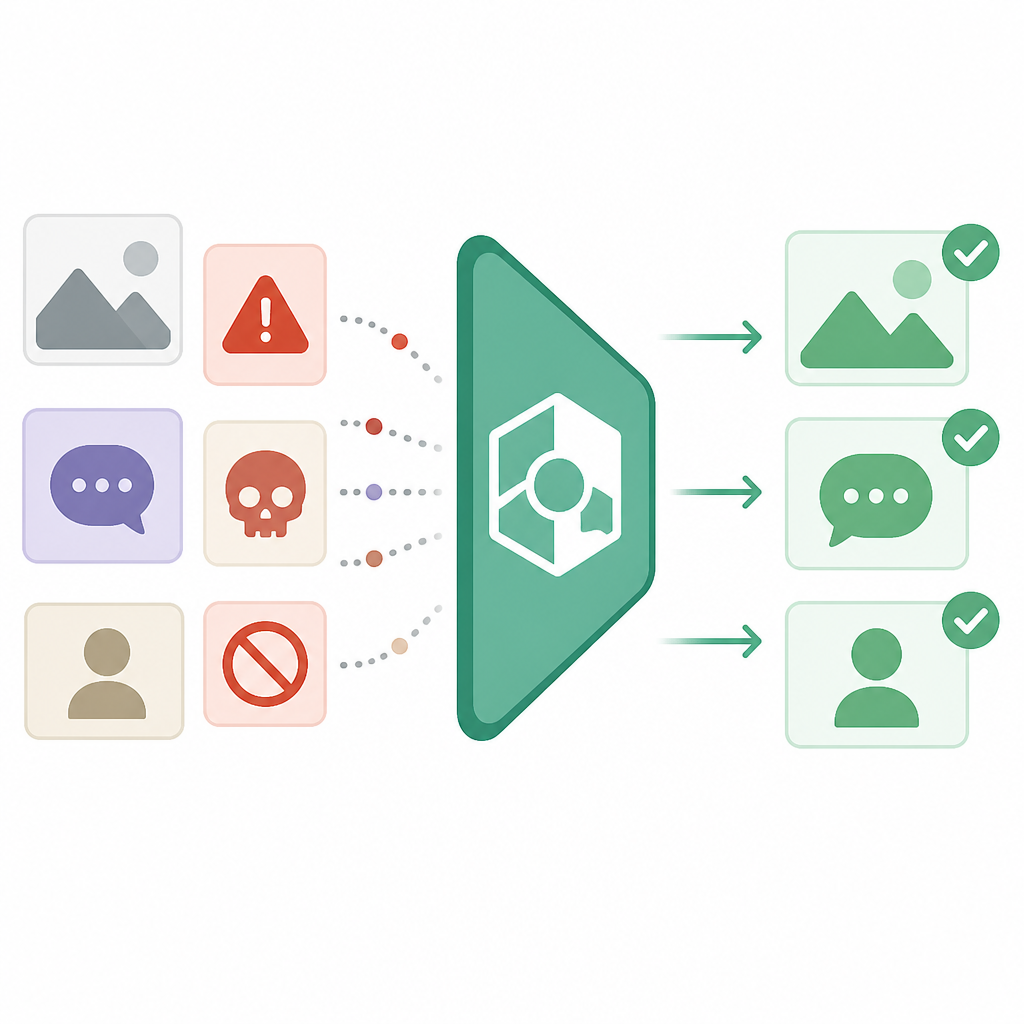
AWS ties this to Amazon Augmented AI (Amazon A2I), which is the human-in-the-loop piece. The point is not to replace reviewers. It’s to make review a targeted exception path. That’s the right shape. Humans should handle ambiguity, policy edge cases, and appeals. They should not be doing bulk first-pass filtering if software can do it first.
I’ve built review queues where the model was technically “helping,” but the queue was still full of obvious junk. That’s the worst version of automation: it adds complexity without removing pain. If Rekognition can really flag the majority of unsafe content before a human sees it, then the queue gets smaller and the humans get better work.
How to apply it: design your queue around exceptions. Don’t send every upload to a reviewer. Send only low-confidence cases, policy-sensitive categories, and appeals. Then instrument the queue so you can see how many items are being auto-decided versus escalated. If the escalations are too high, your thresholds are wrong or your categories are too broad.
Custom rules matter more than the model demo
Use a hierarchical taxonomy to create granular business rules for different geographies, target audiences, time of day, and more.
This is the part I actually like. The model is useful, but the business rules are where moderation becomes real. A platform with users in multiple countries cannot use one blunt policy everywhere. What counts as acceptable in one region may be restricted in another. What’s fine for adults at noon may be a problem for teens at night.
A hierarchical taxonomy gives you the room to express that mess without rewriting your whole pipeline. Instead of one flat list of “unsafe” labels, you can build policy layers. That gives product, legal, trust-and-safety, and engineering a common language. Which, frankly, is usually the hard part.
There’s a reason AWS keeps mentioning geographies, target audiences, and time of day. They’re telling you moderation is contextual. If your current rule set doesn’t know the difference between a children’s app and a nightlife app, it’s not mature enough.
How to apply it: separate detection from policy. Let Rekognition produce labels. Then map those labels into your own policy engine. Keep geography, age gate, product surface, and user state outside the model. That way you can change policy without retraining anything.
- Build one policy layer per region or compliance regime.
- Keep age-based rules separate from content labels.
- Store policy decisions so you can audit them later.
Video moderation is where the pain usually shows up
Process millions of images and videos efficiently while detecting inappropriate or unwanted content.
Images are annoying. Video is worse. Every second can contain multiple moderation events, and the review burden grows fast if your system can’t pinpoint where the issue starts. That’s why video timestamping and confidence scores matter so much. They turn a long blob into a reviewable sequence.
The AWS page also points to use cases like social media, gaming, ecommerce, advertising, and media and entertainment. Those are not decorative examples. They’re the places where video moderation breaks teams first because scale and user-generated content collide. Once you have live streams, clips, avatars, and comments all feeding the same moderation flow, the old manual process falls apart.
I’ve seen a sports platform try to moderate short clips with a human-only workflow. It was hopeless. By the time a reviewer got to the clip, the content was already shared, reported, and argued over in three different channels. The only way out was to automate the first pass and reserve people for the weird stuff.
How to apply it: treat video as a stream of events, not a file upload. Store detection results with timestamps, and build review tools that can jump directly to the flagged segments. If you’re using S3, Lambda, or Step Functions around this, keep the moderation job asynchronous so uploads don’t block the user experience. See Amazon S3, AWS Lambda, and AWS Step Functions if you’re wiring the pipeline yourself.
The real value is less review, not more AI theater
Create cost-reliable, scalable, and repeatable cloud-based content moderation workflows without upfront commitments or expensive licenses.
This is AWS speaking directly to ops and finance, and I get why. A lot of moderation systems start as a safety project and end as a budget problem. Review headcount grows. Tooling gets patched together. Legal wants better audit trails. Product wants faster approval. Everyone wants the same thing, but nobody wants to own the pipeline.
Rekognition’s pitch is that you can pay by image or video duration, keep the infrastructure managed, and avoid building a custom ML stack just to filter user uploads. That’s attractive if your team is small or if moderation is one of many things you need, not the main product.
Still, I’d be careful about pretending this is “set and forget.” It isn’t. Your policy will drift. Your categories will need tuning. Your reviewers will find edge cases the model doesn’t understand. The win is not removing humans. The win is reducing the amount of obvious junk that reaches them.
How to apply it: measure moderation as a workflow, not just an API call. Track how many items are auto-processed, how many are escalated, how long review takes, and how often policy changes. If you can’t measure those four things, you won’t know whether the system is helping or just moving work around.
The template you can copy
# Content moderation workflow template for Amazon Rekognition

## 1) Policy table
Define your categories, thresholds, and actions.

| Category | Confidence band | Action | Notes |
|---|---:|---|---|
| Explicit adult content | 90-100 | Auto-block | No human review needed |
| Violence | 70-100 | Queue for review | Jump to timestamp |
| Drugs | 80-100 | Queue for review | Region-specific policy |
| Hate symbols | 85-100 | Auto-block | Log for audit |
| Gambling | 75-100 | Review | Age-gated surfaces only |
| Disturbing content | 70-100 | Review | Sensitive surfaces |

## 2) Processing flow
1. User uploads image or video.
2. Store media in S3.
3. Trigger moderation job.
4. Send media to Amazon Rekognition Content Moderation.
5. Store labels, confidence scores, and timestamps.
6. Apply business rules in your policy layer.
7. Auto-allow, auto-block, or queue for human review.
8. Send low-confidence or policy-sensitive cases to Amazon A2I.
9. Record final decisions for audit and threshold tuning.

## 3) Reviewer queue rules
- Only send ambiguous cases to humans.
- Jump reviewers to the exact video timestamp.
- Hide or blur obviously harmful previews when possible.
- Separate appeals from first-pass review.
- Track reviewer disagreement by category.

## 4) Example policy logic

IF category = explicit_adult AND confidence >= 90
  THEN block
ELSE IF category = violence AND confidence >= 70
  THEN queue_review
ELSE IF category = hate_symbol AND confidence >= 85
  THEN block
ELSE IF confidence < threshold_for_category
  THEN allow_or_log
ELSE
  queue_review

## 5) Ops metrics to watch
- Total uploads processed
- % auto-allowed
- % auto-blocked
- % sent to human review
- Average review time
- Reviewer disagreement rate
- False positive rate by category
- False negative rate by category

## 6) Minimal implementation notes
- Keep detection and policy separate.
- Use category-specific thresholds.
- Store timestamps for video moderation.
- Add region and age gates outside the model.
- Re-test thresholds whenever policy changes.

## 7) Copy-ready reviewer brief
We automatically scan uploaded images and videos for unsafe content.
Only ambiguous or policy-sensitive cases go to human review.
Reviewers should use the flagged label, confidence score, and timestamp to make the final call.
All final decisions must be logged for audit and tuning.
That block is the shape I’d start with if I were wiring this up today. It’s not fancy. That’s the point. The less custom logic you bury inside the moderation tool, the easier it is to tune later.
If you want the AWS-native pieces, the obvious stack is Amazon Rekognition for detection, Amazon A2I for human review, and your own policy layer for routing. If you need custom moderation models beyond the built-in categories, AWS also points to Amazon Rekognition Custom Labels. That’s the route I’d take only after I’ve exhausted the built-in moderation taxonomy.
The examples on the AWS page from CoStar Group, Dream11, SmugMug, and ZOZO Inc. all point to the same pattern: high-volume uploads, a need for safety, and a desire to keep humans focused on the exceptions. That’s the real story here, not the product brochure language.
Source: https://aws.amazon.com/rekognition/content-moderation/. I’ve rewritten the workflow in my own words and added the copy-ready template above; the underlying product claims and use cases are AWS’s, while the implementation framing and template are mine.
// Related Articles
- [TOOLS]
Grok 4.5 hits Cursor with $2/$6 pricing
- [TOOLS]
AGT turns agent calls into governed actions
- [TOOLS]
OpenClaw v2026.7.1 turns control UI into a workspace
- [TOOLS]
OpenAI’s screenless speaker turns ChatGPT into a companion
- [TOOLS]
SCALE turns CUDA code into portable GPU builds
- [TOOLS]
2027 AI/ML internship jobs are being tracked daily