Build a production vector DB for RAG
Choose and wire a vector database for a production RAG pipeline with n8n.

Teams often start with a local vector store, then hit latency, filtering, or ops limits when the first real workload arrives. This guide helps you pick a production-ready vector database and connect it to an n8n workflow.
Choose and wire a vector database for a production RAG pipeline with n8n.
Before you start
Get the latest AI news in your inbox
Weekly picks of model releases, tools, and deep dives — no spam, unsubscribe anytime.
No spam. Unsubscribe at any time.
- An n8n account or self-hosted n8n instance
- A vector database account or local instance, such as Pinecone docs and Pinecone GitHub, or Qdrant docs and Qdrant GitHub
- An LLM or embedding provider API key, such as OpenAI or another compatible model service
- Node 20+ if you plan to run local scripts or custom tooling
- PostgreSQL 15+ if you want to use pgvector
- Sample documents, chunking rules, and metadata fields you want to search
Step 1: Define your retrieval workload
Your first outcome is a clear search profile, so you do not pick a database that fits the demo but fails in production. Decide whether your app needs low-latency semantic search, hybrid keyword plus vector retrieval, rich metadata filtering, or billion-scale storage.
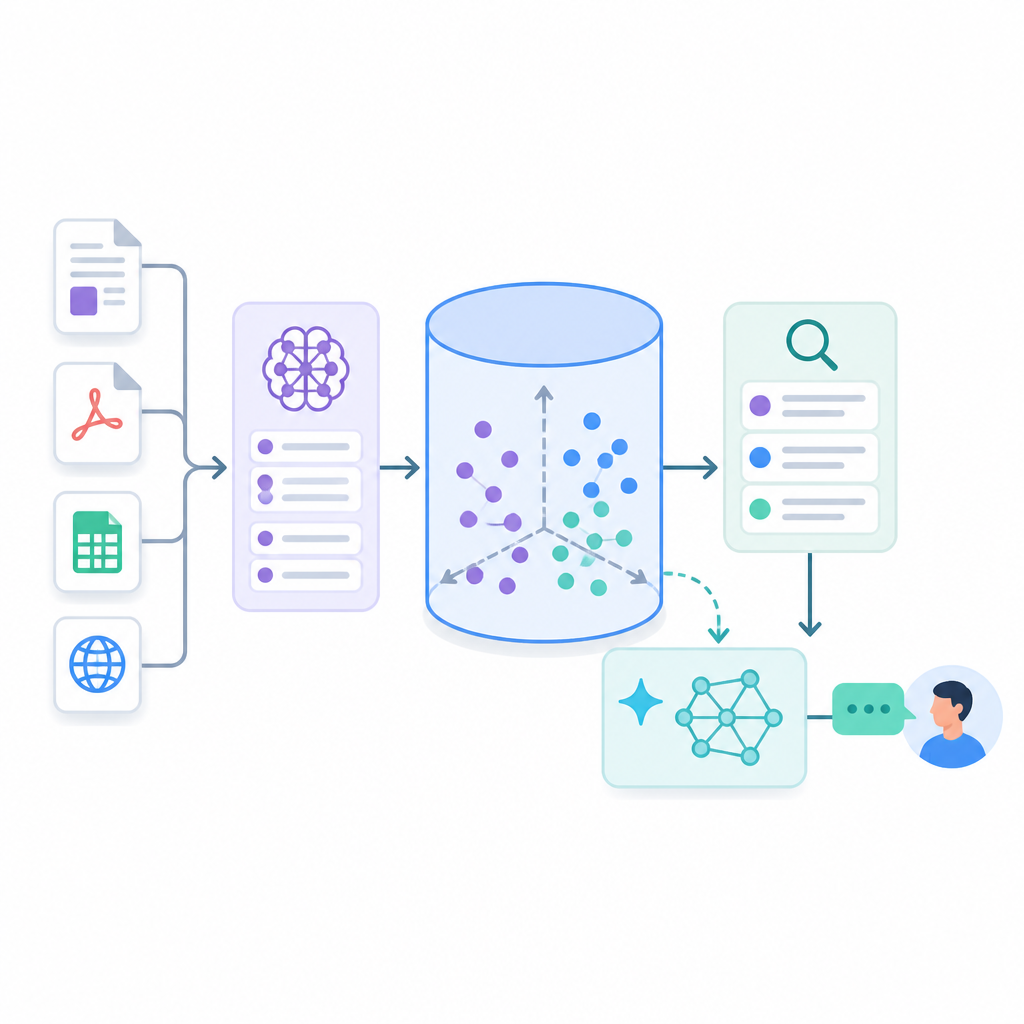
Write down three things: expected vector count, filter complexity, and freshness requirements for new embeddings. For example, a Postgres-based app with modest volume can favor pgvector, while a high-scale multi-tenant app may need Qdrant, Weaviate, Milvus, or Pinecone.
You should see a short requirements note that names your scale, latency target, and filtering needs. If you can explain why you need a managed service or self-hosted system, this step is complete.
Step 2: Choose the vector database
Your second outcome is a shortlist with one primary choice and one fallback. Match the tool to your stack: Pinecone for zero-ops managed search, pgvector for existing PostgreSQL systems, Qdrant for fast payload filtering, Weaviate for hybrid search, Milvus for very large deployments, Chroma for local development, Redis for in-memory speed, Elasticsearch for hybrid enterprise search, SingleStore for unified SQL plus vectors, or Faiss for research and offline batch jobs.
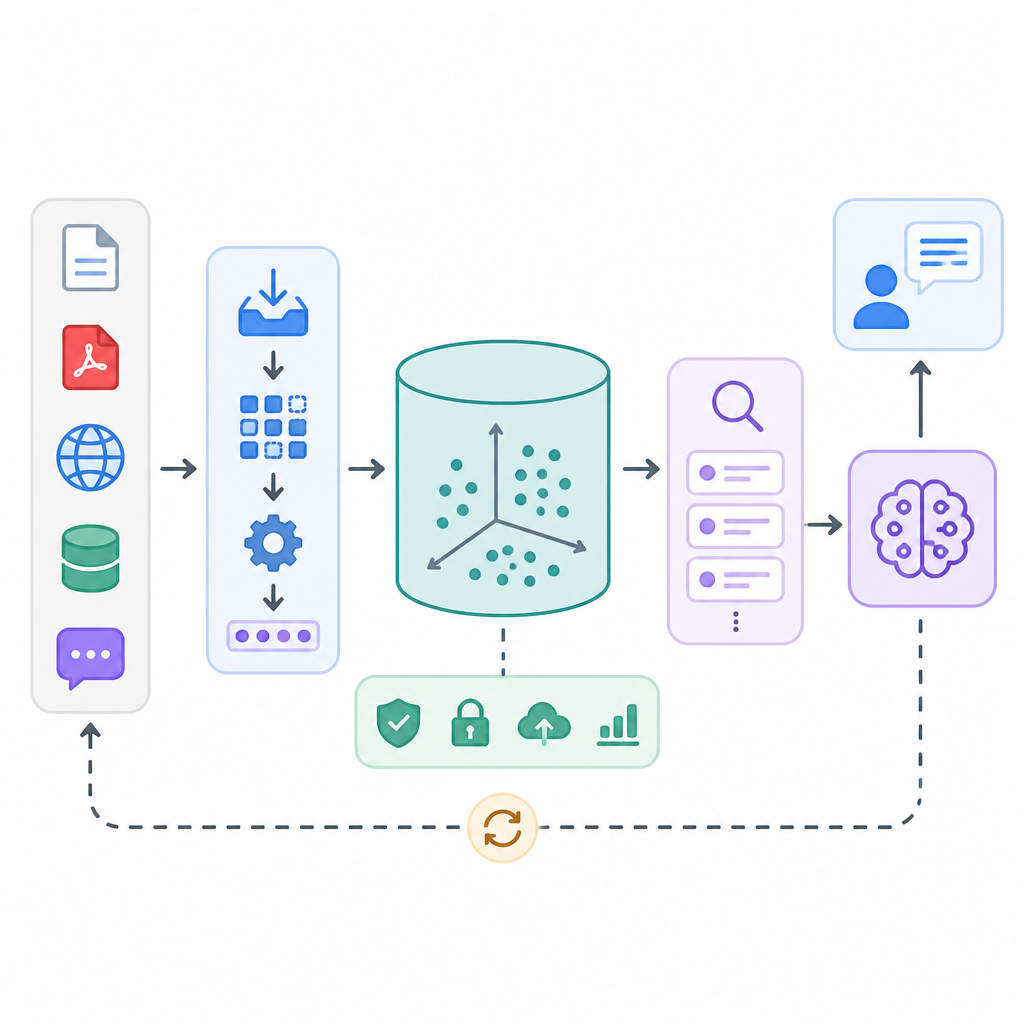
Use this rule of thumb: choose the simplest tool that still meets your scale ceiling and filtering needs. If your team already runs Postgres, pgvector reduces moving parts; if you need a dedicated vector engine with strong filtering, Qdrant is a practical default.
You should see one selected database and a written reason for rejecting the others. If the reason mentions ops overhead, memory use, or hybrid search, you are on track.
Step 3: Create the index and schema
Your third outcome is a database schema that can store embeddings and the metadata you will filter on later. Create the collection or table with the right vector dimension, index type, and filterable fields before loading production data.
-- Example for pgvector on PostgreSQL 15+ with HNSW indexing
CREATE EXTENSION IF NOT EXISTS vector;

CREATE TABLE documents (
  id BIGSERIAL PRIMARY KEY,
  content TEXT NOT NULL,
  metadata JSONB NOT NULL,
  embedding vector(1536) NOT NULL
);

CREATE INDEX documents_embedding_hnsw
ON documents
USING hnsw (embedding vector_cosine_ops);

CREATE INDEX documents_metadata_gin
ON documents
USING gin (metadata);
You should see the table or collection created without errors, plus an index that matches your query pattern. Verify that the embedding dimension matches your model output, or inserts will fail later.
Step 4: Build the ingestion workflow in n8n
Your fourth outcome is an automated path from raw documents to stored embeddings. In n8n, connect a trigger, a document loader, a chunking step, an embedding node, and your chosen vector database node so every new file follows the same path.
Keep chunk sizes consistent and preserve metadata such as source, title, timestamp, and access control labels. n8n can orchestrate ingestion, chunking, embedding, and retrieval, which keeps this pipeline from turning into a custom script pile.
You should see new records appear in your vector store after one test run. If the database shows chunks with metadata and embeddings, the ingestion flow is working.
Step 5: Test retrieval and tune latency
Your fifth outcome is a query path that returns relevant chunks quickly and predictably. Send a few realistic questions through the workflow, then compare the returned chunks against the source documents and check whether filters, ranking, and freshness behave as expected.
Tune one variable at a time: index settings, chunk size, top-k, or filter strategy. HNSW can improve search speed, but memory use may rise; SQL filtering in pgvector is convenient, but very large workloads may need a dedicated vector engine.
You should see relevant answers, acceptable response time, and the right documents excluded by metadata filters. If results are stale, slow, or noisy, revisit indexing and ingestion order.
Common mistakes
- Picking a database for scale you do not need. Fix: start with your current workload, then choose the smallest system that satisfies latency and filtering.
- Skipping metadata design. Fix: store source, tenant, permission, and document type fields from day one so filtering does not become a rewrite.
- Using the wrong embedding dimension. Fix: confirm the model output size before creating the schema, then keep it consistent across ingestion and query jobs.
What's next
Once the pipeline works, expand it with reranking, hybrid search, access controls, and evaluation jobs that measure retrieval quality over time. You can also swap vector backends in n8n as your scale or ops needs change.
// Related Articles
- [AGENT]
Ornith-1 turns agent coding into a server
- [AGENT]
Crypto AI agents are useful, but only for narrow workflows
- [AGENT]
AI Agents in Crypto: 2026 Protocol Guide
- [AGENT]
Agent Network shows the Pentagon is right to put AI in the kill chain…
- [AGENT]
DOW's Agent Network is the right move for military AI
- [AGENT]
OpenCode 2026 Setup Guide for Open-Source AI Coding