Cloudflare turns startup traffic into a moat
I break down Cloudflare’s June 2026 startup playbook and give you a copy-ready setup for speed, security, and AI traffic control.

Cloudflare can turn startup traffic into a safer, faster control layer.
I've been using Cloudflare-style setups for long enough to know when something feels off. The docs look tidy. The dashboard looks powerful. The pitch sounds simple: put your site behind Cloudflare, get faster pages, better security, fewer headaches. And then you actually run a startup on it.
That is where the mess starts. A caching rule breaks checkout. A bot rule blocks a real customer. A Zero Trust policy locks out a contractor you needed five minutes ago. Or worse, everything looks protected, but your origin server is still wide open and you only find out after some annoying traffic spike or scraping run eats your margins. I hate that kind of false confidence. It is expensive and it is preventable.
The piece that triggered this breakdown is Violetta Bonenkamp’s Cloudflare News | June, 2026 (STARTUP EDITION) on blog.mean.ceo. She frames Cloudflare as business infrastructure for founders, not just a CDN, and that framing is exactly right. I am not treating this like a product roundup. I am treating it like a founder operating manual, because that is what it is trying to be.
Bonenkamp does not give us vanity numbers, and honestly that is fine. What she does give is a practical thesis: Cloudflare can protect sales, speed up pages, shield APIs, secure remote team access, and help AI apps survive bot abuse and traffic spikes. That is the useful part. I am going to unpack that into the parts I wish every founder had in their head before launch week.
Stop calling it a CDN and pretending that is enough
Get the latest AI news in your inbox
Weekly picks of model releases, tools, and deep dives — no spam, unsubscribe anytime.
No spam. Unsubscribe at any time.
Cloudflare is no longer just a CDN or a security vendor. It is part of the hidden business infrastructure that decides whether your product feels fast, stays reachable, and survives hostile traffic.
What this actually means is that Cloudflare sits between your users and your app, and that position gives it more power than the old “speed up images” story suggests. It can influence delivery, access, threat filtering, and even where some logic runs. If you only think “CDN,” you miss the business control layer part.
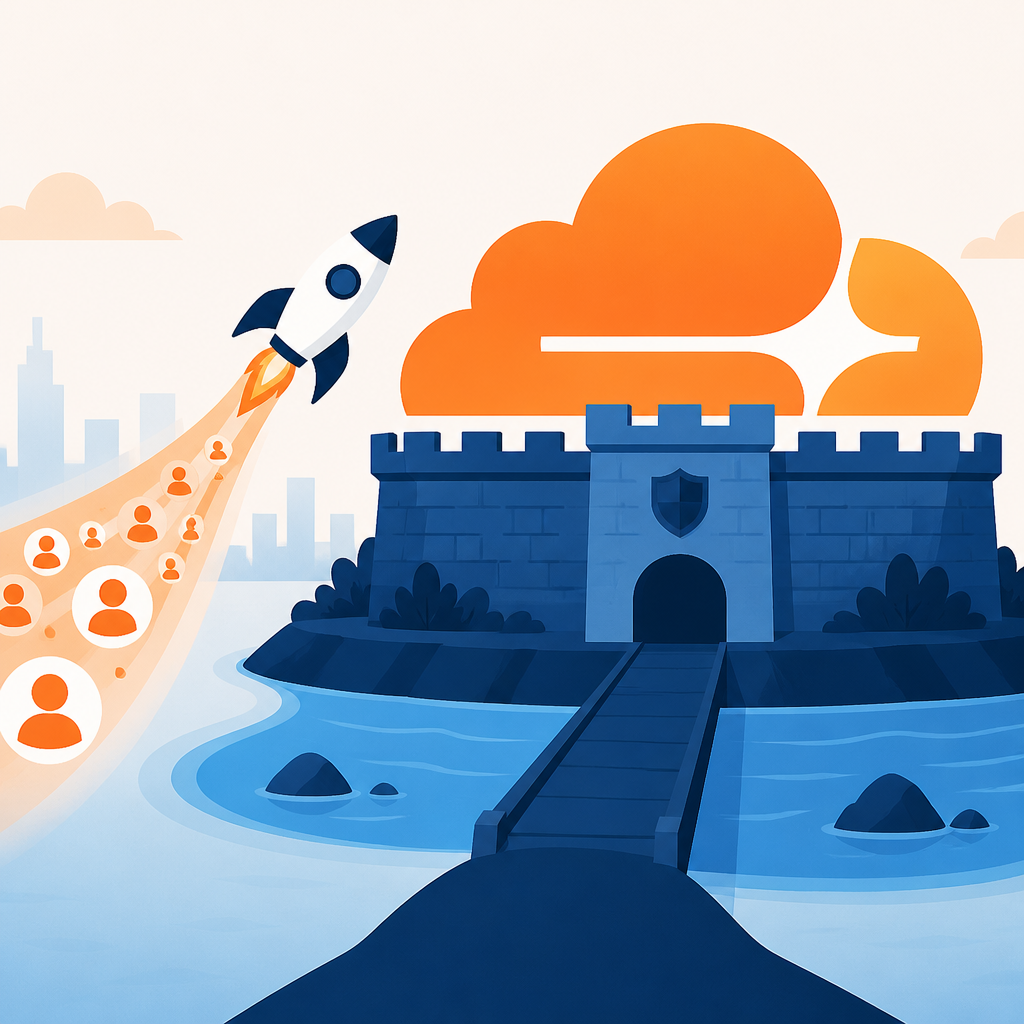
I ran into this with early-stage products that assumed a hosting provider was enough. It was not. Once traffic became real, the problems were never just bandwidth. They were DNS changes during a launch, abusive traffic from a handful of IP ranges, login endpoints getting hammered, and static assets dragging because nobody had bothered to think about edge caching.
Cloudflare’s own product framing makes this broader role obvious. The company overview and product portfolio show a stack that includes DNS, DDoS protection, web application security, Workers, R2, 1.1.1.1, and WARP. That is not a single-purpose CDN anymore. See the official pages here: Cloudflare company overview, Cloudflare product portfolio, and the network overview.
How to apply it: map your startup’s public surfaces before you touch settings. I mean domains, subdomains, APIs, admin panels, login endpoints, staging environments, and any docs or media buckets that users can hit directly. If you do not know what is exposed, you cannot protect it. That is usually the first mistake.
- List every domain and subdomain you own.
- Mark which ones are public, internal, or temporary.
- Put the sensitive ones behind stricter access rules.
- Check whether your origin server is reachable without Cloudflare in the path.
Speed is not vanity when it protects revenue
Founders love to say page speed matters, then they leave it to the intern or the agency or “later.” I think that is lazy. For a startup, speed is not a nice-to-have metric. It is part of the buying experience. If the checkout page feels sluggish, if a landing page hangs on mobile, if a product demo loads like it was sent through a fax machine, you pay for that in conversion loss.
Bonenkamp’s point about faster delivery is not just about technical elegance. It is about keeping a small team from looking amateur. Cloudflare’s network spans more than 330 cities and the company says it reaches about 95% of internet users within roughly 50 milliseconds. I am not asking you to memorize that number, but I am saying you should understand the implication: your app can feel closer to users if the edge layer is doing real work.
What this actually means is that caching, asset delivery, TLS termination, and routing decisions can all happen before traffic ever slams your origin. That reduces load on your app and often improves perceived performance for users far from your server. For a startup selling across borders, that is a serious advantage.
I have seen teams burn weeks chasing backend performance while the real issue was simple: they were shipping every request to one origin in one region, then wondering why Europe or APAC felt slow. Cloudflare can hide some of that pain, but only if you use it intentionally.
How to apply it: start with static assets, then add page rules or cache rules carefully. Do not turn on aggressive caching for everything and hope for the best. That is how you break personalized pages and checkout flows. Separate your marketing pages from your app routes, and treat them differently.
- Cache marketing pages and static assets aggressively.
- Bypass cache for authenticated pages and checkout.
- Test from at least two regions before launch.
- Measure real user speed, not just synthetic lab tests.
Security is the point, not the side effect
Cloudflare’s June 2026 story makes sense only if you accept that security is now part of product delivery. The old model was simple: ship the app, then bolt on protection later. That model is broken. By the time a startup has real traffic, it already has a threat surface.
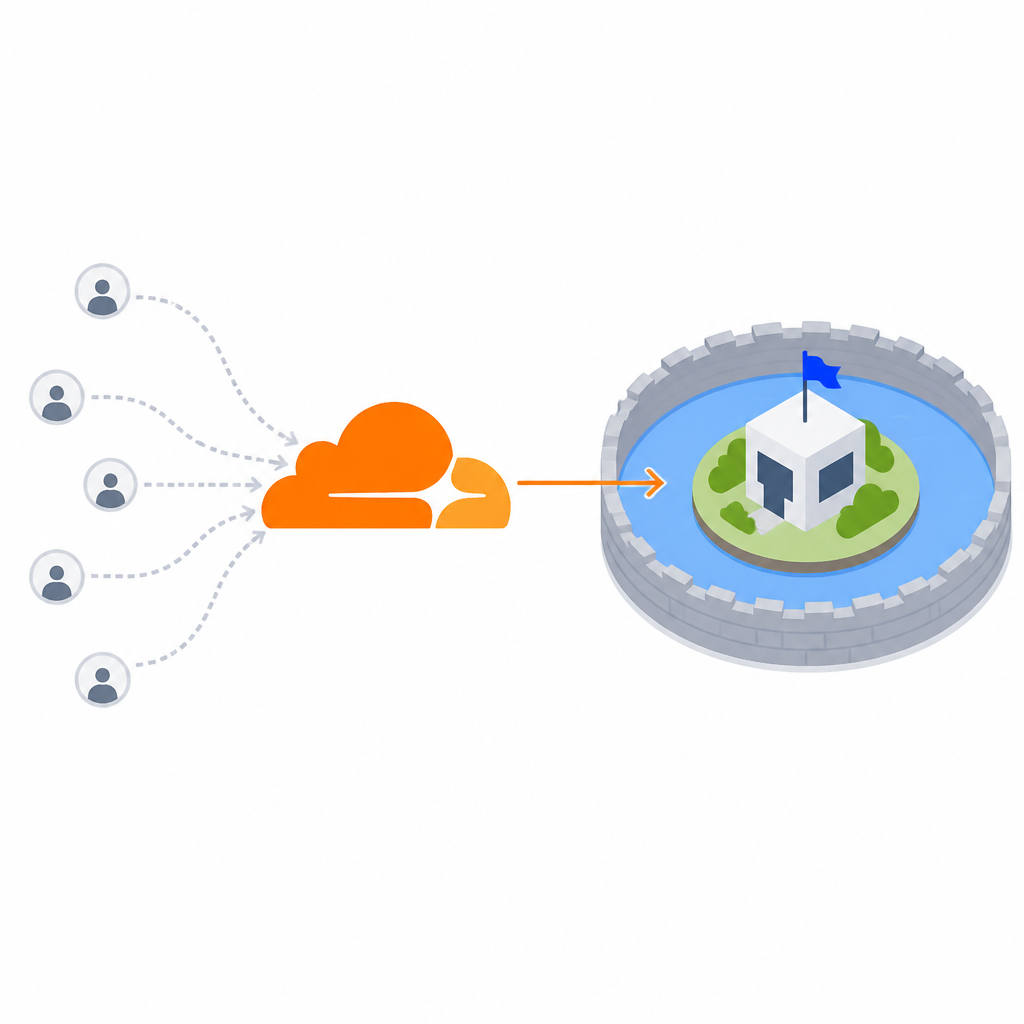
Cloudflare’s value here is that it can sit in front of public traffic and filter a lot of the junk before it reaches your app. That includes DDoS mitigation, WAF rules, bot filtering, and HTTPS controls. For founders, the business translation is straightforward: fewer outages, fewer fake requests, fewer opportunities for basic abuse to become an incident.
What this actually means is not “Cloudflare will save you from bad architecture.” It will not. If your origin is exposed, if your admin panel is public, if your API has no authentication discipline, Cloudflare is not a magic shield. It is a very useful checkpoint. That difference matters.
I have a strong bias here because I have watched teams confuse “we put it behind Cloudflare” with “we are secure now.” No. You are less exposed, not invincible. The setup still needs sane origin restrictions, strong auth, and a plan for what happens when someone finds a route you forgot about.
How to apply it: focus first on the endpoints that can cost you money or reputation. Login, signup, checkout, password reset, API write actions, and admin access should get the most attention. Then work outward to the rest of the site.
- Enable HTTPS everywhere.
- Restrict direct origin access where possible.
- Set rate limits on login and API write routes.
- Review WAF logs after enabling rules, not before.
Zero Trust is what remote teams actually needed
Cloudflare’s Zero Trust angle matters because startup teams are distributed by default now. Contractors, agencies, fractional operators, and remote employees all need access to internal tools, but not all access should be equal. That old “everyone gets the VPN” habit is clumsy and usually broader than it needs to be.
What this actually means is that Cloudflare can sit in front of internal apps and give you more granular access control than a flat network tunnel. You can ask who the user is, what device they are on, where they are connecting from, and whether the request should even be allowed. That is much closer to how a small company should think about access.
I have seen this save teams from the usual contractor chaos. A freelancer needs the staging app, not the payroll system. A support person needs the ticketing tool, not the production database. A founder wants access from a hotel Wi-Fi network without opening the whole internal network to the world. Zero Trust is the cleaner answer.
How to apply it: start with one internal app, not the whole company. Pick a dashboard, wiki, or admin panel and require identity-based access. Then expand gradually. If you try to redesign every access path in one afternoon, you will create your own outage.
Also, do not ignore the boring stuff. Document who owns each access policy. Otherwise you end up with policies nobody understands and no one wants to touch. That is how bad security becomes permanent security.
AI apps need bot control, not just more compute
The June 2026 angle that feels most current is AI traffic. Public-facing AI apps attract weird behavior immediately. People scrape prompts, hammer endpoints, automate abuse, and test limits the second they find something interesting. If you are building an AI product and you have not thought about bot control, you are already late.
Cloudflare matters here because it can help separate real users from machine traffic and give you more control over how public endpoints behave. That includes rules for bots, traffic shaping, and edge-side protection around AI-facing surfaces. The business case is simple: your app should be usable by customers, not consumed by random automation.
What this actually means is that AI products need a perimeter strategy. You are not just protecting a website. You are protecting prompts, APIs, inference endpoints, and whatever rate limits you thought were “probably enough.” They are usually not enough.
I ran into this pattern with teams that launched an AI demo and then got surprised when the demo got scraped, replayed, or abused. They thought the problem was model quality. It was not. The problem was exposure. Once a public endpoint exists, traffic patterns change fast.
How to apply it: treat your AI product like a public service, not a private experiment. Put explicit limits on unauthenticated requests, log suspicious patterns, and separate demo access from production access. If you are planning paid usage, protect the free tier like it matters, because it does.
- Require auth for meaningful AI actions.
- Throttle anonymous traffic hard.
- Separate demo, staging, and production keys.
- Watch for repeated prompt patterns and high-frequency retries.
The founder mistake is thinking Cloudflare replaces architecture
This is the uncomfortable bit. Cloudflare can make a weak setup look better, but it cannot fix a sloppy one. That is the trap. A lot of founders want one tool to absorb all the pain of missing process, missing documentation, and missing discipline. Cloudflare is powerful, but it is not a substitute for basic operational thinking.
What this actually means is that you still need to understand your stack. Which requests should be cached? Which routes must never be cached? Which endpoints are public? Which are internal? Which third-party services depend on your DNS? Which subdomains can be retired? If you do not know the answers, you are just collecting dashboard noise.
I have strong opinions here because I have seen the opposite approach fail repeatedly. Teams add tools without a model. Then they cannot explain why a rule exists, why a cert renewed late, why a contractor lost access, or why an API got rate-limited. That is not “being lean.” That is being sloppy with extra steps.
How to apply it: create a one-page Cloudflare operating sheet for your startup. Keep it boring. Put the domains, owners, critical rules, rollback steps, and emergency contacts in one place. If someone new joins the team, they should be able to understand the setup without asking three different people.
And yes, review it after every launch or infrastructure change. Cloudflare setups rot quietly. The rules that made sense for version one may be wrong for version three. That is normal. Ignoring it is the actual problem.
The template you can copy
# Cloudflare startup operating sheet

## 1) What is behind Cloudflare
- Primary domain:
- Subdomains:
- Public APIs:
- Admin panels:
- Staging environments:
- Static assets / media buckets:

## 2) Business goal
- Faster pages for:
- Revenue-critical routes:
- Internal apps to protect:
- AI endpoints to protect:

## 3) Security baseline
- HTTPS enforced: yes/no
- Origin hidden from direct access: yes/no
- WAF enabled: yes/no
- Bot protection enabled: yes/no
- Rate limits on login/API: yes/no
- Zero Trust for internal tools: yes/no

## 4) Caching rules
- Cache marketing pages: yes/no
- Cache static assets: yes/no
- Bypass cache for checkout: yes/no
- Bypass cache for authenticated pages: yes/no
- Regional testing done: yes/no

## 5) AI / bot controls
- Anonymous request limit:
- Auth required for paid actions: yes/no
- Demo environment separated: yes/no
- Suspicious pattern logging enabled: yes/no

## 6) Access control
- Who owns Cloudflare admin access:
- Who can change DNS:
- Who can change WAF rules:
- Who can change Zero Trust policies:
- Emergency rollback contact:

## 7) Monitoring
- Checkout conversion:
- Login failure rate:
- 4xx / 5xx spikes:
- Bot traffic percentage:
- Origin request count:
- Median page load time:

## 8) Change process
- What changed:
- Why it changed:
- How it was tested:
- Rollback plan:
- Date reviewed:
That is the version I would actually hand to a founder, an operator, or a small dev team. It is not fancy. It is useful. And useful is the whole point.
My source for this breakdown is Violetta Bonenkamp’s original article on blog.mean.ceo. I added the developer framing, the operational warnings, and the copy-ready template above. The strategic ideas are hers; the workflow and checklist are my own synthesis.
// Related Articles
- [TOOLS]
Docker Desktop on Windows in one clean install flow
- [TOOLS]
Grok 4.5 hits Cursor with $2/$6 pricing
- [TOOLS]
AGT turns agent calls into governed actions
- [TOOLS]
OpenClaw v2026.7.1 turns control UI into a workspace
- [TOOLS]
OpenAI’s screenless speaker turns ChatGPT into a companion
- [TOOLS]
SCALE turns CUDA code into portable GPU builds