Gemini turns Google’s AI stack into one app
A developer’s breakdown of Gemini’s rollout, model tiers, and why Google folded search, app, and Vertex AI into one AI surface.

This breaks down how Gemini folds Google’s AI tools into one app and model stack.
I've been using Google’s AI stuff long enough to know when it feels stitched together. Bard in one place, Duet AI in another, Gemini in Search, then some model name buried in Vertex AI, and every team acting like the naming confusion was a feature. It wasn’t. It was a tax. Every time I wanted to figure out what model I was actually calling, I had to stop, cross-check product pages, and mentally translate Google’s branding soup into something I could ship with.
That’s why the Gemini story finally clicked for me. Not because it was flashy. Because it was Google admitting, in public, that the old split between chatbot, assistant, and model platform was slowing everybody down. The Wikipedia entry on Google Gemini lays out the whole arc: Bard, the rebrand, the model generations, the app, the cloud integration, the backlash, and the product pivots. I’m using that page as the source here, and I’m also linking out to Google’s own Gemini app, Vertex AI, and Google DeepMind’s Gemini overview so you can compare the public story with the product surface.
Google stopped pretending Bard and Gemini were different worlds
Get the latest AI news in your inbox
Weekly picks of model releases, tools, and deep dives — no spam, unsubscribe anytime.
No spam. Unsubscribe at any time.
“In February 2024, the Bard chatbot was renamed Gemini, and the ‘Duet AI’ branding for Google Cloud and Workspace was retired in favor of the Gemini identifier.”
What this actually means is Google got tired of making developers learn three names for one experience. Bard was the consumer chatbot. Duet AI was the enterprise branding. Gemini became the umbrella that swallowed both. I’ve seen this movie before with platform companies: they start by naming every surface separately, then discover nobody wants a brand matrix when they just need one place to type a prompt.
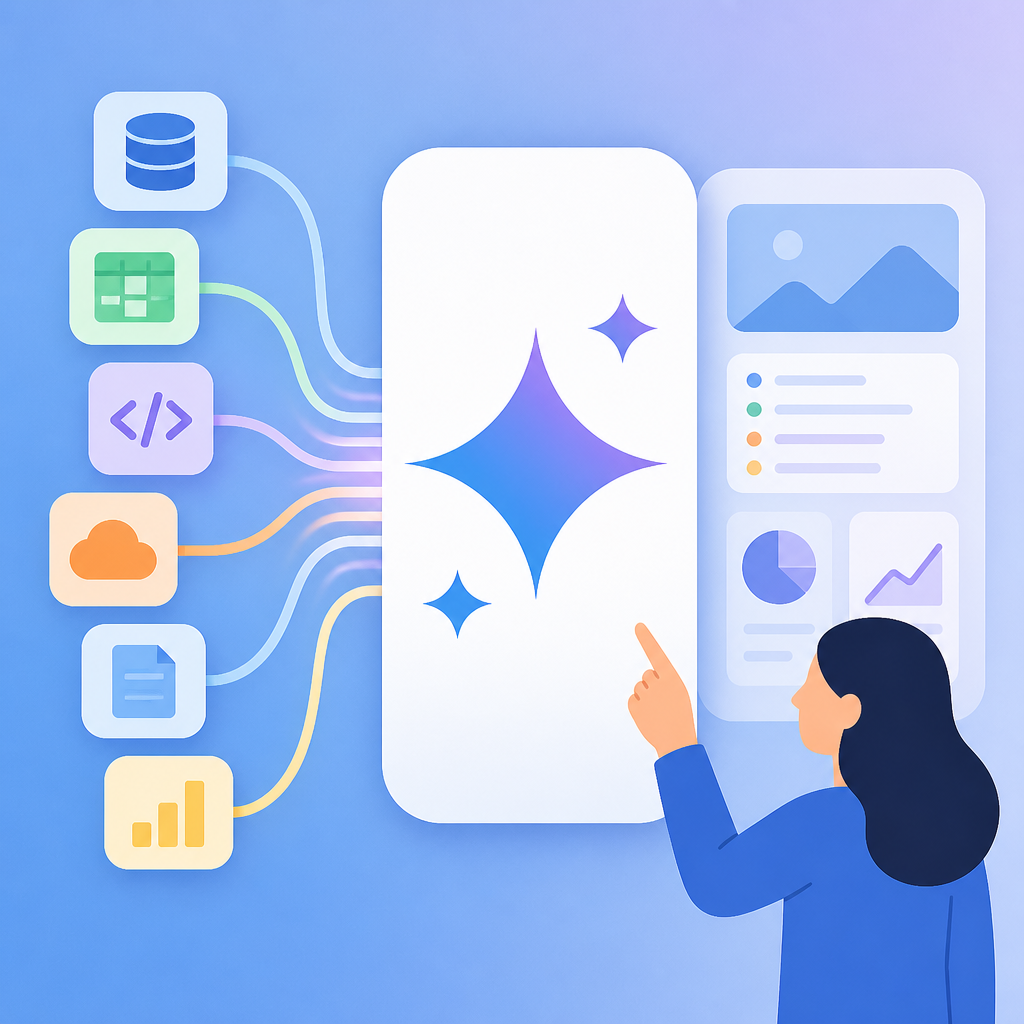
The practical effect is boring in the best way. You can talk about Gemini without constantly asking, “Do you mean the app, the model, or the cloud product?” That matters when you’re writing docs, onboarding a team, or building internal tooling. If your stack has to explain itself before it works, your stack is already costing you time.
I ran into this exact mess when I tried to standardize AI usage across a small product team. One person used the consumer app, another used Vertex AI, and a third thought “Gemini” meant the model family only. We lost half a day just aligning vocabulary. Google’s rebrand is basically a giant admission that naming matters more than marketing people want to admit.
How to apply it: collapse your own AI surfaces into a single vocabulary. If you have a chat UI, a model endpoint, and an internal assistant, give them one family name and then use qualifiers only where needed. Don’t make every team invent its own alias. That’s how you end up with three dashboards and no trust.
- Use one primary product name for users.
- Use model suffixes only for technical distinctions.
- Document the difference between app, API, and platform in one place.
The multi-modal bit is not a demo trick, it’s the whole point
“The Gemini architecture is trained natively on multiple data types, allowing the models to process and generate text, computer code, images, audio, and video simultaneously.”
What this actually means is Gemini is built to treat different input types as first-class, not as add-ons. A lot of systems say they support images or audio, but the support is bolted on after the fact. That usually shows up as weird latency, brittle prompts, or a UI that looks capable until you try to use it in anger.
Google’s pitch here is that the model family itself is designed around mixed inputs. That’s a stronger claim than “we added image upload.” It suggests a single reasoning layer across text, code, visuals, and media. If you’re building developer tools, that matters because the real work rarely comes in one neat format. Specs are PDFs. Bugs are screenshots. Product feedback is a voice note. Code review is text, but the relevant context might be in a diagram or a recording.
I’ve had projects where the lack of multi-modal thinking created dumb friction. Someone would paste a screenshot into Slack, then spend ten minutes describing it in words because the tool couldn’t do anything useful with the image. If the model can ingest the screenshot directly, that whole ritual disappears. That’s not magic. That’s less busywork.
How to apply it: design prompts and workflows around mixed evidence. Don’t force users to transcribe everything. If your stack supports it, let people attach screenshots, logs, audio clips, and docs in one request. Then structure your output so the model has to cite which input it used. That keeps the answer grounded and makes debugging possible.
- Accept the raw artifact whenever possible.
- Ask the model to summarize each modality separately before synthesizing.
- Keep a trace of which input produced which claim.
The model tiers are a deployment strategy, not a branding flourish
“Google distributes the technology in varying capacities, ranging from efficient on-device versions (‘Nano’) and cost-effective, high-throughput variants (‘Flash’) to high-compute models designed for complex reasoning (‘Pro’ and ‘Ultra’).”
What this actually means is Google is finally behaving like a systems company again. Not every request deserves the biggest model, and not every user interaction needs the same latency budget. The tiering tells me Google wants developers to choose based on cost, speed, and task difficulty instead of treating one model as the answer to everything.
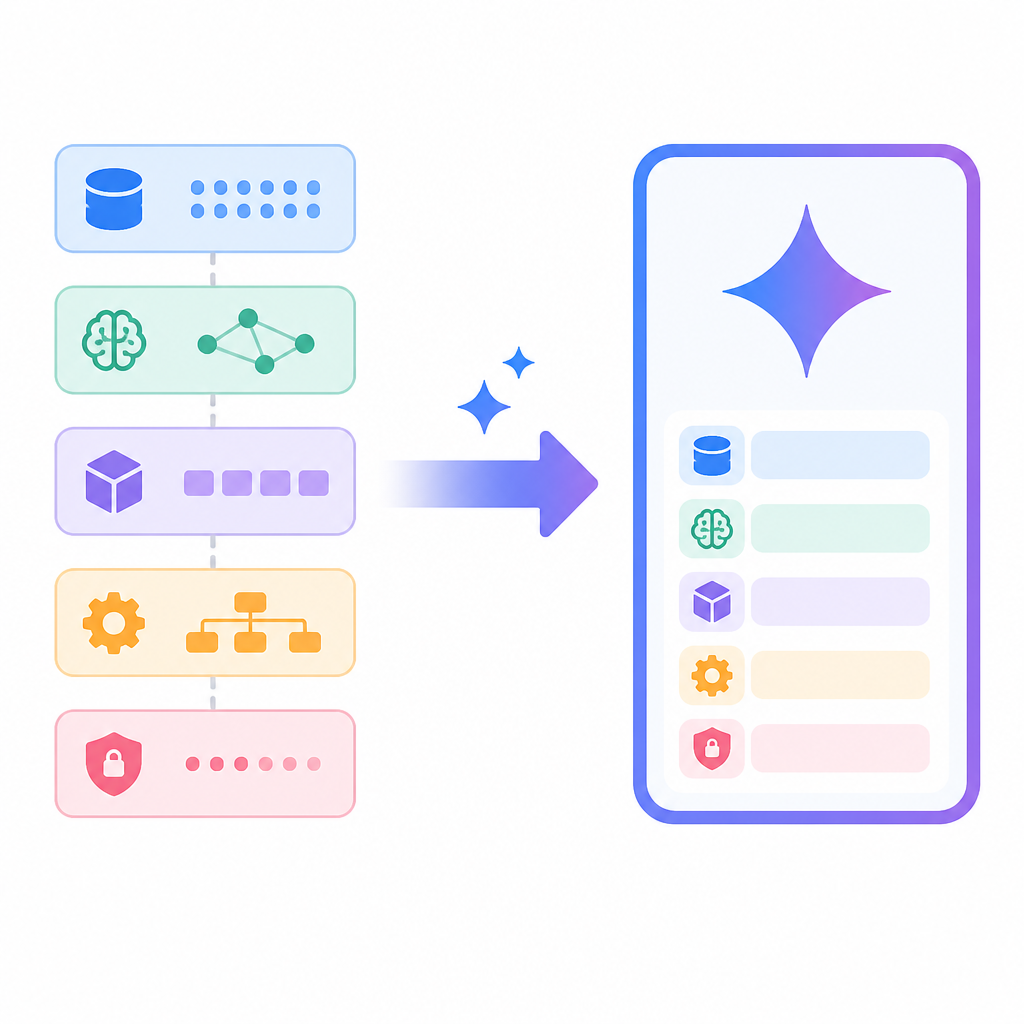
That’s the part I care about most. “Nano” on-device means some tasks can stay local. “Flash” sounds like the throughput workhorse. “Pro” and “Ultra” are for the expensive, slower, more careful stuff. This is the kind of split I want when I’m building production flows, because I don’t want a support bot, a code reviewer, and a research agent all burning the same budget.
I ran into this when I built an internal assistant that had to answer simple policy questions and also do deeper document analysis. The first version used one model for everything, and the bill looked like a prank. Worse, the response time was inconsistent. Splitting the workload across tiers fixed both problems. Simple requests got fast answers. Hard requests got routed upward only when needed.
How to apply it: define a routing policy before you pick a model. Decide what counts as a cheap task, a mid-tier task, and an expensive task. Then map each class to a model tier. If you don’t do this, you’ll overuse your best model and underuse your simplest one. That’s a bad habit with a very predictable invoice.
For developers, the useful move is to think in terms of task classes:
- Local or private: classify, extract, summarize.
- Fast cloud: draft, rewrite, answer routine questions.
- Heavy cloud: deep reasoning, long context, multi-step research.
Extended context is where Gemini becomes annoying in a good way
“The 1.5 and 3 model generations introduced extended context windows, enabling the analysis of large datasets such as entire codebases, long-form videos, or extensive document archives in a single prompt.”
What this actually means is Google is trying to make “please upload more stuff” into a real workflow, not a gimmick. Long context changes how you use the model. Instead of chunking everything into tiny fragments and hoping the model remembers enough, you can hand it a much larger slice of reality.
That’s useful, but it also changes the failure mode. With long context, people start assuming the model has understood everything just because it has seen everything. It hasn’t. It has just been given more to work with. If the prompt is sloppy, long context only gives you a longer sloppy answer.
I’ve used long-context systems for codebase review, and the difference is real. You stop playing “find the one file that matters” and start asking the model to inspect broader patterns. But you still need structure. If you dump an entire repo in and ask, “What’s wrong?” you’re basically asking for a confident shrug.
How to apply it: use long context for breadth, then force the model to narrow itself. Start with a map of the system, then ask for targeted analysis by file, module, or document section. If you’re working with code, give the model a repo tree and tell it what kind of issue to look for. If you’re working with docs, ask it to extract themes before conclusions.
Useful patterns I’d actually ship:
- “Read this repo, then list the top 5 architectural risks.”
- “Summarize these 40 pages, then identify contradictions.”
- “Inspect this video transcript and extract every product requirement.”
Gemini is really Google Search wearing an AI costume
“The models integrate into the Google ecosystem through the Gemini mobile app, which functions as an overlay assistant on Android devices, and through the Vertex AI platform for third-party developers.”
What this actually means is Google is not treating Gemini as a standalone chatbot product. It’s a layer across the places where Google already has distribution: Android, Search, Workspace, and cloud infrastructure. That’s the part that makes the strategy hard to ignore. If you already live inside Google’s ecosystem, Gemini doesn’t ask you to move. It just shows up.
I’m skeptical of any AI product that depends entirely on a separate destination app. Developers don’t want another tab they have to remember to open. They want the model where the work already happens. Google gets that. The Gemini app is the obvious consumer front door, but the more interesting story is the embedding across Android and Vertex AI. That’s where the daily usage comes from.
I keep comparing this to how people actually work. Nobody says, “Let me go to the AI app and think now.” They ask inside a browser, inside a repo, inside a document, or inside a phone. Google’s advantage is distribution, plain and simple. Gemini is one of the few AI products that can plausibly live inside the workflow instead of sitting beside it.
How to apply it: if you’re building with Gemini or any similar model, don’t isolate it. Put it next to the artifact being edited. In a docs tool, place it beside the doc. In a code tool, place it beside the diff. In a support system, place it beside the ticket. The closer the model is to the work, the less you have to teach people to use it.
The backlash matters because trust is the product
“The product launch faced criticism regarding the reliability of its outputs.”
What this actually means is Google learned the same lesson everybody else did: a model can be impressive and still be unusable if people don’t trust it. The Wikipedia page also notes that Google suspended image generation of people after users reported historical inaccuracies and bias. That is not a side note. That is the product telling you it can fail in public, loudly, and in ways that damage credibility fast.
I don’t think teams talk enough about how much AI adoption depends on trust, not raw capability. If your assistant gets obvious things wrong, users stop checking it carefully and start ignoring it entirely. Then the tool becomes decorative. Worse, people start working around it with shadow workflows and copy-paste hacks.
I’ve seen this with internal assistants. The moment a model invents a policy, mangles a date, or misreads a screenshot, the room changes. Nobody asks it hard questions anymore. They use it for low-stakes fluff and leave the real decisions to humans. That’s not a win. That’s a very expensive autocomplete.
How to apply it: build trust gates into your workflow. Let the model draft, but require citation, source links, or human approval for anything user-facing. Log the failures. Label uncertain outputs. If the model is answering from retrieved documents, show the retrieved passages. Trust is not a vibe. It’s an interface choice.
There’s a simple rule I keep coming back to:
- Draft fast.
- Verify before publish.
- Escalate when confidence is low.
Gemini 3 is Google’s “stop asking, just ship” moment
“On November 18, 2025, Google launched Gemini 3 Pro, describing it as its most intelligent model to date and marking a departure from the company’s previous staged release patterns, with the model made immediately available across the Gemini app, Google Search, Google AI Studio, and Vertex AI.”
What this actually means is Google decided the product should land everywhere at once instead of trickling out through a cautious rollout. That’s a meaningful change. Staged releases are what companies do when they’re nervous. Immediate broad availability is what they do when they think the model is ready enough to be the default surface, not just an experiment.
I like this because it tells me Google is trying to reduce the gap between model announcement and actual developer access. That gap is where momentum dies. If I hear about a model and can’t test it in the app, in Search, or in my own tooling right away, I stop caring. I’m busy. Most developers are.
This also lines up with the rest of the Gemini story. Google spent years untangling branding, product surfaces, and model families. Gemini 3 Pro looks like the point where that cleanup starts paying off. One model family, one app, one cloud story, one search story. It’s cleaner than the old mess, and honestly, it should have been that way sooner.
How to apply it: if you’re launching an AI feature, don’t fragment the rollout across too many half-open doors. Give users one obvious place to try it, one obvious place to build with it, and one obvious place to manage it. The more surfaces you split across, the more you make people wonder whether the thing is actually ready.
The template you can copy
# Gemini-style AI stack template

## Product naming
- Consumer app: [One name]
- Developer platform: [One name]
- Model family: [One name]
- Tier names: [Local / Fast / Pro / Heavy]

## Routing rules
1. If the task is short, repetitive, or private, use the local tier.
2. If the task needs speed and moderate quality, use the fast tier.
3. If the task needs long context, multi-step reasoning, or higher accuracy, use the pro tier.
4. If the task is research-grade or user-facing with high stakes, require human review.

## Prompt pattern
You are helping with [task].
Use the attached inputs directly.
First summarize the relevant facts.
Then identify gaps, risks, and contradictions.
Then produce the final answer in [format].
If confidence is low, say so.
Cite which input supports each claim.

## Multi-modal intake
- Text: accepted
- Images/screenshots: accepted
- Audio/transcripts: accepted
- Documents/PDFs: accepted
- Code/repo context: accepted

## Output contract
Return:
1. Summary
2. Evidence used
3. Risks or unknowns
4. Final recommendation
5. Confidence level

## Trust controls
- Show source snippets for factual claims
- Log model version and tier
- Flag uncertain answers
- Require approval for external publication

## Launch checklist
- One user-facing entry point
- One developer entry point
- One internal admin entry point
- Clear model naming
- Clear fallback behavior
- Clear review policy
This template is the part I’d actually steal for a real project. It turns the Gemini story into something operational: one naming scheme, one routing policy, one trust layer, and one prompt contract. That’s the stuff that keeps AI features from turning into a pile of demos.
Source-wise, the breakdown above is based on the Wikipedia article at https://en.wikipedia.org/wiki/Google_Gemini, with supporting references to Google’s own Gemini pages at gemini.google.com, cloud.google.com/vertex-ai, and deepmind.google/technologies/gemini. The structure, takeaways, and template are my own synthesis, not copied from the source.
// Related Articles
- [TOOLS]
Docker Desktop on Windows in one clean install flow
- [TOOLS]
Grok 4.5 hits Cursor with $2/$6 pricing
- [TOOLS]
AGT turns agent calls into governed actions
- [TOOLS]
OpenClaw v2026.7.1 turns control UI into a workspace
- [TOOLS]
OpenAI’s screenless speaker turns ChatGPT into a companion
- [TOOLS]
SCALE turns CUDA code into portable GPU builds