Kimi K2.7: What Changed and How to Run It
Kimi K2.7 adds a fresh option for long-context, Chinese, and agentic coding workflows.

Kimi K2.7 is a new Moonshot model for long-context, Chinese, and agentic coding workflows.
This guide is for developers who want to evaluate Moonshot AI’s Kimi K2.7 in a real agent workflow, especially if they already use Kimi K2.6, OpenRouter, or an always-on assistant stack. By the end, you will know what K2.7 carries over, what to test before upgrading, and how to switch it into a live agent without rebuilding your app.
You will also get a practical checklist for choosing between K2.7 and your current model based on your own prompts, documents, and coding tasks. If your workload involves long files, Chinese text, or multi-step tool use, this guide shows you the fastest path to an evidence-based decision.
Before you start
Get the latest AI news in your inbox
Weekly picks of model releases, tools, and deep dives — no spam, unsubscribe anytime.
No spam. Unsubscribe at any time.
- An OpenRouter account with API access
- A valid OpenRouter API key
- Node.js 20+ or Python 3.11+ for local testing
- An agent app or playground that can select models by name
- A small evaluation set of real prompts, files, or tickets
- Access to the OpenClaw Launch Kimi K2.7 release post and the OpenRouter model list
- The OpenRouter SDK if you want to script comparisons
Step 1: Confirm the K2.7 model ID
Goal: identify the exact OpenRouter model name before you wire it into an agent, because Moonshot model IDs can change as releases are updated.

Open the OpenRouter model list and copy the current Kimi K2.7 entry, then note the pricing, context length, and any multimodal details shown there. Treat that listing as the source of truth rather than relying on blog post text alone.
curl https://openrouter.ai/api/v1/models | jq '.data[] | select(.name | test("Kimi.*K2.7"; "i")) | {id, name, context_length, pricing}'Verification: you should see one Kimi K2.7 model entry with an ID you can paste into your app config.
Step 2: Build a small A/B prompt set
Goal: create a realistic test pack so you can compare K2.7 against K2.6 or your current model on the tasks that matter.
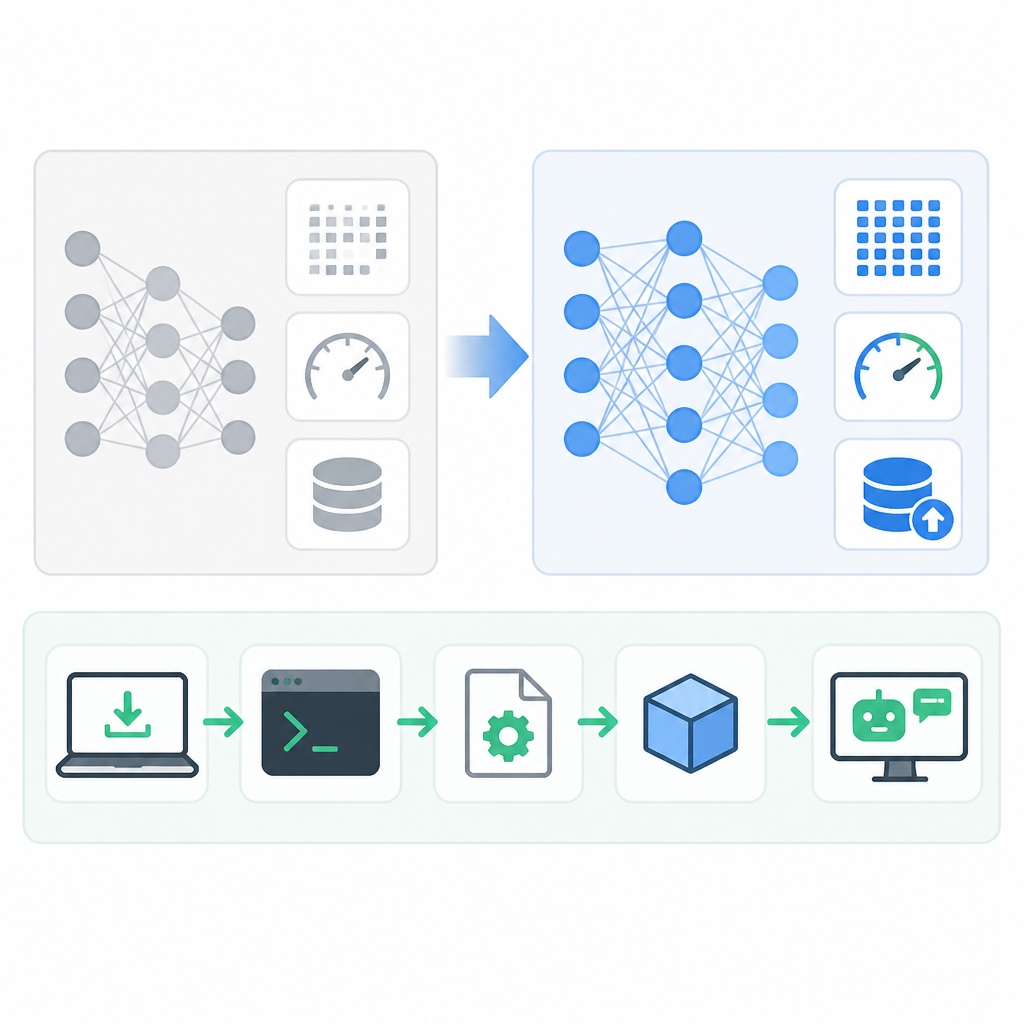
Use 5 to 10 prompts that reflect your actual workload: a long document summary, a Chinese rewrite, a code change request, a multi-step debugging task, and one image or mixed-input prompt if your stack supports vision. Keep the prompts fixed so each model sees the same inputs.
Store the prompts in plain files or JSON so your agent can replay them automatically. If you already have production traces, reuse those instead of inventing synthetic examples.
Verification: you should have a repeatable prompt set that produces comparable outputs across models.
Step 3: Switch your agent to Kimi K2.7
Goal: point your existing agent at K2.7 with the smallest possible change so you can test it in production-like conditions.
If you use OpenClaw or Hermes Agent, pick K2.7 from the model dropdown and add your OpenRouter key. If you call the API directly, update the model field in your request and keep all other parameters unchanged for the first pass.
import OpenAI from "openai";

const client = new OpenAI({
  baseURL: "https://openrouter.ai/api/v1",
  apiKey: process.env.OPENROUTER_API_KEY,
});

const response = await client.chat.completions.create({
  model: "moonshot/kimi-k2-7",
  messages: [
    { role: "system", content: "You are a coding agent." },
    { role: "user", content: "Review this repo and propose a fix." }
  ]
});

console.log(response.choices[0].message.content);
Verification: you should get a valid completion from K2.7 without changing your app’s routing, tools, or storage.
Step 4: Run a task-by-task comparison
Goal: measure whether K2.7 is actually better for your workload, not just newer.
Run each prompt set through K2.7 and your baseline model, then score the outputs for correctness, usefulness, tool-call quality, and edit distance if you are evaluating code. For long-context tasks, check whether the model preserves details from early parts of the input and whether it follows instructions across the entire conversation.
Keep the comparison simple at first: the same temperature, the same max tokens, and the same tool configuration. Change only one variable at a time if you need to troubleshoot a difference.
Verification: you should be able to say which model wins for summaries, Chinese writing, and agentic coding on your own data.
Step 5: Put the winner into your always-on agent
Goal: promote the better model into the workflow that runs on Telegram, Discord, WhatsApp, WeChat, or the web.
Once you have a clear winner, update the default model in your agent config and keep the baseline as a fallback. If your platform supports a dropdown, make K2.7 the default for long-document or Chinese tasks and leave your smaller model for quick, cheap requests.
Roll the change out gradually so you can watch latency, cost, and answer quality under real traffic. If K2.7 is better but slower, reserve it for the prompts where the quality gain matters most.
Verification: you should see live requests flowing through K2.7 with no user-facing breakage and a clear fallback path.
Common mistakes
- Using the blog post instead of the live model list. Fix: copy the current model ID from OpenRouter before you ship.
- Comparing models with different prompts or settings. Fix: lock your test set, temperature, and tool config so the results are fair.
- Upgrading every task to K2.7 by default. Fix: reserve it for long-context, Chinese, or agentic jobs where the quality gain justifies the cost.
What's next
After you validate K2.7, extend the same A/B method to other models in your stack, then document which workloads belong to each tier so your team can switch models with confidence.
// Related Articles
- [MODEL]
Google Earth Should Not Ship AI Image Generation
- [MODEL]
Try Claude Opus 4.7 and read its benchmarks
- [MODEL]
Opus 5 lets you cut cost without losing quality
- [MODEL]
OpenAI Cuts GPT-5.6 Prices as AI Bills Climb
- [MODEL]
Opus 5 proves premium AI is becoming a commodity
- [MODEL]
OpenAI Gives Scientists Free GPT-5.6 Access