5 open source MCP gateways for real governance
I break down five open source MCP gateways and show which one actually gives teams governance, auditability, and access control.

I break down five open source MCP gateways and show which one actually gives teams governance, auditability, and access control.
I’ve been watching MCP adoption get messy in the exact way I expected. The protocol is useful, the tooling is getting better, and then teams do the classic thing: they wire up a few agents, point them at a few servers, and call it “controlled.” It usually isn’t. The first time I saw an agent with broad tool access and no real audit chain, I had the same reaction I always do when infra gets hand-waved away: this is going to be a problem later, and later will be expensive.
What bugs me most is that people keep treating MCP gateways like glorified proxies. They are not. If you’re serious about enterprise AI, the gateway is where identity, policy, logging, and secrets either come together or fall apart. That’s why Lunar.dev’s 2026 comparison pulled me in. It’s not just another vendor roundup. It’s a fairly blunt look at where the open source MCP gateway options actually land when you care about access control, auditability, and deployment pain. The source is here: The Best Open Source MCP Gateways in 2026.
The comparison names five options: MCPX, Docker MCP Gateway, Microsoft MCP Gateway, IBM ContextForge, and MCPJungle. Eyal Solomon, Lunar.dev’s co-founder and CEO, frames the whole thing around a simple question: what do you need if the agents are going to touch real systems, real secrets, and real users?
MCP gateways are not proxies, no matter how people sell them
Get the latest AI news in your inbox
Weekly picks of model releases, tools, and deep dives — no spam, unsubscribe anytime.
No spam. Unsubscribe at any time.
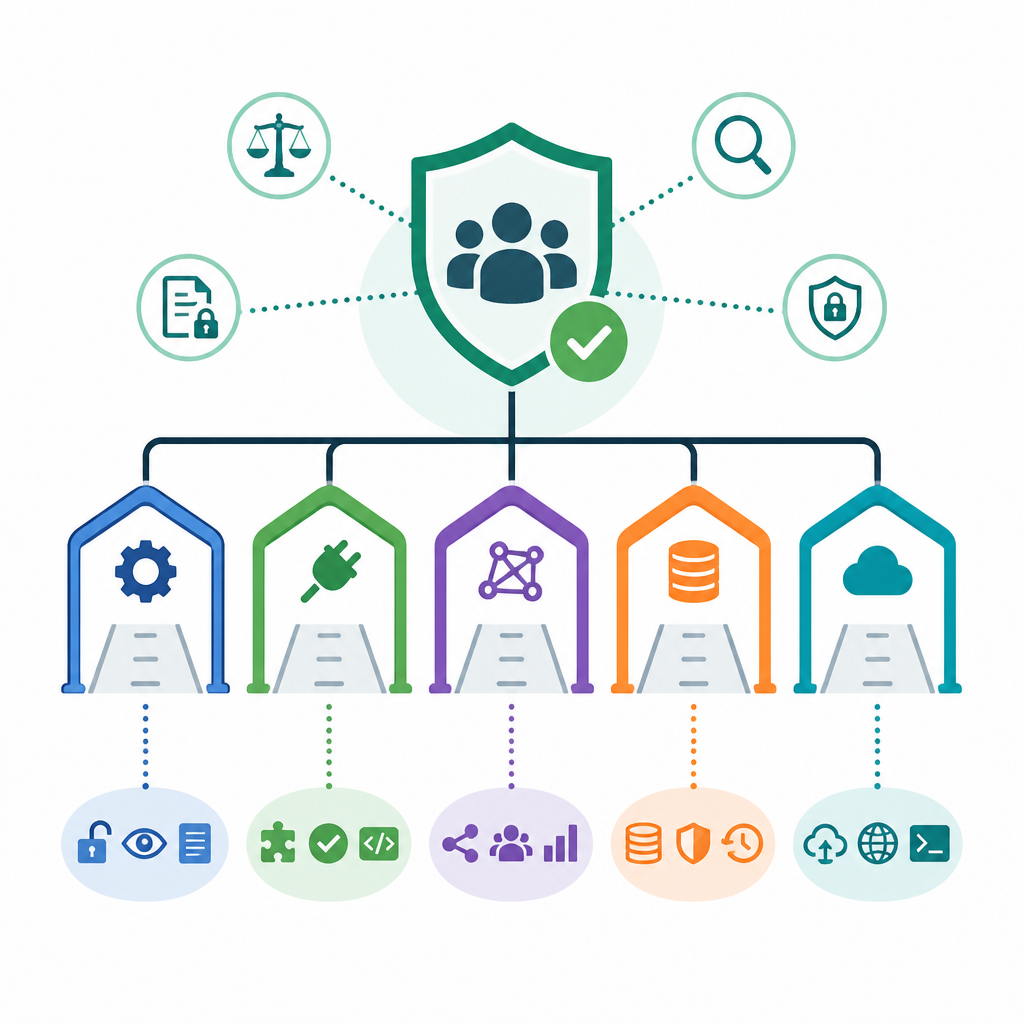
An MCP gateway sits between your AI agents and the MCP servers they access. It centralizes authentication, enforces access control, logs every tool invocation, and provides a single point of policy enforcement.
What this actually means is that the gateway is the control plane for agent-to-tool traffic. If you skip it, every agent becomes its own little security island, and those islands drift fast. One agent ends up with too much access. Another stores credentials badly. Nobody can answer who called what. That’s not a “monitoring gap.” That’s an accountability gap.

I ran into this pattern when I watched teams connect Cursor, Claude Desktop, and internal automation bots to the same backend services. Everyone assumed the client-side permissions were enough. They weren’t. Once the same MCP server is shared across teams, you need a place to enforce policy centrally. Otherwise the strongest policy is “please don’t do that.” That’s not policy. That’s a wish.
Lunar’s comparison is useful because it treats the gateway as infrastructure, not convenience. The criteria it uses are the right ones: access control depth, audit trails, secrets management, deployment complexity, and ecosystem integration. That’s the actual checklist. If a gateway can’t answer those cleanly, it’s not ready for production governance.
How to apply it: before you even compare products, write down where policy lives. If the answer is “in the agent,” you already lost. You want the gateway to decide which tools are visible, which identities can call them, and what gets logged. Anything else becomes a custom security project you’ll resent by week three.
MCPX is the only one here built for enterprise mess
MCPX is Lunar.dev's open source MCP gateway and AI control plane for enterprise teams. It provides a single governed entry point for all agent-to-tool interactions, enforcing access control, auditability, and policy across every MCP server in your organization.
What this actually means is that MCPX is trying to solve the boring, hard part: shared infrastructure with multiple teams and uneven trust levels. The open source version includes Tool Groups, tool customization, local and remote MCP server auth, broad agent support, Prometheus-compatible metrics, and basic invocation logging. That’s already more than a lot of “gateway” projects bother shipping.
The part I care about is Tool Groups. That’s the feature that keeps one team from seeing every tool just because the server exists. If I’ve got finance workflows and engineering workflows hitting the same MCP server, I do not want the same surface area exposed to both. MCPX lets you split that cleanly at the gateway layer. That’s the difference between “we have a shared platform” and “we made a shared blast radius.”
There’s also a practical angle here that gets ignored in most comparisons: adoption friction. MCPX says you can get up and running with Docker in minutes, and it supports local and remote MCP servers over STDIO or HTTP. That matters because nobody wants to spend a sprint inventing plumbing before they can test whether governance even fits their workflow.
How to apply it: if you’re evaluating MCPX, start with one real team and one real server. Map the tools that team should actually see, then hide the rest. Make the audit log part of the acceptance criteria, not a later task. If you need the enterprise tier, the source says that’s where tool-level RBAC, immutable full-chain audit trails, credential isolation, policy gating, automated risk scoring, and Lunar’s AI Gateway integration live. That’s the stuff compliance teams will ask for after the first demo goes well.
One thing I appreciate here is that Lunar doesn’t pretend the open source version does everything. It doesn’t. The post is explicit that identity provider integration and automated MCP vulnerability scanning are paid features. I’d rather have that honesty than the usual “open core” fog where you only discover the missing pieces after your pilot is already annoying everyone.
Docker is fine if you want isolation and are willing to build the rest
Docker's MCP Gateway runs each MCP server in its own container with defined resource limits and cryptographically signed images. Security comes from isolation rather than policy enforcement at the gateway layer.
What this actually means is that Docker is giving you a container boundary, not a governance system. That’s not an insult. It’s just a reminder that isolation and access control are not the same thing. If your team is already strong on Docker and Kubernetes, this may feel comfortable. If you need policy, audit, and identity baked in, you’ll be assembling a lot yourself.
The source is blunt about the limitation: no built-in access control, no audit trails, and no secrets management. That is the whole story. I’ve seen teams overestimate how far “we run it in a container” gets them. It gets you a container. It does not tell you who used the tool, whether the agent should have had access, or how to reconstruct the chain after something weird happens.
That said, there’s a real use case here. If your org already has a container-native security posture and you just need a clean way to package MCP servers, Docker’s approach is familiar and low-friction. You get resource limits, signed images, and workflows your platform team already understands.
How to apply it: use Docker MCP Gateway only if you’re prepared to layer your own controls on top. That means identity, logging, secrets handling, and policy enforcement need separate owners. If nobody has volunteered for those jobs, don’t kid yourself. You do not have a governance stack. You have container packaging.
- Good fit: container-heavy teams that already operate policy elsewhere.
- Bad fit: teams that expect the gateway to answer audit or access questions on its own.
Microsoft is for Azure shops, not everyone else
Microsoft's open source reverse proxy for MCP servers provides session-aware routing and lifecycle management for Kubernetes, with an optional path to Azure API Management.
What this actually means is that Microsoft’s gateway makes sense if your world is already Azure-shaped. It gives you Entra ID authentication, Azure Monitor and App Insights integration, and a path into Azure API Management for policy enforcement. That’s useful if your stack already lives there. It is much less interesting if you’re multi-cloud or trying to keep the architecture portable.
The catch is governance depth. The post says the model is only as deep as APIM’s policy engine, and that engine is rule-based. So when Microsoft says “intelligent routing,” read that as operational routing, not intent-aware access control. That distinction matters. A lot. I’ve seen teams confuse traffic management with policy and then act surprised when the gateway doesn’t know who should be allowed to do what.
There’s also a practical constraint here: if you want tool-level RBAC or agent-identity attribution, you’re building on top of APIM. That may be fine for a big Azure platform team. It’s not fine if you expected the open source gateway to be the whole answer.
How to apply it: choose Microsoft only if Azure is already your control plane for identity, monitoring, and policy. If that’s true, the integration story is attractive. If not, you’ll spend time making the gateway fit your org instead of making your org safer. I’ve done that dance. It’s not fun.
- Good fit: Azure-exclusive teams with existing Entra ID and APIM investments.
- Bad fit: multi-cloud teams or anyone who needs native tool-level governance.
IBM ContextForge is for teams that enjoy Kubernetes pain
ContextForge is IBM's open source AI gateway framework that federates tools, agents, models, and APIs into a single MCP-compliant endpoint across multi-cluster Kubernetes environments.
What this actually means is that ContextForge is trying to be a federation layer first and a governance layer second. It supports MCP, A2A, REST-to-MCP, and gRPC-to-MCP. It also brings multi-cluster discovery, OpenTelemetry tracing, and a pile of plugins. That is a lot of surface area, which is both the appeal and the headache.
The source is careful here: the Cedar RBAC plugin added in 1.0 RC2 is rule-based, and the governance features, including vault-backed key storage, are less documented than the federation features. That’s the kind of sentence that should make platform teams pause. If the docs are strongest on routing and weakest on control, you’re probably buying architecture complexity before you’re buying policy maturity.
I don’t hate this direction. For a global enterprise with multiple clusters and a large platform team, federation is genuinely useful. But I would not pick it because it sounds enterprise-y. I’d pick it because I need to unify a messy multi-region environment and I already have the people to maintain it.
How to apply it: use ContextForge if you have the Kubernetes talent to support it and a real need for multi-cluster federation. Don’t start here if your main problem is “we need better access control.” Start with the control question first. Federation without governance just creates a bigger place to lose track of things.
MCPJungle is the wildcard, and that’s the problem
Only one tool on this list was designed to answer all five of these questions out of the box.
What this actually means is that the comparison is telling you MCPJungle is not the default answer for enterprise governance. Lunar’s writeup positions MCPX as the only option that directly addresses the full bundle of access control, auditability, secrets handling, deployment effort, and ecosystem integration out of the box. That leaves MCPJungle as the tool you evaluate carefully, not the one you assume will save you from policy work.
I’m being a little blunt here because this is where teams waste time. They see an open source project, a decent README, maybe some momentum, and then assume the missing enterprise pieces will “work themselves out.” They won’t. If the gateway does not clearly describe its control model, you’re going to discover it under pressure, usually after someone asks for an audit trail you can’t produce.
How to apply it: use MCPJungle as a candidate only after you’ve defined your governance requirements in writing. Then test whether it can answer those requirements with built-in features, not custom glue. If you need to bolt on identity, logging, or policy from scratch, that’s not a gateway choice anymore. That’s an engineering program.
One useful thing about this comparison is that it forces the basic question: do you want a gateway, or do you want a pile of parts that can be turned into a gateway? Those are not the same purchase.
How I’d choose if I were buying this today
If I were the one making the call, I’d sort these into three buckets. MCPX if I want governance now and I don’t want to build the control plane myself. Docker if I only need packaging and isolation and I already own the rest. Microsoft if I’m fully in Azure and want to fit MCP into an existing APIM and Entra setup. ContextForge if I’m a big Kubernetes shop that needs federation and can tolerate complexity. MCPJungle only after I’ve verified the missing pieces, because “open source” is not a substitute for a control model.
The deeper lesson here is simple: the best MCP gateway is the one that matches your governance reality, not your enthusiasm level. The source comparison keeps coming back to that. Access control depth matters. Immutable logs matter. Secrets isolation matters. If those are not built in, somebody on your team will end up building them, and usually that somebody is already busy.
So my advice is boring, which is usually the right kind of advice. Start with the questions that security and platform teams will ask after the pilot. If the gateway can answer them natively, great. If it can’t, count the integration work honestly before you commit.
The template you can copy
# MCP gateway evaluation template

## 1) What we need
- Teams using MCP:
- MCP servers in scope:
- Identities involved:
- Data sensitivity:
- Compliance requirements:

## 2) What the gateway must do
- Central auth:
- Tool-level access control:
- Agent-to-user attribution:
- Immutable audit logs:
- Secrets isolation:
- Deployment target:
- Identity provider integration:
- Observability integration:

## 3) Questions to ask each vendor or project
1. Where is policy enforced: server, tool, parameter, or gateway?
2. Can I see which user, agent, and tool were involved in every action?
3. Are logs built in, or do I need to assemble them?
4. How are secrets stored and referenced?
5. What is required to move from eval to production?
6. What integrations exist for my IdP, SIEM, and observability stack?
7. What is open source, and what is paid?

## 4) Quick scoring rubric
| Category | Weight | Score | Notes |
|---|---:|---:|---|
| Access control depth | 30 |  |  |
| Auditability | 25 |  |  |
| Secrets management | 15 |  |  |
| Deployment complexity | 15 |  |  |
| Ecosystem integration | 15 |  |  |

## 5) Decision rule
- Choose the gateway only if it meets the first three requirements natively.
- If not, list the missing controls as separate engineering work.
- If that work is not funded, do not call the gateway production-ready.

## 6) Pilot plan
- Pick one team:
- Pick one server:
- Restrict visible tools:
- Turn on logging:
- Verify audit attribution:
- Test secret handling:
- Document gaps before rollout:

## 7) Final note
If the gateway cannot explain who can do what, who did what, and where secrets live, it is not ready for enterprise use.
That template is my shorthand for turning a vague MCP evaluation into something a platform team can actually review. I’d use it before a demo, not after. After the demo is when people start getting optimistic and forgetting to ask the annoying questions.
The source for this breakdown is Lunar.dev’s comparison post at https://www.lunar.dev/post/the-best-open-source-mcp-gateways-in-2026. The analysis above is mine, but the product descriptions and comparisons are derived from that article and the linked project pages it references.
// Related Articles
- [TOOLS]
Docker Desktop on Windows in one clean install flow
- [TOOLS]
Grok 4.5 hits Cursor with $2/$6 pricing
- [TOOLS]
AGT turns agent calls into governed actions
- [TOOLS]
OpenClaw v2026.7.1 turns control UI into a workspace
- [TOOLS]
OpenAI’s screenless speaker turns ChatGPT into a companion
- [TOOLS]
SCALE turns CUDA code into portable GPU builds