Codex Micro turns a macropad into an AI control deck
A tiny macropad becomes a safer way to run Codex-style agent workflows without handing code execution to the wrong place.

A macropad can become a safer control deck for agent workflows.
I’ve been using agentic coding tools long enough to know the weird part isn’t the model. It’s the handoff. The model can write decent code, suggest fixes, even spin through a task list without complaining. But the second I let it run in the same place where I keep my real work, the whole thing starts to feel off. I’m either babysitting it too hard or trusting it too much. And when a tool feels like it wants to click, type, and execute on my behalf, I get nervous fast.
The New Stack’s write-up on OpenAI’s first gadget, the $230 Codex Micro macropad, made that frustration click for me. This isn’t about another shiny desk toy. It’s about giving agent workflows a physical boundary. That sounds small, but I think it matters a lot more than most people want to admit. If an agent is going to touch code, run commands, or move through steps on its own, I want a clearer control surface than a browser tab and a prayer.
And yes, I’m aware that a macropad is still just a macropad. But once you map it to agent actions, verification steps, approvals, and environment switching, it stops being cute hardware and starts being a workflow opinion. That’s the part worth stealing.
The source story is The New Stack’s article by The New Stack staff on OpenAI’s Codex Micro macropad, published at thenewstack.io/openai-codex-micro-macropad. I’m not treating it like a product announcement. I’m treating it like a clue about how agent tooling is getting wired into real developer habits.
Stop pretending the keyboard is the interface
Get the latest AI news in your inbox
Weekly picks of model releases, tools, and deep dives — no spam, unsubscribe anytime.
No spam. Unsubscribe at any time.
OpenAI’s first gadget is the $230 Codex Micro macropad.
What this actually means is that the real interface for agent work is no longer just the editor. It’s the combination of your editor, your terminal, your approvals, and the little rituals you use to avoid doing something stupid. A macropad makes that explicit. It says: these are the actions I repeat, these are the actions I’m willing to hand off, and these are the actions I want one physical key away from stopping.
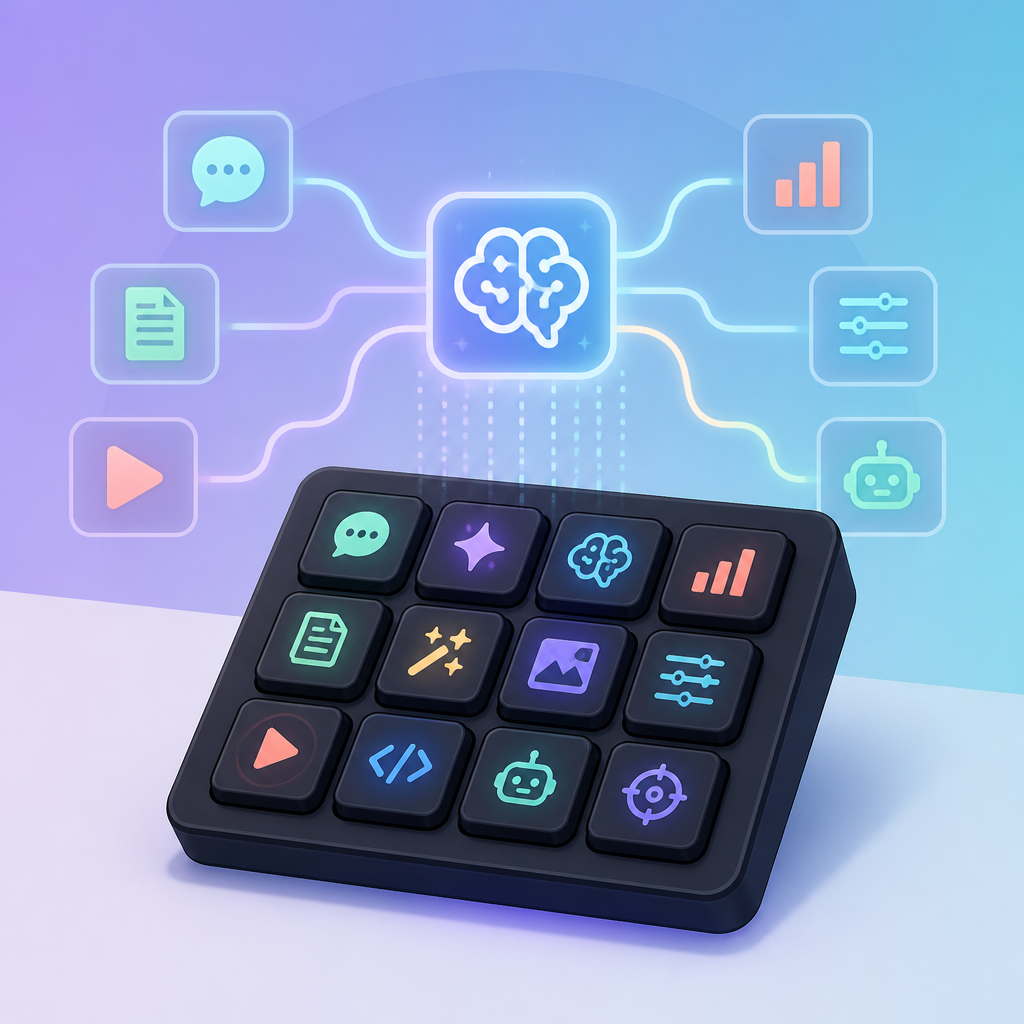
I’ve built enough workflows to know that most people don’t fail because they can’t type fast enough. They fail because the workflow has too many hidden branches. One shortcut for “run tests,” another for “open logs,” another for “approve patch,” another for “switch to sandbox.” When those are scattered across tabs and menus, agent work gets sloppy. A macropad doesn’t magically fix that, but it does force the workflow into something you can actually see.
How to apply it: identify the top five actions you repeat every time you work with an agent. Don’t start with 20. Pick the boring stuff. Then map each action to one button, one LED state, or one profile switch. If you can’t describe the action in one sentence, it doesn’t belong on the pad yet.
- Run a local verification command.
- Open the agent’s output in a dedicated pane.
- Switch between “draft” and “review” modes.
- Trigger a sandboxed execution step.
- Abort everything immediately.
The useful part is not the hardware. It’s the reduction in ambiguity. Once the buttons are named, the workflow gets easier to audit.
Physical controls beat invisible trust
I keep coming back to this because agent systems fail in the same boring ways: they do too much, too soon, in places they shouldn’t. If the only control surface is a prompt box, then every action looks equally cheap. That’s how people end up approving nonsense. A physical control changes the emotional math. Pressing a key feels like a commitment. That tiny friction is a feature.
This is where the Codex Micro idea gets interesting for security-minded developers. It’s not that a button makes code safer by itself. It’s that the button can be tied to a narrower action with a narrower blast radius. If one key means “generate,” another means “run in sandbox,” and a third means “promote to my main branch review flow,” then the operator has to cross visible boundaries instead of letting the agent drift across them silently.
I ran into this exact problem while experimenting with a local agent setup in OpenAI Codex-style workflows and a handful of terminal shortcuts. Everything worked fine until I realized I had no instinctive way to tell whether I was in a safe mode or a dangerous one. The workflow was technically correct and operationally annoying. A dedicated control surface would have made the state obvious.
How to apply it: assign one action per trust level. Don’t let a single key do both generation and execution. Keep the dangerous action physically distinct. If your pad has only a few buttons, that’s fine. Fewer controls usually means fewer accidental escalations.
- Green button: generate or summarize.
- Yellow button: stage or preview.
- Red button: execute only in sandbox.
- Long press: abort or revoke permissions.
That’s not fancy. It’s just honest design.
Why WebAssembly keeps showing up in the same conversation
The summary on this piece points at WebAssembly, and I think that’s the right place to look if you care about the security gap in agent execution. The danger isn’t that agents can write code. It’s that they can write code and then run it in places with too much access. WebAssembly is attractive because it gives you a smaller, more predictable runtime boundary than “just run it on the host.”
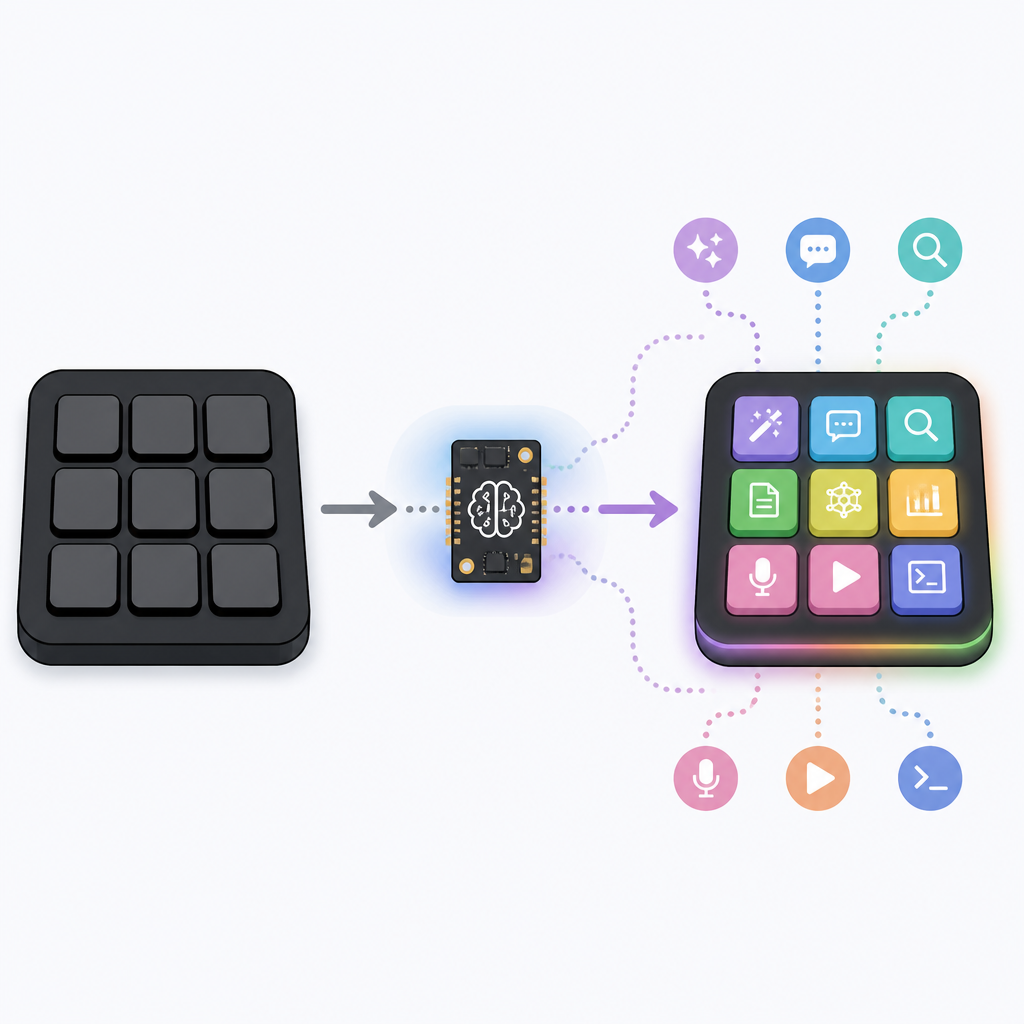
What this actually means is that the control surface and the execution surface should be separated. The macropad handles intent. WebAssembly handles confinement. Put those together and you get a workflow where the human says “go,” but the code still has to stay inside a box. That’s the missing piece in a lot of demo-heavy agent setups.
I’ve seen teams build clever agent loops inside Docker and call it good. Then someone mounts too much of the filesystem, or lets the agent access network resources it shouldn’t, or forgets that “containerized” is not the same thing as “safe.” WebAssembly isn’t a magic shield either, but it does push you toward a tighter execution model. That matters when the tool is allowed to propose and run changes automatically.
How to apply it: if you’re building an agent workflow, split it into three layers.
- Input layer: prompt, button, or command that expresses intent.
- Policy layer: approval, validation, and routing rules.
- Execution layer: sandboxed runtime such as WebAssembly, a locked-down container, or another constrained environment.
If those layers are blurred together, you don’t have a system. You have wishful thinking with logs.
The macropad is really about workflow state
People love to talk about gadgets like they’re novelty items, but the useful thing here is state management. A good macropad is basically a state machine you can touch. It tells you where you are: drafting, testing, reviewing, approving, or stopped. That’s valuable because agent workflows are stateful whether you admit it or not. The mess starts when the state lives only in your head.
That’s why I think hardware like this can be more useful for senior developers than for beginners. Beginners want more automation. Seniors want fewer surprises. A pad that shows the current mode, the current environment, and the current risk level can save a lot of time that would otherwise be spent asking “wait, what did I just authorize?”
I’d go further: if your agent workflow can’t be described as a set of states, it isn’t ready for real use. That’s the test I use now. If I can’t write down the transitions, I don’t trust the automation. The Codex Micro angle is basically a reminder that state deserves a physical representation.
How to apply it: define states first, buttons second. For example:
- Idle
- Drafting
- Testing
- Sandbox execution
- Human review
- Blocked
Then decide which transitions are allowed. A button should move the system, not just fire off a script. If the state doesn’t change, the button probably doesn’t belong.
Don’t buy the gadget before you design the policy
This is where people get themselves into trouble. They see a neat device, imagine a faster workflow, and skip the policy work. Then the agent becomes a very expensive way to automate mistakes. I’ve done this. I’ve also watched teams do it with dashboards, bots, and “smart” IDE plugins. Same story, different wrapper.
The policy has to answer a few ugly questions. What can the agent touch? What can it run? What gets logged? What requires approval? What gets blocked by default? If you can’t answer those before you wire the buttons, the buttons will just make the confusion faster.
That’s why I like the Codex Micro idea as a design prompt rather than a product pitch. It forces the conversation away from “how do we make the agent feel magical?” and toward “how do we make the agent controllable?” That’s a much better question. Also, a much less annoying one when something goes wrong at 4 p.m. on a Friday.
How to apply it: write the policy in plain English before you write the key mappings. Keep it short enough that someone else can read it without a meeting.
- Allowed environments only.
- Allowed commands only.
- Approval required for network access.
- No host filesystem writes.
- Every execution step must be logged.
If the policy is vague, the hardware won’t save you.
The template you can copy
# Agent control pad workflow template

## Goal
Use a macropad to control an AI coding agent with clear state boundaries.

## Required layers
1. Intent input: button press, hotkey, or command palette.
2. Policy gate: approval, validation, and environment checks.
3. Execution sandbox: WebAssembly, container, or other constrained runtime.
4. Audit trail: log every action and state change.

## State model
- Idle
- Drafting
- Previewing
- Testing
- Sandbox execution
- Human review
- Blocked

## Button map
- Button 1: Generate draft
- Button 2: Run local validation
- Button 3: Execute in sandbox
- Button 4: Send to human review
- Button 5: Abort and revoke permissions

## Safety rules
- Never let one button both generate and execute.
- Never run agent output on the host by default.
- Never allow network access unless explicitly approved.
- Never promote output without a visible state change.
- Log every transition with timestamp, environment, and actor.

## Copy-ready policy
When the agent is active, it may only operate inside approved sandboxed environments. Any action that changes files, runs commands, or accesses the network must be explicitly mapped to a dedicated control and recorded in the audit log. Human approval is required before promotion to production or access to sensitive resources.

## Implementation checklist
- [ ] Define the five most common agent actions.
- [ ] Assign each action to one physical control.
- [ ] Separate generation from execution.
- [ ] Add a visible state indicator.
- [ ] Route execution through a sandbox.
- [ ] Require approval for risky transitions.
- [ ] Keep an audit log for every step.

## Example key mapping
- Tap: generate
- Double tap: preview
- Hold: run sandbox
- Shift + tap: review
- Long hold: emergency stop
The point of this template is not to copy OpenAI’s hardware. The point is to build the same discipline into whatever you already use. A Stream Deck, a cheap macropad, a custom keyboard layer, even a command-line alias set can work if the state model is clear.
I’m not pretending hardware fixes agent risk. It doesn’t. But it can make the workflow less sloppy, and sloppy is where agents get dangerous fast. If you want the convenience of automation without handing over the keys to your whole machine, start with visible state, narrow permissions, and a control surface that makes you think before you act.
Source attribution: I pulled this apart from The New Stack’s article at https://thenewstack.io/openai-codex-micro-macropad/. The workflow template above is my own derivative interpretation, not something published by The New Stack or OpenAI.
// Related Articles
- [AGENT]
Automate Web3 Grant Screening With AI Scoring
- [AGENT]
Anthropic Models: Build Better Agent Endurance
- [AGENT]
Google’s Gemini Enterprise Agent Platform makes agents a cloud servic…
- [AGENT]
WorkBuddy Proves Harness Engineering Matters More Than Model Size
- [AGENT]
Perplexity should build Teammate as a coding agent, not a copilot
- [AGENT]
HP adopts OpenAI Frontier across global operations