PEFT for LLM Fine-Tuning Without Full Retraining
PEFT lets developers fine-tune LLMs by training small adapter layers instead of all weights.

PEFT fine-tunes LLMs by training small adapter layers instead of all model weights.
This guide is for developers who want to customize a large language model without paying the cost of full retraining. By the end, you will know the core PEFT idea, the main techniques, and how to set up a LoRA-based fine-tuning workflow that keeps the base model frozen.
You will also be able to explain why PEFT is practical in production, what changes when you use adapters instead of full fine-tuning, and how to check that your training setup is actually updating only the small set of trainable parameters.
Before you start
Get the latest AI news in your inbox
Weekly picks of model releases, tools, and deep dives — no spam, unsubscribe anytime.
No spam. Unsubscribe at any time.
- Python 3.10+
- PyTorch 2.1+
- Hugging Face Transformers
- Hugging Face PEFT
- CUDA-capable GPU with at least 16 GB VRAM for a small LoRA demo
- Hugging Face account and access token if you plan to download gated models
- A pretrained causal LLM such as Llama, Mistral, or a smaller open model
- Git and a terminal on macOS, Linux, or Windows Subsystem for Linux
Step 1: Identify the PEFT target model
Your first outcome is a frozen base model that will stay unchanged during training. PEFT works best when you start from a pretrained model that already understands language well and only needs task-specific adaptation.
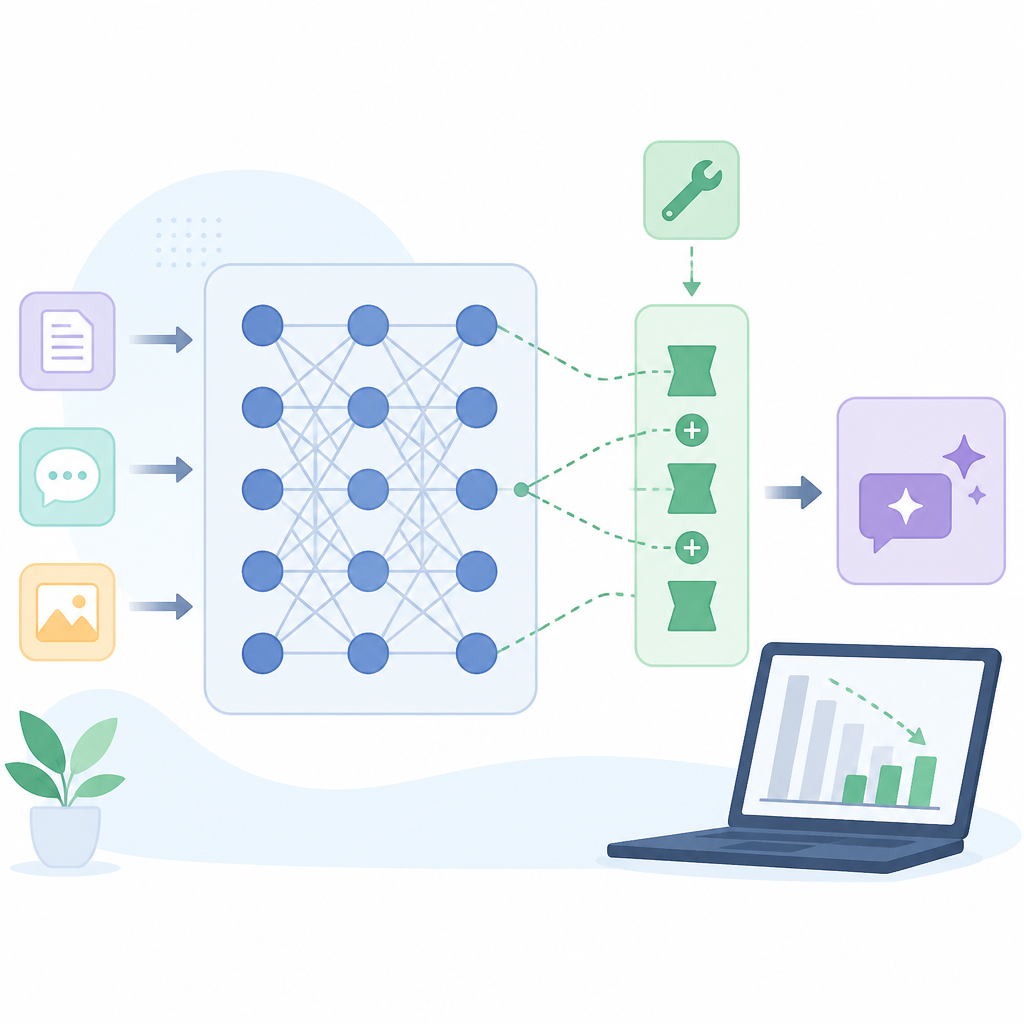
Choose a model that matches your hardware and use case. For a first run, use a smaller open model so you can verify the training flow before scaling up.
from transformers import AutoModelForCausalLM, AutoTokenizer

model_id = "mistralai/Mistral-7B-v0.1"
tokenizer = AutoTokenizer.from_pretrained(model_id)
model = AutoModelForCausalLM.from_pretrained(model_id, device_map="auto")

for param in model.parameters():
    param.requires_grad = False
You should see the model load successfully and all base parameters marked as frozen. If you print a few parameter flags, they should show False for requires_grad.
Step 2: Add LoRA adapter modules
Your second outcome is a tiny trainable layer set that learns the task adaptation. LoRA is the most common PEFT method because it injects low-rank matrices into selected projection layers instead of updating the original weights.
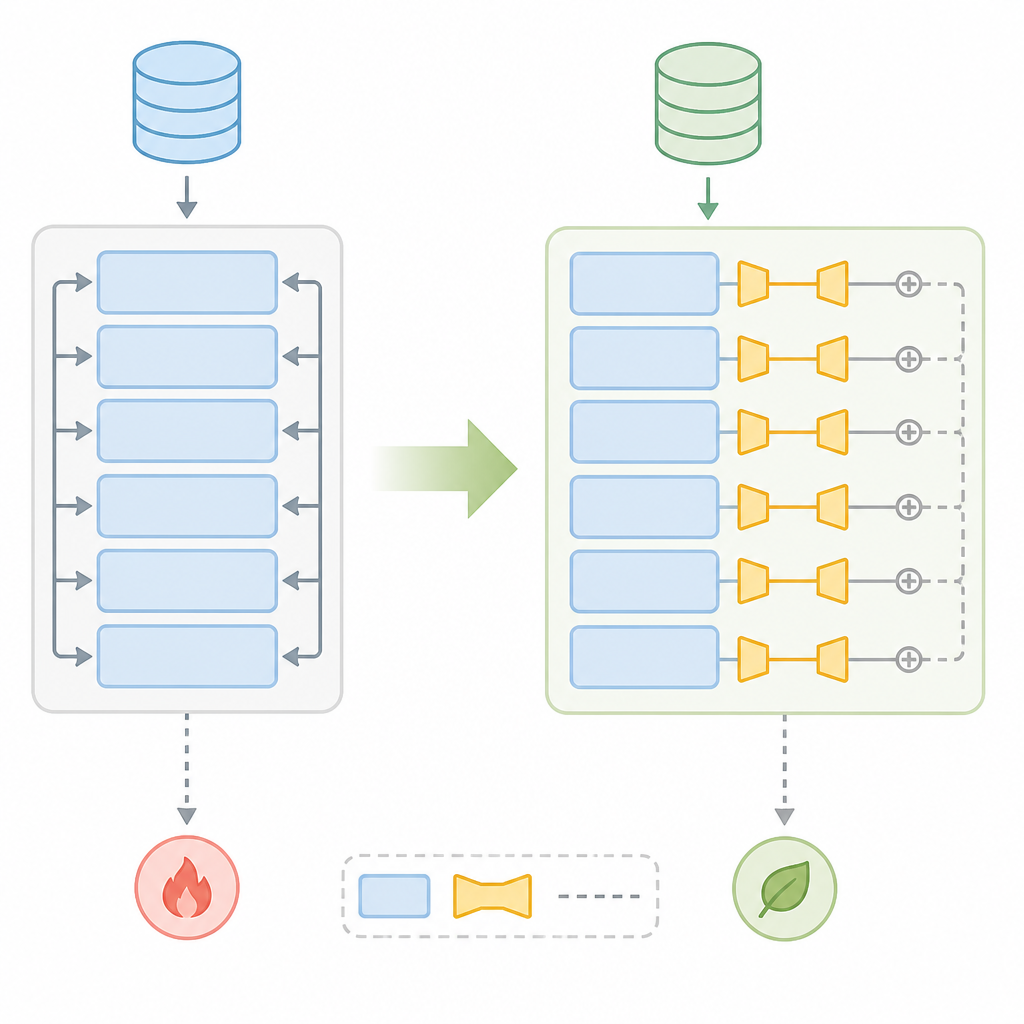
Target attention projections such as q_proj and v_proj to start. That keeps the adapter small while still giving the model enough capacity to learn new behavior.
from peft import LoraConfig, get_peft_model

config = LoraConfig(
    r=16,
    lora_alpha=32,
    lora_dropout=0.05,
    target_modules=["q_proj", "v_proj"],
    task_type="CAUSAL_LM",
)
model = get_peft_model(model, config)
model.print_trainable_parameters()
You should see a trainable-parameter report showing only a small fraction of the model is updated. In a healthy LoRA setup, that number is far below 1% of the full model.
Step 3: Prepare task data for adaptation
Your third outcome is a clean training set that teaches the adapter the exact behavior you want. PEFT does not remove the need for good data. It only reduces how many parameters you must update.
Create examples that reflect the style, domain, or instruction pattern you want the model to learn. For customer support, that could mean support tickets and ideal responses. For code assistants, that could mean prompts and corrected completions.
Keep the format consistent so the adapter learns a stable mapping. If your prompt template changes every few rows, training becomes harder to interpret and evaluate.
You should see examples that look uniform and task-specific, with clear input and output pairs. If you can read a sample and immediately tell what behavior it teaches, your dataset is in good shape.
Step 4: Train only the adapter weights
Your fourth outcome is a working fine-tuning run that updates the adapter while leaving the base model untouched. This is where PEFT delivers its main cost savings: less memory, fewer trainable weights, and smaller checkpoints.
Use your usual training loop or a trainer from Transformers. The key check is that only adapter parameters require gradients, while the frozen model remains static.
from transformers import Trainer, TrainingArguments

args = TrainingArguments(
    output_dir="./peft-output",
    per_device_train_batch_size=2,
    num_train_epochs=3,
    learning_rate=2e-4,
    fp16=True,
)

trainer = Trainer(
    model=model,
    args=args,
    train_dataset=train_dataset,
)
trainer.train()
You should see loss values decrease over time and GPU memory use stay lower than a full fine-tuning run. If memory still spikes like a full-model update, recheck that the base model is frozen and that only LoRA layers are trainable.
Step 5: Save and reuse the adapter
Your fifth outcome is a portable adapter you can ship without redistributing the full model. This is one of PEFT's biggest production advantages because the adapter is usually tiny compared with the base checkpoint.
Save the adapter separately, then load it on top of the same base model during inference. That lets you keep one foundation model and swap in many specialized behaviors.
model.save_pretrained("./customer-support-lora")
tokenizer.save_pretrained("./customer-support-lora")

# Later
from peft import PeftModel
base_model = AutoModelForCausalLM.from_pretrained(model_id, device_map="auto")
adapted_model = PeftModel.from_pretrained(base_model, "./customer-support-lora")
You should see the adapter load quickly and inference should produce task-specific responses. If the output still looks generic, the adapter may not match the base model version you trained against.
Step 6: Compare PEFT with other fine-tuning methods
Your final outcome is the ability to choose the right PEFT method for the job. LoRA is popular, but adapters, prompt tuning, prefix tuning, and IA³ all solve the same problem with different tradeoffs.
Use LoRA when you want a strong default choice with good quality and simple deployment. Consider prompt or prefix tuning when you want even lighter updates, and use adapters when you want a more modular architecture inside the network.
You should now be able to explain why PEFT works: most tasks need a behavioral adjustment, not a rewrite of the entire model. That makes it a practical way to fine-tune LLMs under real compute limits.
| Metric | Before/Baseline | After/Result |
|---|---|---|
| Trainable parameters | 7B full fine-tuning | ~5M to ~20M with LoRA on a 7B model |
| Trainable parameters | 13B full fine-tuning | ~10M to ~40M with LoRA on a 13B model |
| Trainable parameters | 70B full fine-tuning | ~50M to ~200M with LoRA on a 70B model |
| Adapter size | Full model checkpoint | ~50 MB to ~200 MB adapter in common production setups |
Common mistakes
- Forgetting to freeze the base model. Fix: verify
requires_grad=Falsefor pretrained weights before training starts. - Choosing the wrong target modules. Fix: inspect the model architecture and confirm the names of attention projection layers before applying LoRA.
- Using mismatched base and adapter versions. Fix: always load the adapter onto the exact base model family and revision used during training.
What's next
Once you are comfortable with LoRA, explore adapter merging, quantized fine-tuning with QLoRA, and evaluation workflows that compare adapter-only models against full fine-tuning on the same task set.
// Related Articles
- [AGENT]
Grok Build adds live previews and rewind fixes
- [AGENT]
Kimi K3 Benchmark Evaluation Guide for Coding Agents
- [AGENT]
Meta’s first paid model proves AI coding is now a price war
- [AGENT]
Claude Code turns chat into terminal work
- [AGENT]
Decentralized AI compliance should be built into agent rails, not bol…
- [AGENT]
Open-Source AI Agent Frameworks Compared